 PluginStats
geonetwork pulls statistics
GeoNetwork is a FOSS catalog for spatially referenced resources.
geonetwork has 6,922,154 recorded pulls on Docker Hub.
It ranks #158 of 1,263 tracked Docker Hub listings by pulls.
PluginStats has 3 daily observations since Oct 16, 2026; the latest is from Oct 18, 2026.
About geonetwork
Quick reference
• Maintained by: GeoNetwork opensource • Where to get help: the Docker Community Slack, Server Fault, Unix & Linux, or Stack Overflow
Supported tags and respective Dockerfile links
• 3.12.12, 3.12, 3 • 3.12.12-postgres, 3.12-postgres, 3-postgres • 4.2.17, 4.2 • 4.4.12, 4.4, 4, latest
Quick reference (cont.)
• Where to file issues: https://github.com/geonetwork/docker-geonetwork/issues • Supported architectures: (more info) amd64, arm32v7, arm64v8, ppc64le, s390x • Published image artifact details: repo-info repo's repos/geonetwork/ directory (history) (image metadata, transfer size, etc) • Image updates: official-images repo's library/geonetwork label official-images repo's library/geonetwork file (history) • Source of this description: docs repo's geonetwork/ directory (history)
What is GeoNetwork?
GeoNetwork is a catalog application to manage spatially referenced resources. It provides powerful metadata editing and search functions as well as an interactive web map viewer.
The GeoNetwork project started out in year 2001 as a Spatial Data Catalogue System for the Food and Agriculture organisation of the United Nations (FAO), the United Nations World Food Programme (WFP) and the United Nations Environmental Programme (UNEP).
At present the project is widely used as the basis of Spatial Data Infrastructures all around the world.
GeoNetwork has been developed to connect spatial information communities and their data using a modern architecture, which is at the same time powerful and low cost, based on the principles of Free and Open Source Software (FOSS) and International and Open Standards for services and protocols (e.g.: ISO/TC211, OGC).
The project is part of the Open Source Geospatial Foundation ( OSGeo ) and can be found at GeoNetwork opensource. GeoNetwork has been developed to connect spatial information communities and their data using a modern architecture, which is at the same time powerful and low cost.
How to use this image
GeoNetwork 4 uses an Elasticsearch server to store the index of the documents it manages so it can't be run without configuring the URL of the Elasticsearch server.
This is a quick example of how to get GeoNetwork 4.4 Latest up and running for demo purposes. This configuration doesn't keep the data if containers are removed.
For GeoNetwork 4.2 Stable:
To be sure about what Elasticsearch version to use you can check the GeoNetwork documentation for your GN version or the es.version property in the pom.xml file of the GeoNetwork release used.
The following table summarises the required Elasticsearch version for each GeoNetwork release series:
| GeoNetwork version | Elasticsearch version |
| 4.0.0 - 4.0.5 | 7.9.2 | | 4.0.6 - 4.2.7 | 7.11.1 | | 4.2.8 - 4.4.2 | 7.17.x | | 4.4.3 - 4.4.5 | 8.11.3 | | 4.4.6 - 4.4.9 | 8.14.3 | | 4.4.10+ | 8.19.13 |
Default credentials
After installation, use the default credentials: admin (username) and admin (password). It is recommended to update the default password after installation.
Elasticsearch configuration
Java properties (version 4.4.0 and newer)
Since GeoNetwork 4.4.0, use Java properties passed in the GN_CONFIG_PROPERTIES environment variable for Elasticsearch connection configuration:
• es.host: *optional* (default localhost): The host name of the Elasticsearch server. • es.port *optional* (default 9200): The port where Elasticsearch server is listening to. • es.protocol *optional* (default http): The protocol used to talk to Elasticsearch. Can be http or https. • es.url: mandatory if host, port or protocol aren't the default values (default http://localhost:9200): Full URL of the Elasticsearch server. • es.index.records *optional* (default gn-records): In case you have more than GeoNetwork instance using the same Elasticsearch cluster each one needs to use a different index name. Use this variable to define the name of the index used by each GeoNetwork. • es.username *optional* (default empty): username used to connect to Elasticsearch. • es.password *optional* (default empty): password used to connect to Elasticsearch. • kb.url *optional* (default http://localhost:5601): The URL where Kibana is listening.
The following environment variables are also available for 4.4.x images:
• WEBAPP_CONTEXT_PATH *optional* (default /geonetwork): The context path used to deploy GeoNetwork. Since 4.4.11, the value must start with / followed by one or more letters, digits, hyphens, or underscores (e.g. /geonetwork); an invalid value causes the container to exit with an error at startup. • REMOTE_IP_INTERNAL_PROXIES *optional* (since 4.4.10): Regular expression matching IP addresses of trusted reverse proxies. Enables X-Forwarded-For header processing for correct client IP detection behind a proxy. When not set, the RemoteIp Valve is disabled. Example: 192\.168\.0\.10|192\.168\.0\.11.
Example Docker Compose YAML snippet:
Environment variables (version 4.2 and older)
For versions older than 4.4.0, configure Elasticsearch using environment variables:…
Description from the Docker Hub listing.
Where geonetwork sits in the listing
Each band is one page of 20. Pulls on a log scale. Placement is projected from pulls, so it can differ from the marketplace's own sort order. Hover a dot to see the listing.


Charts
Images: 30d · 1y · all time · 1600×900 dark
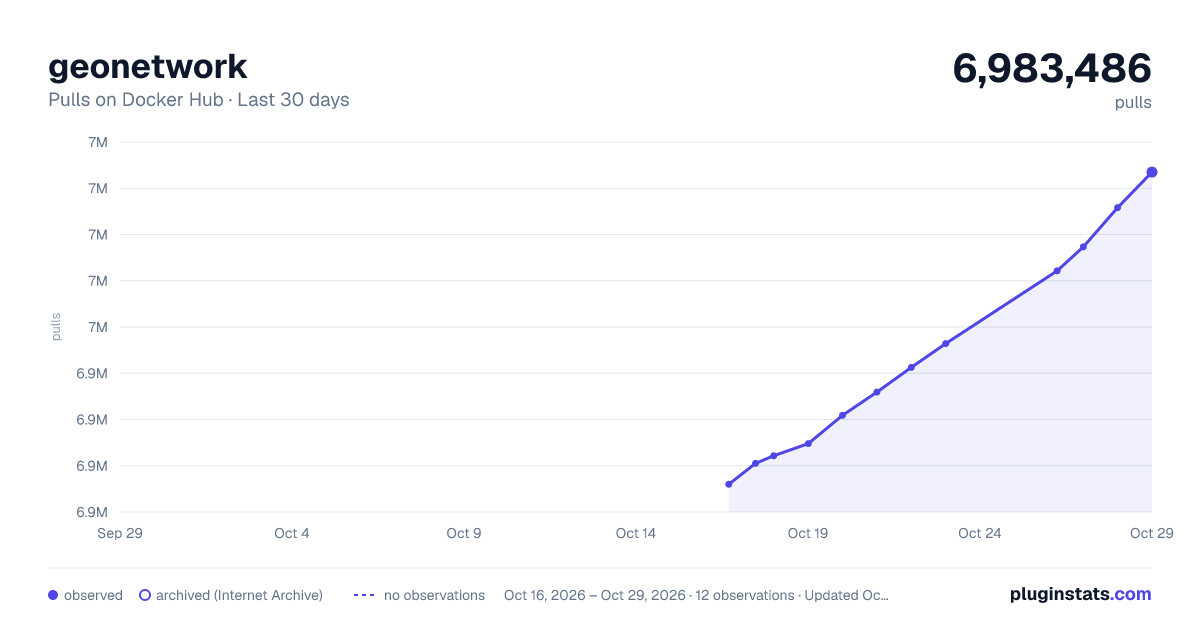
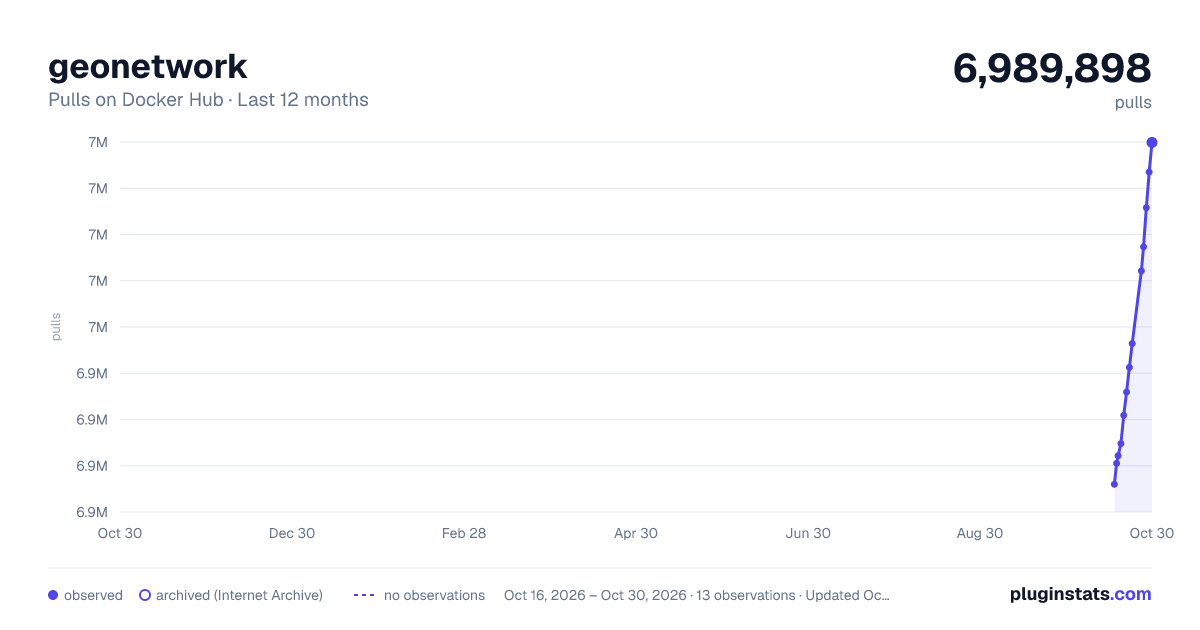
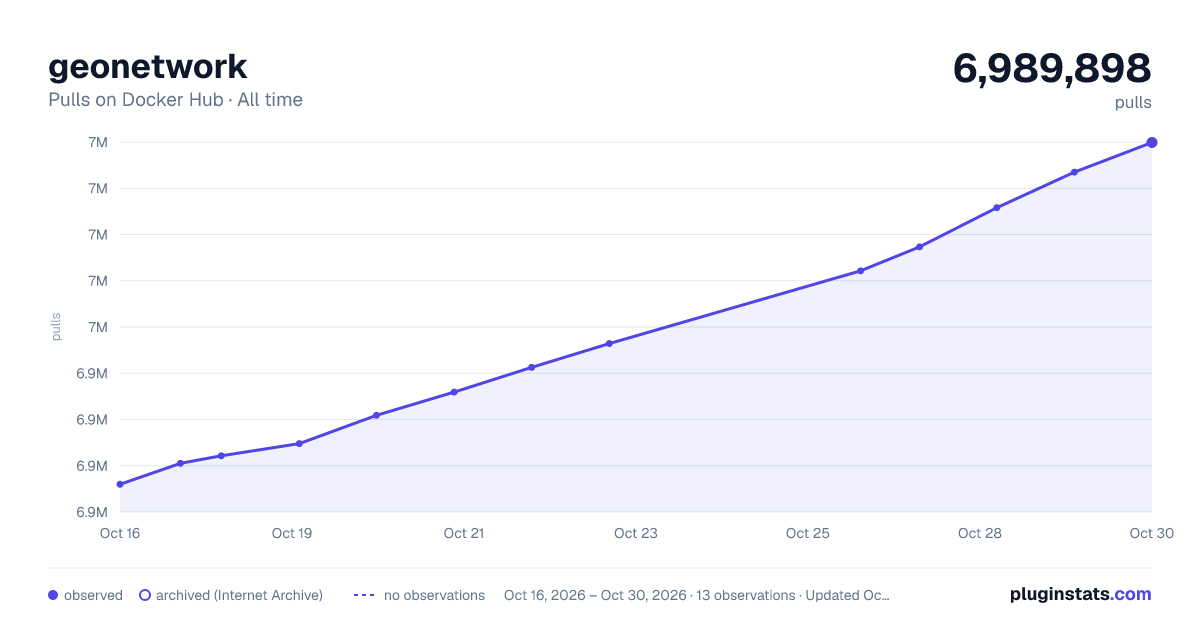

Adoption over time


7/30/90-day growth


Filled points are observed values; hollow points come from Internet Archive snapshots of the listing page. Dashed segments span periods with no observations — values between points are not interpolated.
Recent observations
Full history (3)Similar Docker Hub Data science plugins
Data source
Cumulative pull counts and stars come from the public Docker Hub API. Pulls count image downloads (including automated CI pulls), not installs or users.
Listing: https://hub.docker.com/_/geonetwork. First seen Oct 16, 2026; last successful collection Oct 18, 2026. See the methodology.