 PluginStats
atlassian/docker-release-maker pulls statistics
By atlassian (66 listings) · Docker Hub
atlassian/docker-release-maker has 1,452,744 recorded pulls on Docker Hub.
It ranks #244 of 1,263 tracked Docker Hub listings by pulls.
PluginStats has 3 daily observations since Oct 16, 2026; the latest is from Oct 18, 2026.
About atlassian/docker-release-maker
Overview
The Atlassian Docker Release Maker is a tool for automating the building, testing, tagging and publishing of Docker images for Atlassian's Server products. It uses the Atlassian Marketplace and Docker Hub API's to determine available and published versions, and has the ability to apply complex tagging to images, pass custom build arguments to builds and select specified Dockerfiles for building. As the generated Docker image is used as a run-time image for Atlassian product Docker-image build & test pipelines it also includes tools and dependencies, including Python test dependencies; see the Dockerfile and requirements.txt for details.
Configuration
Docker Release Maker can be run via Bitbucket Pipelines to create new images for unreleased product versions, or to rebuild and update all published images.
The easiest way to configure Docker Release Maker is to set the desired options on the command-line, and then call make-releases.py --create to create new releases or make-releases.py --update to update all releases. The --create-eap flag can also be used to create EAP releases if they're available.
A typical Pipelines configuration looks like this:
Note that in the example above, docker login is called directly and Docker Release Maker simply uses the existing authentication.
More comprehensive examples can be found in the Atlassian Docker image repositories, e.g: https://bitbucket.org/atlassian-docker/docker-atlassian-jira/src/master/bitbucket-pipelines.yml
Required parameters
• --start-version
The floor value of versions to build images for (inclusive). This can be any level of precision, e.g. '8', '8.1', or '8.1.2'.
• --end-version
The ceiling value of versions to build images for (exclusive). This can be any level of precision, e.g. '9', '9.1', or '9.1.2'. If not set, this will default to the major version component of --start-version + 1.
• --base-version
The major version to build images for (deprecated). If --start-version is set, this is ignored.
• --docker-repo
The Docker Hub repository name. This is used both to check existing published tags, and to push new builds.
• --dockerfile-version-arg
The build argument in the Dockerfile that specifies product version. The Dockerfile should use this to retrieve / install the correct product version.
• --mac-product-key
The product key used by the Atlassian Marketplace API, to determine available releases. Valid values include: • bamboo • bitbucket • confluence • crowd • fisheye • jira • jira-software • jira-servicedesk
Optional parameters
• --concurrent-builds (default: 1)
The number of images to build concurrently. This may be increased to improve time to completion when building a large number of images, or reduced in constrained environments. The default value should be optimal in a standard Bitbucket Pipelines environment.
• --default-release (default: false)
Whether the build should be considered the default. When this is true, "plain" version tags and the latest tag will be applied. This is useful when there are multiple variations of an image available, e.g. based on different JDK versions or with different base OS images, and one needs to be set as the default. In cases where no variants exist it is highly recommended that this be set to true. See "Tagging" for more info on how tags are calculated and applied.
• --dockerfile (default: Dockerfile)
Specify a custom Dockerfile path to use. This can be useful if multiple Dockerfile variations exist in the one repo, e.g. secondary Alpine builds. The value can include folder paths, and should point to a specific Dockerfile name, e.g. path/to/Dockerfile-custom
• --dockerfile-buildargs (default: none)
Specify additional custom build arguments to be applied to images at build time. This can be used in a number of ways: to override the base image in templates that specify the base as a build arg; to specify custom versions of dependencies in images; etc. This relies on the Dockerfile supporting the build arguments. Build arguments should be specified as comma separated key=value pairs, e.g. --dockerfile-buildargs='BASE_IMAGE=adoptopenjdk/openjdk11:slim,ADDITIONAL_PACKAGES=vim telnet'
• --tag-suffixes (default: none)
Additional suffixes to create suffixed tags for. When present, suffixed version tags will be applied. This should be a comma separated list of desired tag suffixes, e.g. TAG_SUFFIXES='ubuntu,jdk8'. See "Tagging" for more info on how tags are calculated and applied.
• --push (default: false)
Whether to push the image to the specified repo. Usually set to false on PRs/branches.
• --integration-test-script: (default: '/usr/src/app/integration_test.sh')
The test script to run after the build of each image. If the script returns non-zero the release process will end. It defaults to the integration_test.sh script in this repository. For more details on this script see the section below.
Integration test script
As noted above, the release-manager will invoke a specified integration test script or a default. This script is passed 2 parameters:
• The hash of the locally built image. • A "true" if the script is being invoked in the context of a release rather than a branch or PR build.
If --integration-test-script is not set, the default integration_test.sh is invoked. This takes the following parameters: 1. An image tag or hash (mandatory) 1. An 'is-release' flag (default: false) 1. A 'test-candidate' flag (default: false)
The script will perform the following actions:…
Description from the Docker Hub listing.
Where atlassian/docker-release-maker sits in the listing
Each band is one page of 20. Pulls on a log scale. Placement is projected from pulls, so it can differ from the marketplace's own sort order. Hover a dot to see the listing.


Charts
Images: 30d · 1y · all time · 1600×900 dark
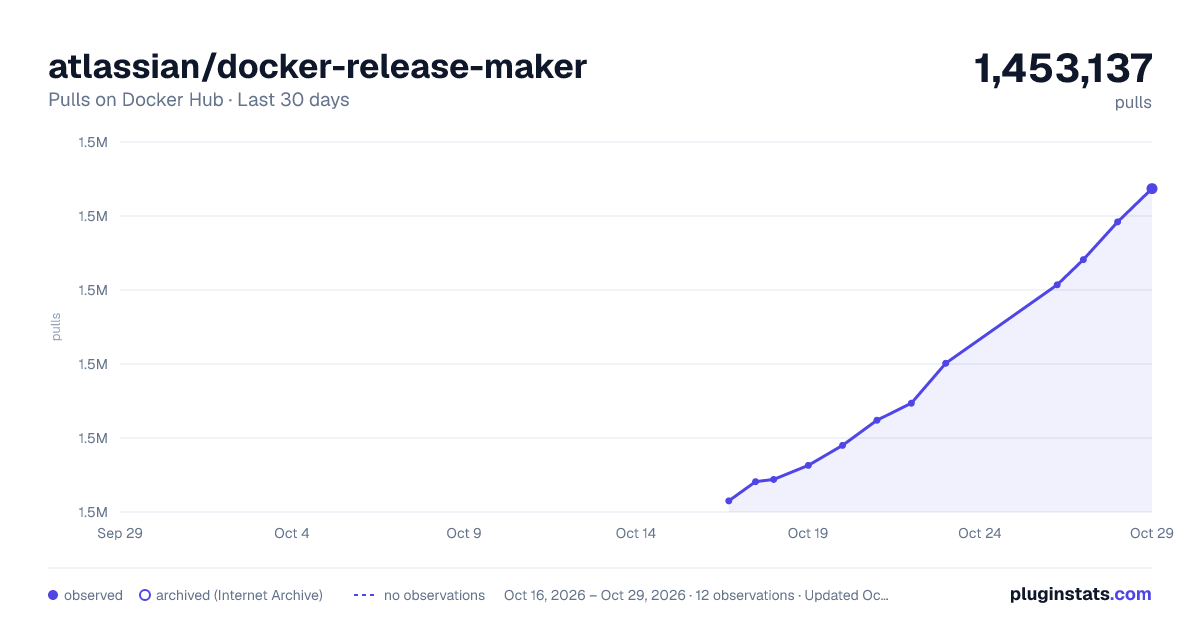
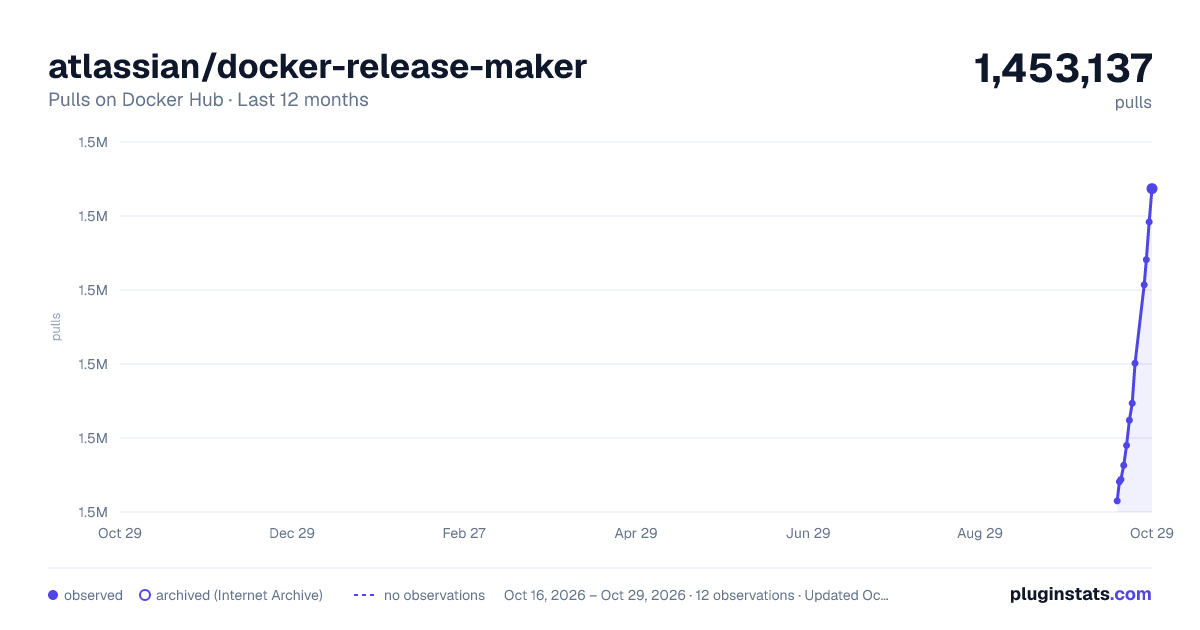
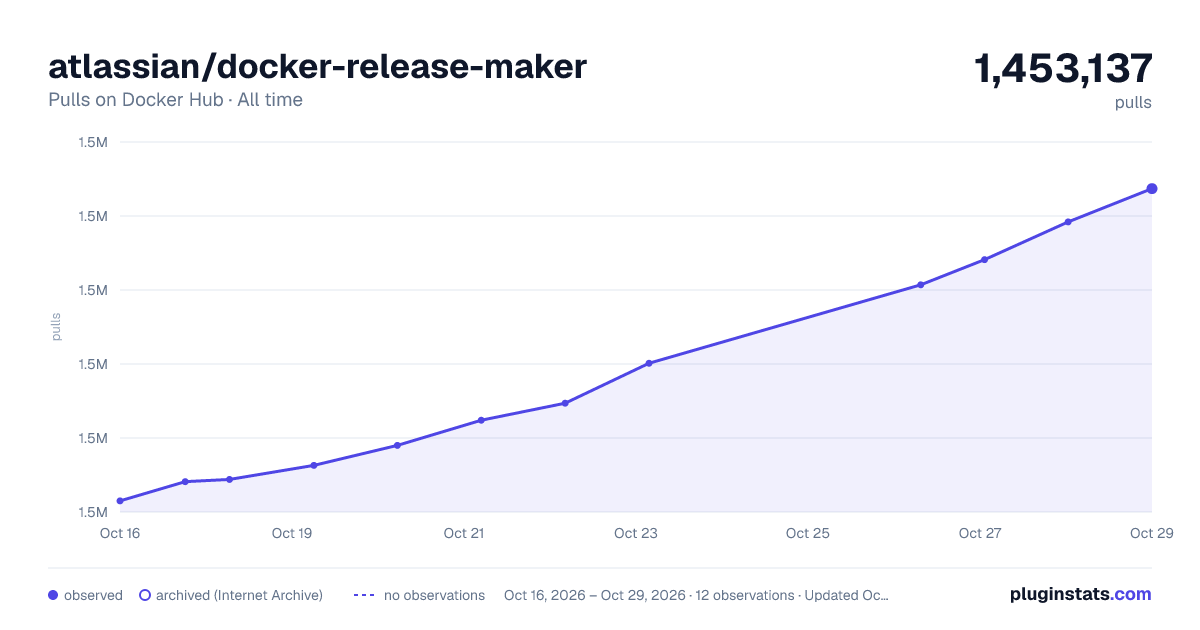

Adoption over time


7/30/90-day growth


Filled points are observed values; hollow points come from Internet Archive snapshots of the listing page. Dashed segments span periods with no observations — values between points are not interpolated.
Recent observations
Full history (3)Similar Docker Hub plugins
Data source
Cumulative pull counts and stars come from the public Docker Hub API. Pulls count image downloads (including automated CI pulls), not installs or users.
Listing: https://hub.docker.com/r/atlassian/docker-release-maker. First seen Oct 16, 2026; last successful collection Oct 18, 2026. See the methodology.