 PluginStats
kaazing-gateway has 3,204,421 recorded pulls on Docker Hub.
It ranks #198 of 1,263 tracked Docker Hub listings by pulls.
PluginStats has 4 daily observations since Oct 16, 2026; the latest is from Oct 19, 2026.
About kaazing-gateway
DEPRECATION NOTICE
This image is deprecated due to inactivity (last updated Jul 2018; docker-library/official-images#4575).
Quick reference
• Maintained by: the Kaazing Docker Maintainers • Where to get help: the Docker Community Forums, the Docker Community Slack, or Stack Overflow
Supported tags and respective Dockerfile links
• 5.6.0, 5.6, 5, latest
Quick reference (cont.)
• Where to file issues: https://github.com/kaazing/gateway.docker/issues • Supported architectures: (more info) amd64, arm64v8 • Published image artifact details: repo-info repo's repos/kaazing-gateway/ directory (history) (image metadata, transfer size, etc) • Image updates: official-images repo's library/kaazing-gateway label official-images repo's library/kaazing-gateway file (history) • Source of this description: docs repo's kaazing-gateway/ directory (history)
What is the KAAZING Gateway?
The Kaazing Gateway is a network gateway created to provide a single access point for real-time web based protocols that supports load balancing, clustering, and security management. It is designed to provide scalable and secure bidirectional event-based communication over the web; on every platform, browser, and device.
How to use this image
Up and Running
By default the gateway runs a WebSocket echo service similar to websocket.org.
You must give your gateway container a hostname. To do this, use the docker run -h somehostname option, along with the -e option to define an environment variable, GATEWAY_OPTS, to pass this hostname to the gateway configuration (your hostname may vary):
Note: the additional GATEWAY_OPTS options, -Xmx512m -Djava.security.egd=file:/dev/urandom, are added in order to preserve these values from the original Dockerfile for the gateway. The -Xmx512m value specifies a minimum Java heap size of 512 MB, and -Djava.security.egd=file:/dev/urandom is to facilitate faster startup on VMs. See the Dockerfile link referenced above for details.
You should then be able to connect to ws://somehostname:8000 from the WebSocket echo test.
Note: all of the above assumes that somehostname is resolvable from your browser. You may need to add an etc/hosts entry for somehostname on your dockerhost ip.
Custom Configuration
To launch a container with a specific configuration you can do the following:
For information on the syntax of the Kaazing Gateway configuration files, see the official documentation (specifically the *For Administrators* section).
If you wish to adapt the default Gateway configuration file, you can use a command such as the following to copy the file from a running Kaazing Gateway container:
As above, this can also be accomplished more cleanly using a simple Dockerfile:
Then, build with docker build -t some-custom-kaazing-gateway . and run:
GATEWAY_OPTS
For more information on the GATEWAY_OPTS environment variable, see Configure Kaazing Gateway Using the GATEWAY_OPTS Environment Variable.
License
View license information for the software contained in this image.
As with all Docker images, these likely also contain other software which may be under other licenses (such as Bash, etc from the base distribution, along with any direct or indirect dependencies of the primary software being contained).
Some additional license information which was able to be auto-detected might be found in the repo-info repository's kaazing-gateway/ directory.
As for any pre-built image usage, it is the image user's responsibility to ensure that any use of this image complies with any relevant licenses for all software contained within.
Description from the Docker Hub listing.
Charts
Images: 30d · 1y · all time · 1600×900 dark
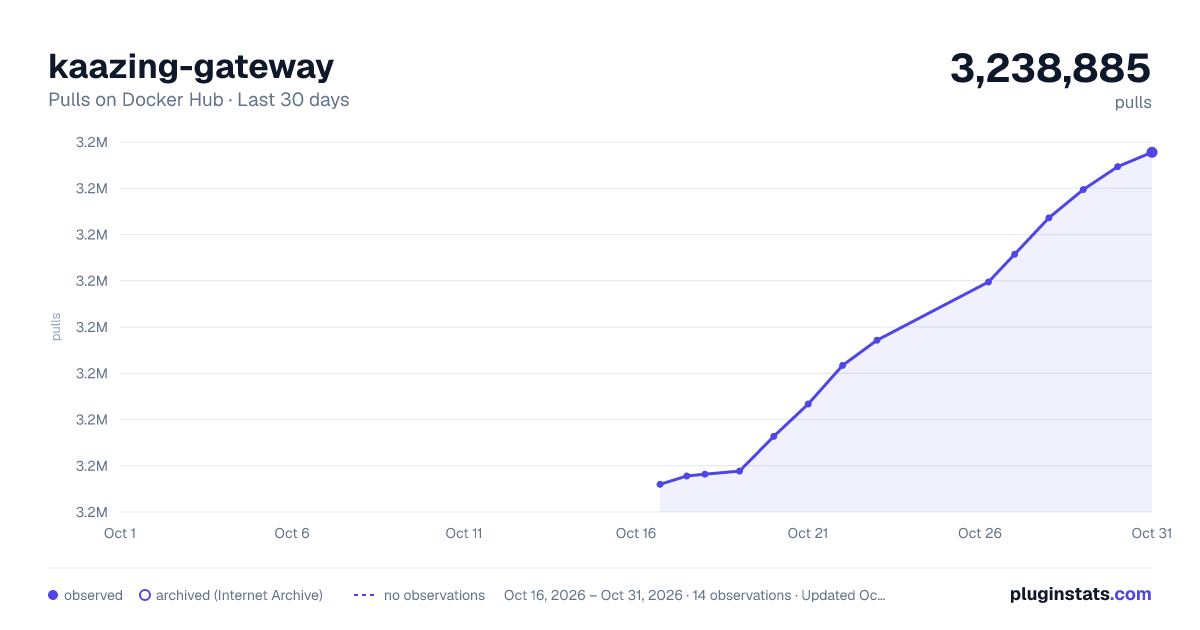
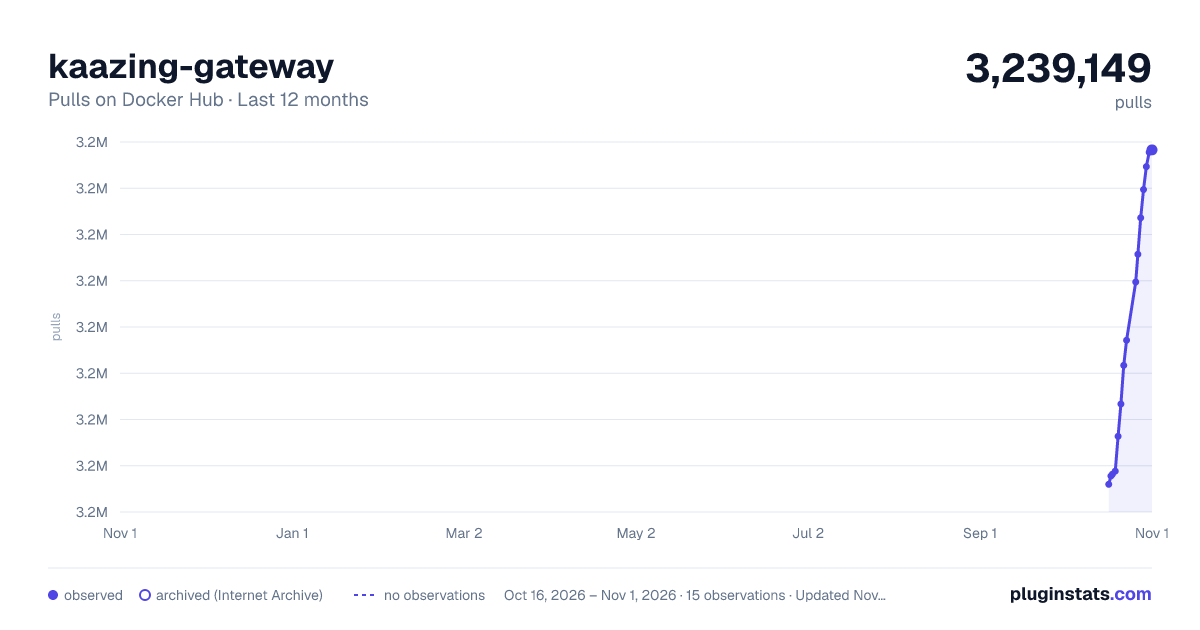
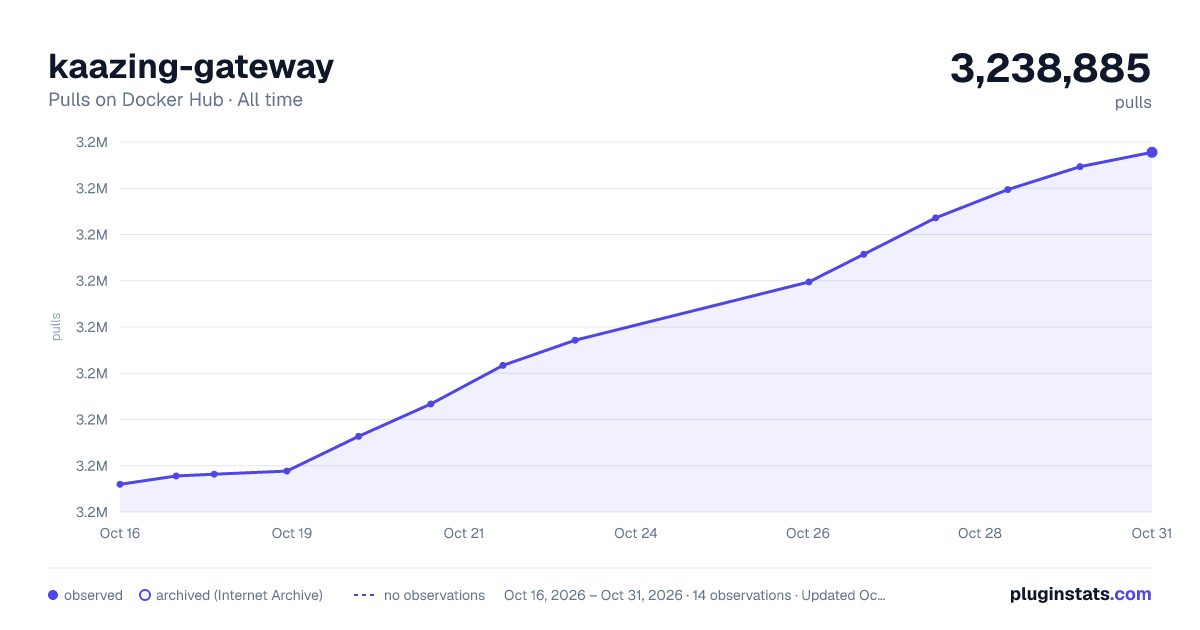

Adoption over time


7/30/90-day growth


Filled points are observed values; hollow points come from Internet Archive snapshots of the listing page. Dashed segments span periods with no observations — values between points are not interpolated.
Each band is one page of 20. Pulls on a log scale. Placement is projected from pulls, so it can differ from the marketplace's own sort order. Hover a dot to see the listing.
Recent observations
Full history (4)Similar Docker Hub plugins
All 20 kaazing-gateway alternativesData source
Cumulative pull counts and stars come from the public Docker Hub API. Pulls count image downloads (including automated CI pulls), not installs or users.
Listing: https://hub.docker.com/_/kaazing-gateway. First seen Oct 16, 2026; last successful collection Oct 19, 2026. See the methodology.