 PluginStats
jetbrains/teamcity-server pulls statistics
By jetbrains (640 listings) · Docker Hub · Integration & delivery
TeamCity Server - Powerful Continuous Integration and Continuous Delivery out of the box
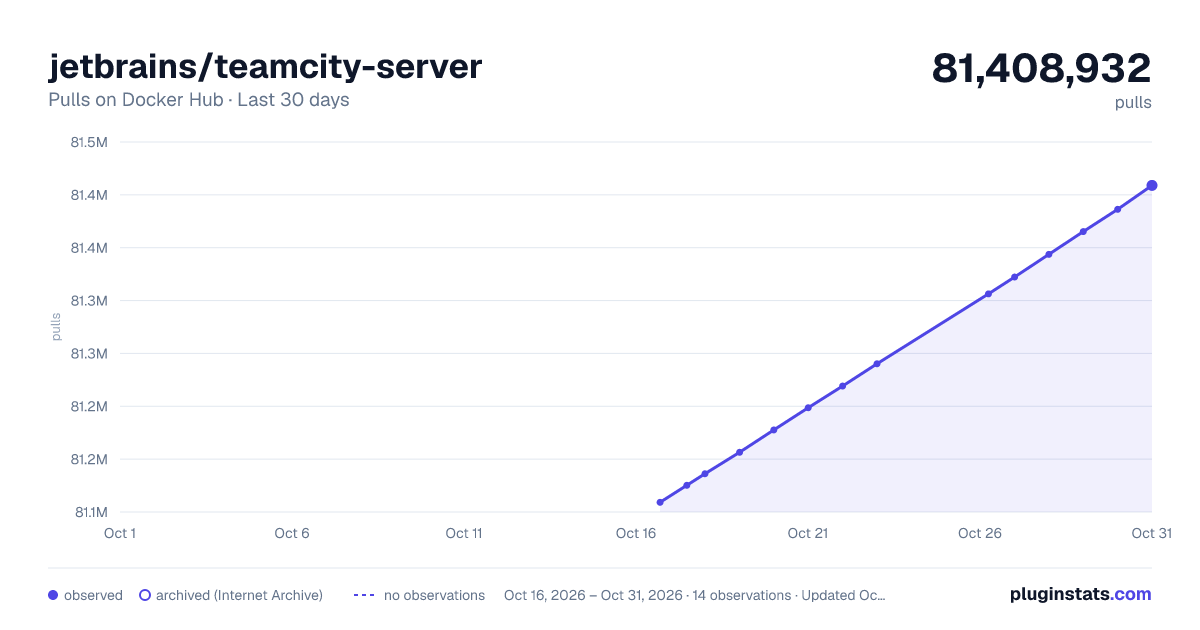
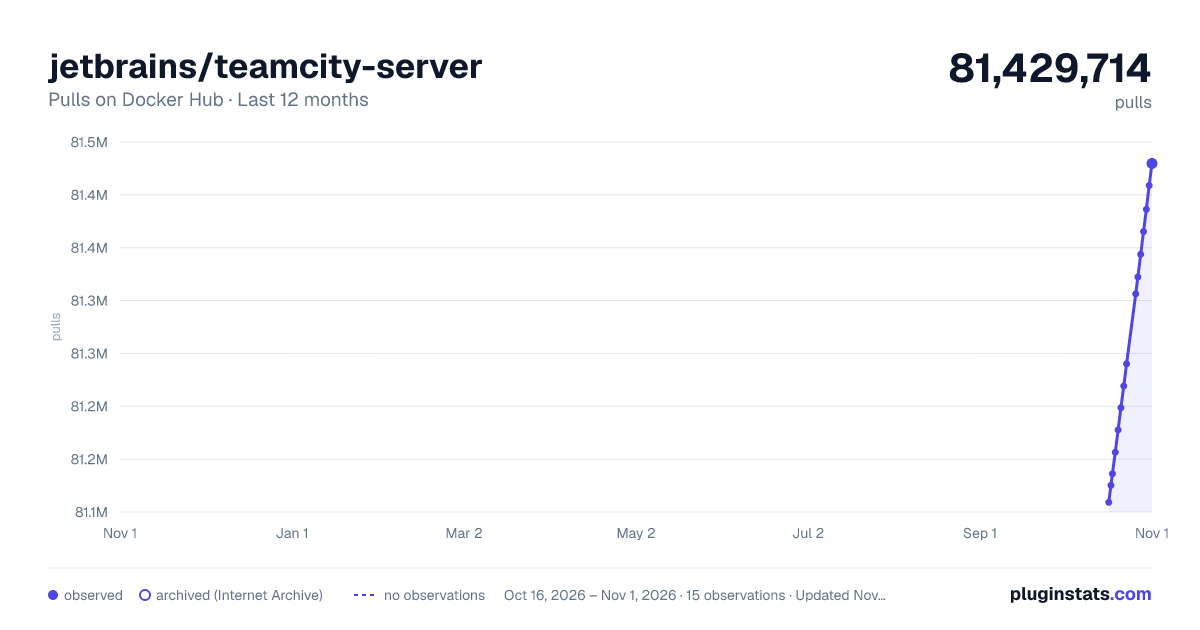
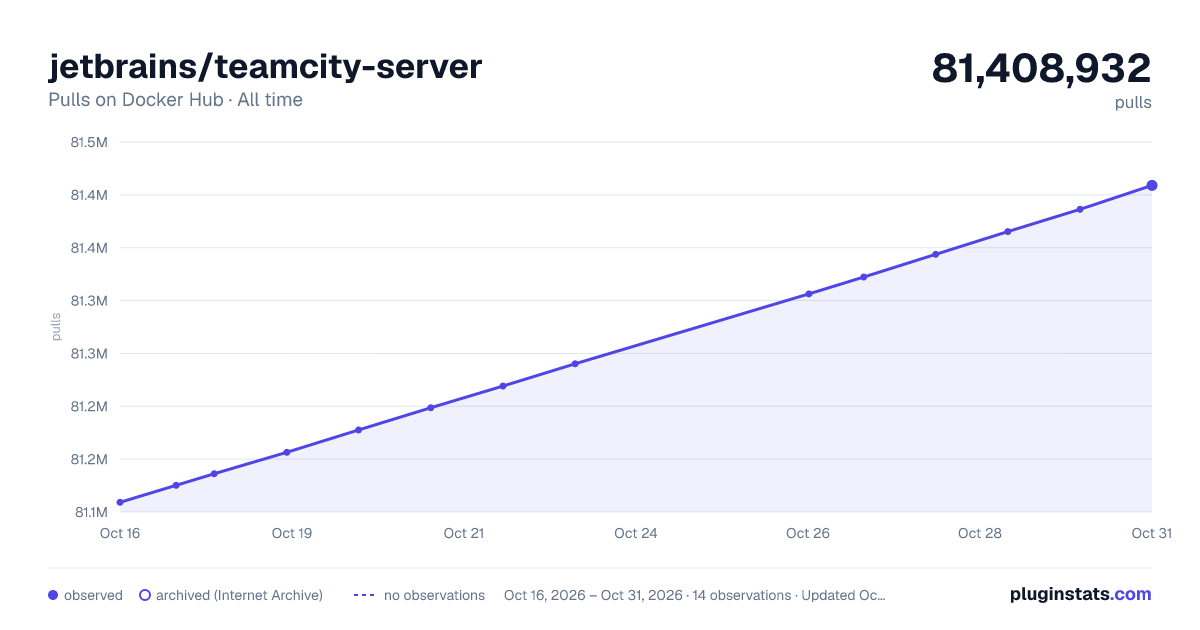
jetbrains/teamcity-server has 81,156,471 recorded pulls on Docker Hub.
It ranks #45 of 1,263 tracked Docker Hub listings by pulls.
PluginStats has 4 daily observations since Oct 16, 2026; the latest is from Oct 19, 2026.
About jetbrains/teamcity-server
TeamCity Server - Powerful Continuous Integration and Continuous Delivery out of the box
This is an official JetBrains TeamCity server image. The image is suitable for production use and evaluation purposes.
More details about tags and components are here.
How to Use This Image
First, pull the image from the Docker Hub Repository
Linux container
Use the following command to start a container with TeamCity server
where
• \ is the host machine directory to serve as the TeamCity Data Directory where TeamCity stores project settings and build results. Pass an empty directory for the brand new start. If the mapping is not set, you will lose all the TeamCity settings on the container shutdown. • \ is the host machine directory to store the TeamCity server logs. The mapping can be omitted, but then the logs will be lost on container shutdown which will make issues investigation impossible.
Due to security reasons, by default, the container is launched under user 1000. If you need root permissions (user 0), a corresponding configuration key could be passed to Docker - docker run ... --user 0 ... jetbrains/teamcity-server.
Please, note that the running of Docker Containers under root user impose potential security vulnerabilities, including privilege escalation, thus a strong security assessment of the environment is recommended prior to the start-up.
TeamCity behind HTTPS reverse proxy
If TeamCity acts as an endpoint for a reverse proxy server like Nginx or Apache, it should be configured to provide secure cookies to end users.
To achieve that, you can pass an additional -e TEAMCITY_HTTPS_PROXY_ENABLED=true parameter to the docker run command. With this parameter, TeamCity will be started with an alternative server-https-proxy.xml configuration file which enables HTTPS options.
Alternatively, you can use a custom Tomcat configuration (see below).
Configuring HTTPS Access to TeamCity Server
If a TeamCity Server uses the HTTPS connection, it transmits encrypted traffic through port 443 by default.
For security reasons, some operating systems impose restrictions on using "privileged" ports (typically, ports below 1024) for non-root users, such as user 1000. As a result, port 443 can be unavailable for processes running inside TeamCity Containers that are launched under _user 1000_.
To avoid this issue, do one of the following:
1. (recommended) Map a non-privileged 8443 port inside the container to the default HTTPS port 443 on a host machine. This solution allows TeamCity to be accessible via HTTPS without running the server under the root user (which is otherwise required for accessing the privileged port 443).
2. Launch TeamCity Container under a _root_ user. This approach is less secure and is generally avoided. Before running the server under the root user, perform a thorough security risk assessment.
Alternative Tomcat configuration
TeamCity has Tomcat J2EE server under the hood, and if you need to provide an alternative configuration for the TomCat, you can use extra parameter
To get a sample of the current contents of the Tomcat's conf directory, use the docker cp command.
Windows container
See the \ and \ descriptions above; \ is the directory for temporary files.
We also suggest allocating a sufficient amount of resources to the Docker process, like in this example:
The details on the known problems in Windows containers are available in the TeamCity documentation.
Database
TeamCity stores set of users and build results in an SQL database in addition to the Data Directory. By default, the TeamCity server uses an internal database stored on the file system under the data directory. However, production use requires an external database.
To use the server for production, make sure to review and apply the recommendations.
Build agents
You will need at least one TeamCity agent to run builds. Check the jetbrains/teamcity-agent and jetbrains/teamcity-minimal-agent images.
To learn how you can start the TeamCity server together with agents in one go, see these Docker Compose samples.
Additional Commands
When you need to pass additional environment variables to the server process, use the regular -e option. For example, to pass TEAMCITY_SERVER_MEM_OPTS environment variable, use:
To run the maintainDB script (e.g. for the server backup), stop your running container and execute the following command from your host:
Be sure to keep all the local system paths the same with the main server start command.
To change the context of the TeamCity app inside a Tomcat container, pass -e TEAMCITY_CONTEXT=/context to the docker run command. The default one is ROOT, meaning that the server would be available at http://host/.
Upgrading TeamCity
Make sure to check the generic TeamCity upgrade instructions. If you made no changes to the container, you can just stop the running container, pull a newer version of the image and the server in it via the usual command. If you changed the image, you will need to replicate the changes to the new TeamCity server image. In general, use Docker common sense to perform the upgrade.
License
The image is available under the TeamCity license. TeamCity is free for perpetual use with the limitation of 100 build configurations (jobs) and 3 agents. Licensing details.
Feedback
Report issues of suggestions to the official TeamCity issue tracker.
Other TeamCity Images
• Minimal Build Agent • Build Agent
Description from the Docker Hub listing.
Where jetbrains/teamcity-server sits in the listing
Each band is one page of 20. Pulls on a log scale. Placement is projected from pulls, so it can differ from the marketplace's own sort order. Hover a dot to see the listing.


Charts
Images: 30d · 1y · all time · 1600×900 dark

Adoption over time


7/30/90-day growth


Filled points are observed values; hollow points come from Internet Archive snapshots of the listing page. Dashed segments span periods with no observations — values between points are not interpolated.
Recent observations
Full history (4)Similar Docker Hub Integration & delivery plugins
Data source
Cumulative pull counts and stars come from the public Docker Hub API. Pulls count image downloads (including automated CI pulls), not installs or users.
Listing: https://hub.docker.com/r/jetbrains/teamcity-server. First seen Oct 16, 2026; last successful collection Oct 19, 2026. See the methodology.