 PluginStats
atlassian/jira-servicedesk pulls statistics
By atlassian (66 listings) · Docker Hub
This repo is deprecated! It is now Jira Service Management: atlassian/jira-servicemanagement
atlassian/jira-servicedesk has 1,724,316 recorded pulls on Docker Hub.
It ranks #231 of 1,263 tracked Docker Hub listings by pulls.
PluginStats has 3 daily observations since Oct 16, 2026; the latest is from Oct 18, 2026.
About atlassian/jira-servicedesk
Jira Software Data Center helps the world’s best agile teams plan, track, and release great software at scale.
• Check out atlassian/jira-software on Docker Hub • Learn more about Jira Software: https://www.atlassian.com/software/jira
Jira Service Management Data Center is an enterprise ITSM solution that offers high availability, meeting your security and compliance needs so no request goes unresolved.
• Check out atlassian/jira-servicemanagement on Docker Hub • Learn more about Jira Service Management: https://www.atlassian.com/software/jira/service-management
Jira Core is a project and task management solution built for business teams.
• Check out atlassian/jira-core on Docker Hub • Learn more about Jira Core: https://www.atlassian.com/software/jira/core
Overview
This Docker container makes it easy to get an instance of Jira Software, Service Management or Core up and running.
Note: Jira Software will be referenced in the examples provided.
Use docker version >= 20.10.10
Quick Start
For the JIRA_HOME directory that is used to store application data (amongst other things) we recommend mounting a host directory as a data volume, or via a named volume.
Additionally, if running Jira in Data Center mode it is required that a shared filesystem is mounted. The mountpoint (inside the container) can be configured with JIRA_SHARED_HOME.
To get started you can use a data volume, or named volumes. In this example we'll use named volumes.
docker volume create --name jiraVolume docker run -v jiraVolume:/var/atlassian/application-data/jira --name="jira" -d -p 8080:8080 atlassian/jira-software
Success. Jira is now available on http://localhost:8080*
Please ensure your container has the necessary resources allocated to it. We recommend 2GiB of memory allocated to accommodate the application server. See System Requirements for further information.
_* Note: If you are using docker-machine on Mac OS X, please use `open http://$(docker-machine ip default):8080` instead._
Advanced Usage
For advanced usage, e.g. configuration, troubleshooting, supportability, etc., please check the Full Documentation.
Description from the Docker Hub listing.
Where atlassian/jira-servicedesk sits in the listing
Each band is one page of 20. Pulls on a log scale. Placement is projected from pulls, so it can differ from the marketplace's own sort order. Hover a dot to see the listing.


Charts
Images: 30d · 1y · all time · 1600×900 dark
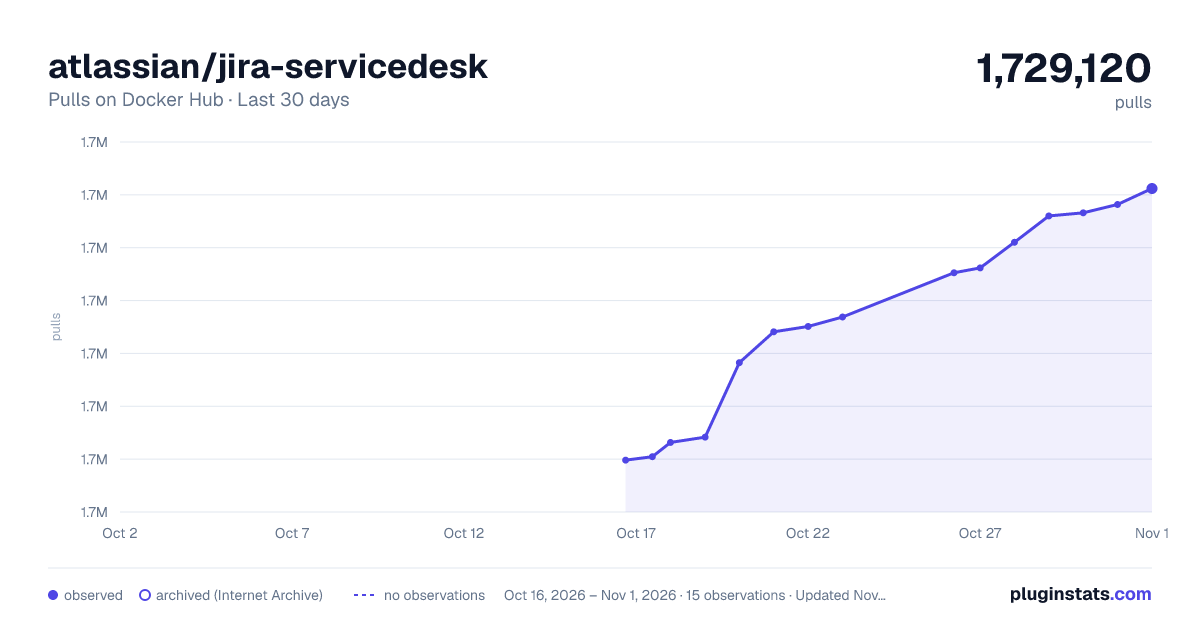
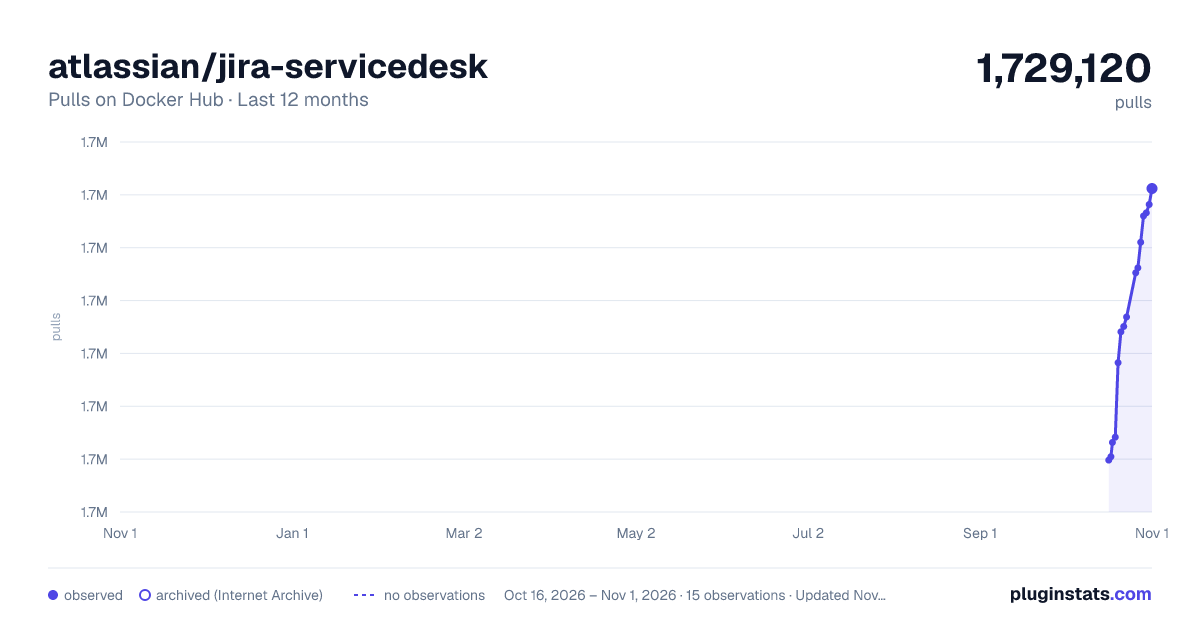
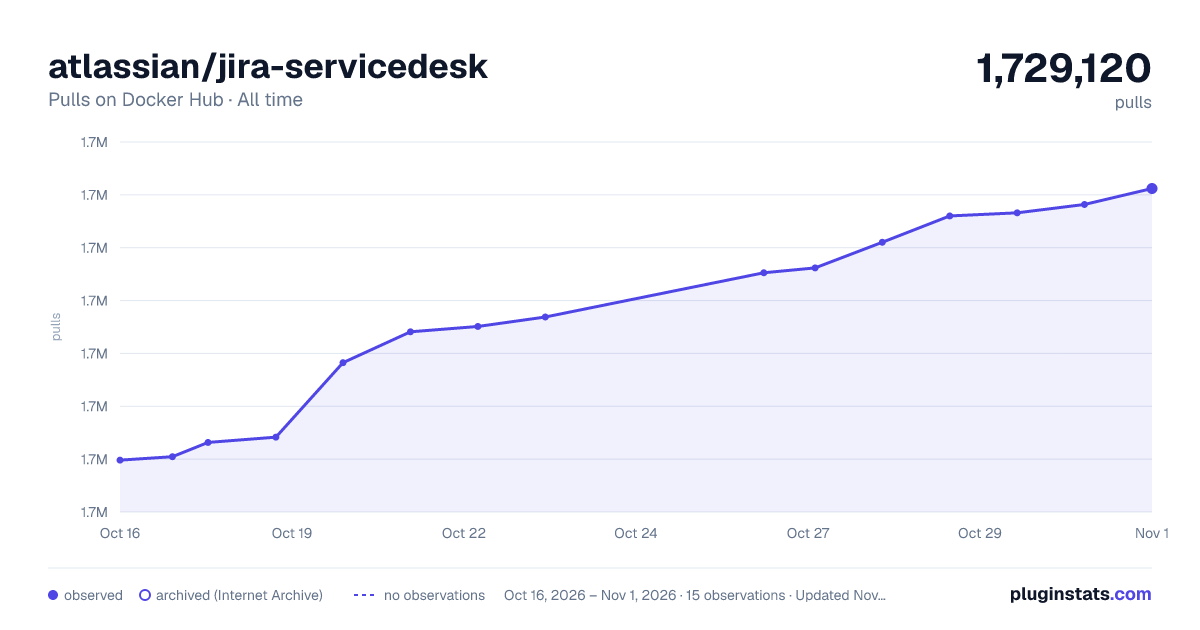

Adoption over time


7/30/90-day growth


Filled points are observed values; hollow points come from Internet Archive snapshots of the listing page. Dashed segments span periods with no observations — values between points are not interpolated.
Recent observations
Full history (3)Similar Docker Hub plugins
Data source
Cumulative pull counts and stars come from the public Docker Hub API. Pulls count image downloads (including automated CI pulls), not installs or users.
Listing: https://hub.docker.com/r/atlassian/jira-servicedesk. First seen Oct 16, 2026; last successful collection Oct 18, 2026. See the methodology.