 PluginStats
linuxserver/dogwalk pulls statistics
By linuxserver (100 listings) · Docker Hub
linuxserver/dogwalk has 12,788 recorded pulls on Docker Hub, ranking #849 of 1,263 tracked listings.
About linuxserver/dogwalk
The LinuxServer.io team brings you another container release featuring:
• regular and timely application updates • easy user mappings (PGID, PUID) • custom base image with s6 overlay • weekly base OS updates with common layers across the entire LinuxServer.io ecosystem to minimise space usage, down time and bandwidth • regular security updates
Find us at:
• Blog - all the things you can do with our containers including How-To guides, opinions and much more! • Discord - realtime support / chat with the community and the team. • Discussions - post on our community forum. • GitHub - view the source for all of our repositories. • Open Collective - please consider helping us by either donating or contributing to our budget
linuxserver/dogwalk
DOGWALK is Blender Studio's long awaited second game project, focused on creating a bite-sized interactive storytelling playground. Play as a big adorable dog and explore the winter woods with a little kid.
Supported Architectures
We utilise the docker manifest for multi-platform awareness. More information is available from docker here and our announcement here.
Simply pulling lscr.io/linuxserver/dogwalk:latest should retrieve the correct image for your arch, but you can also pull specific arch images via tags.
The architectures supported by this image are:
| Architecture | Available | Tag |
| x86-64 | ✅ | amd64-\ | | arm64 | ❌ | |
Application Setup
The application can be accessed at:
This game is currently buggy on Linux and this is known, it segfaults when trying to continue or launch a new game for the second time. As a workaround we purge their storage directory on every launch, so saving and continue is not available, hopefully this will be fixed in future versions. Not mashing buttons when the splash screen is loading helps a lot in testing.
This container REQUIRES a GPU, either Nvidia via runtime or Intel/AMD via --device /dev/dri:/dev/dri it will not work without one, you will only see a gray screen on launch without one.
Controller input is the best option, but if you lack a controller use gaming mode which will pointer lock your mouse at fullscreen.
Strict reverse proxies
This image uses a self-signed certificate by default. This naturally means the scheme is https. If you are using a reverse proxy which validates certificates, you need to disable this check for the container.
This container is based on Docker Baseimage Selkies, which streams a desktop or single application to your web browser. Only the essentials are covered below, the full platform documentation lives at docs.linuxserver.io/selkies.
Start Minimal
Most support issues we see stem from large run configurations assembled from years of forum posts. These containers are designed to work with almost nothing. Start with the minimal command below, confirm it works, then add your options (volumes, env vars, GPU flags) one at a time:
Open https://localhost:3001 (note the https) and accept the self signed certificate warning. The trailing bash gives you a shell inside the container, ctrl+d exits and cleans everything up. If a bigger setup misbehaves, return to this command to isolate the problem, see the Quickstart and Troubleshooting guides.
GPU Acceleration
A GPU is optional, the CPU pipeline is fast enough for smooth sessions on modest hardware. When a GPU is mounted into the container it is automatically detected and configured for zero copy rendering and encoding, set AUTO_GPU=false to disable this behavior.
Intel / AMD (open source drivers), one flag is all it takes:
Nvidia (proprietary drivers, not available on Alpine based images):
Requires host driver 580 or newer installed from the .run file downloaded directly from Nvidia. On drivers older than 595.80 you may also need kernel parameters and a dummy plug, see GPU Acceleration before opening an issue.
Compose examples, multi GPU selection (DRINODE/DRI_NODE), Unraid notes, and a step by step debugging loop are in the GPU Acceleration guide.
Security
[!WARNING] This container provides privileged access to the host system. Do not expose it to the Internet unless you have secured it properly.
HTTPS is required. Modern browser features used for video and audio (WebCodecs) only work in a secure context. Port 3001 serves HTTPS directly, the HTTP port exists only to sit behind a reverse proxy.
By default there is no authentication. Setting the CUSTOM_USER and PASSWORD environment variables enables HTTP basic auth, which is suitable only for a trusted local network. For internet exposure, place the container behind a reverse proxy with robust authentication, such as SWAG. Keep in mind the web interface includes a terminal with passwordless sudo, anyone who can reach the GUI can gain root inside the container.
Authentication options, sharing link behavior, container isolation, and the lockdown variables for kiosk style deployments are covered in Security and Hardening.
Language Support - Internationalization
To launch the session in a different language, set the LC_ALL environment variable, e.g. -e LC_ALL=zh_CN.UTF-8 (Chinese), ja_JP.UTF-8 (Japanese), ko_KR.UTF-8 (Korean), ar_AE.UTF-8 (Arabic), ru_RU.UTF-8 (Russian), es_MX.UTF-8 (Spanish Latin America), de_DE.UTF-8 (German), fr_FR.UTF-8 (French), nl_NL.UTF-8 (Dutch), it_IT.UTF-8 (Italian).
Beyond Running the App
This image inherits every capability of the Selkies platform, all documented in depth on the docs site:…
Description from the Docker Hub listing.
README badge
Show your rank in a README or on your website. The badge updates automatically.
Charts
Images: 30d · 1y · all time · 1600×900 dark
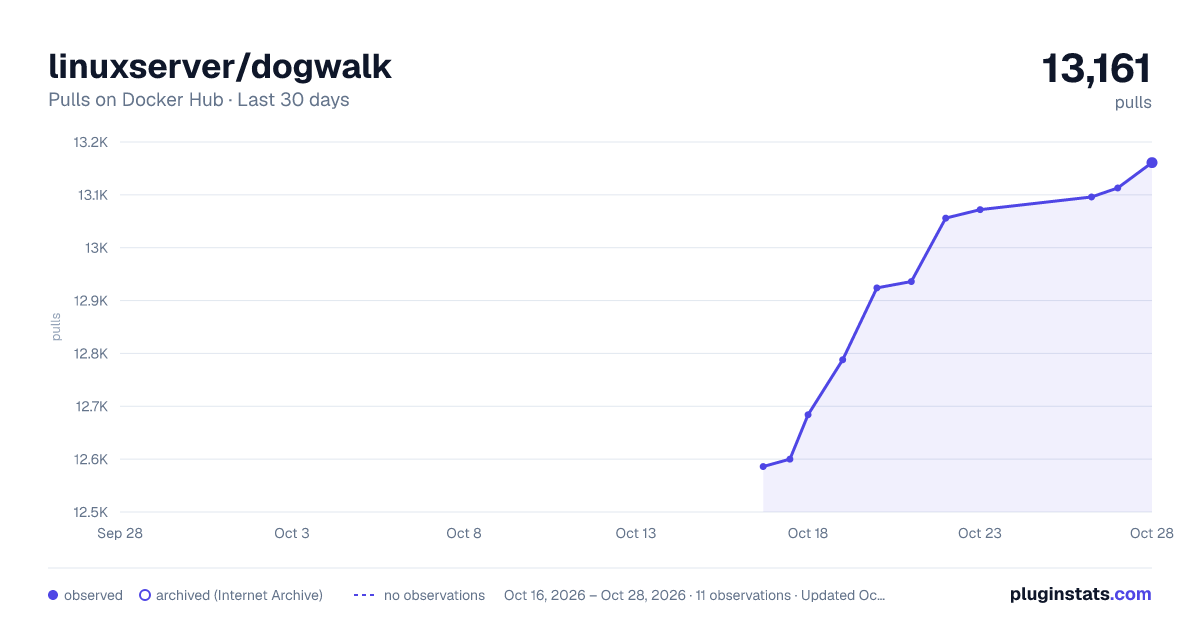
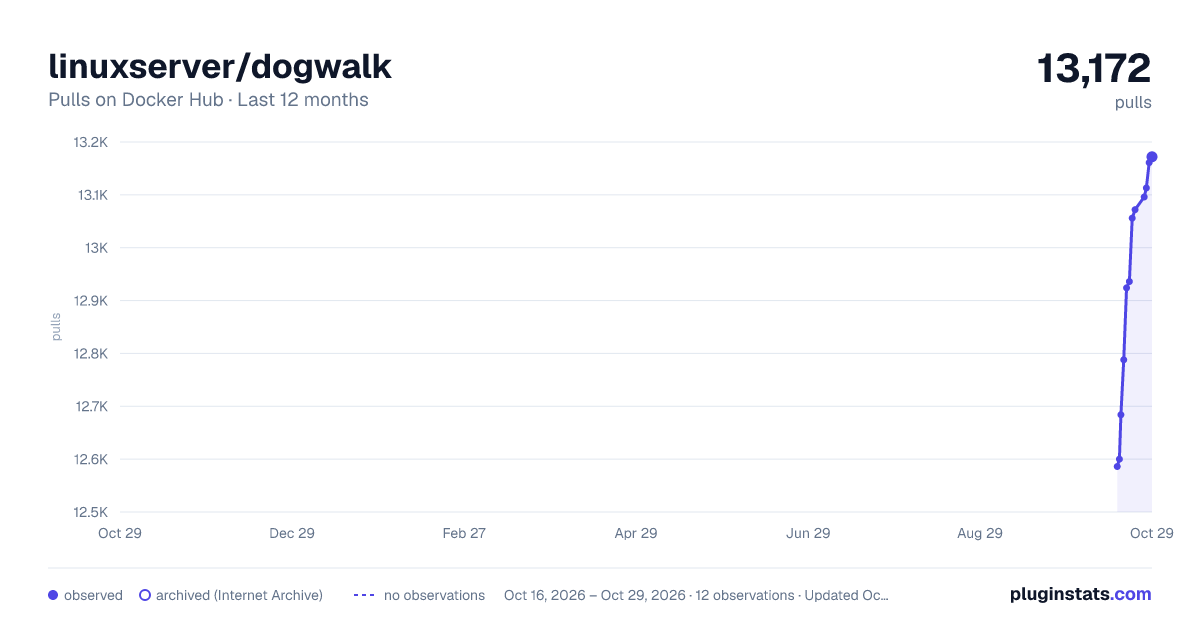
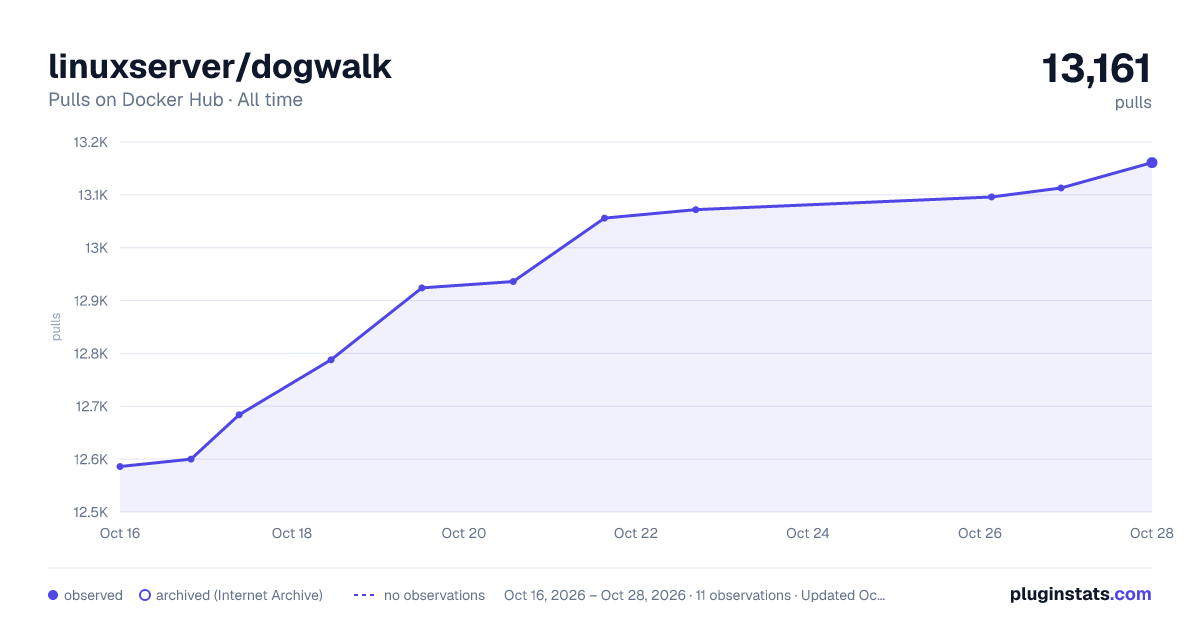

Adoption over time
7/30/90-day growth
Ranking history
Listing placement
Filled points are observed values; hollow points come from Internet Archive snapshots of the listing page. Dashed segments span periods with no observations — values between points are not interpolated.
Each band is one page of 20. Pulls on a linear scale. Placement is projected from pulls, so it can differ from the marketplace's own sort order. Hover a dot to see the listing.
Recent observations
Full history (4)Similar Docker Hub plugins
All 20 linuxserver/dogwalk alternativesData source
Cumulative pull counts and stars come from the public Docker Hub API. Pulls count image downloads (including automated CI pulls), not installs or users.
Listing: https://hub.docker.com/r/linuxserver/dogwalk. First seen Oct 16, 2026; last successful collection Oct 19, 2026. See the methodology.