 PluginStats
Add My Cart: Share Your Amazon Cart users statistics
Use Add My Cart to share your entire Amazon cart with friends, family, and more!
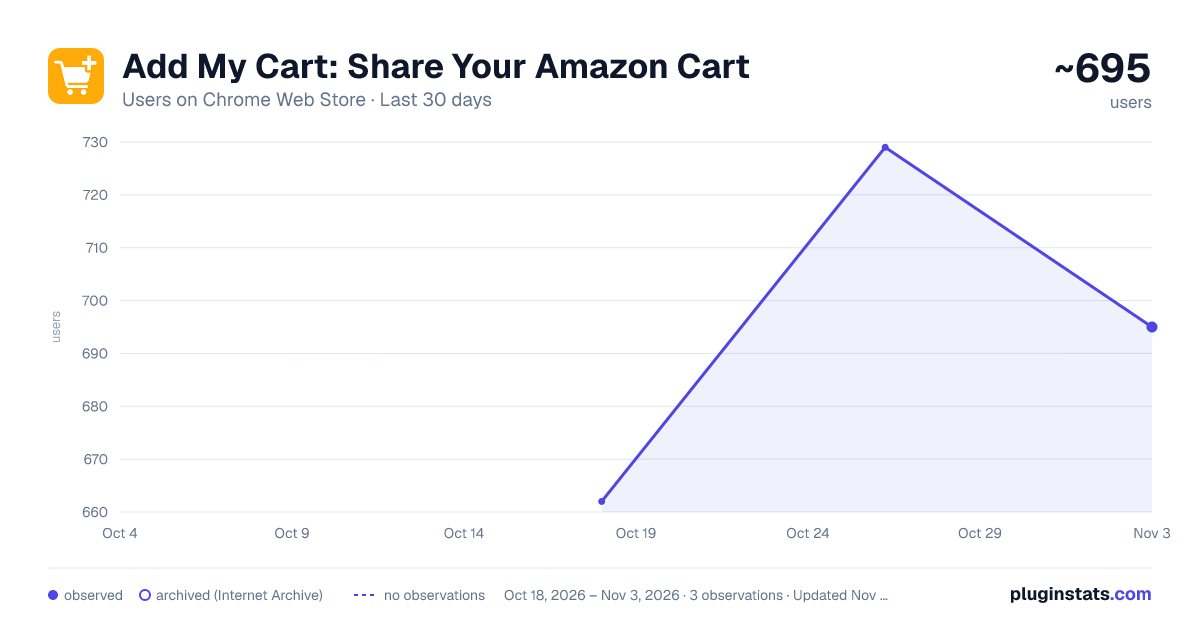
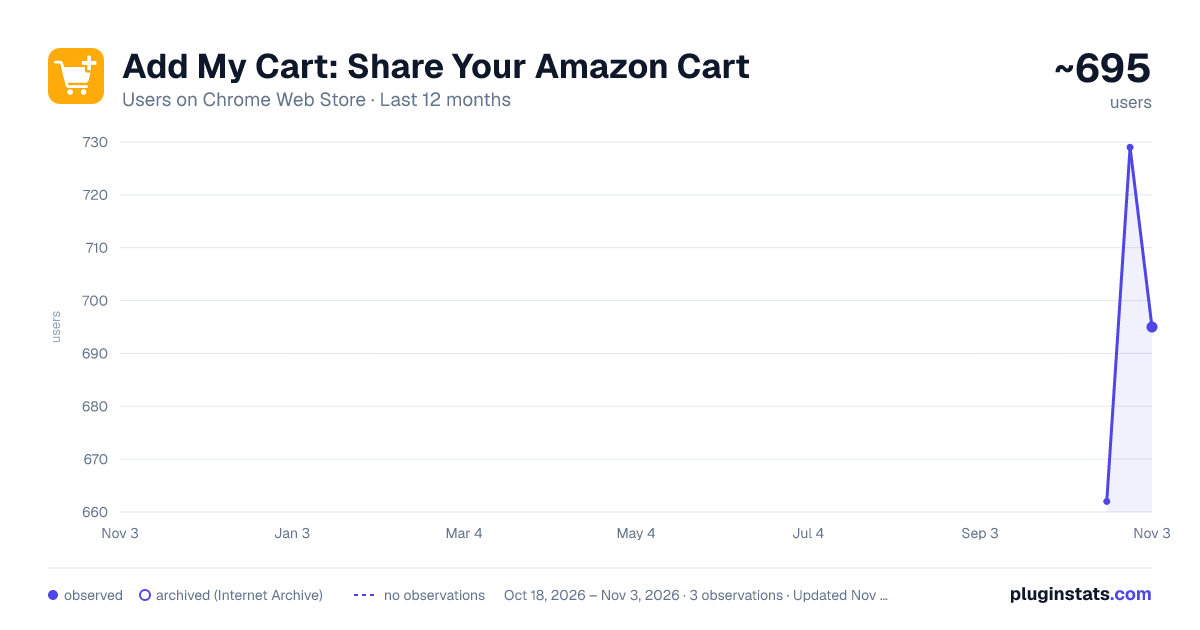
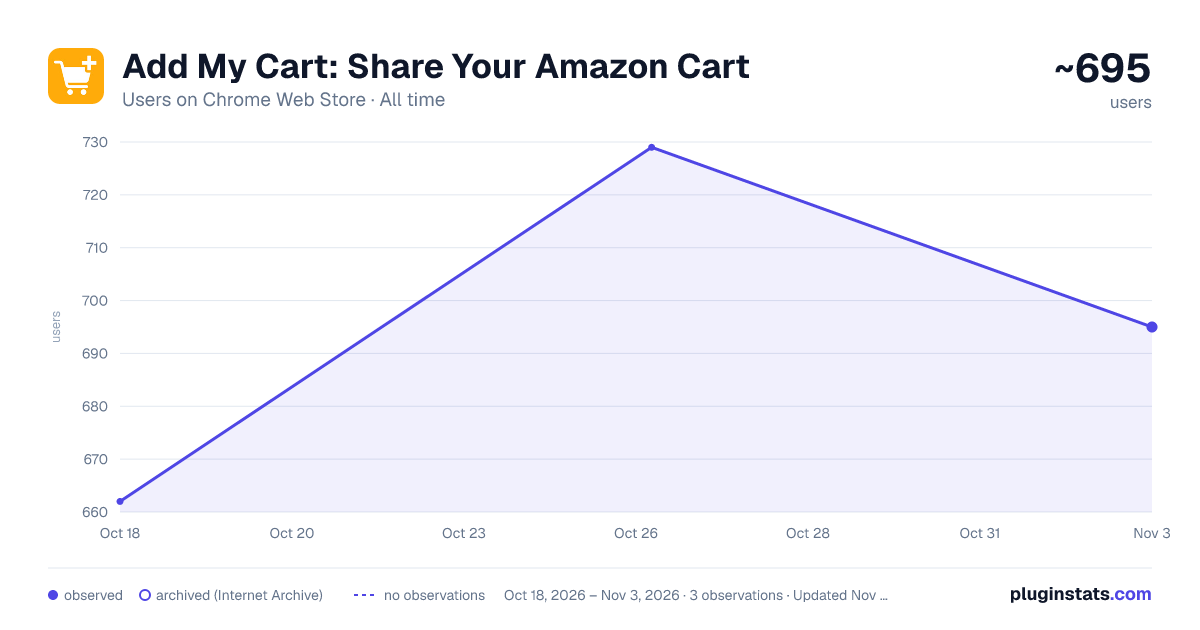
Add My Cart: Share Your Amazon Cart has approximately 662 recorded users on Chrome Web Store.
It ranks #686 of 1,556 tracked Chrome Web Store listings by users.
It is rated 4.3 out of 5 from 24 ratings.
PluginStats has 1 daily observations since Oct 18, 2026; the latest is from Oct 18, 2026.
Rating: 4.30 / 5 from 24 ratings
About Add My Cart: Share Your Amazon Cart
Use Add My Cart to share your entire Amazon cart with friends, family, and more!
⚡ Instantly share your Amazon cart with one link (quantities included). 👥 Anyone can open it and add everything to their cart in seconds.
★ Share any Amazon cart (regular, Fresh, Whole Foods, and more) ★ No extension required for recipients ★ Optionally include “Saved for later” items ★ Share a cart from other stores (like Walmart) ★ Fast, privacy-first, and 100% free
------
HOW TO SHARE YOUR AMAZON CART:
⬇️ 1. Install the Add My Cart extension Lightweight and only runs on Amazon.
🛒 2. Add items to your cart Shop on Amazon as usual.
🔗 3. Generate Link Click “Share Cart” to create your shareable link.
------
ADD MY CART VS WISHLISTS & OTHER TOOLS
✅ No moving items into a separate wishlist ✅ Add the entire cart in one click ✅ Preserves exact items and quantities ✅ View previously shared carts and items ✅ Recipients don’t need the extension
------
PERFECT FOR
🎁 Sending gift or holiday shopping lists 🏫 Classroom and office supply orders 🏠 Sharing grocery carts with family 📦 Coordinating team, office, or bulk purchases 👨👩👧👦 Organizing household shopping across multiple people
------
FAQ:
Q: Do recipients need the extension? A: No. Anyone can open your shared cart link and add items instantly.
Q: Can I share Amazon Fresh, Whole Foods, or grocery carts? A: Yes. It works with all Amazon carts, including Fresh and Whole Foods.
Q: Does it work on mobile and desktop? A: Yes. Shared cart links open on any device with a browser. Recipients can use it on mobile, tablet, or desktop without any setup.
Q: Is it safe and private? A: Yes. Add My Cart only accesses cart data to generate links and does not collect personal or payment information.
Q: Can I include “Saved for later” items? A: Yes. You can optionally include them when generating your link.
➤ Independent and not affiliated with any specific retailers.
Description from the Chrome Web Store listing.
Where Add My Cart: Share Your Amazon Cart sits in the listing
Each band is one page of 20. Users on a log scale. Placement is projected from users, so it can differ from the marketplace's own sort order. Hover a dot to see the listing.
Charts
Images: 30d · 1y · all time · 1600×900 dark
Adoption over time
7/30/90-day growth
Ranking history
Filled points are observed values; hollow points come from Internet Archive snapshots of the listing page. Dashed segments span periods with no observations — values between points are not interpolated.
Recent observations
Full history (1)Similar Chrome Web Store Shopping plugins




Data source
User counts are read from public Chrome Web Store listing pages. Google displays rounded user counts (and caps the display at 10,000,000+), so small changes may not be visible. Rating counts above 1,000 are rounded (e.g. 1.6K).
Listing: https://chromewebstore.google.com/detail/add-my-cart-share-your-am/oaiapmnoklbfdmfecogmhcghnndblckb. First seen Oct 18, 2026; last successful collection Oct 18, 2026. See the methodology.