 PluginStats
TabAutopilot – AI Smart Tab Manager users statistics
By Mamunur Rashid · Chrome Web Store · Tools
Smart tab manager & tab organizer: auto group tabs by topic with AI, snooze, hibernate, close duplicates. Private on-device AI.
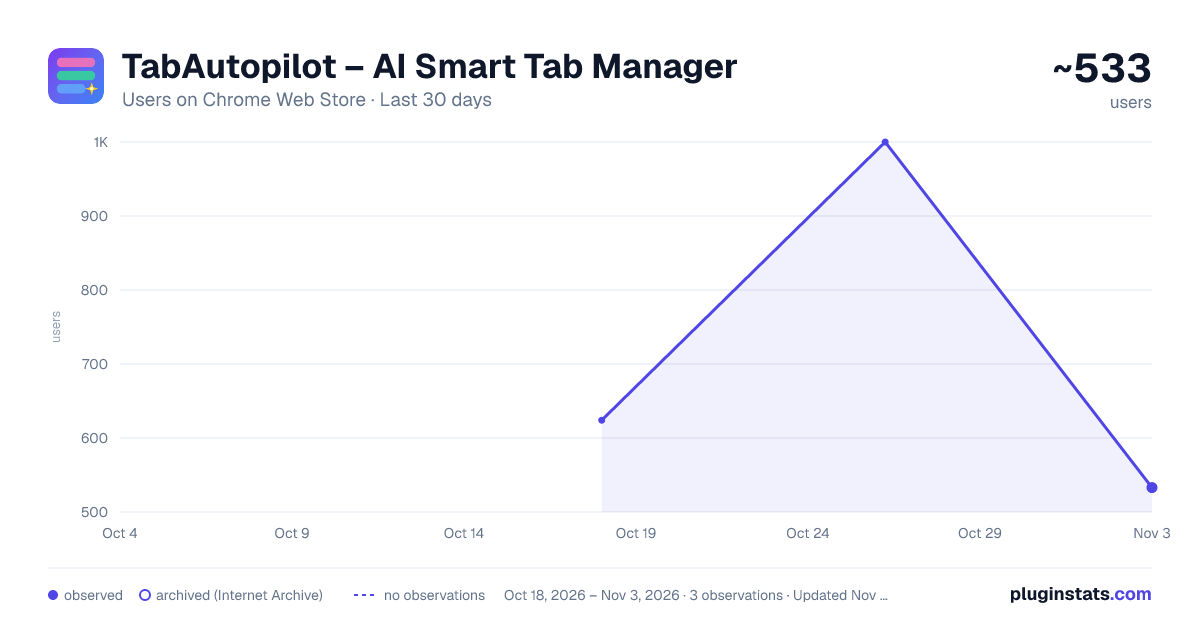
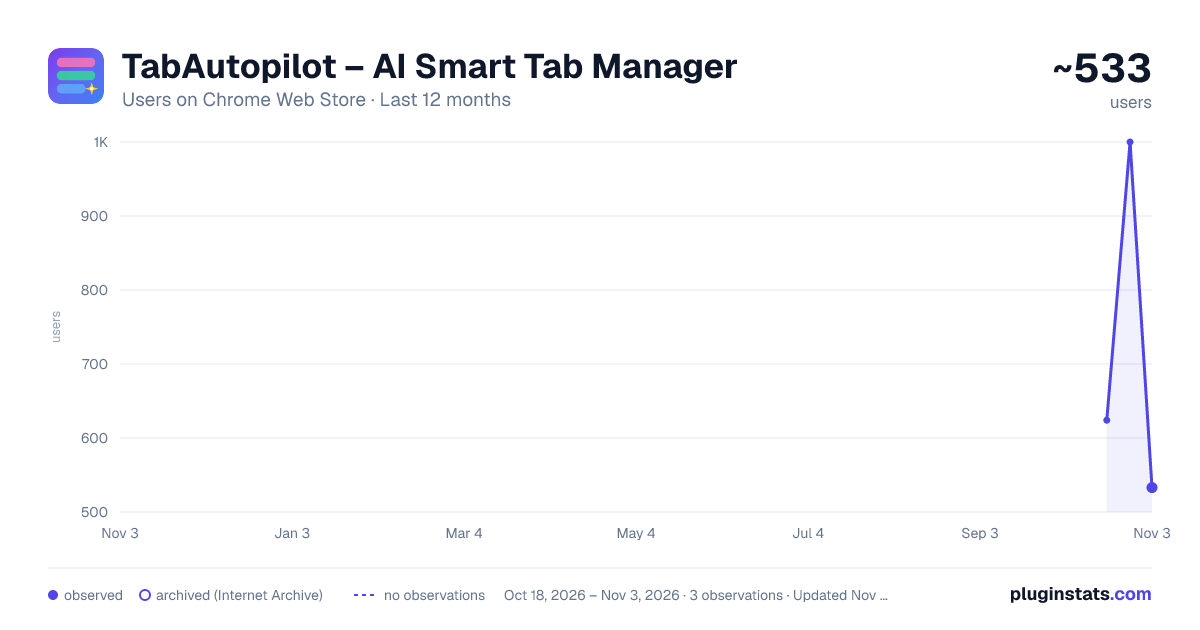
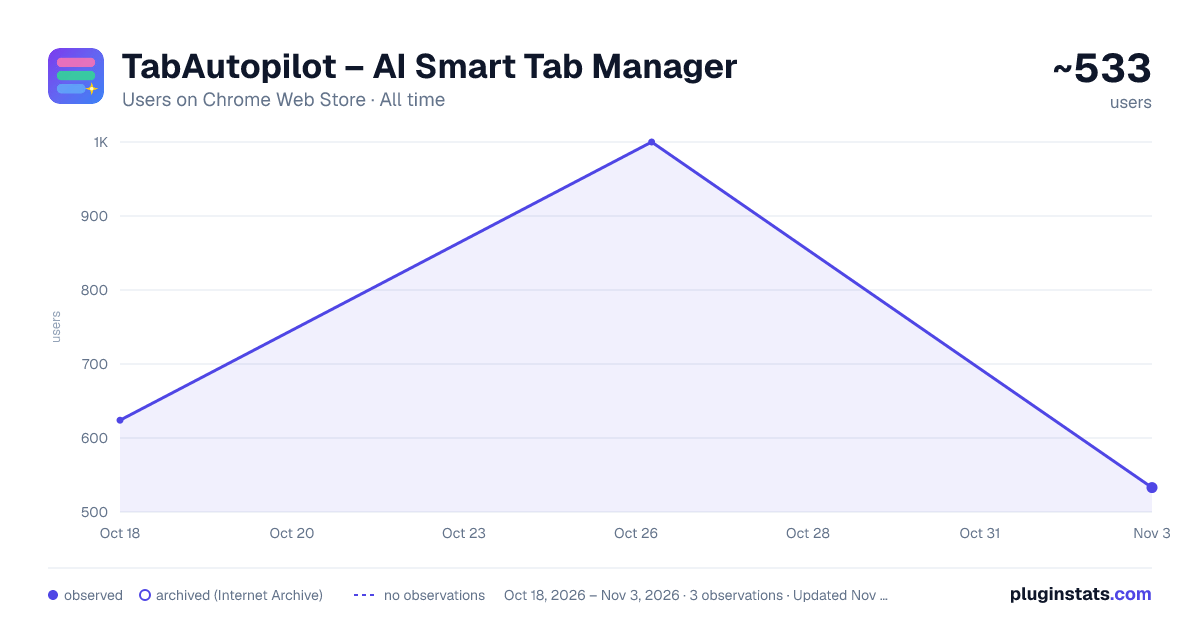
TabAutopilot – AI Smart Tab Manager has approximately 624 recorded users on Chrome Web Store, ranking #1748 of 3,853 tracked listings.
Rating: 5.00 / 5 from 8 ratings
About TabAutopilot – AI Smart Tab Manager
Smart tab manager & tab organizer: auto group tabs by topic with AI, snooze, hibernate, close duplicates. Private on-device AI.
TabAutopilot is an AI-powered tab manager and tab organizer for Chrome that automatically groups tabs by topic, manages tab groups, saves browser sessions, snoozes tabs, hibernates inactive tabs, and finds duplicate tabs — with AI running entirely on your device.
Have 20, 50, or 200+ tabs open? TabAutopilot turns tab chaos into organized Chrome tab groups automatically. Group your tabs with one click, let new tabs join the right group as you browse, save complete sessions as workspaces, and quickly find the tab you need.
🔒 PRIVATE, LOCAL AI TAB MANAGEMENT
Your tabs stay on your device.
• AI grouping runs locally on your computer • No external AI API calls — your tabs are never sent out to be analyzed • No TabAutopilot server, and no account needed to use any feature • No tracking or analytics • Tab data is stored locally • Grouping, snooze and hibernation all work offline • Optional: sign in with Google to back up your profile to a private folder in your own Google Drive. Off by default, and you can sign out or delete every backup at any time.
When compatible Chrome AI is available, TabAutopilot can use on-device AI to understand what your tabs are about. On unsupported systems, its local rule engine keeps grouping working without sending your tab data anywhere.
🗂️ AI TAB ORGANIZER & AUTO TAB GROUPING
Automatically organize Chrome tabs into meaningful groups based on what each page is about.
• Group all open tabs with one click • Automatically organize new tabs as you browse • Group tabs by topic or domain • Create meaningful tab group names • Merge new tabs into existing groups • Understand page titles instead of relying only on domains • Customize grouping rules for your own workflow • Learn from your tab-grouping corrections
For example, a localhost page titled "Investment Dashboard" can be recognized as an investment-related tab instead of simply being grouped as Development.
Popular categories include:
Development, Shopping, News, Social Media, Research, Work, Learning, Finance, Entertainment, Travel, and more.
😴 TAB SUSPENDER — HIBERNATE INACTIVE TABS
Reduce Chrome memory usage by hibernating inactive tabs while keeping them visible in your browser.
• Automatically hibernate inactive tabs • Choose 15 minutes, 30 minutes, 1 hour, or 2 hours • Click a hibernated tab to restore it instantly • Keep pinned tabs safe • Avoid hibernating tabs playing audio • Control tab hibernation from the side panel • Designed for modern Manifest V3 Chrome
TabAutopilot works like a tab suspender, giving you more control over inactive tabs.
🔍 FIND AND CLOSE DUPLICATE TABS
Keep your browser clean with duplicate tab detection.
• Detect duplicate URLs in real time • Show the duplicate count on the extension icon • Ignore common tracking parameters when matching URLs • Close duplicate tabs with one click • Optionally close duplicates automatically
💾 TAB SESSION MANAGER & WORKSPACES
Save your entire Chrome browsing session as a workspace and restore it whenever you need it.
Save:
• Open tabs • Chrome tab groups • Group names • Group colors • Collapsed group state
Create unlimited workspaces for projects, research, study, development, shopping, travel, and everyday browsing.
Switch between workspaces and restore your tabs with one click.
⏰ TAB SNOOZE
Need a page later but don't want to leave it open?
Snooze tabs and let TabAutopilot reopen them automatically.
• Snooze individual tabs • Snooze entire tab groups • Choose 1 hour, 3 hours, next Monday, or a custom date and time • Restore snoozed tabs early • Snoozed tabs survive Chrome restarts • Preserve the original tab group when restoring groups
🧹 CLEAR SITE CACHE, COOKIES & SESSION DATA
Manage site data directly from a tab.
Clear a website's:
• Cache • Cookies • Session data • Local browsing history entries
A confirmation is shown before clearing site data. Everything happens locally on your device.
🔄 CRASH RECOVERY & AUTO SAVE
Chrome crashed or your computer restarted unexpectedly?
TabAutopilot automatically saves your session periodically and when important tab changes happen. A recovery option helps restore your previous tabs and tab groups.
📊 TAB ACTIVITY DASHBOARD
See how your browser is being used from the Workspaces view.
• Memory saved through hibernation • 30-day memory-saving history • Top domains by tab count • Category breakdown • Tab activity levels
🔎 TAB SEARCH & SORT
Find open tabs instantly.
Search tabs by:
• Page title • URL • Domain
Sort tabs by title, domain, activity, or original order.
Sort groups by name, tab count, or default order.
↩️ UNDO TAB MANAGEMENT ACTIONS
Made a mistake?
Undo your recent actions with Cmd/Ctrl+Z or the undo notification.
Undo support includes:
• Closing tabs • Grouping tabs • Ungrouping tabs • Hibernating tabs • Removing duplicates
⌨️ KEYBOARD SHORTCUTS
Alt+G — Group tabs automatically Alt+D — Close duplicate tabs Alt+S — Save workspace Cmd/Ctrl+Z — Undo last action
🖱️ CHROME CONTEXT MENU
Right-click a page to quickly:
• Move a tab to a group • Save a group as a workspace • Hibernate a group • Clear site cookies • Close duplicate tabs
🧠 TAB MANAGER THAT LEARNS YOUR WORKFLOW
Enable "Learn grouping from activity" and TabAutopilot can remember your grouping preferences.
Move a tab to another group and the extension can learn your preference for future tabs on that domain.
Your corrections take priority, and learned rules can be reviewed or deleted from the Rules section.
🎨 CLEAN CHROME SIDE PANEL
Manage tabs from a modern side panel with a clean interface, smooth transitions, and light or dark mode.
No complicated setup. Install the extension and start organizing your tabs.
🆓 COMPLETELY FREE TAB MANAGER
All features are included:…
Description from the Chrome Web Store listing.
README badge
Show your rank in a README or on your website. The badge updates automatically.
Charts
Images: 30d · 1y · all time · 1600×900 dark
Adoption over time
7/30/90-day growth
Ranking history
Ratings over time
Listing placement
Listing placement
Filled points are observed values; hollow points come from Internet Archive snapshots of the listing page. Dashed segments span periods with no observations — values between points are not interpolated.
Each band is one page of 20. Users on a linear scale. Placement is projected from users, so it can differ from the marketplace's own sort order. Hover a dot to see the listing.
Recent observations
Full history (1)Similar Chrome Web Store Tools plugins
All 20 TabAutopilot – AI Smart Tab Manager alternatives



Data source
Covers every Chrome Web Store extension with at least 100 users, found through the store's public sitemap. User counts are read from public listing pages. The 10% most-used extensions are refreshed daily, the next 40% weekly and the next 40% monthly; the least-used 10% are not refreshed. Google displays rounded user counts (and caps the display at 10,000,000+), so small changes may not be visible. Rating counts above 1,000 are rounded (e.g. 1.6K).
Listing: https://chromewebstore.google.com/detail/tabautopilot-–-ai-smart-t/nplekjmldglpfcdiechmgahoefhfheom. First seen Oct 18, 2026; last successful collection Oct 18, 2026. See the methodology.