 PluginStats
Pinboard Plus users statistics
By Chi Zhang · Chrome Web Store · Workflow & Planning
Save, tag, and manage Pinboard bookmarks in one click. The toolbar icon shows whether the current page is already saved.
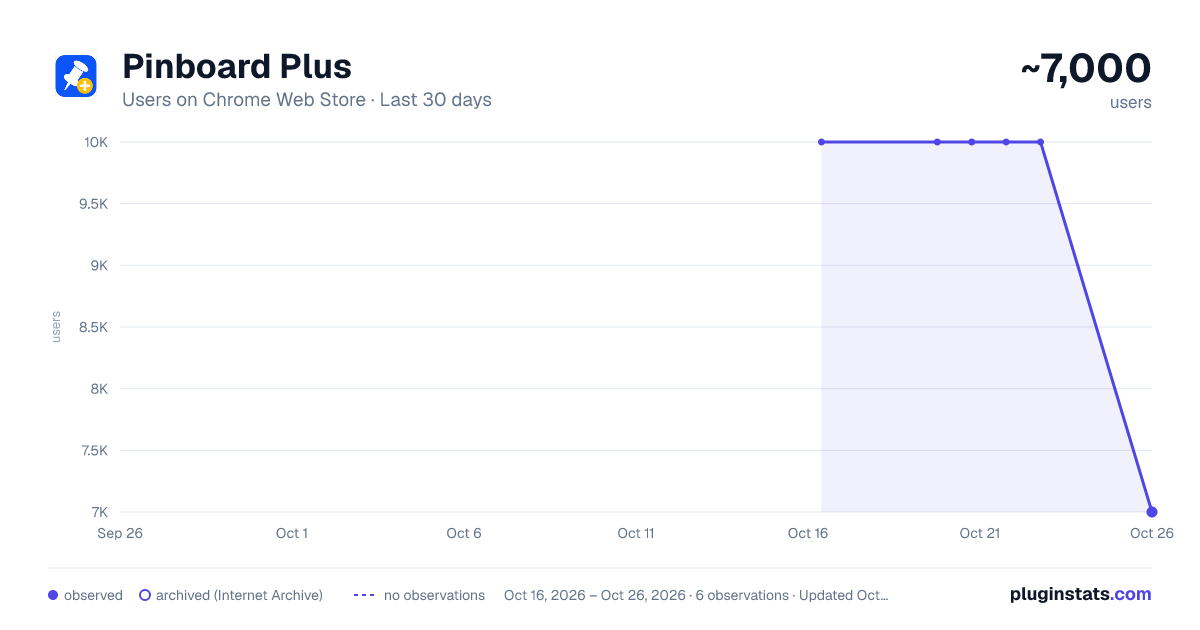
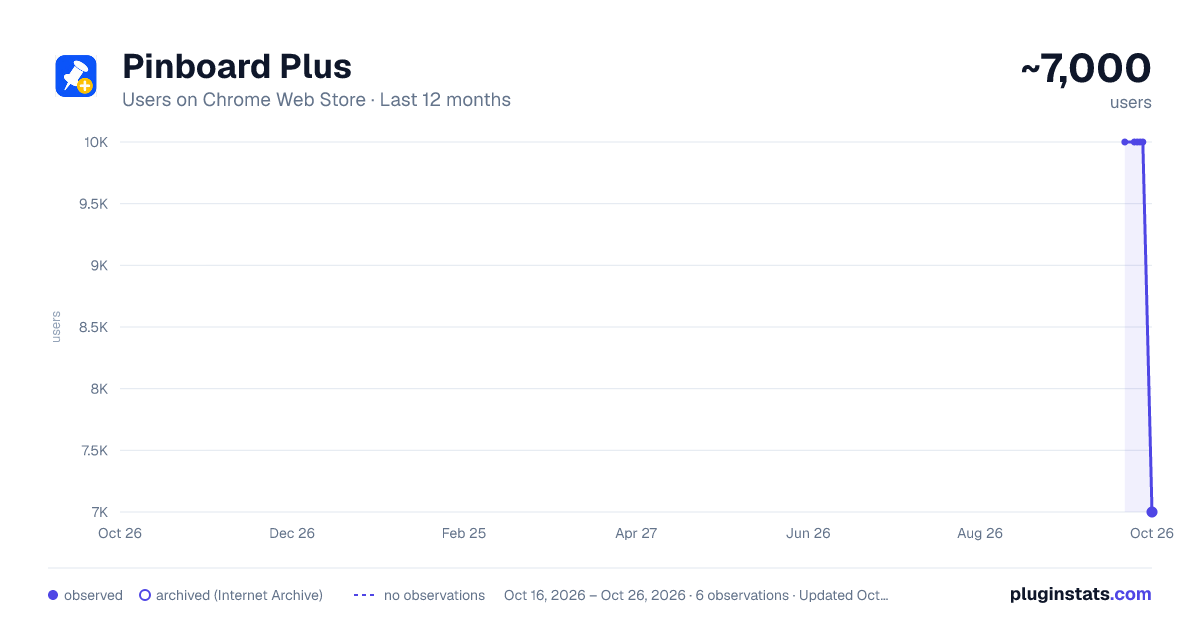
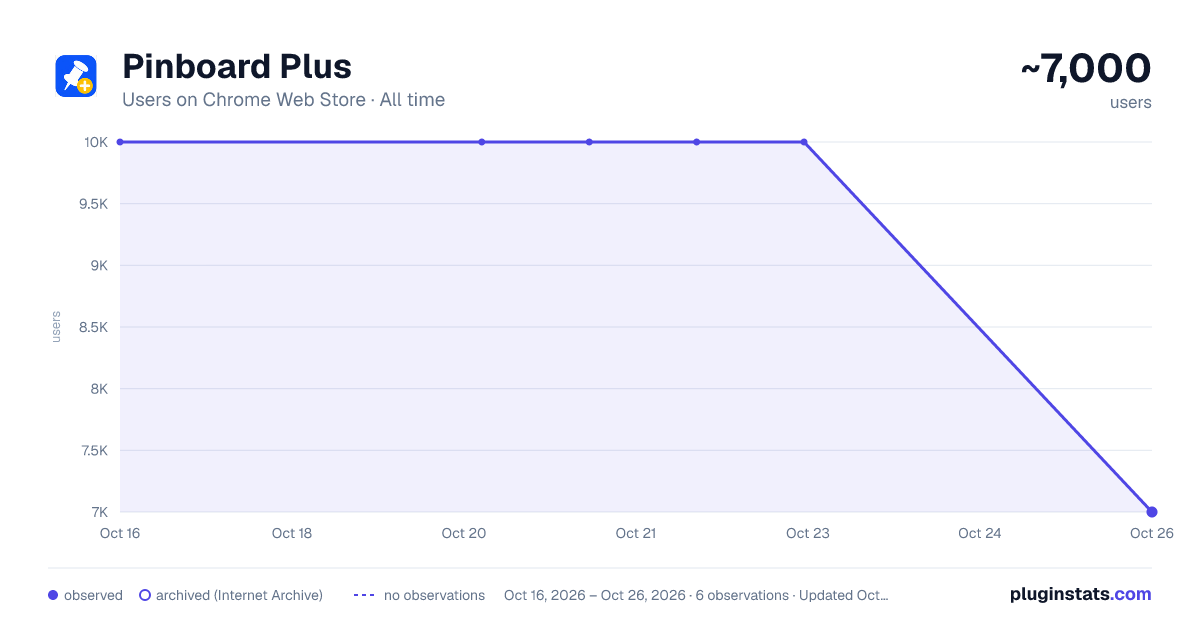
Pinboard Plus has approximately 10,000 recorded users on Chrome Web Store.
It ranks #178 of 1,556 tracked Chrome Web Store listings by users.
It is rated 4.1 out of 5 from 105 ratings.
PluginStats has 1 daily observations since Oct 16, 2026; the latest is from Oct 16, 2026.
Rating: 4.10 / 5 from 105 ratings
About Pinboard Plus
Save, tag, and manage Pinboard bookmarks in one click. The toolbar icon shows whether the current page is already saved.
Pinboard Plus puts your Pinboard.in bookmarks one click away. The toolbar icon changes the moment you open a page you've already saved, so you know what's in your collection without leaving the tab.
SAVE IN SECONDS Open the popup and the form is already filled in: page title, description pulled from the page, and any text you selected dropped into the notes as a quote. Adjust the tags, hit save, keep reading. When a page publishes its own proper address, that's the one that gets saved, tracking parameters left behind.
SMART TAGGING * Autocomplete from your own Pinboard tags as you type * Tag suggestions extracted from the page you're saving
FULL CONTROL FROM THE POPUP * Add, edit, and delete bookmarks without opening Pinboard.in * Mark pages as private or "to read" with one checkbox * Set private or "to read" as the default for every new bookmark
PINBOARD PLUS PRO Upgrade when you want more: * AI summaries for articles - plus YouTube videos read straight from the transcript, and PDFs read straight from the file * Summaries stream in the language you choose and attach to the bookmark's notes in one click * AI smart tag suggestions * Dark mode * A choice of toolbar icon colors Pro comes with a 3-day free trial, and you can cancel anytime.
Everything else is free. You'll need a Pinboard.in account and your API token (find it at pinboard.in/settings/password). Sign in once and start saving.
---------------------------------------------------------------- Update: 3.10.0: 📃 [Pro] AI summaries now work on PDFs - papers, reports and whitepapers are read straight from the file 3.9.0: 🧹 Bookmarks now save the clean URL a page declares for itself, not the tracking clutter in the address bar. 3.8.0: 🎬 [Pro] YouTube videos now summarize from the transcript, get what was said, not the page around it. 3.7.1: Small enhancements 3.6.0: Sharper, higher-contrast toolbar icons; new granular controls in the AI Summary tab to add the summary, the smart tags, or both. 3.5.4: Minor improvements 3.5.3: Bugfix: improve settings icon; optimize UX on popup closing 3.5.2: Bugfix 3.5.0: Smart Tags - get intelligent tag suggestions for your bookmark! 3.4.1: Fix dark mode issues 3.4.0: New Add to Notes feature for AI summary. 3.3.0: Add notes character counter in the popup window. 3.2.0: Add more language support for the AI summarizing feature. Now we support 33 languages. 3.1.6: Dark mode support for popup (pro feature) 3.1.2: Fix for the toolbar icon hanging issue 3.0.0: Add Pro features: AI-powered page summarize and new toolbar icons! 🎁 2.14.0: Bump manifest v2 to v3 2.13.0: Add AI summarizer✨: Now you can let ChatGPT summarize the page for you! Just go to the options and turn it on! 2.12.5: Bugfix. 2.12.4: Update the icons to adapt to the dark mode. 2.12.3: Improve case sensitive auto completion for tags; Increase auto suggestion list size(5 -> 7), kudos to @jorge0136. 2.12.2: Utilizing local meta keywords tags to suggest better and more relevant tags. Thanks Ventz Petkov. 2.12.1: Remove header from options page. 2.12: Better WebExtension compatibility. Thanks @hyperfekt 2.11.5: fix issue Tab auto-complete only works on second load 2.11.4: new tags can be auto-complete now 2.11.3: check if Pinboard API down 2.11.2: less notification (no notify when query post status) 2.11.1: Show notification if error(including the token expired, API down etc.) occurs 2.11: better error handling for logging in 2.10: Add option to auto-enable 'private' in Incognito Mode. @the_kenny 2.9: Tags input improvements. By @kosqx 2.8: Add option to check "read later" by default. Thanks @sublimino ! 2.7: Tags suggestion small improvement. 2.6 Using Pinboard API token to login. 2.4 Add blockquote options, thanks @spl. 2.3 bugfix. 2.0 Code refactor. 1.15 Suggestions improve by @seansay and bugfix. 1.14 New indicator icon by Tamim Swaid ( @tamimat ). 1.13: New item in options: private always checked. 1.12: Automatically encloses the description in <blockquote> tags when it's populated from the window's current selection, thanks @cdzombak 1.11: You can disable bookmark auto-check in options page, thanks @statico 1.10: Fix tag autocomplete bug kudos goes to @concept47 1.9: C-n, C-p to select tags. 1.8: Bugfix. 1.7: Fix login failed issue on Chrome beta, kudos goes to @cdzombak 1.6: Bug fix. 1.5: Fixed focus at tags input when popup open. 1.4: Colored icon! 1.3: add saving state icon and bug fix. 1.2: close popup after hit submit; text selected copy to "Notes" field of popup; bug fix.
Description from the Chrome Web Store listing.
Where Pinboard Plus sits in the listing
Each band is one page of 20. Users on a log scale. Placement is projected from users, so it can differ from the marketplace's own sort order. Hover a dot to see the listing.
Charts
Images: 30d · 1y · all time · 1600×900 dark
Adoption over time
7/30/90-day growth
Filled points are observed values; hollow points come from Internet Archive snapshots of the listing page. Dashed segments span periods with no observations — values between points are not interpolated.
Recent observations
Full history (1)Similar Chrome Web Store Workflow & Planning plugins




Data source
User counts are read from public Chrome Web Store listing pages. Google displays rounded user counts (and caps the display at 10,000,000+), so small changes may not be visible. Rating counts above 1,000 are rounded (e.g. 1.6K).
Listing: https://chromewebstore.google.com/detail/pinboard-plus/mphdppdgoagghpmmhodmfajjlloijnbd. First seen Oct 16, 2026; last successful collection Oct 16, 2026. See the methodology.