 PluginStats
Bird Extension users statistics
By Bird (3 listings) · Chrome Web Store · Workflow & Planning
Making rater lives easier
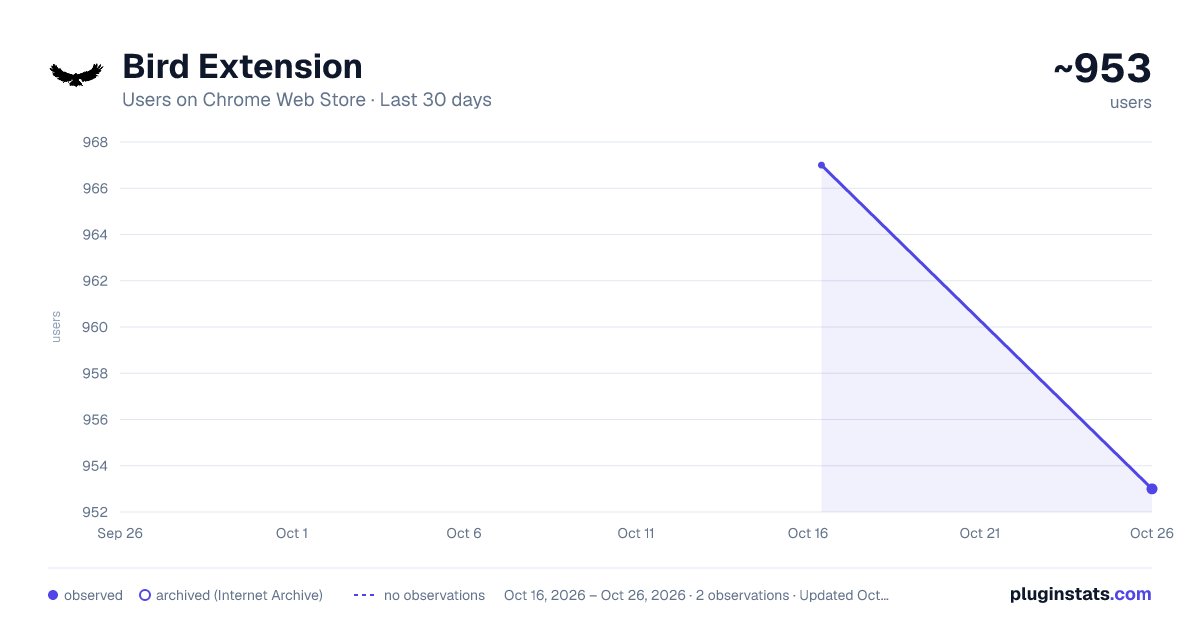
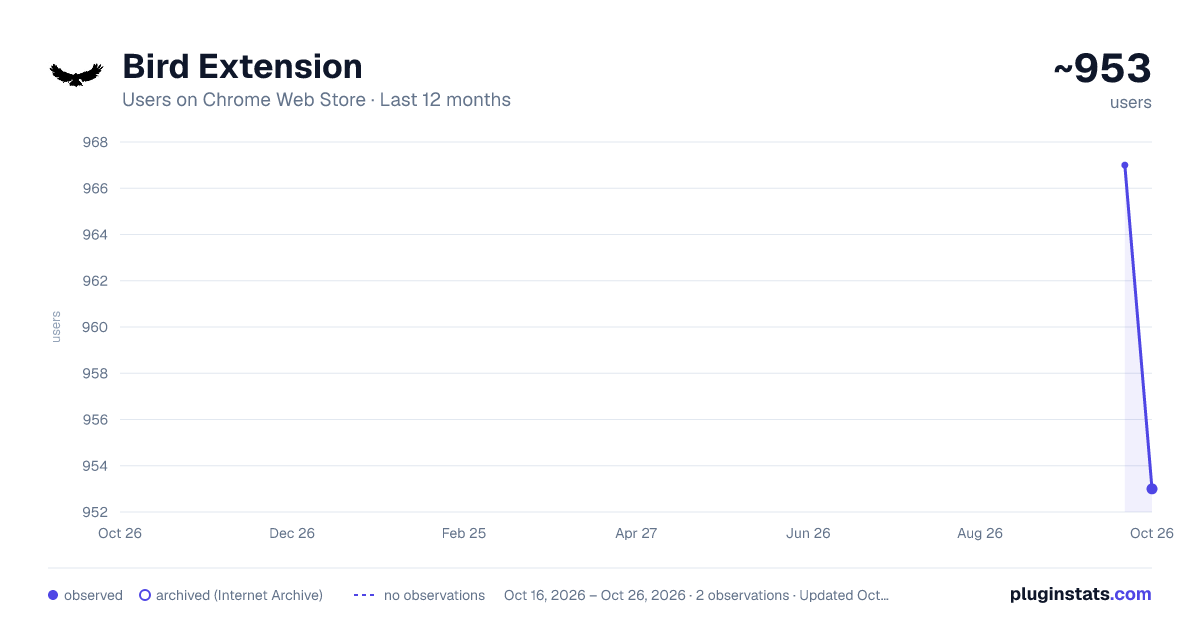
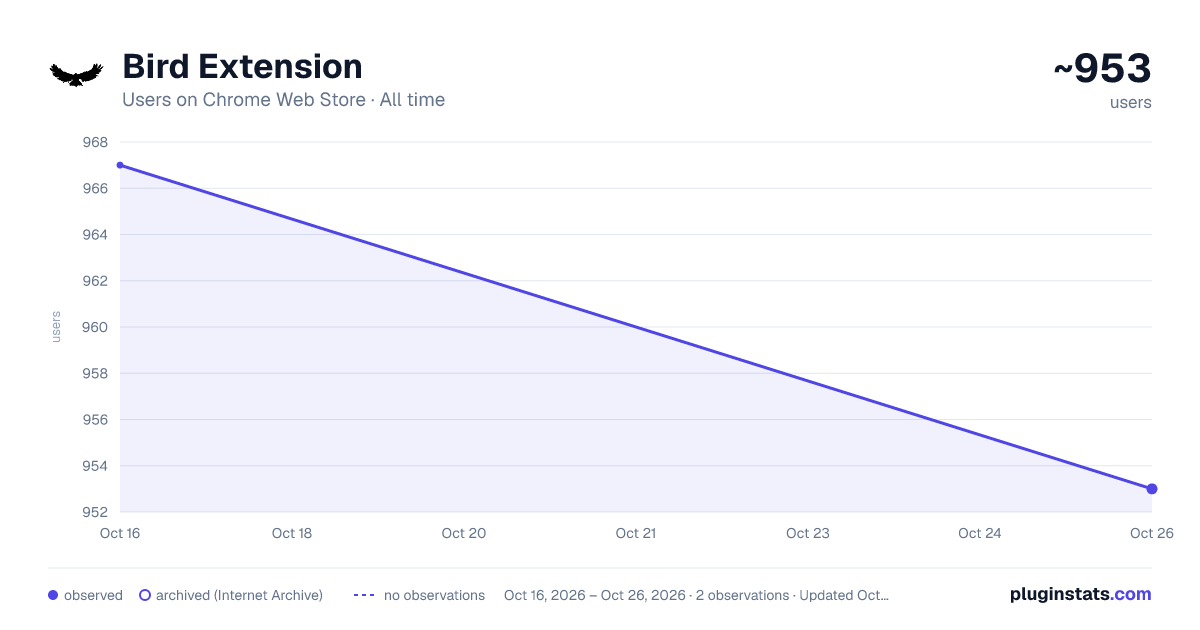
Bird Extension has approximately 967 recorded users on Chrome Web Store.
It ranks #577 of 1,556 tracked Chrome Web Store listings by users.
It is rated 4.6 out of 5 from 10 ratings.
PluginStats has 1 daily observations since Oct 16, 2026; the latest is from Oct 16, 2026.
Rating: 4.60 / 5 from 10 ratings
About Bird Extension
Making rater lives easier
Bird Extension - RaterHub Productivity Enhancer The Bird Extension is designed to streamline tasks and improve the overall user experience for employees working on the RaterHub platform. It provides a suite of tools aimed at simplifying workflows, enhancing navigation, and automating common tasks, making the work environment more efficient and user-friendly. Key Features of Bird Extension: Auto-Submit Tasks: Automates task submissions on RaterHub with two options: Auto Submit Real-Time: Automatically submits tasks when the timer reaches the exact estimated task time. Auto Submit Max-Time: Submits tasks a few seconds before the maximum allowed task time, ensuring no delays in task completion. Quick Task Action Buttons: Yes, No, Sexually Safe, and Error Task Buttons: Allows you to quickly select task options like "Yes," "No," "Sexually Safe," and "Error" directly from the extension popup, saving time on repetitive clicks. Appropriate for All & None Buttons: Streamlines the process of selecting key task responses like "Appropriate for All" and "None of the Above." Task Link Generator: Automatically retrieves and displays task links from the RaterHub task interface for easy access and quick reference. Includes a "Task Links" toggle to show or hide these links on demand. Real AET Header: Automatically insert helpful content or custom text into specific fields. The Real AET header updates task time display to show the "Real Estimated Time" for better time management. Auto-Paste Functionality: Copy content from your clipboard and instantly paste it into the task fields, saving time on manual entry. Includes an automatic submission feature once the text is pasted. Visual Enhancements: Halloween-Themed Header & Home Screen: Apply fun seasonal visual changes, including custom fonts, icons, and backgrounds that enhance the look of RaterHub during specific times of the year. Dynamic Progress Bar Colors: Visually track your task progress with a color-changing progress bar that turns red as the task timer nears its end. Custom Copy and Search Tools: Quickly copy text from task options or initiate Google searches directly from RaterHub task pages, simplifying research and task analysis. Why Install Bird Extension? These features are designed to automate repetitive actions, improve the speed of task submissions, and make navigating RaterHub smoother and more efficient for daily users. Whether you're completing evaluations, submitting invoices, or needing quick access to support resources, Bird Extension reduces manual effort and allows you to focus on more important aspects of your work. Permissions and Why They Are Needed: activeTab: The extension needs to interact with the active RaterHub tab to perform task-related actions like submitting tasks, updating the task status, or playing completion sounds. For example, when the "Yes" or "No" button is clicked, the script interacts with the active tab to submit the respective task option. Tabs: The extension modifies tab titles for tasks, opens new tabs for Google searches when using the "Copy" feature, and manages task links dynamically. This permission allows the extension to control and manipulate these actions. Scripting: They are required to inject custom JavaScript into the RaterHub page to run automation scripts, such as task submissions, custom clipboard interactions, and dynamic UI updates (e.g., changing the task timer color or inserting buttons). The HalloweenHeader.js and AutoSubmitBar.js scripts rely on this permission. clipboardWrite: The extension allows for copying task details to the clipboard and auto-pasting content into task fields. For example, when the "Paste + Auto Submit" button is used, clipboard data is automatically pasted into task fields. Downloads: This permission is needed for downloading backups of task-related data (e.g., task links or timing data). This ensures users can save important task details and logs for reference. context menus: The extension creates right-click (context menu) options, such as copying task-related content or generating task links. This allows for quick actions without needing to navigate through different menus. Sessions: The extension tracks recent session activity to manage tabs and handle tasks effectively. This permission allows the extension to keep track of open or recently closed task-related tabs, ensuring seamless interaction between tasks. Offscreen: Needed for playing completion sounds offscreen, which is triggered when tasks are automatically submitted. This feature ensures users receive auditory confirmation of task completion without interrupting their work. Each of these permissions plays a crucial role in automating tasks, improving user interaction with RaterHub, and ensuring smooth functionality across different features within the Bird Extension.
Description from the Chrome Web Store listing.
Where Bird Extension sits in the listing
Each band is one page of 20. Users on a log scale. Placement is projected from users, so it can differ from the marketplace's own sort order. Hover a dot to see the listing.
Charts
Images: 30d · 1y · all time · 1600×900 dark
Adoption over time
7/30/90-day growth
Filled points are observed values; hollow points come from Internet Archive snapshots of the listing page. Dashed segments span periods with no observations — values between points are not interpolated.
Recent observations
Full history (1)Similar Chrome Web Store Workflow & Planning plugins




Data source
User counts are read from public Chrome Web Store listing pages. Google displays rounded user counts (and caps the display at 10,000,000+), so small changes may not be visible. Rating counts above 1,000 are rounded (e.g. 1.6K).
Listing: https://chromewebstore.google.com/detail/bird-extension/jcjfogjilaifcmjjnopahplaoamphapg. First seen Oct 16, 2026; last successful collection Oct 16, 2026. See the methodology.