 PluginStats
Turn Off AI Overview Google users statistics
By cws.ai.answer.generator · Chrome Web Store · Functionality & UI
Use turn off ai overview google — hide google ai overviews and turn off ai mode google from search for a clean search experience
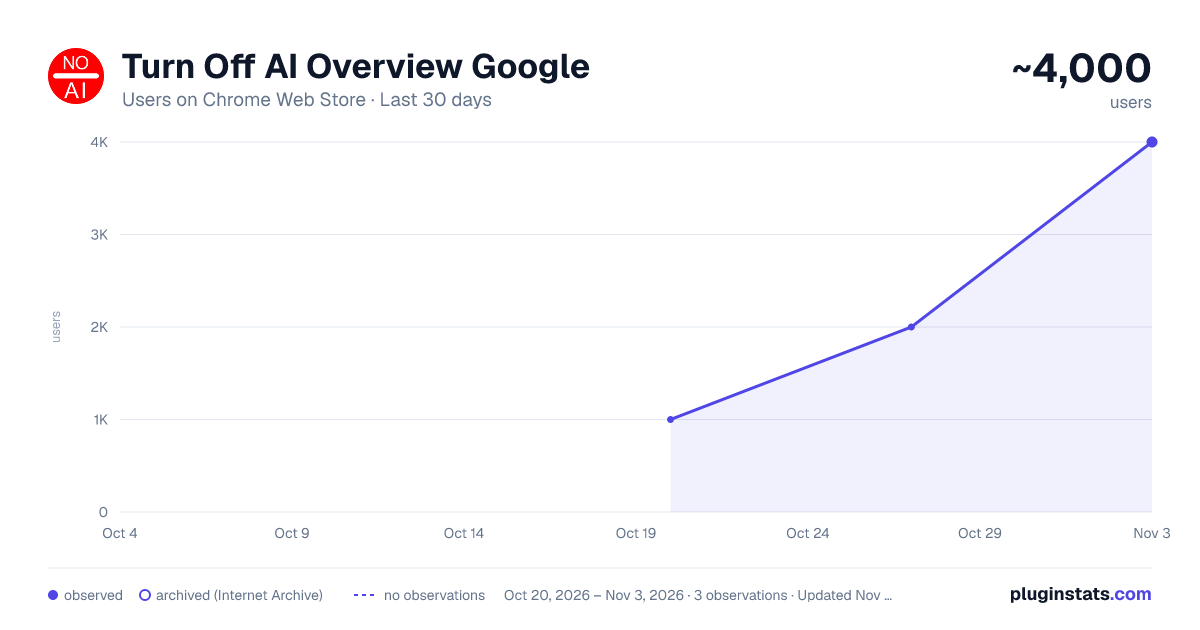
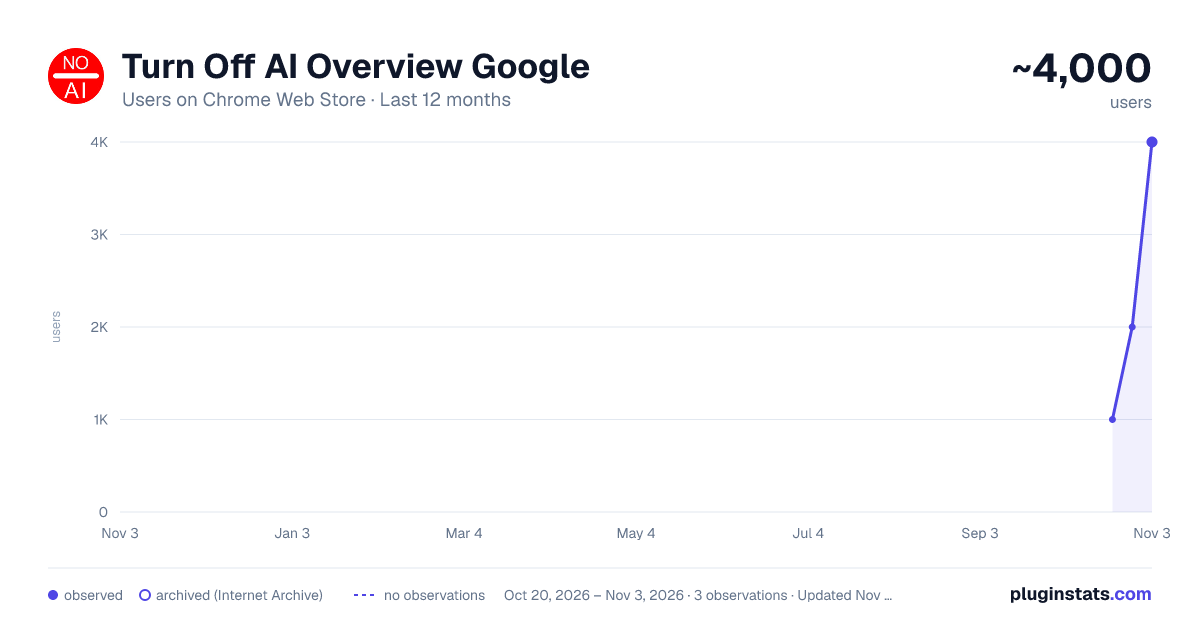
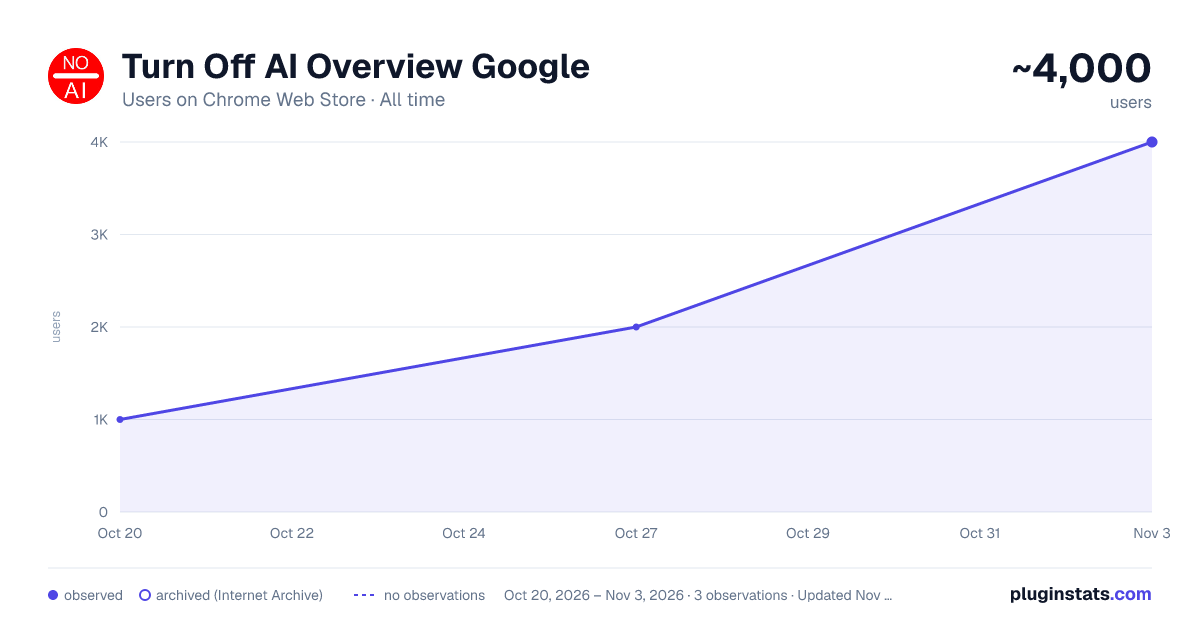
Turn Off AI Overview Google has approximately 1,000 recorded users on Chrome Web Store, ranking #1281 of 3,853 tracked listings.
Rating: 3.00 / 5 from 11 ratings
About Turn Off AI Overview Google
Use turn off ai overview google — hide google ai overviews and turn off ai mode google from search for a clean search experience
🚀 Turn off ai overview google gives you a calmer results page. It hides summary blocks and restores a familiar list you can scan fast. With this extension, you control the layout again. When needed, remove ai from google search to keep research crisp and linear.
🥷 If friends ask how to get rid of ai overview on google, point them here. The extension runs quietly and stays out of your way. It favors simple choices and steady behavior. You click once, and the screen looks right.
🟠 This extension includes a dedicated feature to turn off ai mode google on results pages. It runs automatically—no accounts, no data collection, just clean organic results.
➤ Turn off ai overview google applies the rule automatically across new tabs, without extra steps. ➤ Use this extension when you want clean listings and fewer detours during focused work. ➤ If ai mode annoying keeps breaking flow, flip the switch and return to clear, predictable scanning.
💎 Deadlines do not wait for clutter. Turn off ai overview google removes the interruptions that slow skilled readers. If you have wondered how to turn off google ai overview during a hard task, this gives a direct answer. When a teammate asks how to turn it off, you can share one tool that works the same way every time.
- Add the extension from the store and open a results tab as usual.
- Watch the page settle into a classic layout that favors quick decisions.
- Use the toolbar to switch behavior if a page calls for turn off google ai.
- Need to pause for a moment or disable google ai for a specific check? Toggle and continue.
🫵 The value is speed, not spectacle. With turn off ai overview google, attention stays on sources and headlines. You skim, compare, and choose without extra scrolling. When you want a tidy screen, hide google ai overviews and keep momentum.
1️⃣ Researchers running side-by-side comparisons across many tabs. 2️⃣ Writers building outlines from dozens of links; turn off ai overview google keeps the rhythm. 3️⃣ Analysts confirming claims; google ai overview turn off reduces noise during verification. 4️⃣ Students gathering citations on tight schedules and limited time. 5️⃣ Product teams reviewing competitors without visual drift between queries.
🌟 People who judge information all day will feel the difference. This extension supports editors, developers, educators, and policy teams. If you have searched for how to turn off ai overview, this is the tool you meant. It favors clarity, small footprint, and predictable outcomes over novelty.
🔺 Auto-apply on each session, with a manual toggle when edge cases arise. 🔺 Local logic only; disable ai overview google happens in the browser, not on a server. 🔺 Works with common blockers and managers without odd interactions. 🔺 Keeps pages steady, so keyboard habits remain intact. 🔺 Reduces scrolling fatigue during heavy research hours. 🔺 Helps teams align on what they see; ai overview google turn off removes layout surprises.
🎁 Your habits matter more than settings menus. The approach is simple: less chrome on the page, more attention on the work. It is a quiet companion for people who value flow over flash.
💬 Frequently Asked Questions ❓ What exactly changes? 💡 The extension hides summary blocks so sources come first.
❓ Can I switch it off mid-task? 💡 Yes, the toolbar gives you a quick toggle for context changes.
❓ Does it store personal data? 💡 No; the logic runs locally with restrained access only.
❓ Will it slow the browser? 💡 No; code stays small and efficient by design.
❓ How do I steady a mixed setup at the office? 💡 Use google turn off ai overview and keep pages consistent.
❓ Is installation simple? 💡 A short add, a refresh, and you are done.
❓ Need a quick rule for interns? 💡 Say this: open, skim, decide, and avoid distractions.
❓ Prefer a calmer, link-first results page? 💡 This add-on trims summary panels, keeps layouts consistent, and lets you scan faster. Install, click once, and get back to the work that matters.
✅ The extension respects boundaries. It keeps requests on the device and avoids extra scripts. It favors minimal permissions and clear behavior. If policy reviews matter, you will appreciate the lack of drama and the steady routine after every click.
✈️ Your next step is simple. Turn off ai overview google gets out of the way and lets judgment lead. When a colleague asks how to turn off google ai on google, send them the same link you used. Install once, set your preference, and keep moving with a results page that feels built for work.
Description from the Chrome Web Store listing.
README badge
Show your rank in a README or on your website. The badge updates automatically.
Charts
Images: 30d · 1y · all time · 1600×900 dark
Adoption over time
7/30/90-day growth
Ranking history
Ratings over time
Listing placement
Listing placement
Filled points are observed values; hollow points come from Internet Archive snapshots of the listing page. Dashed segments span periods with no observations — values between points are not interpolated.
Each band is one page of 20. Users on a linear scale. Placement is projected from users, so it can differ from the marketplace's own sort order. Hover a dot to see the listing.
Recent observations
Full history (1)Similar Chrome Web Store Functionality & UI plugins
All 20 Turn Off AI Overview Google alternatives



Data source
Covers every Chrome Web Store extension with at least 100 users, found through the store's public sitemap. User counts are read from public listing pages. The 10% most-used extensions are refreshed daily, the next 40% weekly and the next 40% monthly; the least-used 10% are not refreshed. Google displays rounded user counts (and caps the display at 10,000,000+), so small changes may not be visible. Rating counts above 1,000 are rounded (e.g. 1.6K).
Listing: https://chromewebstore.google.com/detail/turn-off-ai-overview-goog/ljkmififccpelapbflbpjocjfmcmledl. First seen Oct 20, 2026; last successful collection Oct 20, 2026. See the methodology.