 PluginStats
Copy Text Easily users statistics
Chrome Web Store · Workflow & Planning
Extension that lets you view and reuse clipboard history with drag and drop, and copy text with one click
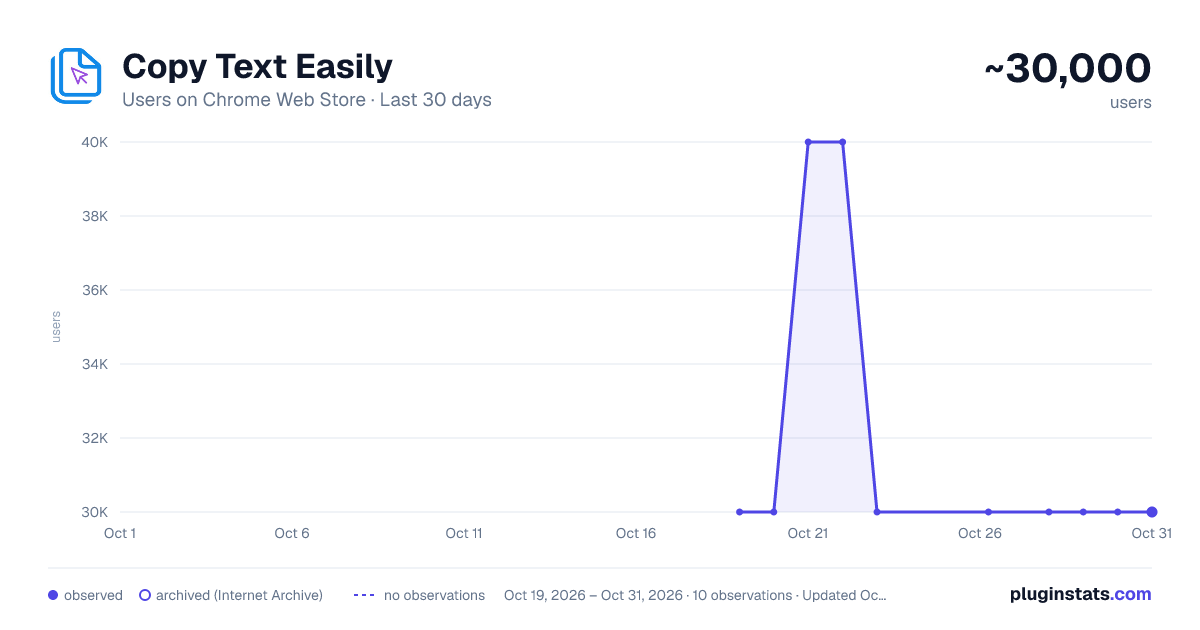
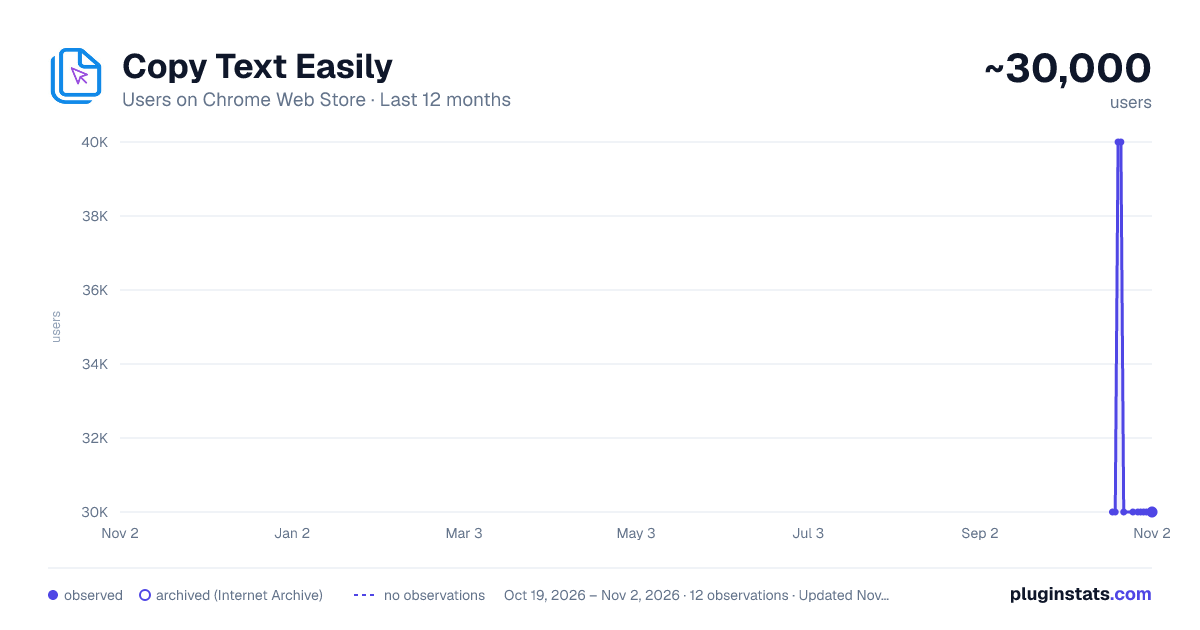
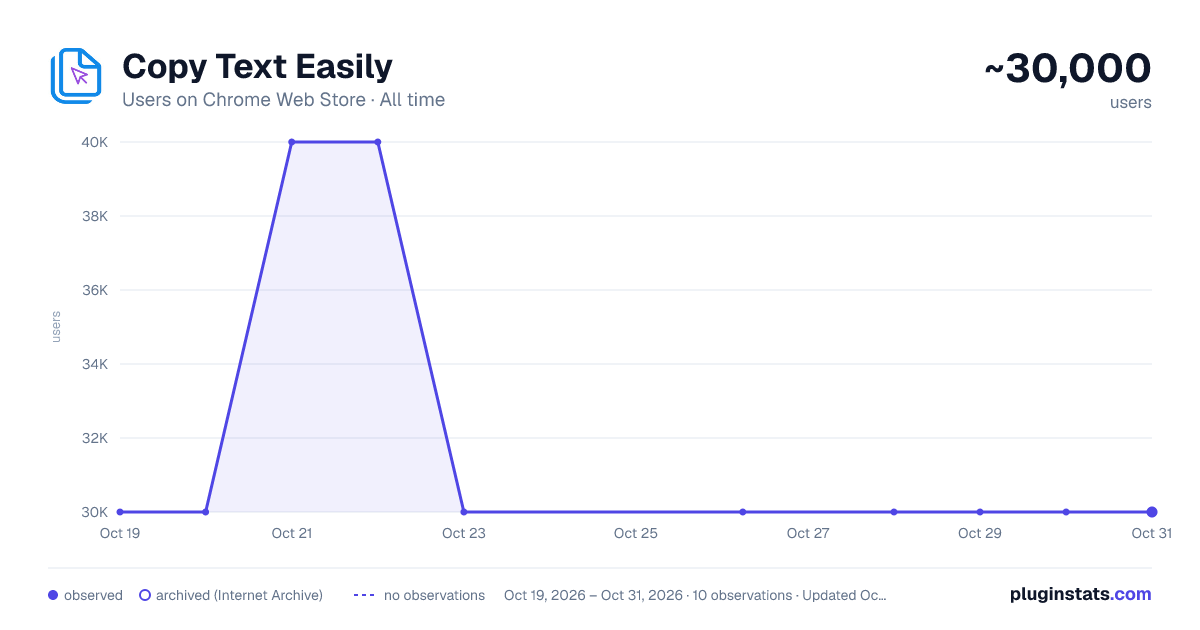
Copy Text Easily has approximately 30,000 recorded users on Chrome Web Store.
It ranks #165 of 2,033 tracked Chrome Web Store listings by users.
It is rated 3.9 out of 5 from 74 ratings.
PluginStats has 1 daily observations since Oct 19, 2026; the latest is from Oct 19, 2026.
Rating: 3.90 / 5 from 74 ratings
About Copy Text Easily
Extension that lets you view and reuse clipboard history with drag and drop, and copy text with one click
𝐶𝑜𝑝𝑦 𝑇𝑒𝑥𝑡 𝐸𝑎𝑠𝑖𝑙𝑦 — highlight, extract, and reuse text anywhere ⚡
Grab paragraphs, sentences, or custom selections from any webpage in one click. Turn it on, hover, click—done. Power users get regex extraction, system‑wide clipboard, per‑site controls, link‑click copy, and drag‑and‑drop into any field.
𝗛𝗼𝘄‑𝘁𝗼 𝗴𝘂𝗶𝗱𝗲: https://devapt.com/copy-text-easily/how-to-use
𝗪𝗛𝗔𝗧 𝗬𝗢𝗨 𝗖𝗔𝗡 𝗖𝗢𝗣𝗬 ✂️ - Paragraphs: Hover a paragraph and click to copy it. - Sentences: Skim with live preview, click to copy the exact sentence. - Custom selection: Select any text; it copies instantly—no Ctrl/Cmd+C.
𝗣𝗢𝗪𝗘𝗥 𝗙𝗘𝗔𝗧𝗨𝗥𝗘𝗦 🚀 - Regex extraction: Copy only what matches your pattern (emails, IDs, codes). Works with all modes. - Copy link text on click: Turn on link‑copy behavior so clicks (with your chosen keys) copy link text instead of opening it. - Quiet mode: Hide the preview bubble; show a subtle border only. - Per‑site enable: Precisely control where the extension runs. - Instant highlight: Press your key combo to preview exactly what will be copied under your cursor.
𝗞𝗘𝗬𝗕𝗢𝗔𝗥𝗗 𝗖𝗢𝗡𝗧𝗥𝗢𝗟 ⌨️ - Enable on keypress: Hold any combo of Ctrl, Shift, Alt to activate. - Multi‑key combos supported (e.g., Ctrl+Shift). - Shortcuts: Open Clipboard (Ctrl+Shift+H) and Settings (Ctrl+Shift+S). Customize in Chrome shortcuts.
𝗖𝗟𝗜𝗣𝗕𝗢𝗔𝗥𝗗 𝗛𝗜𝗦𝗧𝗢𝗥𝗬 𝗬𝗢𝗨’𝗟𝗟 𝗔𝗖𝗧𝗨𝗔𝗟𝗟𝗬 𝗨𝗦𝗘 📋 - On‑page Clipboard: A floating, distraction‑free overlay available on any site. - Drag & drop: Drop items from history directly into inputs, textareas, or contenteditable fields. - Smart capture: Automatically saves items you copy via the extension; reduces duplicates and noise. - Power users: System‑wide history—optionally listen to your OS clipboard so everything you copy, inside or outside the browser, stays in one place.
𝗦𝗜𝗧𝗘‑𝗔𝗪𝗔𝗥𝗘, 𝗙𝗔𝗦𝗧, 𝗔𝗡𝗗 𝗣𝗥𝗜𝗩𝗔𝗧𝗘 🛡️ - Global toggle: Turn the extension on/off for all sites from the popup. - Power users: Per‑site controls—enable only where you want it (docs, tools, notes). - Privacy‑first: Your content is processed locally. No account. No uploads. Lightweight by design.
𝗤𝗨𝗜𝗖𝗞 𝗦𝗧𝗔𝗥𝗧 🧭 1) Install and open the popup. 2) Choose a mode: Paragraphs, Sentences, or Custom selection. 3) Optional: Enable “Activate on keypress” and pick your Ctrl/Shift/Alt combo. 4) Hover and click to copy. That’s it.
𝗧𝗥𝗢𝗨𝗕𝗟𝗘𝗦𝗛𝗢𝗢𝗧𝗜𝗡𝗚 🛠️ - Reload the page after changing settings. - Ensure the extension is enabled in the popup. - Using keypress mode? Hold your chosen combo. If Shift/Alt conflicts with a site, try Ctrl. - See the guide for tips and visuals: https://devapt.com/copy-text-easily/how-to-use
𝗪𝗛𝗔𝗧’𝗦 𝗡𝗘𝗪 🎉 v2.8.0: - Adds text select options to choose what a click does v2.7.2: - Updates feedback link v2.7.1: - Adds option to Hide Copy Notifications - Adds text paste feature using middle click or modifier + click - Updates copy link text to copy only the visible text in preview instead of all v2.7.0: - Adds option to view Full Text in the preview bubble - Supports Click & Hold to Copy Links without keypress - Pin preview buble for reading long text - Organized settings layout v2.6.0: - Adds option to copy anchor text or URL on Link Click - Updates preview bubble to display mid and end sections of large text - Adds Word count display in the preview bubble v2.5.0: - Custom key option in keypress selection - Real time sync of changes/settings across all tabs v2.4.0: - Open floating window as a popup window to access clipboard outside webpage v2.3.2: - Supports manual addition to clipboard history. Prevents extension activation in input fields v2.3.1: - Adds context menu option to enable/disable the extension v2.3.0: - System‑wide clipboard history, revamped floating windows, drag‑and‑drop from history, clipboard access from any page. v2.2.0: - Clipboard history for free users plus more controls. v2.1.1: - Adds "How to use" guide in the popup and removes key icon v2.1.0: - Adds "How to use" guide v2.0.1: - Fixes preview bubble blinking issue on Windows OS v2.0.0: - Adds PRO features: history, site based controls and advanced settings v1.2.2: - Fixes link click issues due to "Copy link text on click" feature v1.2.1: - Adds dedicated option to opt-in/out link click to copy text v1.2.0: - Adds link click support to copy text - Adds twitter post click support to copy text - Adds direct keypress to highlight the element v1.1.0: - Adds multi key combination support for keypress function v1.0.0: - Complete revamp of the extension fixing bugs and making it work smoothly across all tabs
Love it? Leave a review so others can discover it!
Description from the Chrome Web Store listing.
Where Copy Text Easily sits in the listing
Each band is one page of 20. Users on a log scale. Placement is projected from users, so it can differ from the marketplace's own sort order. Hover a dot to see the listing.
Charts
Images: 30d · 1y · all time · 1600×900 dark
Adoption over time
7/30/90-day growth
Ranking history
Filled points are observed values; hollow points come from Internet Archive snapshots of the listing page. Dashed segments span periods with no observations — values between points are not interpolated.
Recent observations
Full history (1)Similar Chrome Web Store Workflow & Planning plugins




Data source
User counts are read from public Chrome Web Store listing pages. Google displays rounded user counts (and caps the display at 10,000,000+), so small changes may not be visible. Rating counts above 1,000 are rounded (e.g. 1.6K).
Listing: https://chromewebstore.google.com/detail/copy-text-easily/fagmaopcbeobbfhkeodicjekiniefdlo. First seen Oct 19, 2026; last successful collection Oct 19, 2026. See the methodology.