 PluginStats
babel-plugin-transform-do-expressions weekly downloads statistics
By babel (204 listings) · npm · Babel plugins
Compile do expressions to ES5
babel-plugin-transform-do-expressions has 158,777 recorded weekly downloads on npm, a decrease of 42.4% over the past 30 days, ranking #422 of 2,322 tracked listings.
About babel-plugin-transform-do-expressions
babel-plugin-transform-do-expressions
Compile
doexpressions to ES5
Detail
The
do { .. }expression executes a block (with one or many statements in it), and the final statement completion value inside the block becomes the completion value of the do expression.
from You Don't Know JS
It can be seen as a complex version of the ternary operator:
let a = do {
  if(x > 10) {
    'big';
  } else {
    'small';
  }
};
// is equivalent to:
let a = x > 10 ? 'big' : 'small';
This example is not the best usage because it is too simple and using a ternary operator is a better option but you can have a much more complex condition in the do { ... } expression with several if ... else chains:
let x = 100;
let y = 20;

let a = do {
  if(x > 10) {
    if(y > 20) {
      'big x, big y';
    } else {
      'big x, small y';
    }
  } else {
    if(y > 10) {
      'small x, big y';
    } else {
      'small x, small y';
    }
  }
};
Example
In JSX
One of the most useful usage of the do expression is inside JSX. If we want to conditionally display a component we usually have to call another function which would implement the condition and return the correct value, for example:
const getColoredComponent = color => {
  if(color === 'blue') { return <BlueComponent/>; }
  if(color === 'red') { return <RedComponent/>; }
  if(color === 'green') { return <GreenComponent/>; }
}

const Component = props =>
  <div className='myComponent'>
    {getColoredComponent()}
  </div>
;
Using a do expression you can add logic inside JSX:
const Component = props =>
  <div className='myComponent'>
    {do {
      if(color === 'blue') { <BlueComponent/>; }
      if(color === 'red') { <RedComponent/>; }
      if(color === 'green') { <GreenComponent/>; }
    }}
  </div>
;
Installation
npm install --save-dev babel-plugin-transform-do-expressions
Usage
Via .babelrc (Recommended)
.babelrc
{
  "plugins": ["transform-do-expressions"]
}
Via CLI
babel --plugins transform-do-expressions script.js
Via Node API
require("babel-core").transform("code", {
  plugins: ["transform-do-expressions"]
});
References
- Proposal
- You Don't Know JS
- Very handy for conditions inside JSX: reactjs/react-future#35
Description from the npm listing.
- babel-plugin
README badge
Show your rank in a README or on your website. The badge updates automatically.
Charts
Images: 30d · 1y · all time · 1600×900 dark
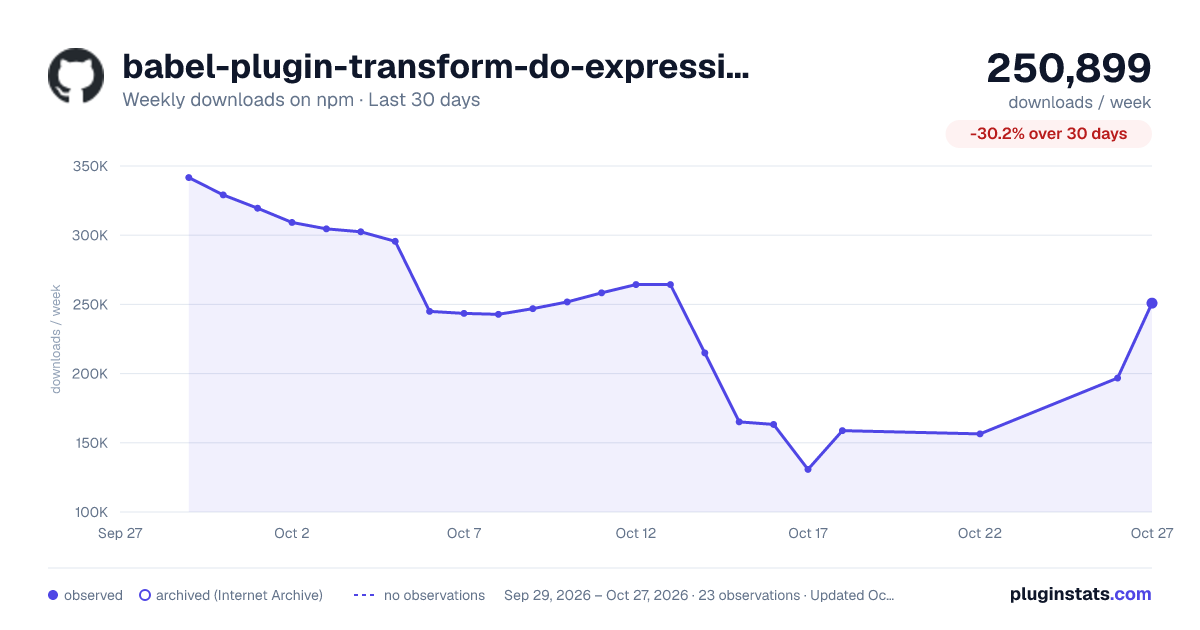
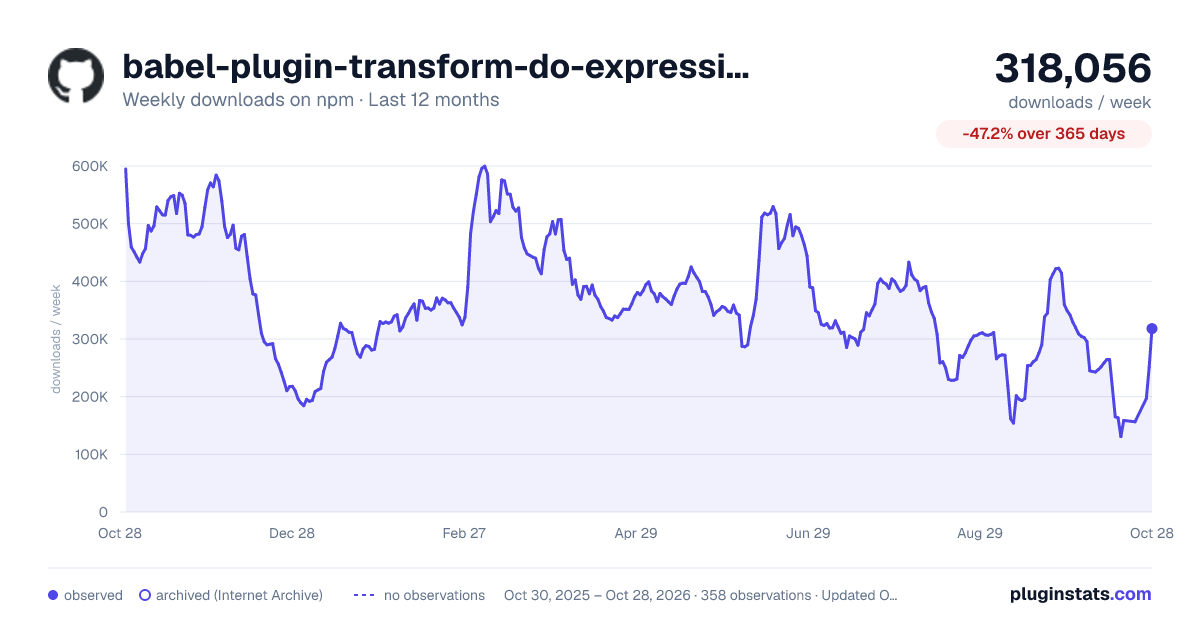
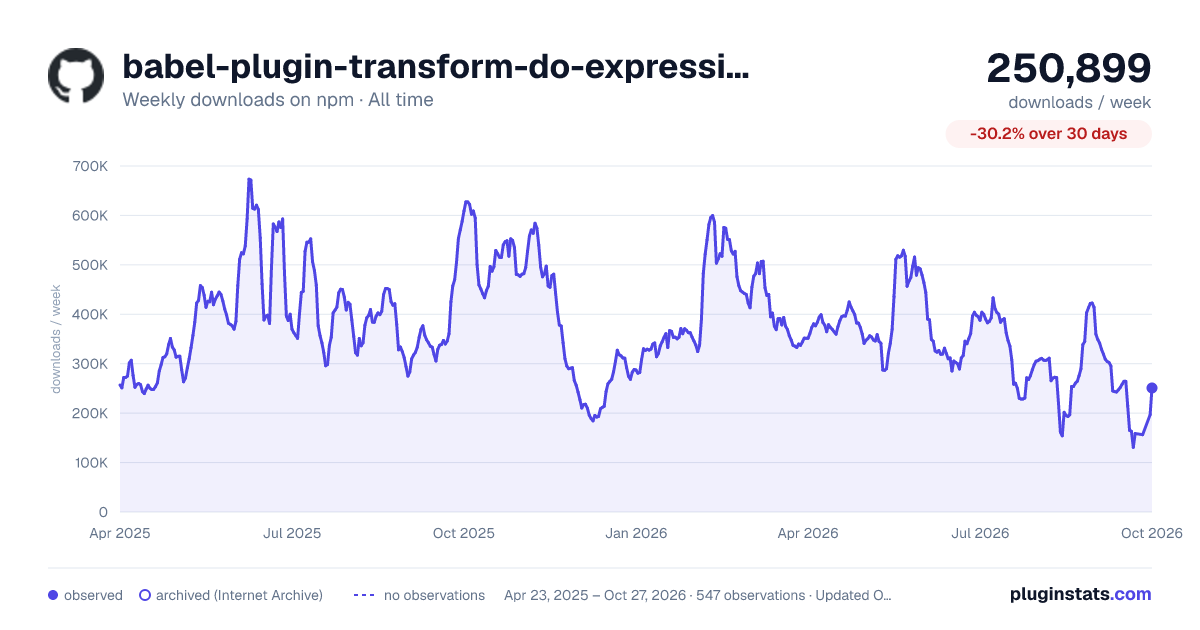

Adoption over time
7/30/90-day growth
Ranking history
Listing placement
Listing placement
Filled points are observed values; hollow points come from Internet Archive snapshots of the listing page. Dashed segments span periods with no observations — values between points are not interpolated.
Each band is one page of 20. Weekly downloads on a linear scale. Placement is projected from weekly downloads, so it can differ from the marketplace's own sort order. Hover a dot to see the listing.
Recent observations
Full history (544)Similar npm Babel plugins plugins
All 20 babel-plugin-transform-do-expressions alternatives- 158.9K weekly downloads-42.4%
- 159K weekly downloads-29.6%
- 159.7K weekly downloads-43.1%
- 160.1K weekly downloads-42.9%
- 155.1K weekly downloads-26.6%
- 154.7K weekly downloads-36.8%
- 169.4K weekly downloads-38.4%
Data source
Weekly downloads (trailing 7 complete days) come from the official npm downloads API. Downloads include CI and mirrors and are not equivalent to installs or users. npm publishes no ratings.
Listing: https://www.npmjs.com/package/babel-plugin-transform-do-expressions. First seen Oct 16, 2026; last successful collection Oct 20, 2026. See the methodology.