 PluginStats
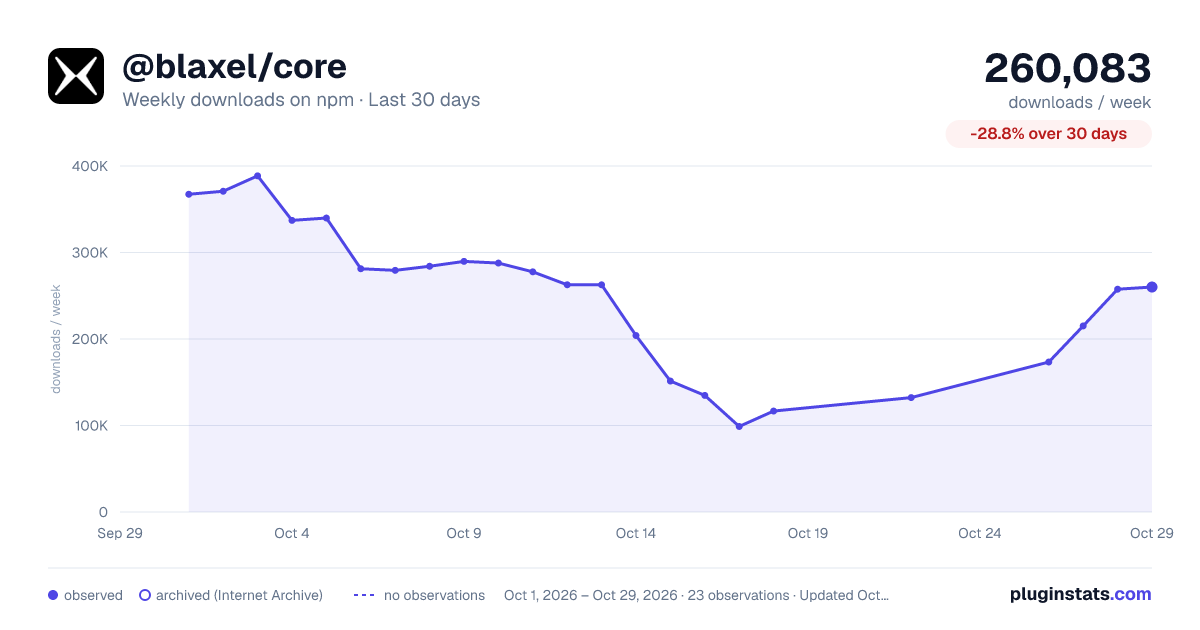
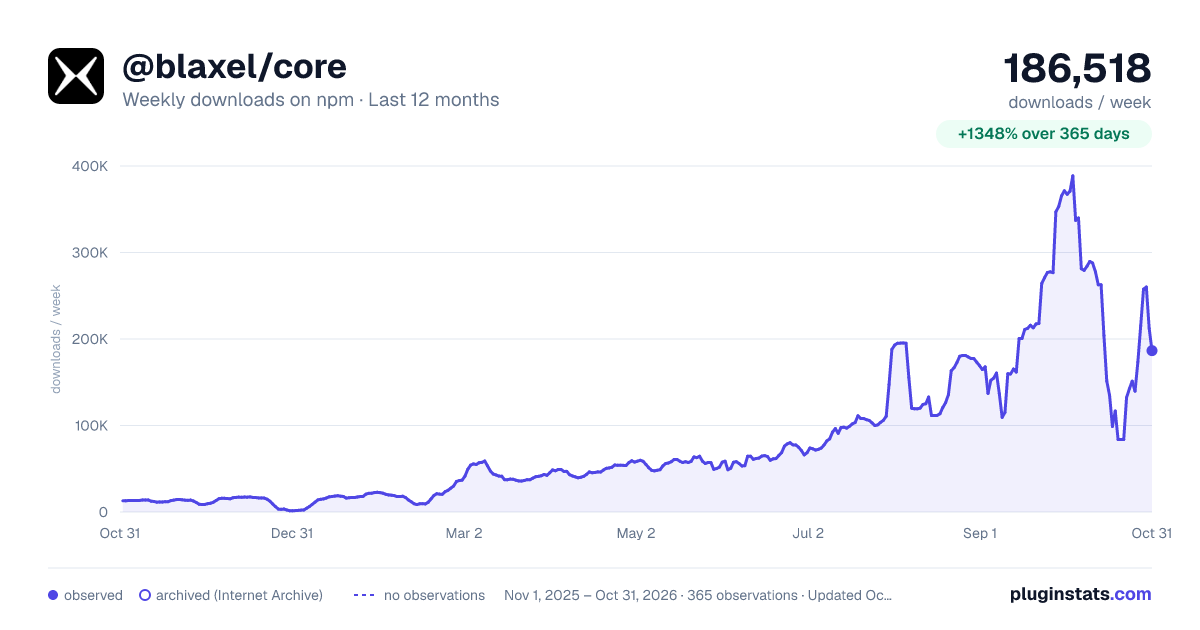
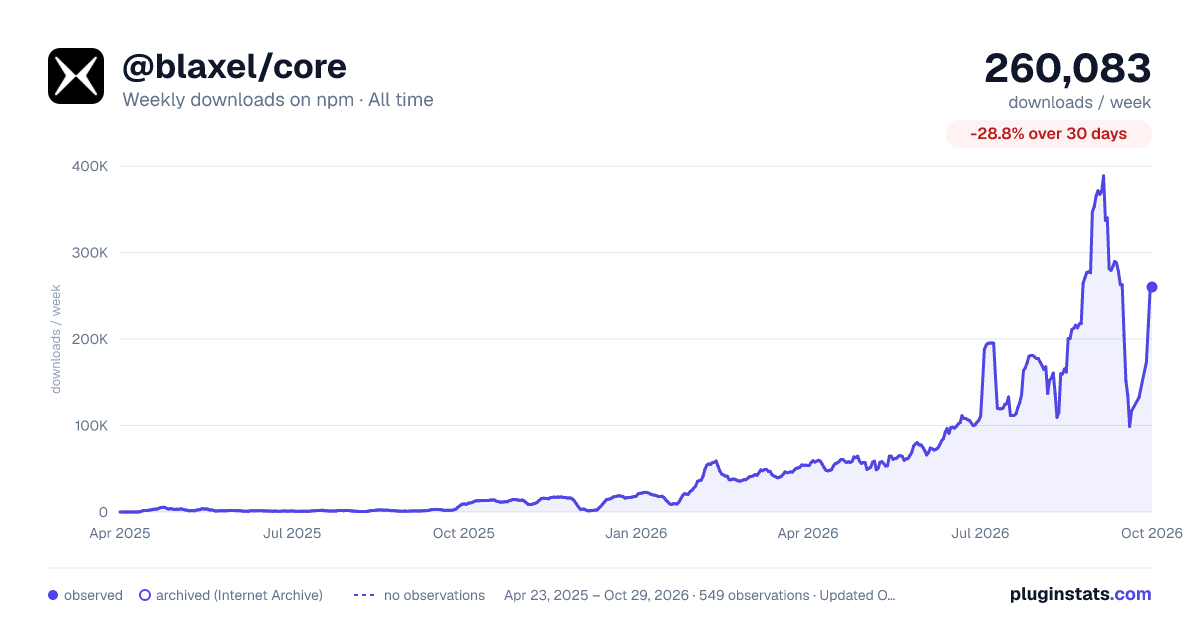
@blaxel/core has 116,689 recorded weekly downloads on npm, a decrease of 45.9% over the past 30 days, ranking #455 of 2,322 tracked listings.
About @blaxel/core
Blaxel TypeScript SDK
Blaxel is a perpetual sandbox platform that achieves near instant latency by keeping infinite secure sandboxes on automatic standby, while co-hosting your agent logic to cut network overhead.
This repository contains Blaxel's TypeScript SDK, which lets you create and manage sandboxes and other resources on Blaxel.
Installation
# npm
npm install @blaxel/core

# yarn
yarn add @blaxel/core

# bun
bun add @blaxel/core
Authentication
The SDK authenticates with your Blaxel workspace using these sources (in priority order):
- Blaxel CLI, when logged in
- Environment variables in
.envfile (BL_WORKSPACE,BL_API_KEY) - System environment variables
- Blaxel configuration file (
~/.blaxel/config.yaml)
When developing locally, the recommended method is to just log in to your workspace with the Blaxel CLI:
bl login YOUR-WORKSPACE
This allows you to run Blaxel SDK functions that will automatically connect to your workspace without additional setup. When you deploy on Blaxel, this connection persists automatically.
When running Blaxel SDK from a remote server that is not Blaxel-hosted, we recommend using environment variables as described in the third option above.
Usage
Sandboxes
Sandboxes are secure, instant-launching compute environments that scale to zero after inactivity and resume in under 25ms.
Base image contents: The default
blaxel/base-image:latestis Alpine Linux with Node.js 22 and git pre-installed. It does not include Python or other language runtimes. To use Python, either specifyblaxel/py-app:latestas your image (Python 3.12) or install it in the base image withapk add --no-cache python3 py3-pip.
import { SandboxInstance } from "@blaxel/core";

// Create a new sandbox
const sandbox = await SandboxInstance.createIfNotExists({
  name: "my-sandbox",
  image: "blaxel/base-image:latest",
  memory: 4096,
  region: "us-pdx-1",
  ports: [{ target: 3000, protocol: "HTTP" }],
  labels: { env: "dev", project: "my-project" },
  ttl: "24h"
});

// Get existing sandbox
const existing = await SandboxInstance.get("my-sandbox");

// Delete sandbox (using class)
await SandboxInstance.delete("my-sandbox");

// Delete sandbox (using instance)
await existing.delete();
Listing resources
List methods return one page at a time. The result contains data, meta, and helpers for fetching more pages when you want them. The same shape is returned by VolumeInstance.list(), DriveInstance.list(), and the sandbox-scoped sandbox.schedules.list() / sandbox.schedules.executions().
import { SandboxInstance } from "@blaxel/core";

const page = await SandboxInstance.list({
  limit: 50,
  sort: "createdAt:desc",
});

for (const sandbox of page.data) {
  console.log(sandbox.metadata.name);
}

if (page.hasMore) {
  const nextPage = await page.nextPage();
  console.log(nextPage?.data);
}

// Optional auto-pagination, inspired by Stripe's SDK.
for await (const sandbox of page) {
  console.log(sandbox.metadata.name);
}

const firstThousand = await page.autoPagingToArray({ limit: 1000 });
Preview URLs
Generate public preview URLs to access services running in your sandbox:
import { SandboxInstance } from "@blaxel/core";

// Get existing sandbox
const sandbox = await SandboxInstance.get("my-sandbox");

// Start a web server in the sandbox
await sandbox.process.exec({
  command: "npm run dev -- --port 3000",
  workingDir: "/app",
  waitForPorts: [3000]
});

// Create a public preview URL
const preview = await sandbox.previews.createIfNotExists({
  metadata: { name: "app-preview" },
  spec: {
    port: 3000,
    public: true
  }
});

console.log(preview.spec?.url); // https://xyz.preview.bl.run
Previews can also be private, with or without a custom prefix. When you create a private preview URL, a token is required to access the URL, passed as a request parameter or request header.
// ...

// Create a private preview URL
const privatePreview = await sandbox.previews.createIfNotExists({
  metadata: { name: "private-app-preview" },
  spec: {
    port: 3000,
    public: false
  }
});

// Create a public preview URL with a custom prefix
const customPreview = await sandbox.previews.createIfNotExists({
  metadata: { name: "custom-app-preview" },
  spec: {
    port: 3000,
    prefixUrl: "my-app",
    public: true
  }
});
Process execution
Execute and manage processes in your sandbox:
import { SandboxInstance } from "@blaxel/core";

// Get existing sandbox
const sandbox = await SandboxInstance.get("my-sandbox");

// Execute a command
const process = await sandbox.process.exec({
  name: "build-process",
  command: "npm run build",
  workingDir: "/app",
  waitForCompletion: true,
  timeout: 60000 // 60 seconds
});

// Kill a running process
await sandbox.process.kill("build-process");
Restart a process if it fails, up to a maximum number of restart attempts:
// ...

// Run with auto-restart on failure
process = await sandbox.process.exec({
  name: "web-server",
  command: "npm run dev -- --host 0.0.0.0 --port 3000",
  restartOnFailure: true,
  maxRestarts: 5
});
Filesystem operations
Manage files and directories within your sandbox:
import { SandboxInstance } from "@blaxel/core";
import * as fs from "fs";

// Get existing sandbox
const sandbox = await SandboxInstance.get("my-sandbox");

// Write and read text files
await sandbox.fs.write("/app/config.json", '{"key": "value"}');
const content = await sandbox.fs.read("/app/config.json");

// Write and read binary files
const binaryData = fs.readFileSync("./image.png");
await sandbox.fs.writeBinary("/app/image.png", binaryData);
const blob = await sandbox.fs.readBinary("/app/image.png");…
Description from the npm listing.
- blaxel
- agent
- mcp
README badge
Show your rank in a README or on your website. The badge updates automatically.
Charts
Images: 30d · 1y · all time · 1600×900 dark

Adoption over time
7/30/90-day growth
Ranking history
Listing placement
Listing placement
Filled points are observed values; hollow points come from Internet Archive snapshots of the listing page. Dashed segments span periods with no observations — values between points are not interpolated.
Each band is one page of 20. Weekly downloads on a linear scale. Placement is projected from weekly downloads, so it can differ from the marketplace's own sort order. Hover a dot to see the listing.
Recent observations
Full history (544)Similar npm MCP servers plugins
All 20 @blaxel/core alternativesData source
Weekly downloads (trailing 7 complete days) come from the official npm downloads API. Downloads include CI and mirrors and are not equivalent to installs or users. npm publishes no ratings.
Listing: https://www.npmjs.com/package/@blaxel/core. First seen Oct 16, 2026; last successful collection Oct 20, 2026. See the methodology.