 PluginStats
generate-file-webpack-plugin weekly downloads statistics
By kflGALORE · npm · Webpack plugins
General purpose Webpack plugin for generating files.
generate-file-webpack-plugin has 678 recorded weekly downloads on npm, a decrease of 54.4% over the past 30 days.
It ranks #1461 of 2,256 tracked npm listings by weekly downloads.
Over 90 days, weekly downloads changed by -65.5%.
PluginStats has 543 daily observations since Apr 23, 2025; the latest is from Oct 17, 2026.
About generate-file-webpack-plugin
/badge.svg?branch=master)
generate-file-webpack-plugin
General purpose Webpack plugin for generating files.
• Getting Started • Requirements • Install • Usage • Configuration • file • content • debug • Examples • Copy File • Generate Application Info • Using Handlebars Templates • Generate Multiple Files • Known Problems
Getting Started
Requirements
• Webpack 4.x • Earlier version of Webpack probably won't work. • Latest version 5.x may work, but has not been tested. • Node.js 12.x • Earlier versions may also work, but have not been tested. • Later versions most probably also work, but have not been tested. • npm 6.x • Earlier versions may also work, but have not been tested. • Later versions most probably also work, but have not been tested.
Install
Using npm:
Even if not been tested yet, installation using yarn should work without problems:
Usage
webpack.config.js
Running webpack via your preferred method will generate a file named output.txt in your root output directory with the content Hello World.
Configuration
webpack.config.js
Thereby, options is the main configuration object for this plugin, supporting the following properties:
file
The file that is to be generated.
This may either be a relative or an absolute file path. In case it is a relative file path, it will be resolved relative to the output.path you specified in your webpack configuration.
• type: string • required: true • since: 1.0.0
content
The content to be written into the specified file.
This property is designed to be quite flexible, in order to cover as much use cases as possible. In its simplest form it is just a string or a Buffer. But it may also be a Promise that will later resolve to either a string or a Buffer. Further, it may be a Function that either returns a string or a Buffer, or a Promise resolving to one of the aforementioned types.
• type: string | Buffer | Promise | Promise | Function • required: true • since: 1.0.0
debug
Flag, indicating if additional debug output should be logged.
• type: boolean • required: false • default: false • since: 1.0.0
Examples
Copy File
Given, you have a file my-file.txt in your src directory. Then you can copy that file into webpack's default output directory like this:
Note, that this plugin's intend is _not_ to replace the well known copy webpack plugin. In case you just want to copy over some file into webpack's output directory, you'll probably be better suited to use the copy-webpack-plugin, since it may be easier to use for this case.
Nevertheless, this plugin got some features, that make it extremely useful in more complex scenarios as described in the following examples.
Generate Application Info
Say, you want to generate some metadata information for your app, that is to served by a web server and displayed in your application on demand, you can do it like this:
This will generate a file app-info.js with the name and the version of the app, that can be served and included by your web application, using the following tag:
Note, that this approach of specifying the content of the generated file as a (template) string has several drawbacks: • The package.json object is created as a global variable. • The content will be resolved as soon as the webpack configuration is loaded, and not at the time the plugin is actually executed. This is OK in this case, but there may be situations where referenced information is not available at the time the webpack configuration is being loaded.
We can circumvent those issues by using a function as the content source for the generated file, like this:
Note, that we used an anonymous arrow function in this case. We could have also used a "regular" anonymous function, or a named function declared in the webpack configuration.
We can further enhance this example by not only using information from the package.json, but also from a different information source. It would be useful to add an unique identifier (called hash in this case) for the source code from which the application has been build. We use the latest Git commit ID for that in this example. This can be done like this:
Just for readability, we can extract parsing of the package.json file and the retrieval of the latest Git commit ID into named functions declared in the webpack configuration.
Note: Calling functions from within a content function is allowed.
Using Handlebars Templates
Picking up the Generate Application Info example, we can also use the handlebars template engine for generating our app-info.js file (or any other file you like).
First, we have to install the handlebars npm package:
Then, we have to create a handlebars template file, for generating our app-info.js file, for this example located in src/app-info.hbs:
Finally, we add the following to our webpack configuration:
Note, that for clarity we omitted the definition of the parseAppPackage() and getLastCommitId() functions. Have a look at the Generate Application Info example if you need to know how they are implemented.
Note, that we defined a (more or less) generic function template(file) for compiling our handlebars template file. We are not relying on the handlebars-loader webpack loader, because the webpack configuration setup for making this work would be too complex. Especially, we would have to defined an entry point for the loader, and still could not ensure that our plugin gets executed _after_ the loader has done its work. In theory we could somehow make it work, but in reality this is just a configuration overkill that you should avoid.
Generate Multiple Files
In order to generate multiple files, you have to specify multiple invocations of this plugin in the webpack configuration, like this:
Of course you can use all of the features described in previous examples for specifying the content.
Known Problems
See bugs
Description from the npm listing.
- webpack
- plugin
- webpack-plugin
- generate
- generator
- file
- files
- create
- creator
- generic
- general-purpose
- helper
- util
Charts
Images: 30d · 1y · all time · 1600×900 dark
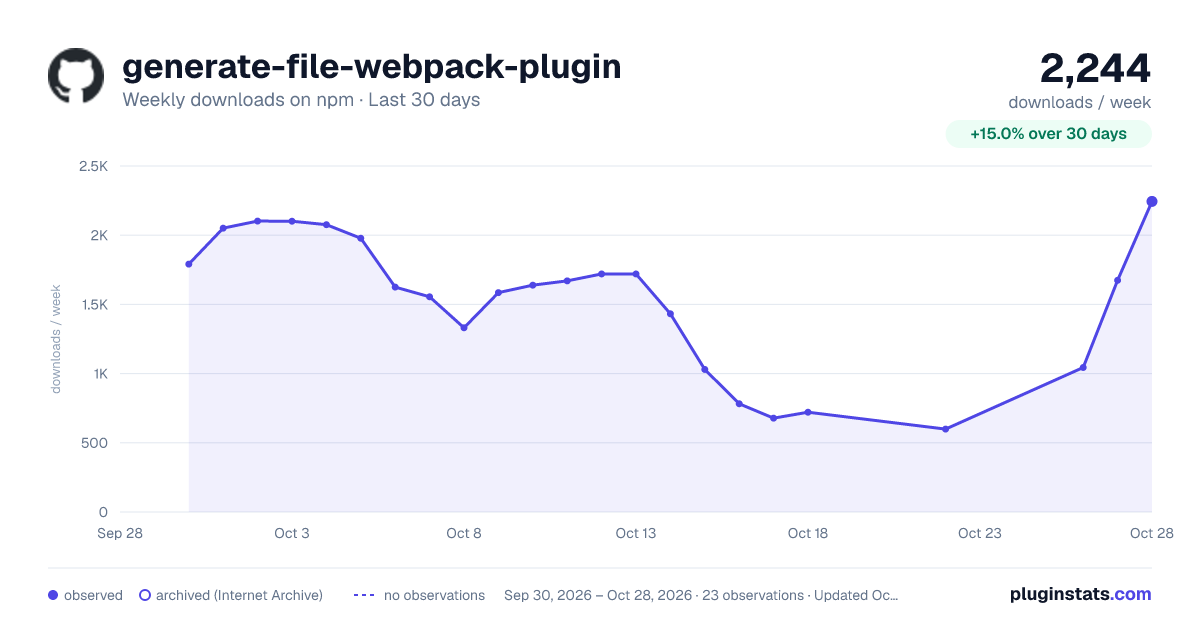
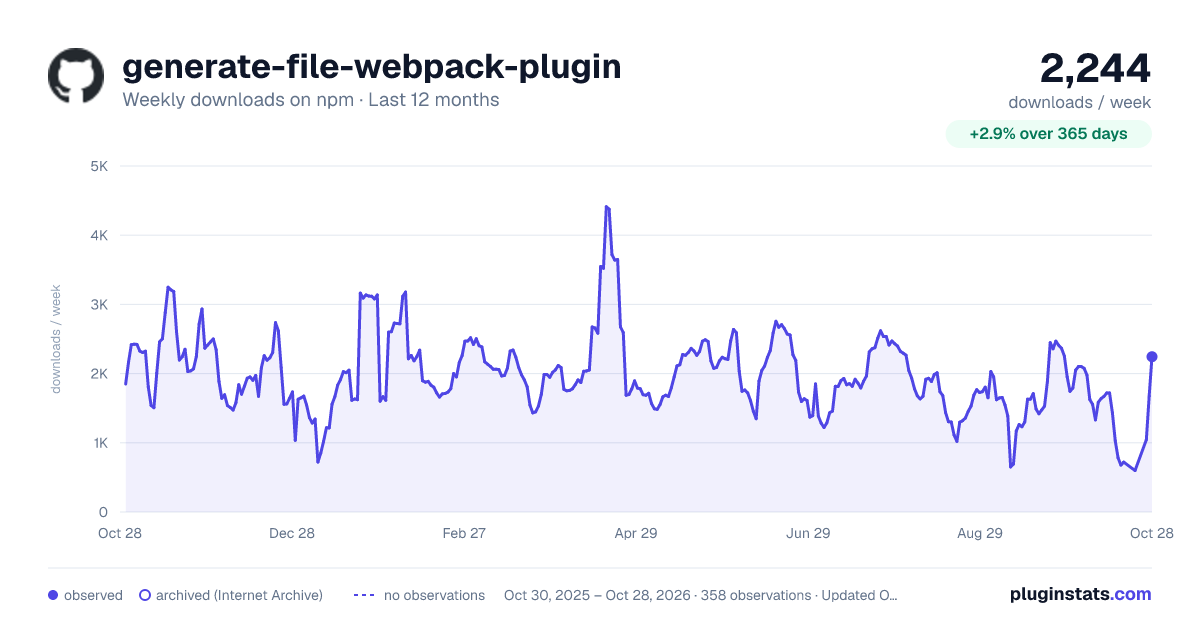
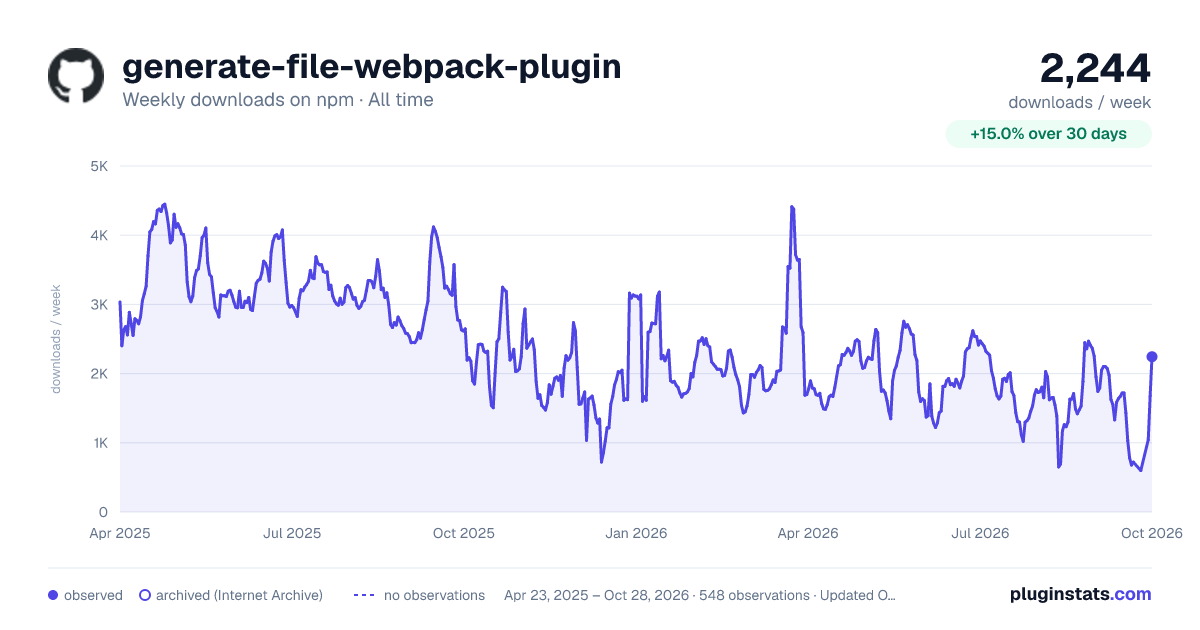

Adoption over time


7/30/90-day growth


Ranking history


Listing placement


Filled points are observed values; hollow points come from Internet Archive snapshots of the listing page. Dashed segments span periods with no observations — values between points are not interpolated.
Each band is one page of 20. Weekly downloads on a log scale. Placement is projected from weekly downloads, so it can differ from the marketplace's own sort order. Hover a dot to see the listing.
Recent observations
Full history (543)Similar npm Webpack plugins plugins
All 20 generate-file-webpack-plugin alternativesData source
Weekly downloads (trailing 7 complete days) come from the official npm downloads API. Downloads include CI and mirrors and are not equivalent to installs or users. npm publishes no ratings.
Listing: https://www.npmjs.com/package/generate-file-webpack-plugin. First seen Oct 16, 2026; last successful collection Oct 19, 2026. See the methodology.