 PluginStats
twin.macro weekly downloads statistics
By ben-rogerson · npm · Babel plugins
Twin blends the magic of Tailwind with the flexibility of css-in-js
twin.macro has 36,175 recorded weekly downloads on npm, ranking #653 of 2,322 tracked listings.
About twin.macro
Style jsx elements using Tailwind classes:
import 'twin.macro'

const Input = () => <input tw="border hover:border-black" />
Nest Twin’s tw import within a css prop to add conditional styles:
import tw from 'twin.macro'

const Input = ({ hasHover }) => (
  <input css={[tw`border`, hasHover && tw`hover:border-black`]} />
)
Or mix sass styles with the css import:
import tw, { css } from 'twin.macro'

const hoverStyles = css`
  &:hover {
    border-color: black;
    ${tw`text-black`}
  }
`
const Input = ({ hasHover }) => (
  <input css={[tw`border`, hasHover && hoverStyles]} />
)
Styled Components
You can also use the tw import to create and style new components:
import tw from 'twin.macro'

const Input = tw.input`border hover:border-black`
And clone and style existing components:
const PurpleInput = tw(Input)`border-purple-500`
Switch to the styled import to add conditional styling:
import tw, { styled } from 'twin.macro'

const StyledInput = styled.input(({ hasBorder }) => [
  `color: black;`,
  hasBorder && tw`border-purple-500`,
])
const Input = () => <StyledInput hasBorder />
Or use backticks to mix with sass styles:
import tw, { styled } from 'twin.macro'

const StyledInput = styled.input`
  color: black;
  ${({ hasBorder }) => hasBorder && tw`border-purple-500`}
`
const Input = () => <StyledInput hasBorder />
How it works
When babel runs over your javascript or typescript files at compile time, twin grabs your classes and converts them into css objects. These css objects are then passed into your chosen css-in-js library without the need for an extra client-side bundle:
import tw from 'twin.macro'

tw`text-sm md:text-lg`

// ↓ ↓ ↓ ↓ ↓ ↓

{
  fontSize: '0.875rem',
  '@media (min-width: 768px)': {
    fontSize: '1.125rem',
  },
}
Features
👌 Simple imports - Twin collapses imports from common styling libraries into a single import:
- import styled from '@emotion/styled'
- import css from '@emotion/react'
+ import { styled, css } from 'twin.macro'
🐹 Adds no size to your build - Twin converts the classes you’ve used into css objects using Babel and then compiles away, leaving no runtime code
🍱 Apply variants to multiple classes at once with variant groups
import 'twin.macro'

const interactionStyles = () => (
  <div tw="hover:(text-black underline) focus:(text-blue-500 underline)" />
)

const mediaStyles = () => <div tw="sm:(w-4 mt-3) lg:(w-8 mt-6)" />

const pseudoElementStyles = () => <div tw="before:(block w-10 h-10 bg-black)" />

const stackedVariants = () => <div tw="sm:hover:(bg-black text-white)" />

const groupsInGroups = () => <div tw="sm:(bg-black hover:(bg-white w-10))" />
🛎 Helpful suggestions for mistypings - Twin chimes in with class and variant values from your Tailwind config:
✕ ml-1.25 was not found

Try one of these classes:

- ml-1.5 > 0.375rem
- ml-1 > 0.25rem
- ml-10 > 2.5rem
🖌️ Use the theme import to add values from your tailwind config
import { css, theme } from 'twin.macro'

const Input = () => <input css={css({ color: theme`colors.purple.500` })} />
See more examples using the theme import →
💡 Works with the official tailwind vscode plugin - Avoid having to look up your classes with auto-completions straight from your Tailwind config - setup instructions →
💥 Add !important to any class with a trailing or leading bang!
<div tw="hidden!" /> || <div tw="!hidden" />
// ↓ ↓ ↓ ↓ ↓ ↓ ↓ ↓ ↓
<div css={{ "display": "none !important" }} />
Add !important to multiple classes with bracket groups:
<div tw="(hidden ml-auto)!" />
// ↓ ↓ ↓ ↓ ↓ ↓ ↓ ↓ ↓
<div css={{ "display": "none !important", "marginLeft": "auto !important" }} />
Get started
Twin works with many modern stacks - take a look at these examples to get started:
App build tools and libraries…
Description from the npm listing.
- emotion
- styled-components
- stitches
- goober
- tailwind
- tailwindcss
- css-in-js
- babel-plugin
- babel-plugin-macros
README badge
Show your rank in a README or on your website. The badge updates automatically.
Charts
Images: 30d · 1y · all time · 1600×900 dark
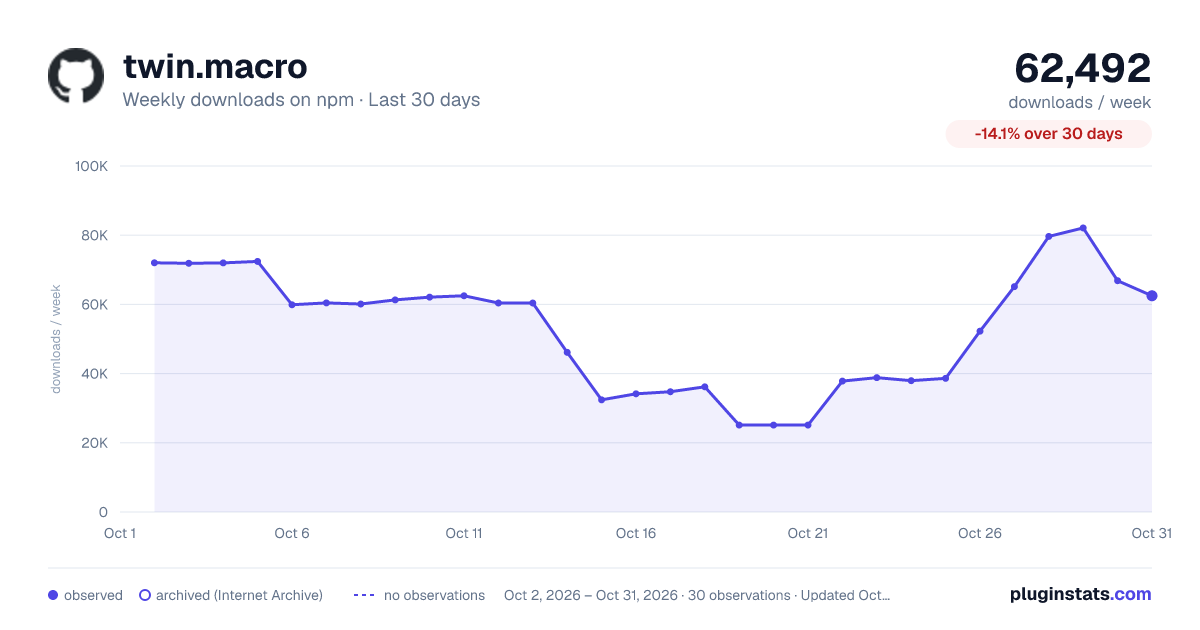
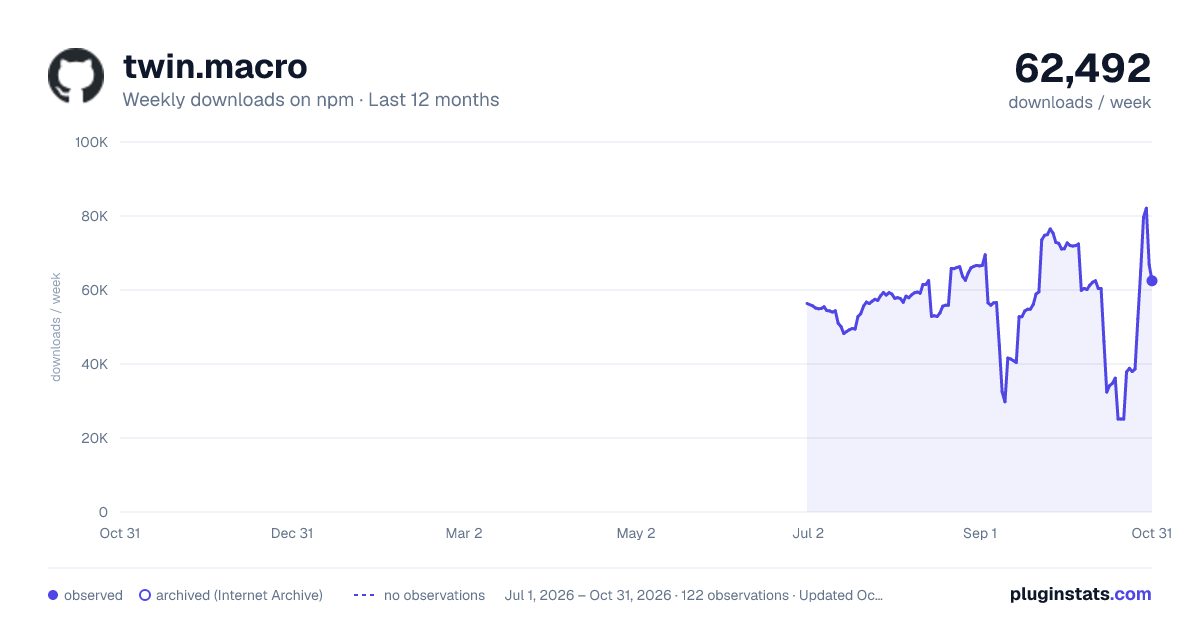
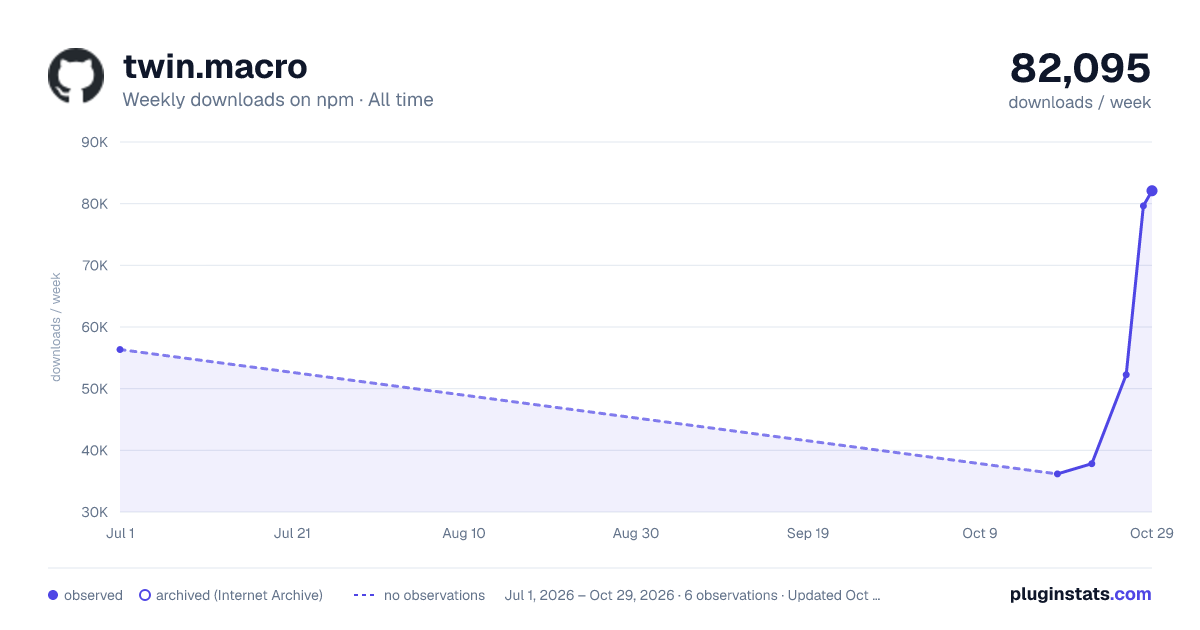

Adoption over time
7/30/90-day growth
Ranking history
Listing placement
Listing placement
Filled points are observed values; hollow points come from Internet Archive snapshots of the listing page. Dashed segments span periods with no observations — values between points are not interpolated.
Each band is one page of 20. Weekly downloads on a linear scale. Placement is projected from weekly downloads, so it can differ from the marketplace's own sort order. Hover a dot to see the listing.
Recent observations
Full history (1)Similar npm Babel plugins plugins
All 20 twin.macro alternativesData source
Weekly downloads (trailing 7 complete days) come from the official npm downloads API. Downloads include CI and mirrors and are not equivalent to installs or users. npm publishes no ratings.
Listing: https://www.npmjs.com/package/twin.macro. First seen Oct 20, 2026; last successful collection Oct 20, 2026. See the methodology.