 PluginStats
@shopify/eslint-plugin weekly downloads statistics
By shopify (14 listings) · npm · ESLint plugins
Shopify's ESLint rules and configs.
@shopify/eslint-plugin has 72,521 recorded weekly downloads on npm, a decrease of 54.0% over the past 30 days, ranking #513 of 2,322 tracked listings.
About @shopify/eslint-plugin
@shopify/eslint-plugin


Shopify’s ESLint rules and configs.
Installation
You'll first need to install ESLint:
With Yarn
yarn add --dev eslint
With npm
$ npm i eslint --save-dev
Next, install @shopify/eslint-plugin:
With Yarn
yarn add --dev @shopify/eslint-plugin
With npm
$ npm install @shopify/eslint-plugin --save-dev
Note: If you installed ESLint globally (using the -g flag) then you must also install @shopify/eslint-plugin globally.
Usage
As of version 46.0.0, this package uses Eslint's "Flat Config" format, not the legacy "eslintrc" format. To upgrade your Eslint configuration, follow the Configuration Migration Guide.
As of version 47.0.0, this package no longer configures formatting related rules in the es5, esnext and typescript configs, as ESLint depreacated their formatting related rules.
Shopify’s ESLint configs come bundled in this package. In order to use them, you include the relevant configurations in your project’s eslint.config.js. For example, the following will use the ESNext (ES2015 and later) config:
import shopifyEslintPlugin from '@shopify/eslint-plugin';

export default [...shopifyEslintPlugin.configs.esnext];
If you are working on an ES5 project, use the ES5 version of the configuration:
import shopifyEslintPlugin from '@shopify/eslint-plugin';

export default [...shopifyEslintPlugin.configs.es5];
You can also add some "augmenting" configs on top of the "core" config by using an array of linting configs. For example, the following configuration would provide a base ESNext config that is augmented by a React config:
import shopifyEslintPlugin from '@shopify/eslint-plugin';

export default [
  ...shopifyEslintPlugin.configs.esnext,
  ...shopifyEslintPlugin.configs.react,
];
Likewise, if you are using TypeScript and React, the following configuration uses the TypeScript base config with the React-specific rules provided by the React configuration file. To demonstrate multiple augmentations, we've also added the Prettier config, which disables rules that will conflict in projects using prettier.
import shopifyEslintPlugin from '@shopify/eslint-plugin';

export default [
  ...shopifyEslintPlugin.configs.typescript,
  ...shopifyEslintPlugin.configs.react,
  ...shopifyEslintPlugin.configs.prettier,
];
Provided configurations
This plugin provides the following core configurations:
- esnext: Use this for anything written with ES2015+ features.
- typescript: Use this for Typescript projects. The rules enabled in this config do not require type-checking to run. To enable all Typescript rules, you must augment this config with the
typescript-type-checkingconfig mentioned below. - es5: Use this for legacy projects.
This plugin also provides the following tool-specific configurations, which can be used on top of the core configurations:
- typescript-type-checking Use this config to augment the
typescriptconfig to enable all TypeScript rules, including those that require type checking. These rules are slower to run and and you will need to specify a path to your tsconfig.json file in the "project" property of "parserOptions". The following example would provide all of the TypeScript rules, assuming the tsconfig.json is in the same directory as you ESlint configuration.
import shopifyEslintPlugin from '@shopify/eslint-plugin';

export default [
  ...shopifyEslintPlugin.configs.typescript,
  ...shopifyEslintPlugin.configs['typescript-type-checking'],
  {
    languageOptions: {
      parserOptions: {
        project: 'tsconfig.json',
      },
    },
  },
];
- react: Use this for React projects.
- polaris: Use this for projects that use Shopify’s React Polaris components.
- prettier: Use prettier for consistent formatting. Using this Shopify's prettier config will override the default Shopify eslint rules in favor of prettier formatting. Prettier must be installed within your project, as @shopify/eslint-plugin does not provide the dependency itself.
- webpack: Use this for projects built by webpack.
node
If you are working on a node module, we also provide the node configuration for you. Note that this configuration needs to be used in conjunction with one of the core configurations (either es5 or esnext). If you plan to transpile your code using Babel, use the esnext config. If you do not plan to do so, the config you choose depends on the version of node you wish to support, and how many ESNext features are natively available in that version. You can see a detailed list of what version of node supports what new JavaScript features by visiting http://node.green.
A node project that will use Babel for transpilation would need the following ESLint config:
import shopifyEslintPlugin from '@shopify/eslint-plugin';

export default [
  ...shopifyEslintPlugin.configs.esnext,
  ...shopifyEslintPlugin.configs.node,
];
Supported Typescript version…
Description from the npm listing.
- eslint
- eslintconfig
- eslintplugin
- eslint-config
- eslint-plugin
README badge
Show your rank in a README or on your website. The badge updates automatically.
Charts
Images: 30d · 1y · all time · 1600×900 dark
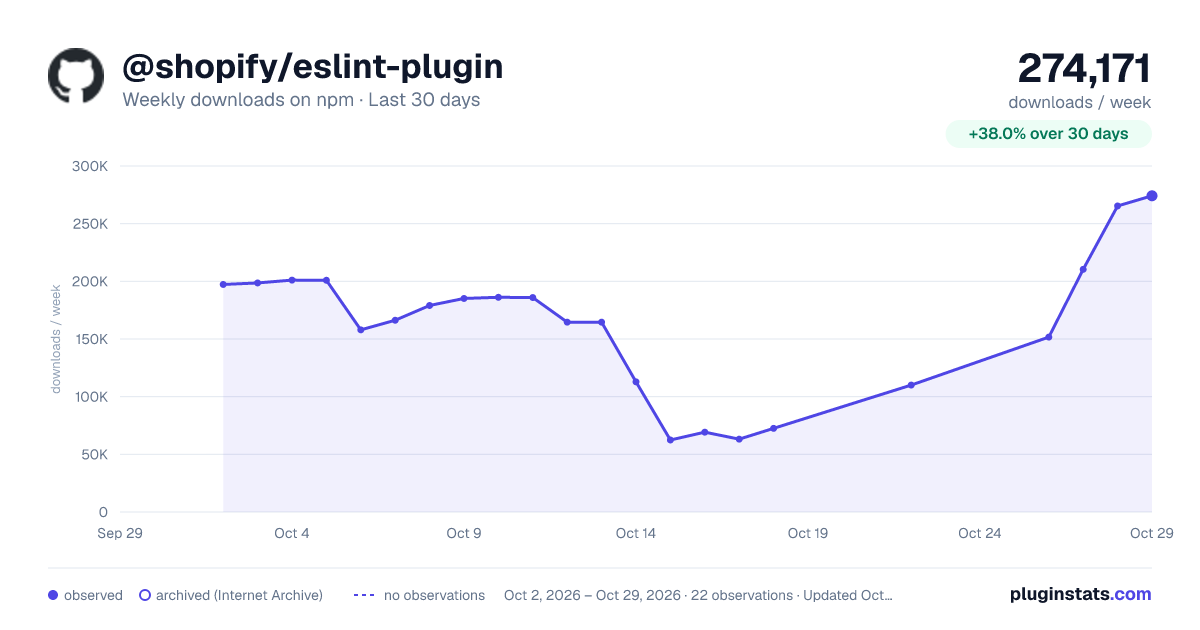
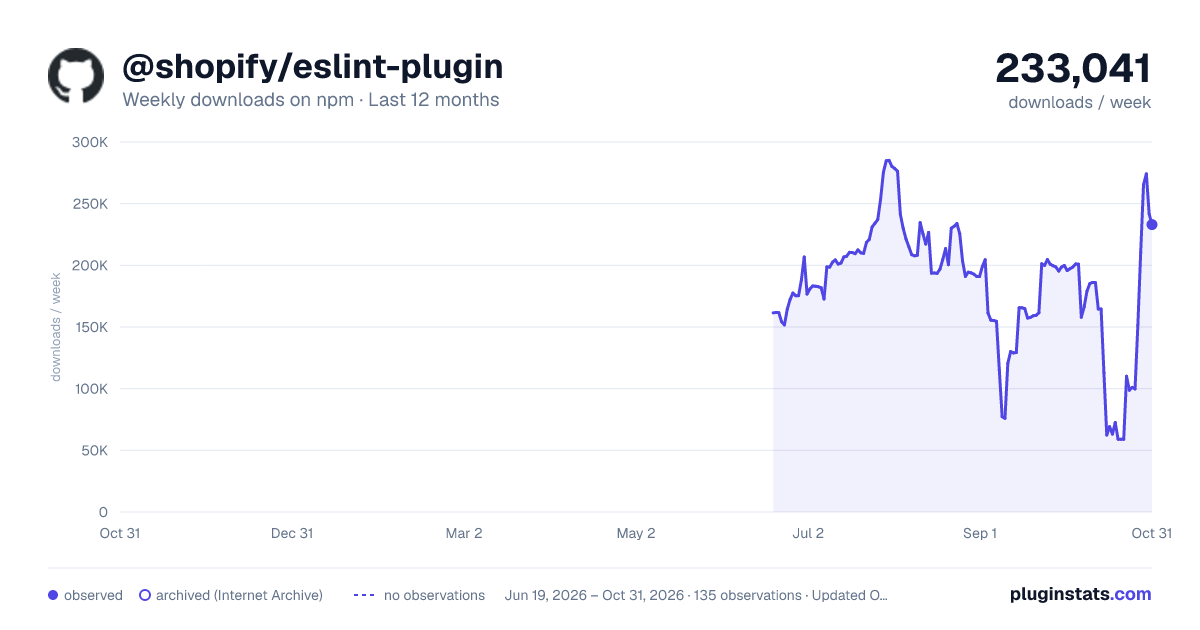
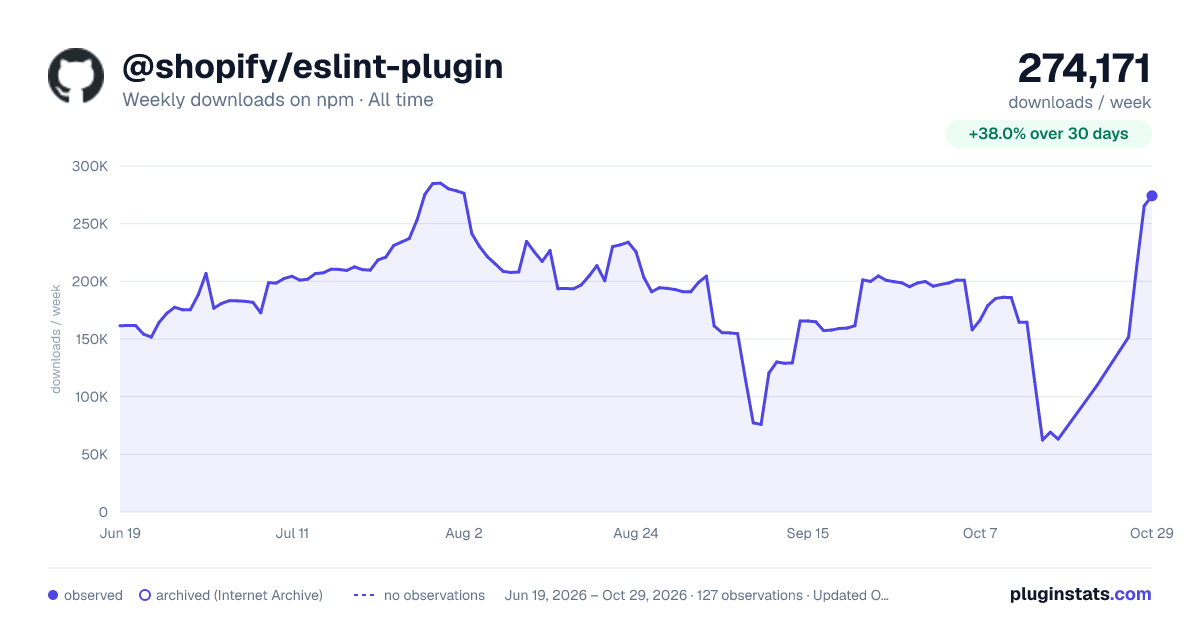

Adoption over time
7/30/90-day growth
Ranking history
Listing placement
Listing placement
Filled points are observed values; hollow points come from Internet Archive snapshots of the listing page. Dashed segments span periods with no observations — values between points are not interpolated.
Each band is one page of 20. Weekly downloads on a linear scale. Placement is projected from weekly downloads, so it can differ from the marketplace's own sort order. Hover a dot to see the listing.
Recent observations
Full history (122)Similar npm ESLint plugins plugins
All 20 @shopify/eslint-plugin alternatives- 70.8K weekly downloads-35.4%
- 75.7K weekly downloads-50.1%
Data source
Weekly downloads (trailing 7 complete days) come from the official npm downloads API. Downloads include CI and mirrors and are not equivalent to installs or users. npm publishes no ratings.
Listing: https://www.npmjs.com/package/@shopify/eslint-plugin. First seen Oct 16, 2026; last successful collection Oct 20, 2026. See the methodology.