 PluginStats
chrome-devtools-axi weekly downloads statistics
By kunchenguid · npm · MCP servers
AXI-compliant chrome-devtools-mcp wrapper — combined operations, TOON output, contextual suggestions
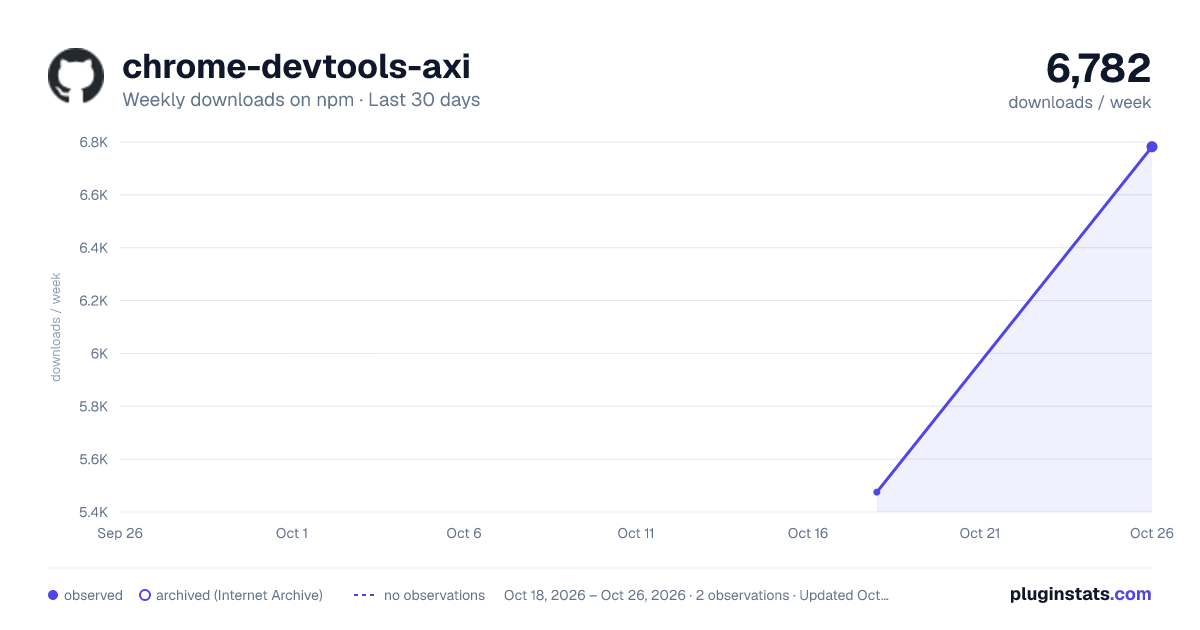
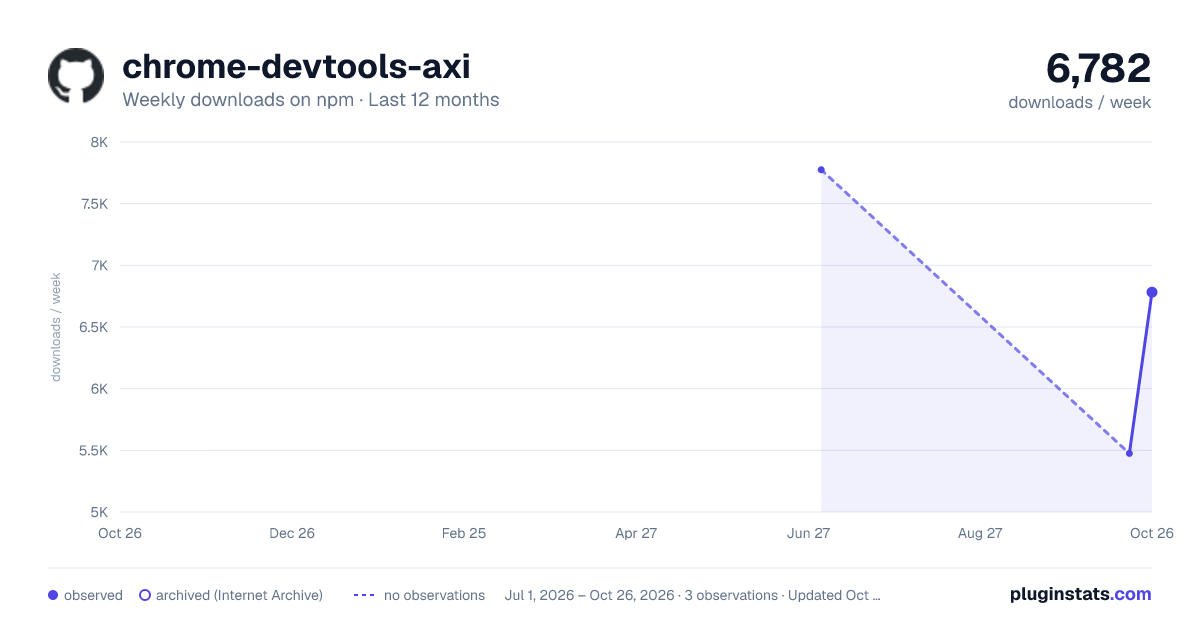
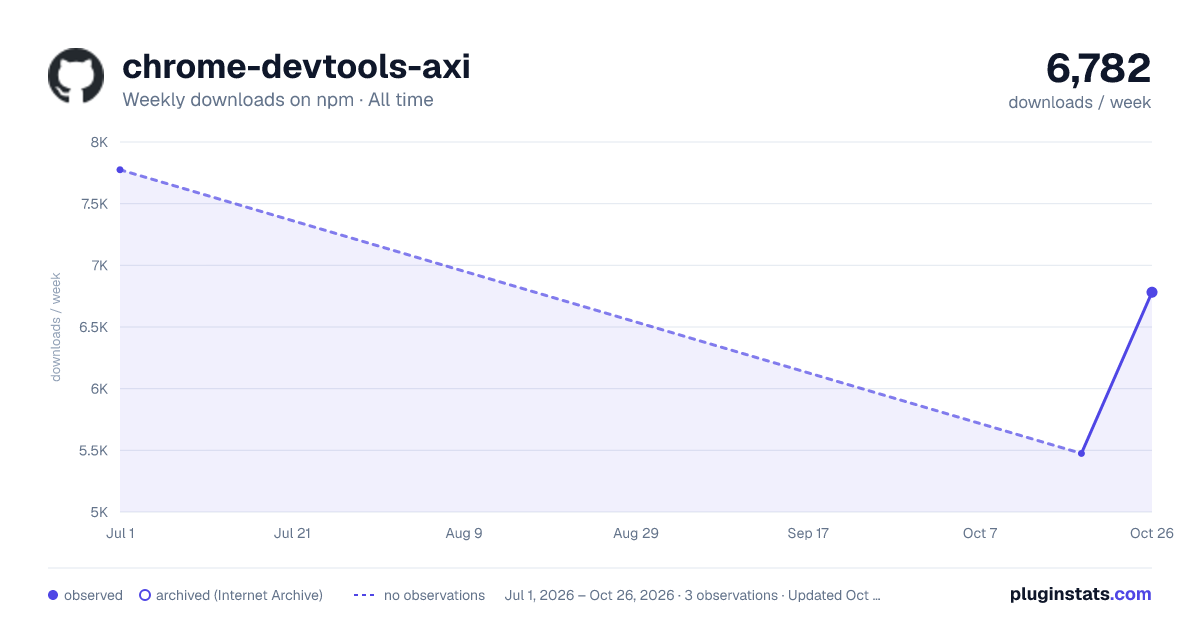
chrome-devtools-axi has 5,475 recorded weekly downloads on npm, ranking #1116 of 2,322 tracked listings.
About chrome-devtools-axi
chrome-devtools-axi wraps chrome-devtools-mcp with an AXI-compliant CLI.
- Token-efficient — TOON-encoded output cuts token usage ~40% vs raw JSON
- Combined operations — one command navigates, captures, and suggests next steps
- Contextual suggestions — every response includes actionable next-step hints
Benchmarks
Agent ergonomics is measurable.
The axi benchmark runs the same 14 real-world browsing tasks (Wikipedia research, GitHub navigation, multi-site comparison, and more) through 7 browser automation setups - 5 repeats each, with claude-sonnet-4-6 as the agent and an LLM judge scoring task success.
chrome-devtools-axi posts the lowest input tokens, cost, duration, and turn count of all 7 conditions, with 100% task success:
| Condition | Avg Input Tokens | Avg Cost/Task | Avg Duration | Avg Turns | Success |
|---|---|---|---|---|---|
| chrome-devtools-axi | 79,141 | $0.074 | 21.5s | 4.5 | 100% |
| dev-browser | 82,532 | $0.078 | 28.6s | 4.9 | 99% |
| agent-browser (Vercel) | 93,074 | $0.088 | 24.6s | 4.8 | 99% |
| chrome-devtools-mcp + compressor CLI | 130,779 | $0.091 | 29.7s | 7.6 | 100% |
| chrome-devtools-mcp + ToolSearch | 133,712 | $0.096 | 29.4s | 7.5 | 99% |
| chrome-devtools-mcp (raw MCP) | 184,711 | $0.101 | 26.0s | 6.2 | 99% |
| chrome-devtools-mcp code execution | 129,606 | $0.120 | 36.2s | 6.4 | 100% |
Against raw chrome-devtools-mcp - the very server this CLI wraps - that is 57% fewer input tokens, 26% lower cost, and 27% fewer agent turns.
Quick Start
Install the chrome-devtools-axi skill in the Agent Skills format with npx skills:
npx skills add kunchenguid/chrome-devtools-axi --skill chrome-devtools-axi -g
That is the entire setup - no npm install needed.
The skill teaches your agent to run chrome-devtools-axi through npx -y chrome-devtools-axi, so the CLI comes along on demand.
The skill is not a user-facing slash command (user-invocable: false).
Just ask for anything that needs a real browser - opening a page, clicking through a flow, extracting page content, debugging console or network, auditing performance - and the agent loads the skill on its own when it recognizes the task.
For ordinary web search, curl-able pages, or static extraction, the skill tells agents to skip Chrome and use simpler fetch/curl-style tooling.
The skill frontmatter also includes Hermes Agent metadata (author plus metadata.hermes tags/category) so Hermes can list it as a first-class browser automation skill; other harnesses ignore those extra fields.
-g installs the skill for all projects (~/.claude/skills/, for example); drop it to install for the current project only (.claude/skills/).
What Agent Sees
$ chrome-devtools-axi open https://example.com
page: {title: "Example Domain", url: "https://example.com", refs: 1}
snapshot:
RootWebArea "Example Domain"
  heading "Example Domain"
  paragraph "This domain is for use in illustrative examples..."
  uid=g1:1 link "More information..."
help[1]:
  Run `chrome-devtools-axi click @g1:1` to click the "More information..." link

$ chrome-devtools-axi click @g1:1
page: {title: "IANA — IANA-Managed Reserved Domains", refs: 12}
snapshot:
...
Refs in snapshot output carry a g<N>: generation prefix that bumps every time a new accessibility tree is captured. Pass refs back exactly as printed. UID actions also verify that the tracked page has not mutated since that snapshot; if freshness cannot be confirmed (including for a legacy untagged ref), they fail loudly with STALE_REF instead of silently no-op'ing, so the agent re-snapshots and retries.
The skill also instructs agents to verify state-changing actions with a fresh snapshot, eval, or screenshot before reporting success, because a current ref can still produce no visible page change.
Other Ways to Install
The skill is the recommended path, but it is not the only one.
Zero setup
chrome-devtools-axi is an AXI, so any capable agent can run the CLI directly with nothing installed at all. Just tell your agent:
Execute `npx -y chrome-devtools-axi` to get browser automation tools.
Session hook…
Description from the npm listing.
- chrome
- devtools
- browser
- cli
- agent
- axi
- toon
- mcp
README badge
Show your rank in a README or on your website. The badge updates automatically.
Charts
Images: 30d · 1y · all time · 1600×900 dark

Adoption over time
7/30/90-day growth
Ranking history
Listing placement
Listing placement
Filled points are observed values; hollow points come from Internet Archive snapshots of the listing page. Dashed segments span periods with no observations — values between points are not interpolated.
Each band is one page of 20. Weekly downloads on a linear scale. Placement is projected from weekly downloads, so it can differ from the marketplace's own sort order. Hover a dot to see the listing.
Recent observations
Full history (1)Similar npm MCP servers plugins
All 20 chrome-devtools-axi alternativesData source
Weekly downloads (trailing 7 complete days) come from the official npm downloads API. Downloads include CI and mirrors and are not equivalent to installs or users. npm publishes no ratings.
Listing: https://www.npmjs.com/package/chrome-devtools-axi. First seen Oct 20, 2026; last successful collection Oct 20, 2026. See the methodology.