 PluginStats
ChatGPT Bookmarks & Sidebar: Navigation, Outline & Chat Manager users statistics
Chrome Web Store · Workflow & Planning
Smart sidebar for ChatGPT & Gemini. Bookmarks, folders, chat manager, outlines, TOC navigation. Never lose a chat
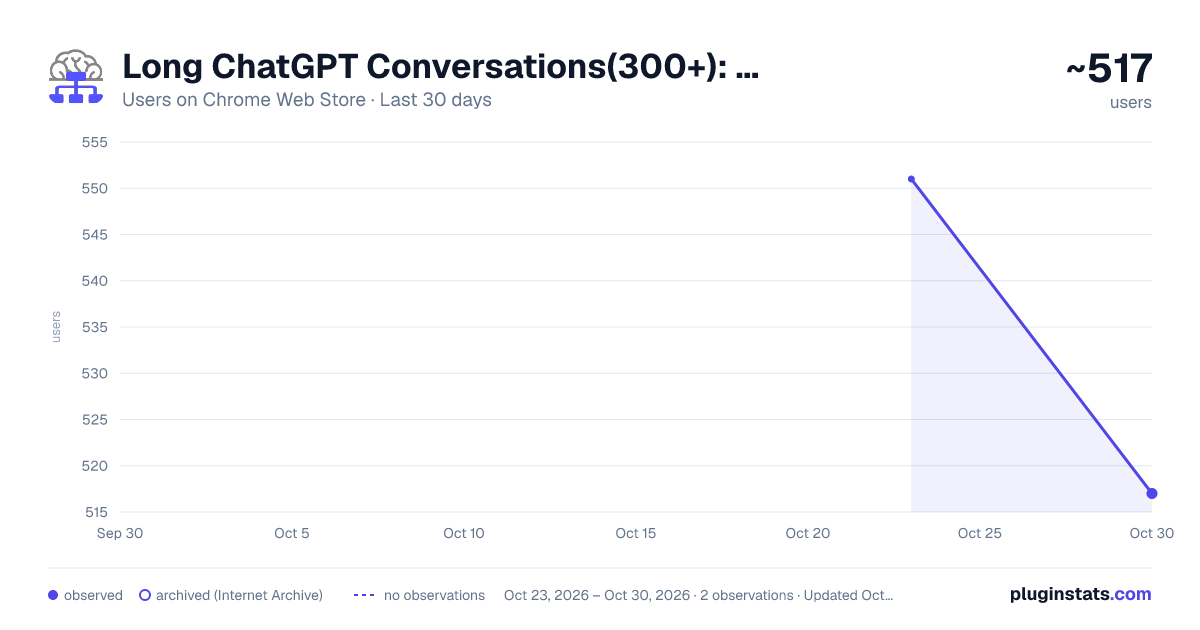
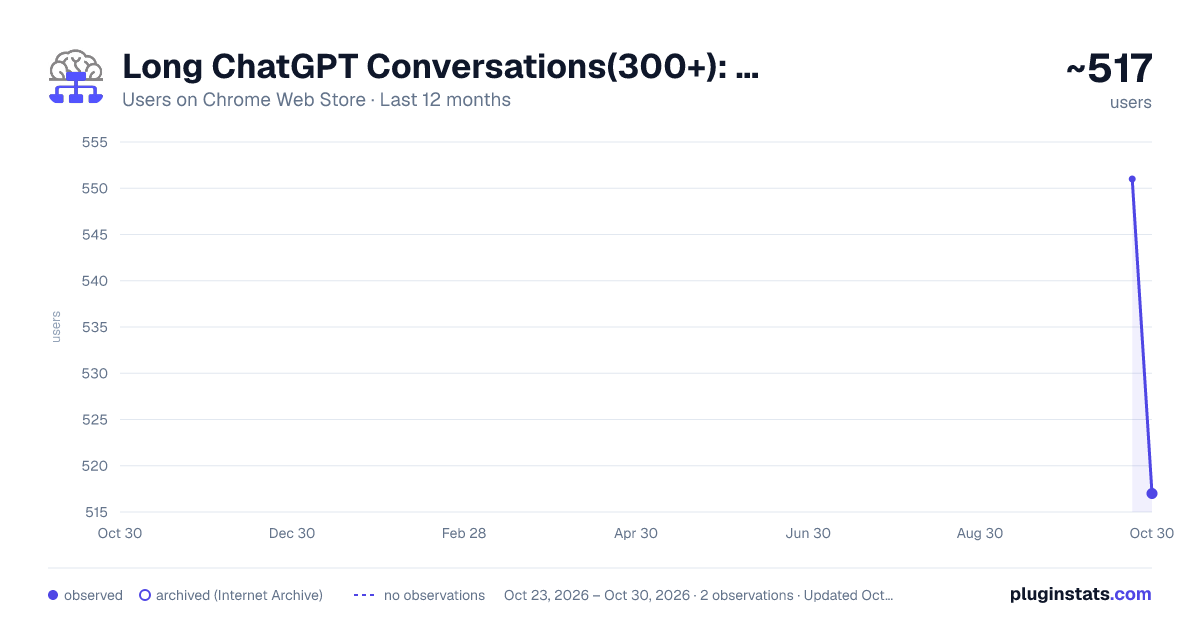
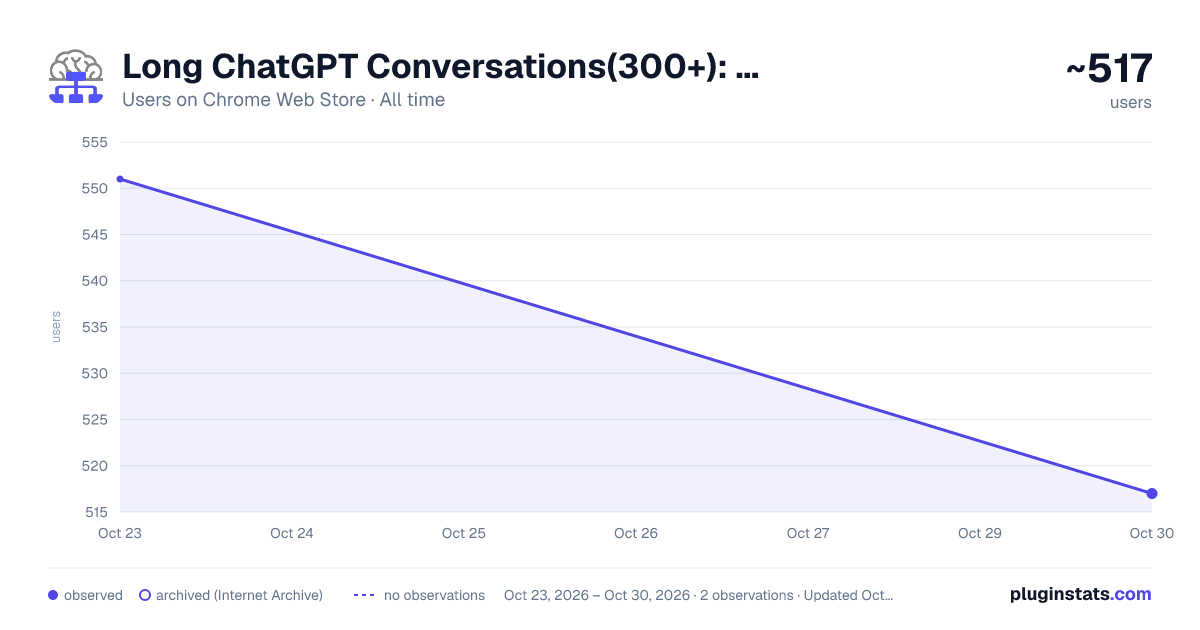
ChatGPT Bookmarks & Sidebar: Navigation, Outline & Chat Manager has approximately 551 recorded users on Chrome Web Store, ranking #1845 of 3,853 tracked listings.
Rating: 4.50 / 5 from 17 ratings
About ChatGPT Bookmarks & Sidebar: Navigation, Outline & Chat Manager
Smart sidebar for ChatGPT & Gemini. Bookmarks, folders, chat manager, outlines, TOC navigation. Never lose a chat
A structured workspace designed for long conversations. It provides conversation outlines, key collections, and multi-format exports, turning AI conversations from one-time rolling records into knowledge assets that can be efficiently reviewed, organized, and reused.
Core questions:
Long-form AI conversations are valuable until they become difficult to review, find, and reuse. Key conclusions are buried, useful fragments are difficult to locate, and the workflow cannot be settled—this is a dilemma that every in-depth user will encounter.
Solution:
This plug-in will add a sidebar to supported AI conversation websites to help you browse long conversations like a document, quickly jump to key locations, and export valuable conversation content to PDF or Markdown for easy inclusion in your notes, reports, or development documents.
Core philosophy:
It no longer treats AI conversations as one-time records, but helps you transform them into a structured workspace that can be reviewed, organized, exported, and continuously accumulated.
━━━━━━━━━━━━━━━━━━━━ ✨ Core functions ━━━━━━━━━━━━━━━━━━━━
🌳 Dialogue Outline Tree Automatically generate conversation outlines with a clear tree structure like a Word document. Click on any node to jump to the corresponding content immediately, saying goodbye to blind scrolling.
⭐ Highlights Use stars to quickly mark important ideas, conclusions or code blocks and return to them at any time with one click. Keep key information from getting lost in follow-up conversations.
📥 Export for download (PDF/MD) Supports one-click export of the current conversation or complete outline to PDF or Markdown files. Easily archive permanently, share across platforms, or seamlessly integrate AI-generated content into notes, technical documents, and reports.
🖱️Scroll optimization Precise anchoring and smooth scrolling. Optimize the synchronization performance of navigation and windows to achieve a smooth experience with zero lag during high-frequency jumps and long content browsing.
✋ Floating / fixed mode Hover for a quick preview and click to lock the panel. Seamlessly switch between temporary and ongoing reference without interrupting your workflow.
↔️Free customization Supports drag-and-drop movement and zooming of panels, perfectly adapting to your page layout and usage habits.
💎Lightweight design The interface is simple and interference-free. It appears quietly when needed and retreats quietly when not needed. It naturally blends into the daily work environment.
━━━━━━━━━━━━━━━━━━━━ 🎯 Who will benefit from this? ━━━━━━━━━━━━━━━━━━━━
This plug-in is especially suitable for those who use AI frequently and seriously:
👨💻 Developers – Efficiently navigate long code discussions, troubleshooting, and architecture design, and export key conclusions for direct use in documentation or comments.
🔬Researcher/Student – Systematically sort out research and study notes, export them into structured materials, and build a personal knowledge context.
✍️ Writers and Creators – Manage multiple rounds of creative conversations, collect sparks of inspiration, export outlines and drafts, and continue to advance your work.
���️ Heavy AI users – you need structure, traceability and reusability, not one-off chat records.
━━━━━━━━━━━━━━━━━━━━ 🔧 Support platform ━━━━━━━━━━━━━━━━━━━━
ChatGPT (chatgpt.com)
Gemini (gemini.google.com)
(More platforms are being adapted continuously)
📮Feedback and Suggestions We look forward to hearing from you! If you have questions or ideas, feel free to ask.
Description from the Chrome Web Store listing.
README badge
Show your rank in a README or on your website. The badge updates automatically.
Charts
Images: 30d · 1y · all time · 1600×900 dark
Adoption over time
7/30/90-day growth
Ranking history
Ratings over time
Listing placement
Listing placement
Filled points are observed values; hollow points come from Internet Archive snapshots of the listing page. Dashed segments span periods with no observations — values between points are not interpolated.
Each band is one page of 20. Users on a linear scale. Placement is projected from users, so it can differ from the marketplace's own sort order. Hover a dot to see the listing.
Recent observations
Full history (1)Similar Chrome Web Store Workflow & Planning plugins
All 20 ChatGPT Bookmarks & Sidebar: Navigation, Outline & Chat Manager alternatives



Data source
Covers every Chrome Web Store extension with at least 100 users, found through the store's public sitemap. User counts are read from public listing pages. The 10% most-used extensions are refreshed daily, the next 40% weekly and the next 40% monthly; the least-used 10% are not refreshed. Google displays rounded user counts (and caps the display at 10,000,000+), so small changes may not be visible. Rating counts above 1,000 are rounded (e.g. 1.6K).
Listing: https://chromewebstore.google.com/detail/chatgpt-bookmarks-sidebar/fklppbegohaleadmomfgjgpcighjheba. First seen Oct 23, 2026; last successful collection Oct 23, 2026. See the methodology.