 PluginStats
tailwindcss-highlights-v4 weekly downloads statistics
By Shriyashzzz · npm · Tailwind plugins
A tailwindcss plugin to add highlights to your text (Tailwind v4-compatible fork)
tailwindcss-highlights-v4 has 11 recorded weekly downloads on npm, a decrease of 97.3% over the past 30 days, ranking #2026 of 2,322 tracked listings.
About tailwindcss-highlights-v4
tailwindcss-highlights - A plugin for tailwindcss
Note: This is a fork of jln13x/tailwindcss-highlights by Julian Hubatsch, updated to add Tailwind CSS v4 support. All credit for the original plugin design and implementation goes to the original author, this fork just patches it to keep working on v4.
See it in Action 👉 Preview or Playground
⚠️ The Preview and Playground links above are the original author's demos, which use the original
tailwindcss-highlightspackage (Tailwind v3 only). Do not install from what those pages show, -for Tailwind v4, installtailwindcss-highlights-v4as described below.
This plugin adds utility classes to easily add highlights to your texts.
Installation
To install the package, run
npm install -D tailwindcss-highlights-v4
Tailwind CSS v4
In v4 plugins are loaded from your CSS entry file instead. Add this alongside your existing @import "tailwindcss";:
@import "tailwindcss";
@plugin "tailwindcss-highlights";
If you're still using a legacy tailwind.config.js for other settings, you can point v4 at it explicitly with @config instead, and it'll pick up plugins listed there too:
@config "./tailwind.config.js";
@import "tailwindcss";
Tailwind CSS v3
This package is backward compatible, meaning if you'd like to use this package for tailwind v3, you can still do so.
Add the plugin to the tailwind.config.js file in:
module.exports = {
  plugins: [
    require('tailwindcss-highlights-v4')),
  ]
}
Usage
Use highlight to add the default highlight (variant 1) to your element.
<p class="highlight">Lorem Ipsum</p>
To change the color of the highlight use highlight-{color}. All the colors from your theme (default ones and customs) are available aswell as arbitrary values.
<p class="highlight highlight-indigo-600">Lorem Ipsum</p>
You can choose from different kinds of variants with highlight-variant-{value}. Check out the available variants on the Preview or use your own variant e.g. highlight-variant-[url(./path/to/custom-variant.svg)].
<p class="highlight highlight-indigo-600 highlight-variant-7">Lorem Ipsum</p>
Credits for some of the variants: svgbox
Use the highlight-spread--Utility to make the highlight spread into some direction.
highlight-spread-{size}- Spread in all directionshighlight-spread-{y,x}-{size}- Spread on the x or y axishighlight-spread-{t,b,l,r}-{size}- Set the spread for each direction individually <br />
| Size | Value |
|---|---|
0 | 0 |
none | 0 |
sm | -4px |
md | -8px |
lg | -12px |
xl | -16px |
Arbitrary values are also supported. <br />
<p
  class="highlight highlight-indigo-600 highlight-variant-7 highlight-spread-md"
>
  Lorem Ipsum
</p>

<p
  class="highlight highlight-indigo-600 highlight-spread-x-sm highlight-spread-y-xl"
>
  Lorem Ipsum
</p>

<p
  class="highlight highlight-indigo-600 highlight-spread-l-xl highlight-spread-t-sm"
>
  Lorem Ipsum
</p>
Other Examples
This plugin adds the highlight as ::after-pseudo element so its possible to add additional styling by using the after:-utility.
<br />
Change the position
<p
  class="highlight highlight-variant-5 after:translate-y-2 after:-translate-x-4"
>
  Lorem Ipsum
</p>
Adding a gradient to the highlight
<p
  class="highlight highlight-variant-12 after:bg-gradient-to-tr after:from-amber-500 after:to-sky-500"
>
  Lorem Ipsum
</p>
Rotate the highlight
<p class="highlight highlight-variant-12 after:rotate-12">Lorem Ipsum</p>
Note: The owner of this repository is not with associated with the company Tailwind Labs Inc. This is just a plugin for tailwindcss
This is an unofficial fork maintained independently of the original author, jln13x. If you're not specifically here for Tailwind v4 support, check out the original repo instead.
Description from the npm listing.
- plugin
- tailwind
- tailwindcss
- tailwindcss-plugin
- tailwindcss-v4
- highlights
- marks
- brushes
README badge
Show your rank in a README or on your website. The badge updates automatically.
Charts
Images: 30d · 1y · all time · 1600×900 dark
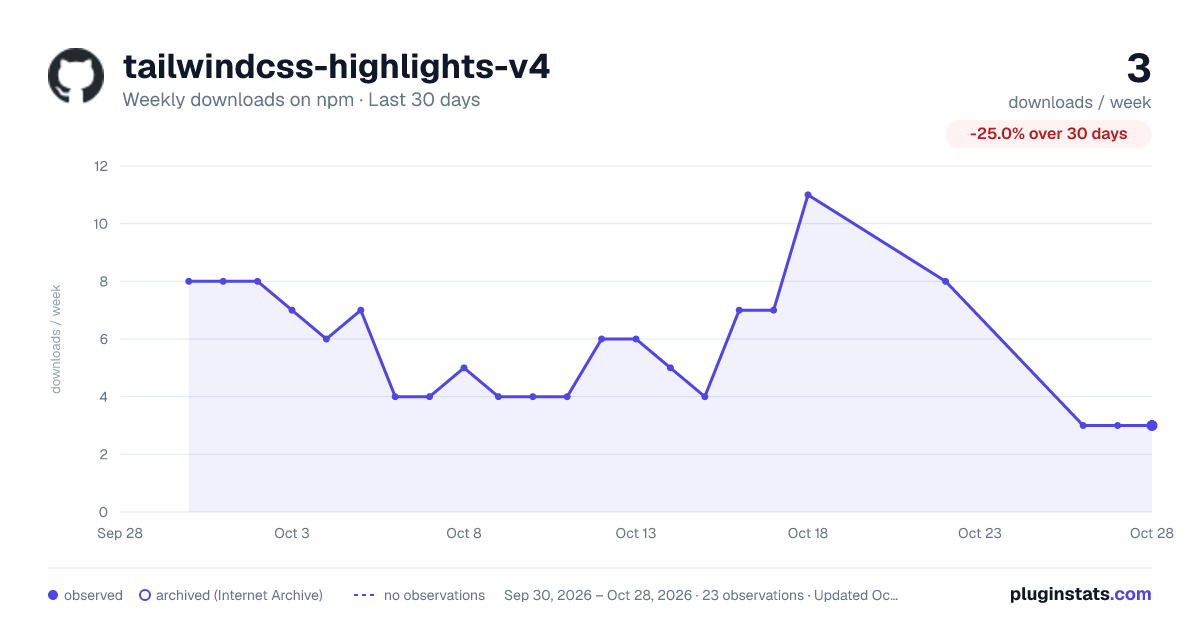
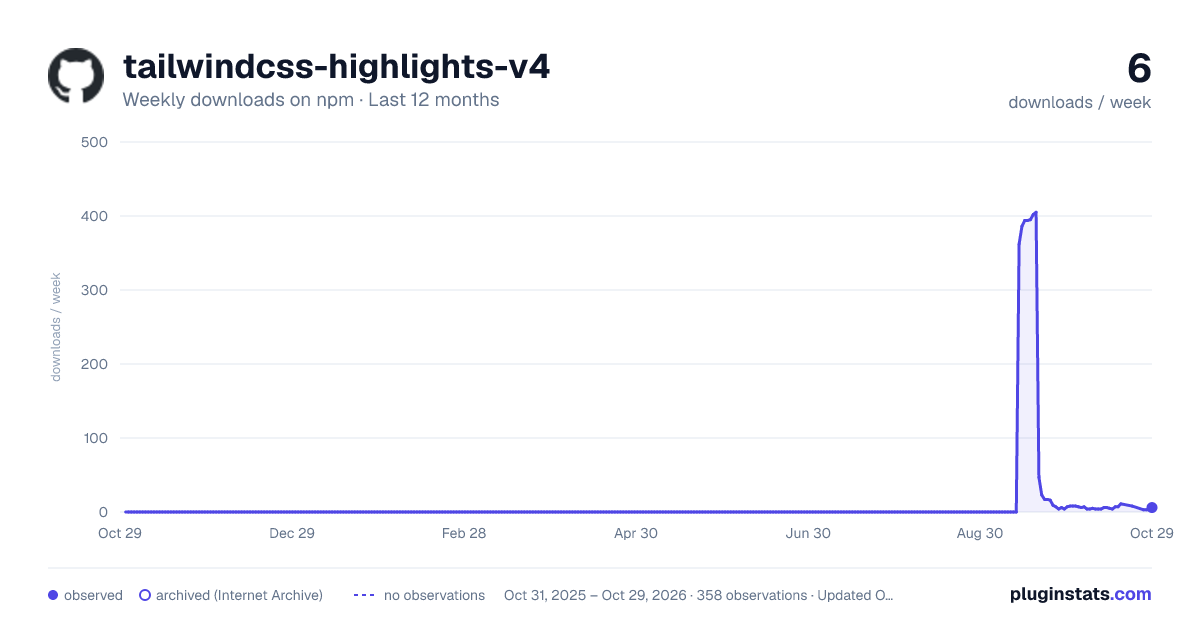
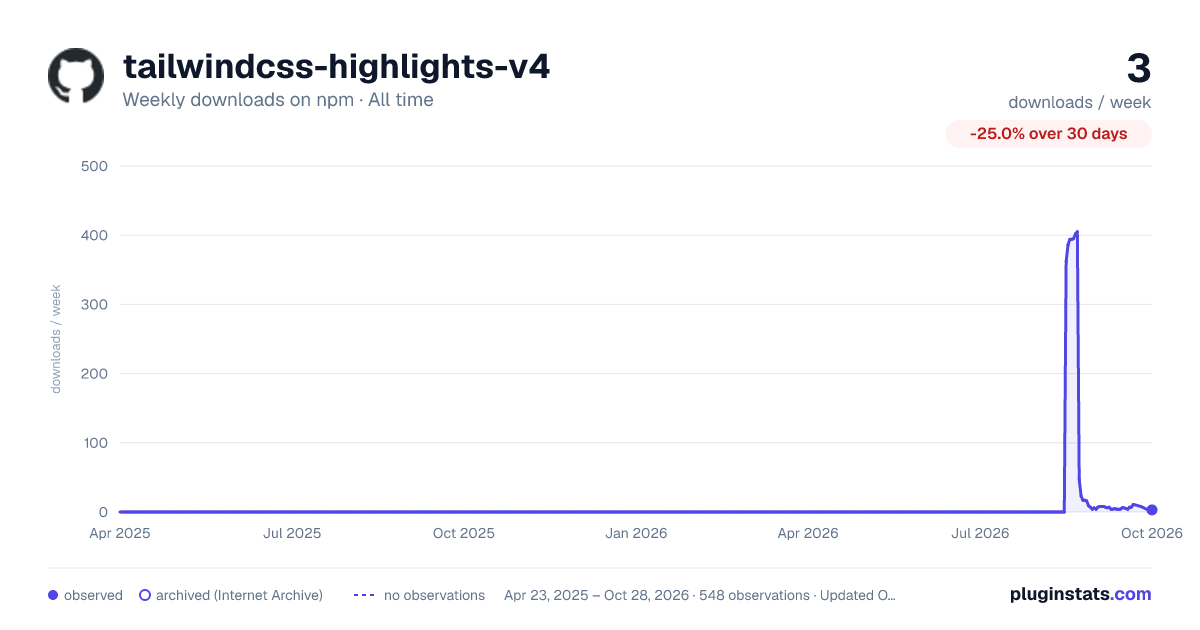

Adoption over time
7/30/90-day growth
Ranking history
Listing placement
Listing placement
Filled points are observed values; hollow points come from Internet Archive snapshots of the listing page. Dashed segments span periods with no observations — values between points are not interpolated.
Each band is one page of 20. Weekly downloads on a linear scale. Placement is projected from weekly downloads, so it can differ from the marketplace's own sort order. Hover a dot to see the listing.
Recent observations
Full history (544)Similar npm Tailwind plugins plugins
All 20 tailwindcss-highlights-v4 alternatives- 11 weekly downloads-21.4%
Data source
Weekly downloads (trailing 7 complete days) come from the official npm downloads API. Downloads include CI and mirrors and are not equivalent to installs or users. npm publishes no ratings.
Listing: https://www.npmjs.com/package/tailwindcss-highlights-v4. First seen Oct 16, 2026; last successful collection Oct 20, 2026. See the methodology.