 PluginStats
tw4-highlights weekly downloads statistics
By S4GU4R0 · npm · Tailwind plugins
A tailwindcss v4 plugin to add highlights to your text
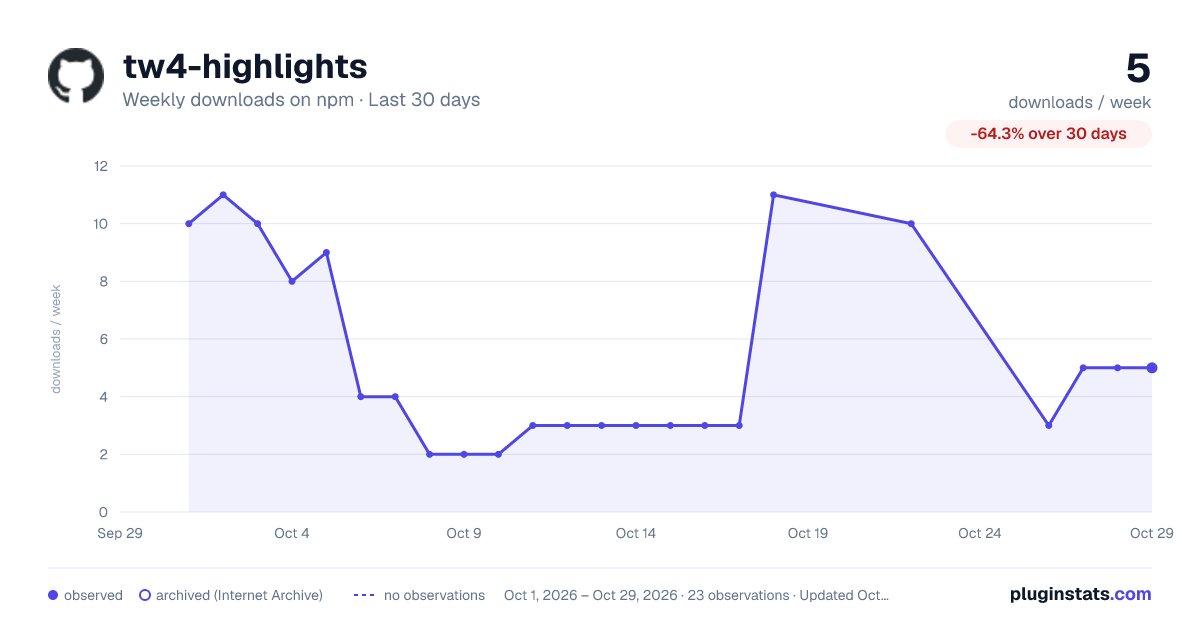
tw4-highlights has 11 recorded weekly downloads on npm, an increase of 10.0% over the past 30 days, ranking #2034 of 2,322 tracked listings.
About tw4-highlights
tw4-highlights - A plugin for tailwindcss [BETA]
Literally the same thing as tailwindcss-highlights, but I need it to work with version 4.
See it in Action 👉 Playground
This plugin adds utility classes to easily add highlights to your texts.
Installation
To install the package, run
npm install -D tw4-highlights
Add the plugin to the css file with your tailwind stuff:
/** import @tailwindcss */ /** you presumably already have this part*/
@plugin tw4-highlights
Usage
Use highlight to add the default highlight (variant 1) to your element.
<p class="highlight">
    Lorem Ipsum
</p>
To change the color of the highlight use highlight-{color}. All the colors from your theme (default ones and customs) are available aswell as arbitrary values.
<p class="highlight highlight-indigo-600">
    Lorem Ipsum
</p>
You can choose from different kinds of variants with highlight-variant-{value}. Check out the available variants on the Preview or use your own variant e.g. highlight-variant-[url(./path/to/custom-variant.svg)].
<p class="highlight highlight-indigo-600 highlight-variant-7">
    Lorem Ipsum
</p>
Credits for some of the variants: svgbox
Use the highlight-spread--Utility to make the highlight spread into some direction.
highlight-spread-{size}- Spread in all directionshighlight-spread-{y,x}-{size}- Spread on the x or y axishighlight-spread-{t,b,l,r}-{size}- Set the spread for each direction individually <br />
| Size | Value |
|---|---|
0 | 0 |
none | 0 |
sm | -4px |
md | -8px |
lg | -12px |
xl | -16px |
Arbitrary values are also supported. <br />
<p class="highlight highlight-indigo-600 highlight-variant-7 highlight-spread-md">
    Lorem Ipsum
</p>

<p class="highlight highlight-indigo-600 highlight-spread-x-sm highlight-spread-y-xl">
    Lorem Ipsum
</p>

<p class="highlight highlight-indigo-600 highlight-spread-l-xl highlight-spread-t-sm">
    Lorem Ipsum
</p>
Other Examples
This plugin adds the highlight as ::after-pseudo element so its possible to add additional styling by using the after:-utility.
<br />
Change the position
<p class="highlight highlight-variant-5 after:translate-y-2 after:-translate-x-4">
    Lorem Ipsum
</p>
Adding a gradient to the highlight
<p class="highlight highlight-variant-12 after:bg-gradient-to-tr after:from-amber-500 after:to-sky-500">
    Lorem Ipsum
</p>
Rotate the highlight
<p class="highlight highlight-variant-12 after:rotate-12">
    Lorem Ipsum
</p>
Note: The owner of this repository is not with associated with the company Tailwind Labs Inc. This is just a plugin for tailwindcss
Description from the npm listing.
- plugin
- tailwind
- tailwindcss
- tailwindcss-plugin
- highlights
- marks
- brushes
README badge
Show your rank in a README or on your website. The badge updates automatically.
Charts
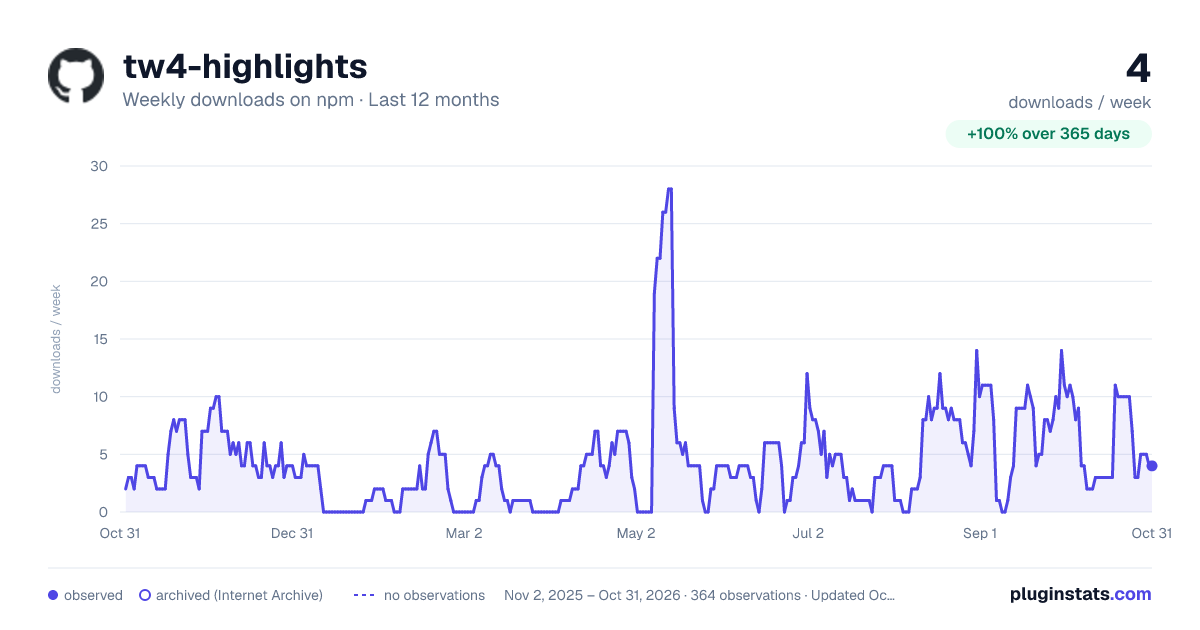
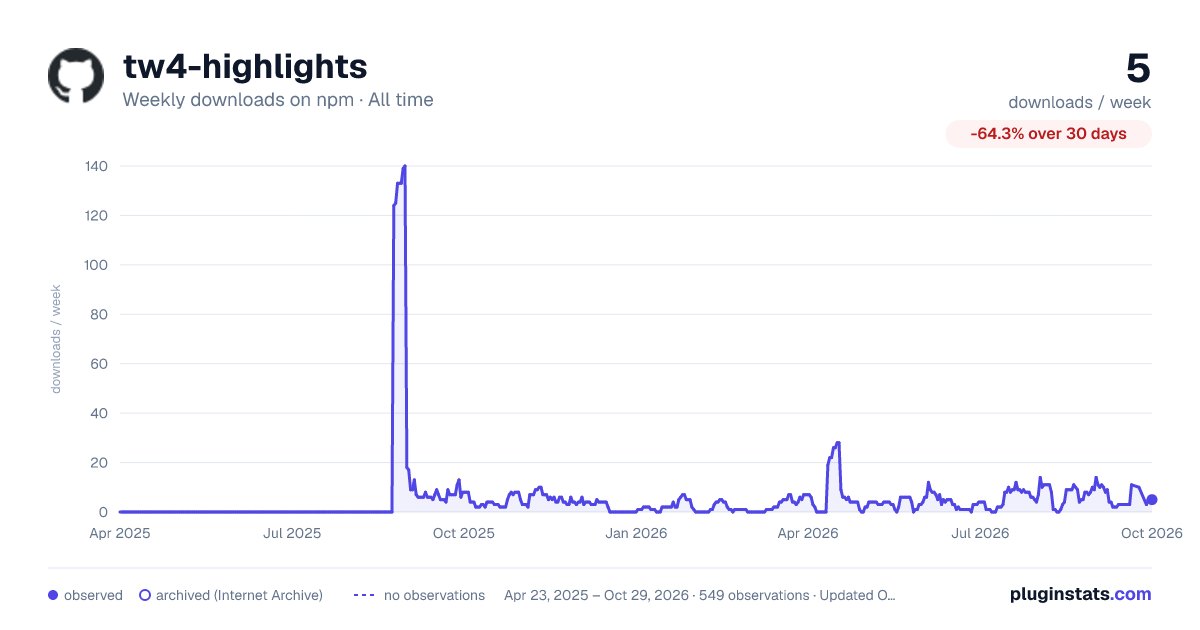
Images: 30d · 1y · all time · 1600×900 dark

Adoption over time
7/30/90-day growth
Ranking history
Listing placement
Listing placement
Filled points are observed values; hollow points come from Internet Archive snapshots of the listing page. Dashed segments span periods with no observations — values between points are not interpolated.
Each band is one page of 20. Weekly downloads on a linear scale. Placement is projected from weekly downloads, so it can differ from the marketplace's own sort order. Hover a dot to see the listing.
Recent observations
Full history (544)Similar npm Tailwind plugins plugins
All 20 tw4-highlights alternativesData source
Weekly downloads (trailing 7 complete days) come from the official npm downloads API. Downloads include CI and mirrors and are not equivalent to installs or users. npm publishes no ratings.
Listing: https://www.npmjs.com/package/tw4-highlights. First seen Oct 16, 2026; last successful collection Oct 20, 2026. See the methodology.