 PluginStats
vite-plugin-component-tagger weekly downloads statistics
By didiercatz · npm · Vite plugins
A Vite plugin for tagging components with metadata attributes for debugging and development
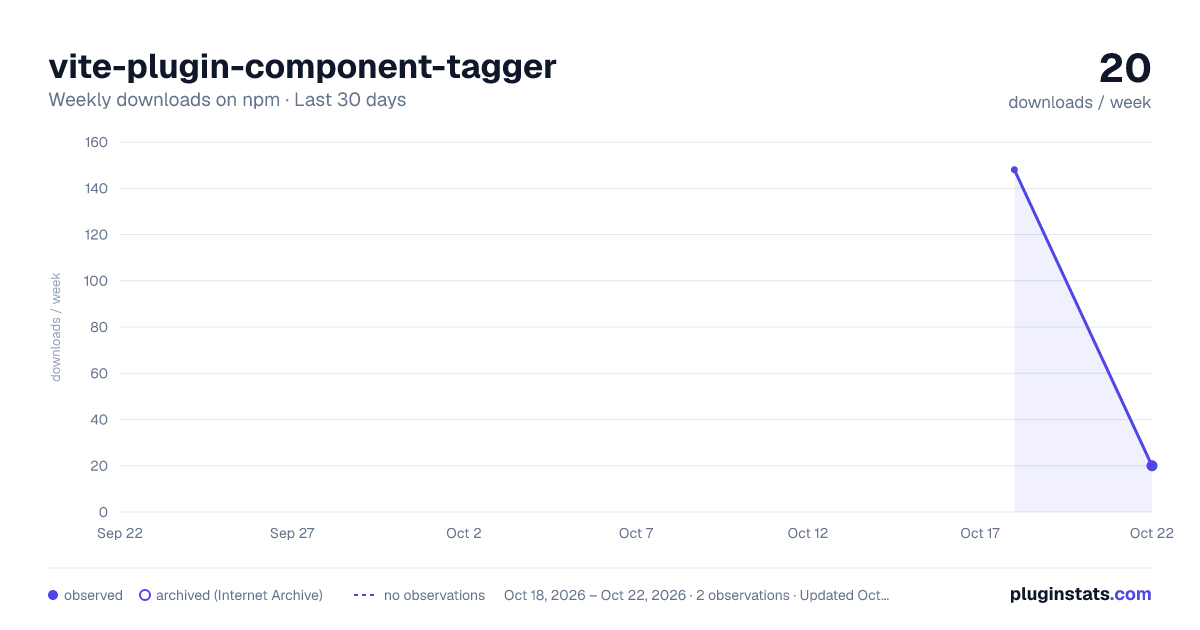
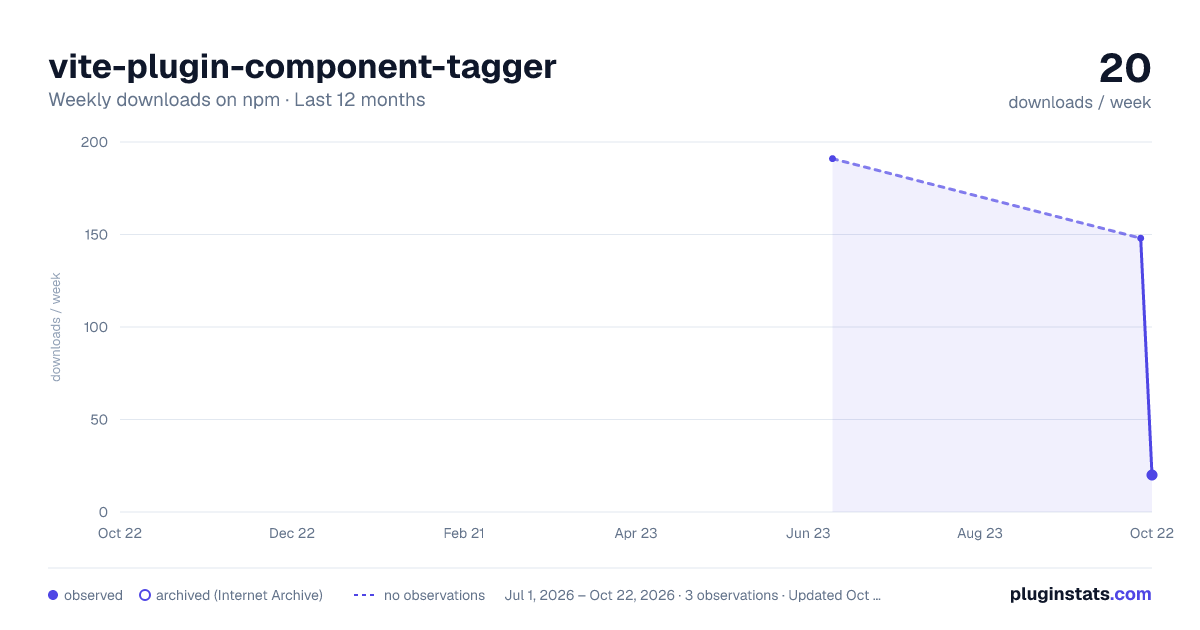
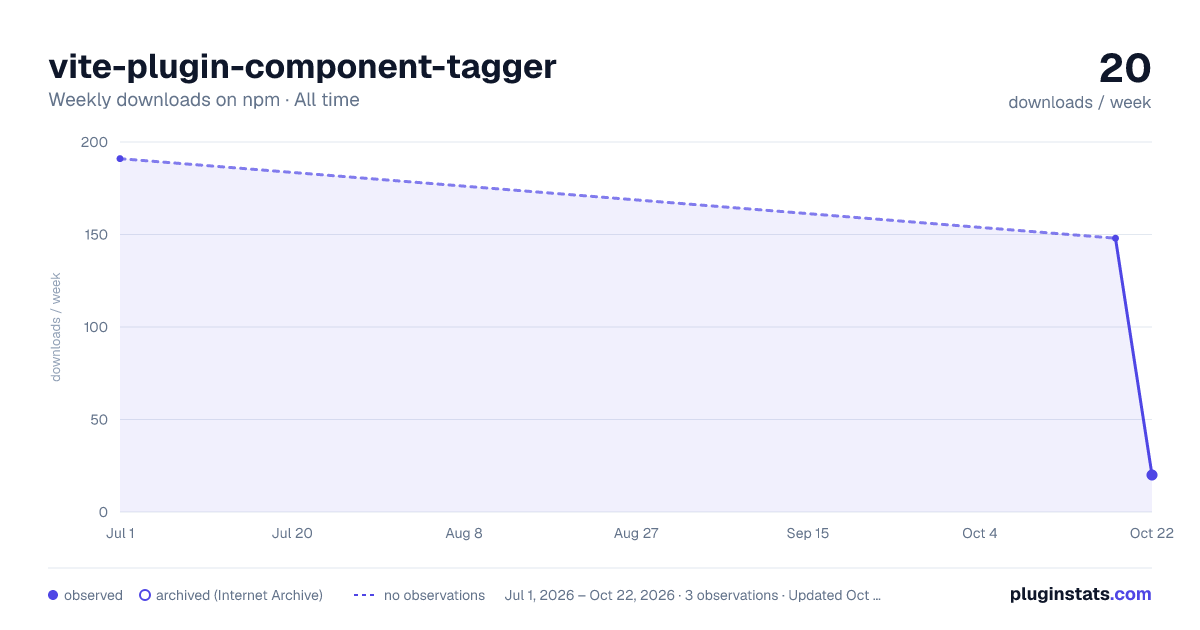
vite-plugin-component-tagger has 148 recorded weekly downloads on npm, ranking #1698 of 2,322 tracked listings.
About vite-plugin-component-tagger
vite-plugin-component-tagger
A Vite plugin that automatically adds identifying attributes to your components during development, making it easier to debug and inspect your component structure.

Installation
pnpm i -D vite-plugin-component-tagger
Compatibility
This plugin requires Vite 5 or later.
Features
- Improved performance with fast HMR updates
- Excellent error handling and diagnostics
- Full TypeScript support
- Enhanced build optimization
Usage
Add the plugin to your Vite configuration:
// vite.config.js / vite.config.ts
import { defineConfig } from 'vite';
import componentTagger from 'vite-plugin-component-tagger';

export default defineConfig({
	plugins: [
		componentTagger({
			// options
		})
	]
});
Options
| Option | Type | Default | Description |
|---|---|---|---|
extensions | string[] | ['.svelte'] | File extensions to process |
enableInProd | boolean | false | Whether to enable the plugin in production builds |
tagType | string | 'components' | Tagging mode: 'components' only tags the first HTML element in components (not component tags) |
Examples
Basic Usage
// vite.config.js
import { defineConfig } from 'vite';
import componentTagger from 'vite-plugin-component-tagger';

export default defineConfig({
	plugins: [componentTagger()]
});
Custom File Extensions
// vite.config.js
import { defineConfig } from 'vite';
import componentTagger from 'vite-plugin-component-tagger';

export default defineConfig({
	plugins: [
		componentTagger({
			extensions: ['.svelte', '.vue'],
			enableInProd: true
		})
	]
});
Specific File Extensions
// vite.config.js
import { defineConfig } from 'vite';
import componentTagger from 'vite-plugin-component-tagger';

export default defineConfig({
	plugins: [
		componentTagger({
			extensions: ['.svelte']
		})
	]
});
How It Works
This plugin transforms your component files during development by adding identifying attributes to components. It adds:
- A reference attribute to the first HTML element in each component with precise line range information (
data-ref="/path/to/Button.svelte#L42-45")
This makes it easier to:
- Debug component hierarchies in the browser
- Track exactly which line and column position of code generated each element
- Write more targeted CSS selectors for testing
- Understand component relationships in complex UI structures
For example, if you have a src/components/Button.svelte component, the plugin will add data-ref="src/components/Button.svelte#L12-14" attributes to elements in the component, making it easy to locate them in your source code.
Note: The plugin automatically skips files from
node_modulesdirectories. External components are not tagged.
Framework-specific Features
Svelte
The plugin is specifically optimized for Svelte components and handles:
- Self-closing tags (
<input />,<img />, etc.) - Special Svelte elements (
<svelte:window>,<svelte:head>, etc.) - Control flow blocks (
{#if},{#each},{:else}, etc.) - Conditional rendering
- Nested components
Example with a Svelte Component
<!-- src/components/Button.svelte -->
<script>
	export let type = 'primary';
	export let size = 'medium';
</script>

<button class="button button--{type} button--{size}">
	<slot></slot>
</button>
After transformation (note only the first HTML element is tagged):
<!-- src/components/Button.svelte -->
<script>
	export let type = 'primary';
	export let size = 'medium';
</script>

<button
	class="button button--{type} button--{size}"
	data-ref="src/components/Button.svelte#L7-9"
>
	<slot></slot>
</button>
Important Notes About Tagging
The plugin:
- Only tags the first HTML element in each component (skips component tags)
- Skips uppercase element names (which are likely component calls)
- Skips self-closing tags
- Only adds the
data-refattribute (for tracing back to source location) - Only processes files not in
node_modules
CI/CD
This project uses GitHub Actions for continuous integration and deployment with an optimized workflow:
Workflow Overview
We've implemented a streamlined CI/CD pipeline with three distinct workflows:
-
CI Workflow (
ci.yml) - Runs on pull requests and non-main branches- Lints, tests, and builds the project
- Provides early feedback on code quality
-
Publish Workflow (
npm-publish.yml) - Runs when changes are merged to main- Lints, tests, and builds the project
- Automatically bumps the version number based on commit messages
- Publishes the package to npm
- Creates a git tag for the new version
-
Release Workflow (
release.yml) - Runs when a new version tag is created- Generates a comprehensive changelog
- Creates a GitHub release with release notes
Workflow Optimizations…
Description from the npm listing.
- vite
- vite-plugin
- component
- tagger
README badge
Show your rank in a README or on your website. The badge updates automatically.
Charts
Images: 30d · 1y · all time · 1600×900 dark

Adoption over time
7/30/90-day growth
Ranking history
Listing placement
Listing placement
Filled points are observed values; hollow points come from Internet Archive snapshots of the listing page. Dashed segments span periods with no observations — values between points are not interpolated.
Each band is one page of 20. Weekly downloads on a linear scale. Placement is projected from weekly downloads, so it can differ from the marketplace's own sort order. Hover a dot to see the listing.
Recent observations
Full history (1)Similar npm Vite plugins plugins
All 20 vite-plugin-component-tagger alternatives- 2.1K weekly downloads-71.5%
- 2.2K weekly downloads-56.8%
Data source
Weekly downloads (trailing 7 complete days) come from the official npm downloads API. Downloads include CI and mirrors and are not equivalent to installs or users. npm publishes no ratings.
Listing: https://www.npmjs.com/package/vite-plugin-component-tagger. First seen Oct 20, 2026; last successful collection Oct 20, 2026. See the methodology.