 PluginStats
webpack-assets-manifest weekly downloads statistics
By webdeveric · npm · Webpack plugins
This Webpack plugin will generate a JSON file that matches the original filename with the hashed version.
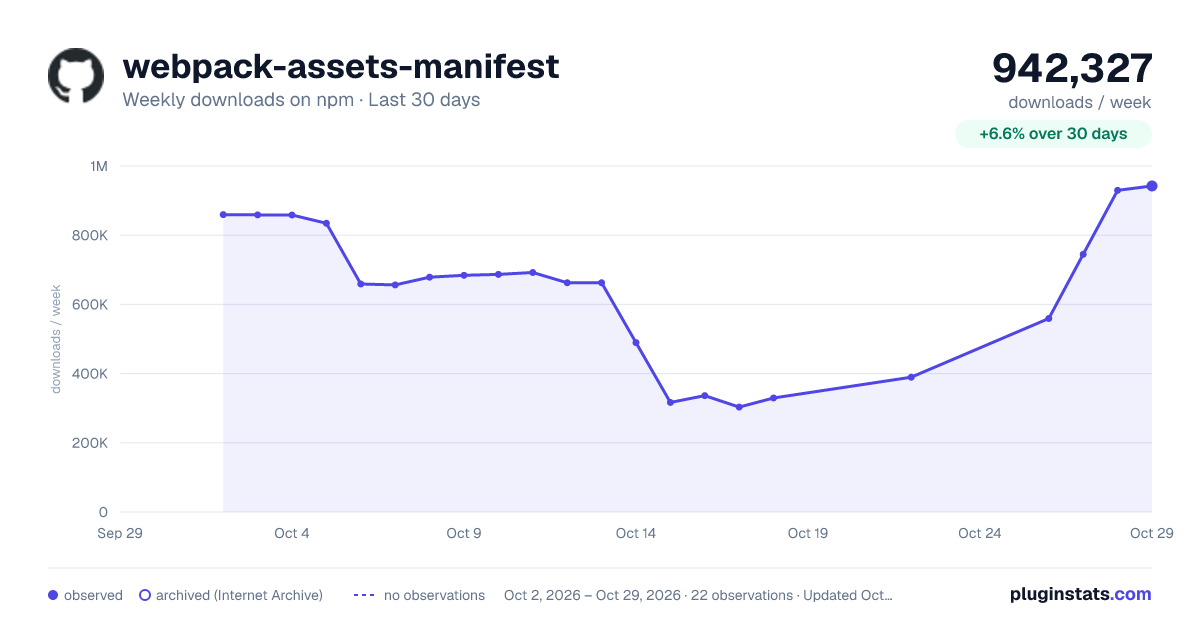
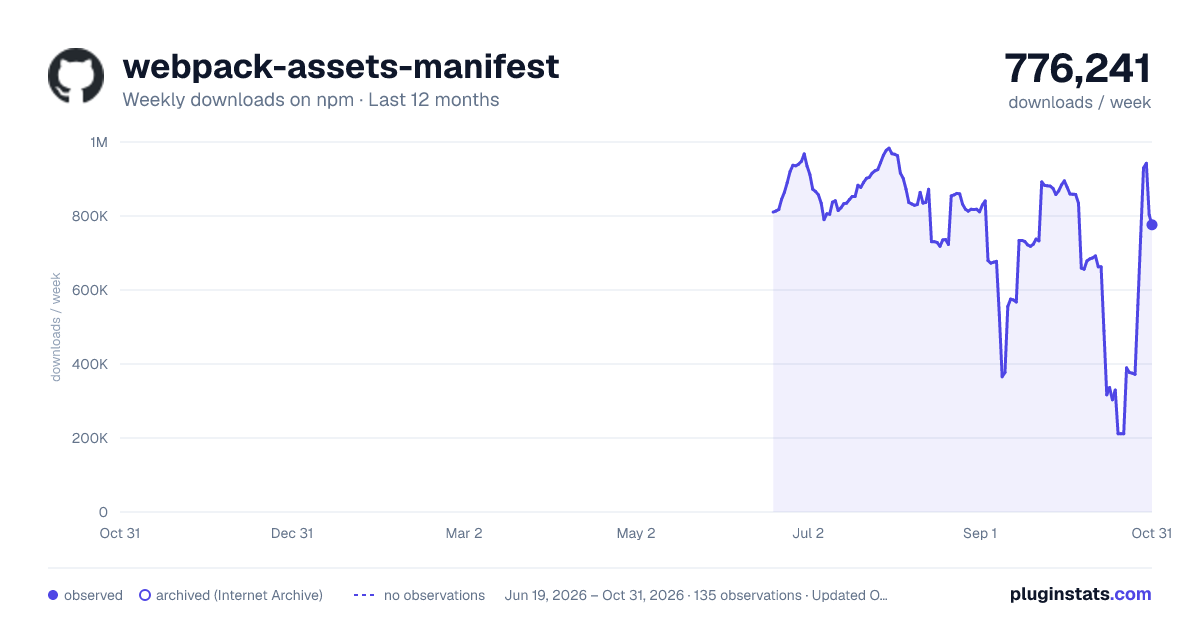
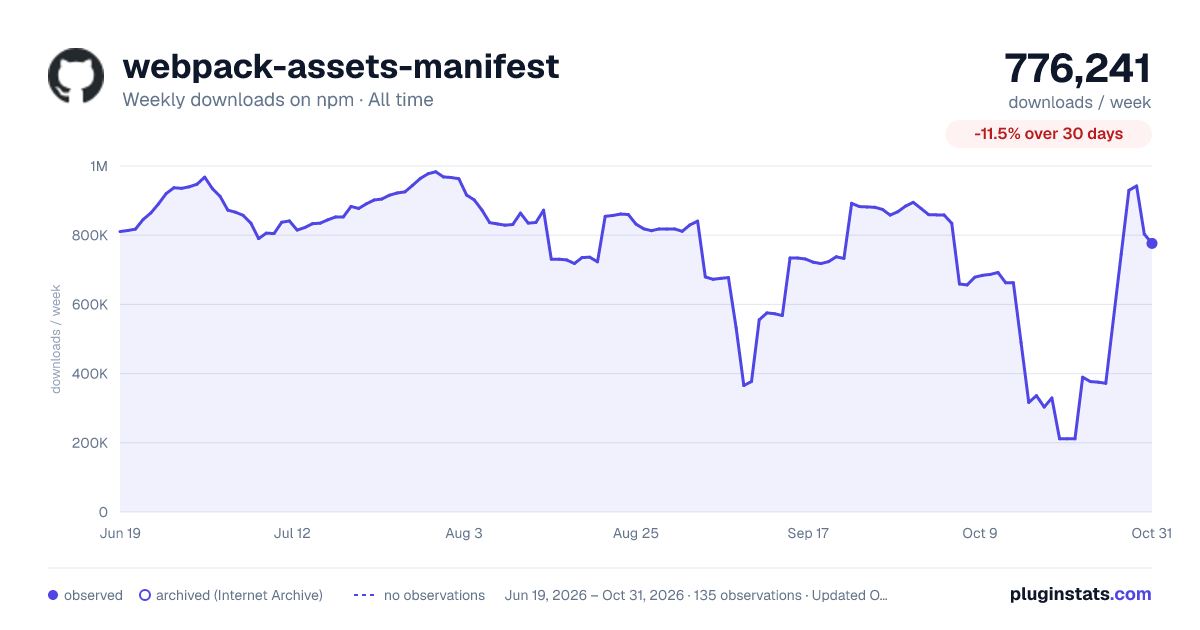
webpack-assets-manifest has 329,528 recorded weekly downloads on npm, a decrease of 54.1% over the past 30 days.
About webpack-assets-manifest
Webpack Assets Manifest



This webpack plugin will generate a JSON file that matches the original filename with the hashed version.
Installation
pnpm add -D webpack-assets-manifest
npm install webpack-assets-manifest -D
yarn add webpack-assets-manifest -D
New in version 6
- This plugin is now written with TypeScript.
- TypeScript types are provided by this package.
- The package exports
esmandcjs. - Added
manifest.utilsfor use in thecustomizehook.
Breaking changes
- Bumped minimum webpack version to
5.61 - Bumped minimum Node version to
20.10 - The plugin is exported using a named export instead of default.
- Use
import { WebpackAssetsManifest } from 'webpack-assets-manifest';
- Use
New in version 5
- Compatible with webpack 5 only (5.1+ required).
- Supports finding asset modules.
- Updated options schema to prevent additional properties. This helps with catching typos in option names.
- :warning: Updated default value of the
outputoption to beassets-manifest.json. This is to prevent confusion when working with Web app manifests or WebExtension manifests.
New in version 4
-
Requires Node 10+.
-
Compatible with webpack 4 only (4.40+ required).
-
Added options:
enabled,entrypointsUseAssets,contextRelativeKeys. -
Updated
writeToDiskoption to default toauto. -
Use lock files for various operations.
-
donehook is now anAsyncSeriesHook. -
:warning: The structure of the
entrypointsdata has been updated to includepreloadandprefetchassets. Assets for an entrypoint are now included in anassetsproperty under the entrypoint.Example:
{
  "entrypoints": {
    "main": {
      "assets": {
        "css": ["main.css"],
        "js": ["main.js"]
      },
      "prefetch": {
        "js": ["prefetch.js"]
      },
      "preload": {
        "js": ["preload.js"]
      }
    }
  }
}
Usage
In your webpack config, require the plugin then add an instance to the plugins array.
import { WebpackAssetsManifest } from 'webpack-assets-manifest';

export default {
  entry: {
    // Your entry points
  },
  output: {
    // Your output details
  },
  module: {
    // Your loader rules go here.
  },
  plugins: [
    new WebpackAssetsManifest({
      // Options go here
    }),
  ],
};
Sample output
{
  "main.js": "main-9c68d5e8de1b810a80e4.js",
  "main.css": "main-9c68d5e8de1b810a80e4.css",
  "images/logo.svg": "images/logo-b111da4f34cefce092b965ebc1078ee3.svg"
}
Options (read the schema)
enabled
Type: boolean
Default: true
Is the plugin enabled?
output
Type: string
Default: assets-manifest.json
This is where to save the manifest file relative to your webpack output.path.
assets
Type: object
Default: {}
Data is stored in this object.
Sharing data
You can share data between instances by passing in your own object in the assets option.
This is useful in multi-compiler mode.
const data = Object.create(null);

const manifest1 = new WebpackAssetsManifest({
  assets: data,
});

const manifest2 = new WebpackAssetsManifest({
  assets: data,
});
contextRelativeKeys
Type: boolean
Default: false
Keys are relative to the compiler context.
space
Type: int
Default: 2
Number of spaces to use for pretty printing.
replacer
Type: null, function, or array
Default: null
You'll probably want to use the transform hook instead.
fileExtRegex
Type: regex
Default: /\.\w{2,4}\.(?:map|gz)$|\.\w+$/i
This is the regular expression used to find file extensions. You'll probably never need to change this.
writeToDisk
Type: boolean, string
Default: 'auto'
Write the manifest to disk using fs.
:warning: If you're using another language for your site and you're using webpack-dev-server to process your assets during development, you should set writeToDisk: true and provide an absolute path in output so the manifest file is actually written to disk and not kept only in memory.
sortManifest
Type: boolean, function
Default: true
The manifest is sorted alphabetically by default. You can turn off sorting by setting sortManifest: false.
If you want more control over how the manifest is sorted, you can provide your own comparison function. See the sorted example.…
Description from the npm listing.
- webpack-assets-manifest
- webpack-plugin
- webpack
- plugin
- assets
- manifest
- json
- subresource
- integrity
- sri
README badge
Show your rank in a README or on your website. The badge updates automatically.
Charts
Images: 30d · 1y · all time · 1600×900 dark

Adoption over time
7/30/90-day growth
Ranking history
Listing placement
Listing placement
Filled points are observed values; hollow points come from Internet Archive snapshots of the listing page. Dashed segments span periods with no observations — values between points are not interpolated.
Each band is one page of 20. Weekly downloads on a linear scale. Placement is projected from weekly downloads, so it can differ from the marketplace's own sort order. Hover a dot to see the listing.
Recent observations
Full history (122)Similar npm Webpack plugins plugins
All 20 webpack-assets-manifest alternatives- 63.9K weekly downloads-49.0%
Data source
Weekly downloads (trailing 7 complete days) come from the official npm downloads API. Downloads include CI and mirrors and are not equivalent to installs or users. npm publishes no ratings.
Listing: https://www.npmjs.com/package/webpack-assets-manifest. First seen Oct 16, 2026; last successful collection Oct 22, 2026. See the methodology.