 PluginStats
prettier-plugin-slidev-vue weekly downloads statistics
By MurzNN · npm · Prettier plugins
Format Slidev Markdown and embedded Vue components, with Vue attribute and UnoCSS class sorting.
prettier-plugin-slidev-vue has 532 recorded weekly downloads on npm, ranking #1655 of 2,667 tracked listings.
About prettier-plugin-slidev-vue
prettier-plugin-slidev-vue
A Prettier 3 plugin for Slidev Markdown with embedded Vue components.
It extends prettier-plugin-slidev to format Markdown and Vue separately,
preserve multiline component attributes, and sort Vue attributes and UnoCSS
utilities in one Prettier invocation.
Requirements
- Node.js 24 or later
- Prettier 3.9.10 or later within major version 3
The package is ESM and runs directly from JavaScript; there is no build step. It owns its sorting dependencies and does not load your project's ESLint config.
Installation
Install the package and Prettier as development dependencies:
npm install --save-dev prettier prettier-plugin-slidev-vue
Or use pnpm or Yarn:
pnpm add --save-dev prettier prettier-plugin-slidev-vue
yarn add --dev prettier prettier-plugin-slidev-vue
If you prefer, you can also install the latest version directly from GitHub:
pnpm add --save-dev prettier github:MurzNN/prettier-plugin-slidev-vue
Configure Prettier
// prettier.config.mjs
export default {
  overrides: [
    {
      files: ["slides.md", "pages/**/*.md", "*.mdx"],
      options: {
        parser: "slidev",
        plugins: ["prettier-plugin-slidev-vue"],
      },
    },
  ],
};
Load this plugin instead of prettier-plugin-slidev: it already includes
Slidev support. Scope overrides to your presentation files so regular Markdown
is not interpreted as a slide deck. An .mdx extension here means Slidev/Vue
syntax, not React MDX.
Run:
pnpm exec prettier --write slides.md
For VS Code, use the Prettier extension (esbenp.prettier-vscode) as the
Markdown formatter and enable format-on-save. The same config performs both
formatting and sorting; no ESLint extension or wrapper command is required.
What it does
- Keeps Slidev frontmatter, slide separators, and presenter-note handling.
- Formats surrounding Markdown through Prettier's Markdown parser.
- Formats extracted HTML/Vue blocks through Prettier's Vue parser, including indentation for nested component trees.
- Sorts component attributes using
vue/attributes-order(Vue's grouped order, not globally alphabetical order). - Sorts UnoCSS classes and attributify utilities using UnoCSS's ESLint rules.
- Masks fenced and inline code during Vue extraction so example tags do not consume actual components. Prettier may still format fenced code normally.
- Protects blank-line Markdown islands inside components (lists, headings,
fences, paragraphs, images, …) so Vue formatting cannot collapse them into
one line with the surrounding tag (e.g. keep
inside a<div>). This matches Slidev’s HTML-block rule: a blank line after a tag ends the HTML block and reopens Markdown.
For example, an opening tag nested under a block root is kept properly indented
without a blank line before >:
<div>
  <button
    class="flex rounded-lg bg-blue-500 p-4 text-white"
    disabled="{loading}"
    type="submit"
  >
Empty top-level inline hosts used for Slidev click scripts are rewritten to self-closing form so multiline attributes stay raw HTML at runtime:
<span
  v-if="$clicks === 7"
  @vue:mounted="$timeout(() => { $cursor.click(); }, 1000);"
/>
UnoCSS configuration
By default, sorting uses the bundled presetWind3() configuration. Unknown
classes are retained according to UnoCSS's sorting behavior.
For custom presets, shortcuts, or rules, point to your own UnoCSS config:
export default {
  plugins: ["prettier-plugin-slidev-vue"],
  parser: "slidev",
  slidevVueUnoConfig: "./uno.config.ts",
};
slidevVueUnoConfig is resolved relative to the current working directory,
not the Prettier config file. An absolute path is also accepted. Any presets
imported by that config must be installed by the consuming project. Missing
configs and remaining sorting errors fail formatting rather than being ignored.
Implementation
The entry point is index.js:
- Delegate deck parsing, YAML, and notes to
prettier-plugin-slidev. - Parse each slide's Markdown to identify code examples and blank-line Markdown islands (lists, headings, fences, …).
- Parse the body as a temporary Vue template, masking code examples without changing source offsets.
- Extract top-level Vue elements, including their nested components.
- Clip islands to Vue text gaps that contain a blank line (so a loose CommonMark list range cannot swallow the next tag).
- Protect those islands with placeholders, sort/format the Vue shell, then restore islands flush with blank lines (stable on reformat).
- Protect the formatted Vue blocks with unique comments while formatting the surrounding Markdown, then restore them.
The ESLint Linter is reused across blocks. ESLint is an internal implementation
detail, not a separate formatting pass over the Markdown file.
Slidev-safe inline HTML
Slidev's Markdown pipeline (via @mdit-vue/plugin-component) keeps multiline
block tags and custom Vue components as raw HTML, but not CommonMark
inline tags such as span, button, or a. A formatted empty host like:
<span
  v-if="$clicks === 7"
  @vue:mounted="$timeout(() => { $cursor.click(); }, 1000);"
></span>
is then split by Markdown: a line starting with > becomes a blockquote, and
Comark can turn the { ... } in the arrow function into bogus attributes.
This plugin therefore:
- Rewrites empty top-level inline HTML tags to self-closing (
/>), which Slidev still treats as raw HTML after multiline formatting. - Fails formatting when a top-level inline HTML tag has real content and a
multiline opening tag (Prettier otherwise swallows embed errors, so the
plugin rethrows during print). Nest it under a block tag (
div), keep the opening tag on one line, or use a Vue component / block HTML tag instead.…
Description from the npm listing.
- prettier
- prettier-plugin
- slidev
- vue
- unocss
README badge
Show your rank in a README or on your website. The badge updates automatically.
Charts
Images: 30d · 1y · all time · 1600×900 dark
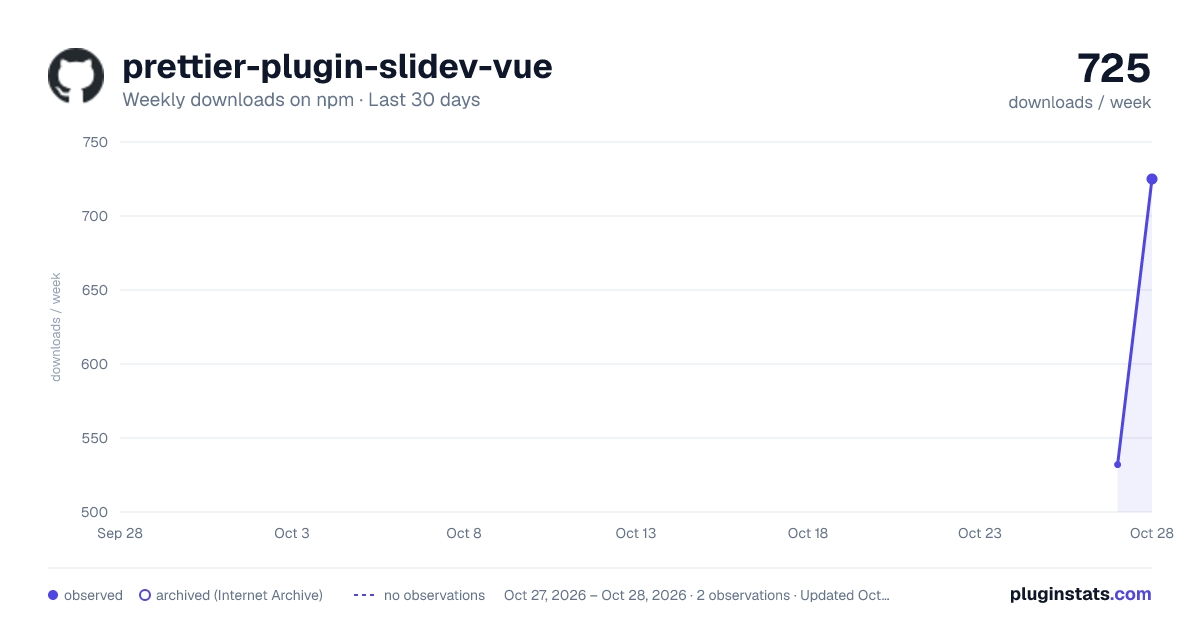
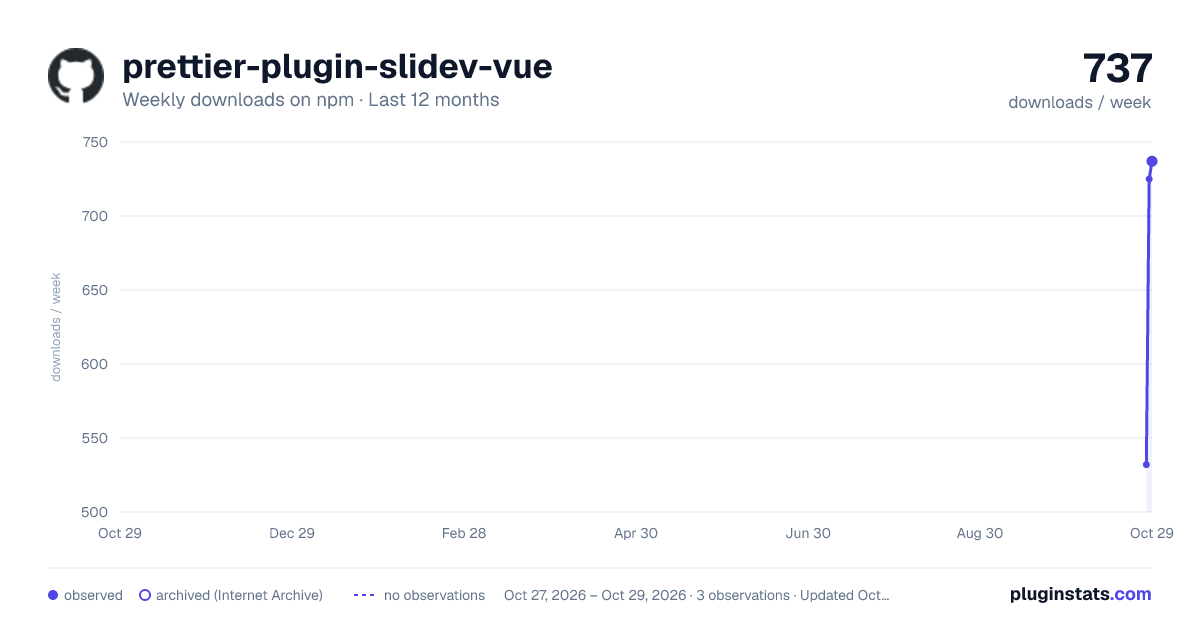
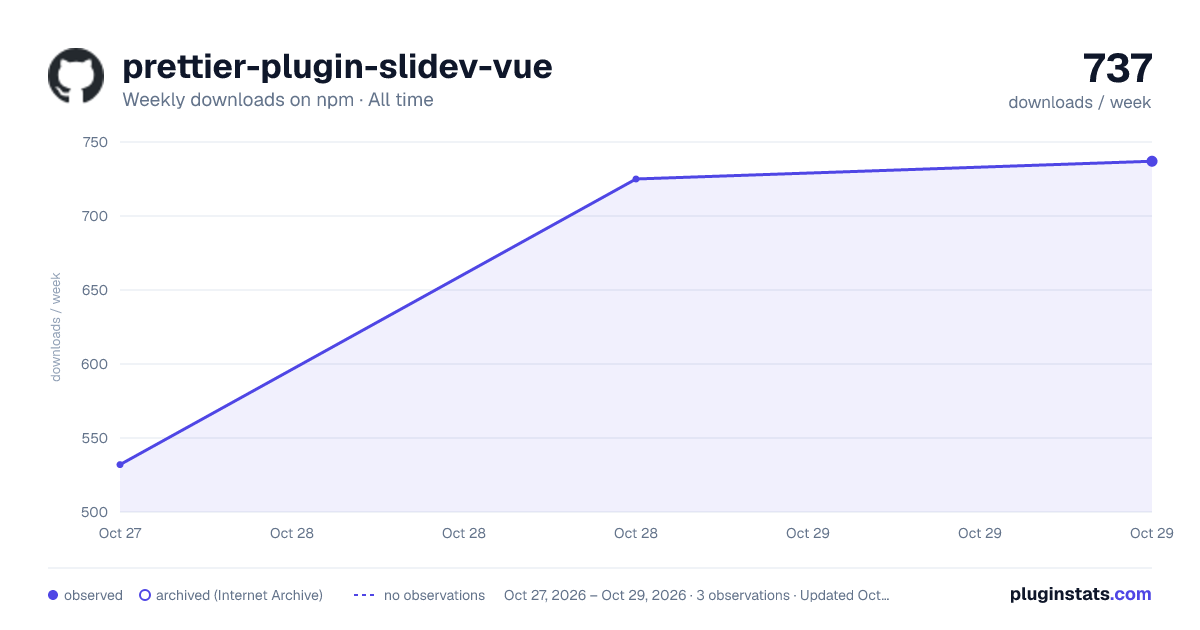

Adoption over time
7/30/90-day growth
Ranking history
Listing placement
Listing placement
Filled points are observed values; hollow points come from Internet Archive snapshots of the listing page. Dashed segments span periods with no observations — values between points are not interpolated.
Each band is one page of 20. Weekly downloads on a linear scale. Placement is projected from weekly downloads, so it can differ from the marketplace's own sort order. Hover a dot to see the listing.
Recent observations
Full history (1)Similar npm Prettier plugins plugins
All 20 prettier-plugin-slidev-vue alternatives- 531 weekly downloads+171%
- 455 weekly downloads+81.3%
Data source
Weekly downloads (trailing 7 complete days) come from the official npm downloads API. Downloads include CI and mirrors and are not equivalent to installs or users. npm publishes no ratings.
Listing: https://www.npmjs.com/package/prettier-plugin-slidev-vue. First seen Oct 28, 2026; last successful collection Oct 29, 2026. See the methodology.