 PluginStats
@kimuson/modular-mcp weekly downloads statistics
By kimuson · npm · MCP servers
Modular MCP - Modular tool access for reducing context overhead
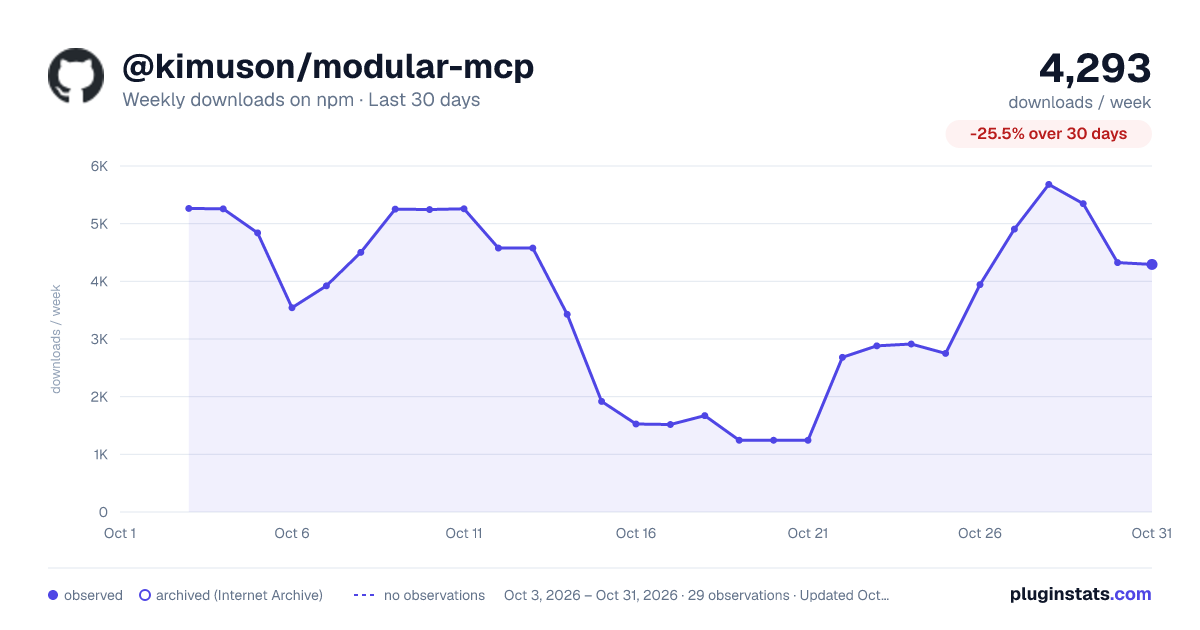
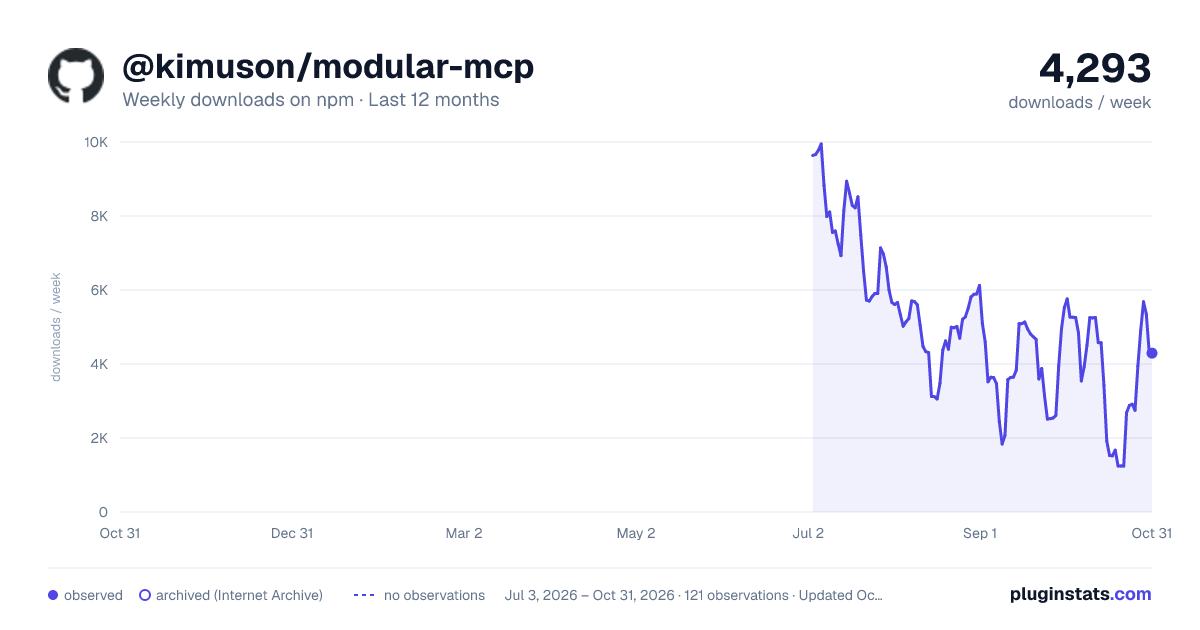
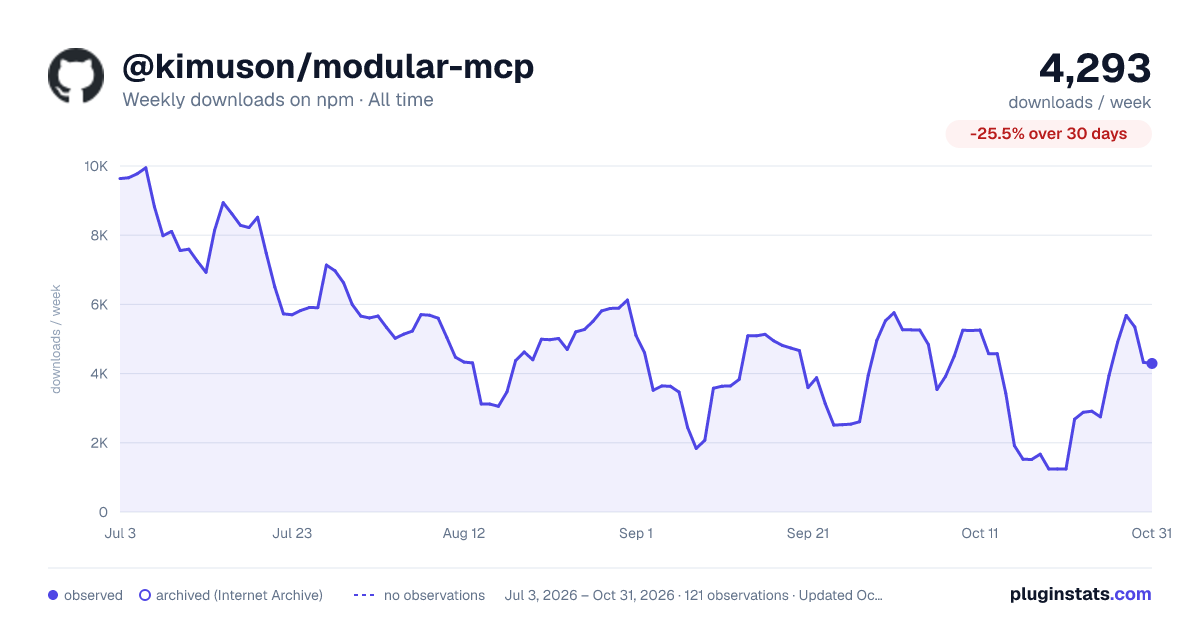
@kimuson/modular-mcp has 3,943 recorded weekly downloads on npm, ranking #1168 of 2,644 tracked listings.
About @kimuson/modular-mcp
Modular MCP




A Model Context Protocol (MCP) proxy server that enables efficient management of large tool collections across multiple MCP servers by grouping them and loading tool schemas on-demand.
Concept
Traditional MCP setups can overwhelm LLM context when dealing with numerous tools from multiple servers. Modular MCP solves this by:
- Context Efficiency: Group information is embedded in tool descriptions, so LLMs can discover available groups without making any tool calls
- On-Demand Loading: Retrieves detailed tool schemas only when needed for specific groups
- Separation of Concerns: Maintains clear phases between tool discovery and execution
- Proxy Architecture: Acts as a single MCP endpoint that manages multiple upstream MCP servers
How it works?
1. Configuration
Create a configuration file (e.g., modular-mcp.json) for the upstream MCP servers you want to manage. This uses the standard MCP server configuration format, with one addition: a description field for each server.
Here's an example using Context7 and Playwright MCP servers:
{
+ "$schema": "https://raw.githubusercontent.com/d-kimuson/modular-mcp/refs/heads/main/config-schema.json",
  "mcpServers": {
    "context7": {
+     "description": "Use when you need to search library documentation.",
-     "type": "stdio",
      "command": "npx",
      "args": ["-y", "@upstash/context7-mcp@latest"],
      "env": {}
    },
    "playwright": {
+     "description": "Use when you need to control or automate web browsers.",
-     "type": "stdio",
      "command": "npx",
      "args": ["-y", "@playwright/mcp@latest"],
      "env": {}
    }
  }
}
The description field is the only extension to the standard MCP configuration. It helps the LLM understand each tool group's purpose without loading detailed tool schemas.
Note: The type field defaults to "stdio" if not specified. For stdio type servers, you can omit the type field for cleaner configuration.
Environment Variable Interpolation
Modular MCP supports environment variable interpolation in configuration files, allowing you to avoid committing sensitive information like API keys and tokens to version control.
Supported syntax:
${VAR}- Braced variable reference
Note: Only the ${VAR} syntax is supported. The $VAR syntax (without braces) is intentionally not supported to avoid conflicts with values that legitimately contain dollar signs (e.g., tokens like token$abc123).
Where interpolation is supported:
stdioservers:argsarray elements andenvobject valueshttp/sseservers:urlstring andheadersobject values
Example:
{
  "mcpServers": {
    "my-server": {
      "description": "Example server with environment variables",
      "command": "node",
      "args": ["${HOME}/.local/bin/server.js", "--config=${XDG_CONFIG_HOME}/app/config.json"],
      "env": {
        "API_KEY": "${MY_API_KEY}",
        "LOG_DIR": "${HOME}/logs"
      }
    },
    "api-server": {
      "description": "HTTP server with authentication",
      "type": "http",
      "url": "https://api.example.com",
      "headers": {
        "Authorization": "Bearer ${API_TOKEN}"
      }
    }
  }
}
Important notes:
- Environment variables must be set before starting Modular MCP
- If a referenced environment variable is not defined, a warning will be logged and the original placeholder (e.g.,
${UNDEFINED_VAR}) will be preserved - Variables are substituted at load time, so the config file remains safe to commit
2. Register Modular MCP
Register Modular MCP in your MCP client configuration (e.g., .mcp.json for Claude Code):
{
  "mcpServers": {
    "modular-mcp": {
      "type": "stdio",
      "command": "npx",
      "args": ["-y", "@kimuson/modular-mcp", "modular-mcp.json"],
      "env": {}
    }
  }
}
3. Two Tools Registration
When Modular MCP starts, it registers only two tools to the LLM:…
Description from the npm listing.
- mcp
- model-context-protocol
- llm
- claude
- context-optimization
README badge
Show your rank in a README or on your website. The badge updates automatically.
Charts
Images: 30d · 1y · all time · 1600×900 dark

Adoption over time
7/30/90-day growth
Ranking history
Listing placement
Listing placement
Filled points are observed values; hollow points come from Internet Archive snapshots of the listing page. Dashed segments span periods with no observations — values between points are not interpolated.
Each band is one page of 20. Weekly downloads on a linear scale. Placement is projected from weekly downloads, so it can differ from the marketplace's own sort order. Hover a dot to see the listing.
Recent observations
Full history (1)Similar npm MCP servers plugins
All 20 @kimuson/modular-mcp alternativesData source
Weekly downloads (trailing 7 complete days) come from the official npm downloads API. Downloads include CI and mirrors and are not equivalent to installs or users. npm publishes no ratings.
Listing: https://www.npmjs.com/package/@kimuson/modular-mcp. First seen Oct 28, 2026; last successful collection Oct 28, 2026. See the methodology.