 PluginStats
eslint-plugin-esm-import weekly downloads statistics
By sematext (2 listings) · npm · ESLint plugins
ESLint plugin which enforces explicit .js extensions in local imports while leveraging import resolvers.
eslint-plugin-esm-import has 29,004 recorded weekly downloads on npm.
About eslint-plugin-esm-import
eslint-plugin-esm-import
An ESLint plugin which enforces explicit .js extensions in local imports.
The purpose of this plugin is to
- help with the initial migration of a common.js project to ESM, by leveraging the
eslint --fixfeature:import x from './x-file'->import x from './x-file.js'import y from './y-folder'->import y from './y-folder/index.js'
- enforce explicit
.jsextensions on all relevant imports during development
NOTE This plugin will be usefult to you only if you've been writing ESM-style imports in an otherwise common.js project, using babel and/or tsc to transpile it, so you are now stuck with a large number of file imports which don't have extensions and folder imports which don't have index files and thus do not conform to the ESM spec.
This was a fairly standard practice ever since ES6 (ES2015) came out.
Key features
- leverages existing import resolvers from the ESLint configuration (e.g.
node,webpack,typescript) - honors the convention of importing
.tsand.tsxfiles as.js - configurable list of ignored extensions (see Configure)
- configurable list of index files (see Configure)
Inspired by eslint-plugin-require-extensions, which only recognizes imports which start with ./, meaning it doesn't know how to handle imports which use resolver aliases (resolve.alias from Webpack conf or compilerOptions.paths from tsconfig and so on), which are usually the vast majority of imports in complex projects.
Install
| ESLint | This package | eslint config example |
|---|---|---|
v9 | v1.0.1 | eslint.config.js |
v8 | v0.0.1 | .eslintrc |
< v8 | unsupported, but try v0.0.1 |
- Install
npm install --save-dev eslint-plugin-esm-import
- Add these snippets to your
eslint.config.js(see the table above for earlier ESLint versions)
import esmImport from 'eslint-plugin-esm-import';
export default [
  {
    plugins: {
      'esm-import': esmImport
    },
    rules: {
      ...esmImport.configs.recommended.rules
    }
  }
]
Restart ESLint server to force conf reload in your IDE (in VSCode: Help > Show all commands > Restart ESLint server).
- Code
// source.js
import RelativeFile from '../../shared/components/RelativeFile';
import AliasedFile from 'Components/AliasedFile';   // provided there's a Components alias
import AliasedFolder from 'Modules/aliased-folder'; // provided there's a Modules alias
- Lint
> ./node_modules/.bin/eslint ./src/source.js

source.js
  1:1  error  Local imports and exports must end with .js   esm-import/extensions
  1:1  error  Local imports and exports must end with .js   esm-import/extensions
  1:1  error  Importing a directory requires /index.js      esm-import/extensions

✖ 3 problems (3 errors, 0 warnings)
  3 errors and 0 warnings potentially fixable with the `--fix` option.
The purpose of the GH action is to run eslint in order to show the plugin in action:

- Fix
> ./node_modules/.bin/eslint --fix ./src/source.js
// source.js
import RelativeFile from '../../components/RelativeFile.js';
import AliasedFile from 'components/AliasedFile.js';
import AliasedFolder from 'Modules/aliased-folder/index.js';
Configure
The plugin allows you to configure:
- the list of ignored extensions, so this plugin can ignore imports which end with any of those extensions (defaults to
[".js", ".cjs", ".json", ".css", ".scss"]) - the list of index files, in order to recognize that a folder got resolved to an index file and thus knows that the fix is to append
/index.js, not.js(defaults to["index.js", "index.jsx", "index.ts", "index.tsx"])
// eslint.config.js example settings
settings: {
  'esm-import': {
    ignore: ['.js', '.cjs', '.json', '.css', '.scss', '.svg', '.png', '.gif', '.mp3'],
    index: ['index.js', 'index.jsx', 'index.ts', 'index.tsx']
  }
}
TypeScript
Make sure you define extension aliases in your Webpack configuration, otherwise eslint won't be able to resolve imports of TS files from JS as .js:
  resolve: {
    extensionAlias: {
      '.js': [
        '.ts',
        '.tsx',
        '.d.ts',
      ],
    },
  },
Background info
eslint-plugin-import has no plans to treat ts imports as js.
TypeScript has no plans to transform nor enforce extensions.
Changelog
Cutting a new version
After changes are made:
- Test whether the plugin still does its job by running
npm run lintandnpm run fix. - Bump the project's version in the package.json
- Populate the CHANGELOG.md
- Run
npm publish --auth-type legacy - When asked to log in use
sematextnpm account (you'll need 2FA OTP).
Description from the npm listing.
- eslint
- eslintplugin
- eslint-plugin
- esm
README badge
Show your rank in a README or on your website. The badge updates automatically.
Charts
Images: 30d · 1y · all time · 1600×900 dark
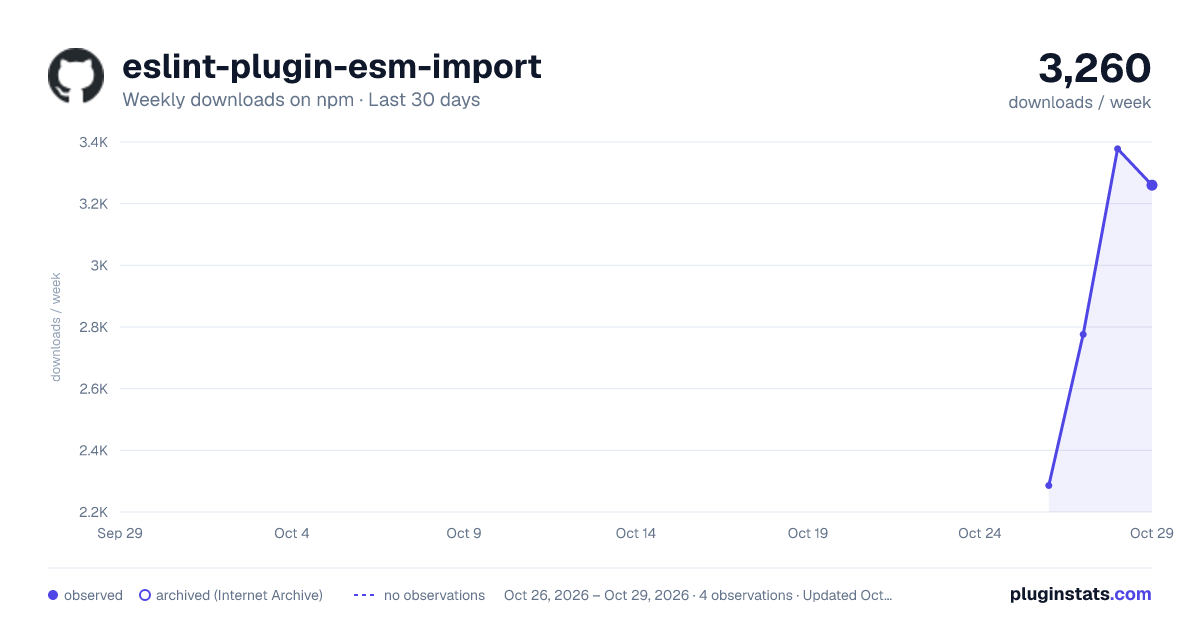
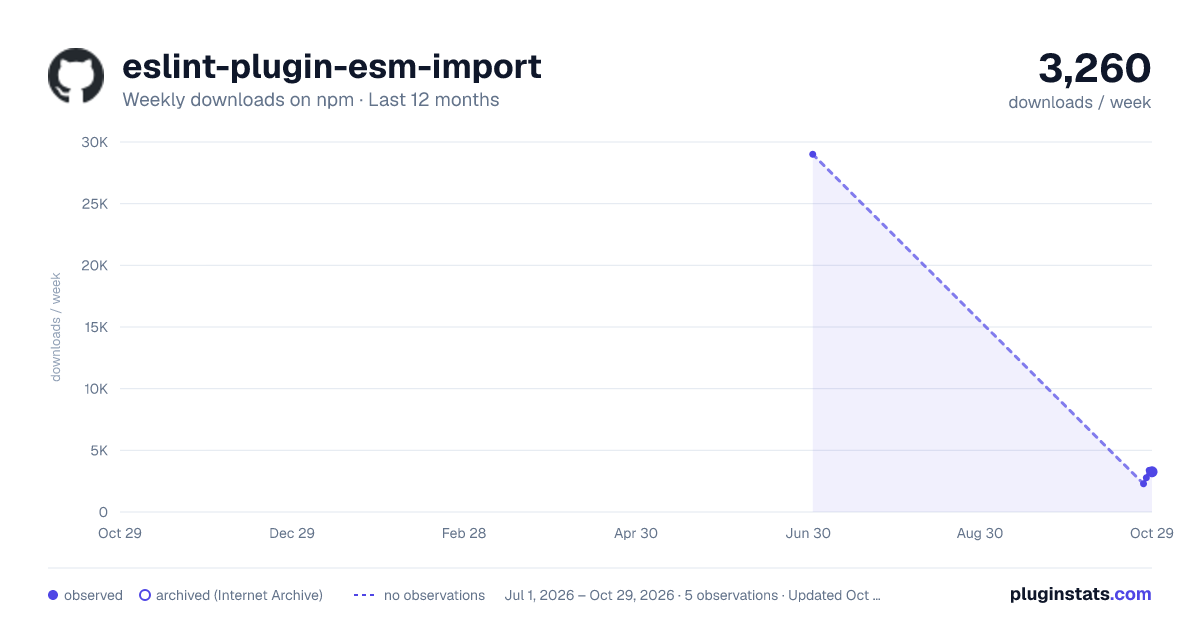
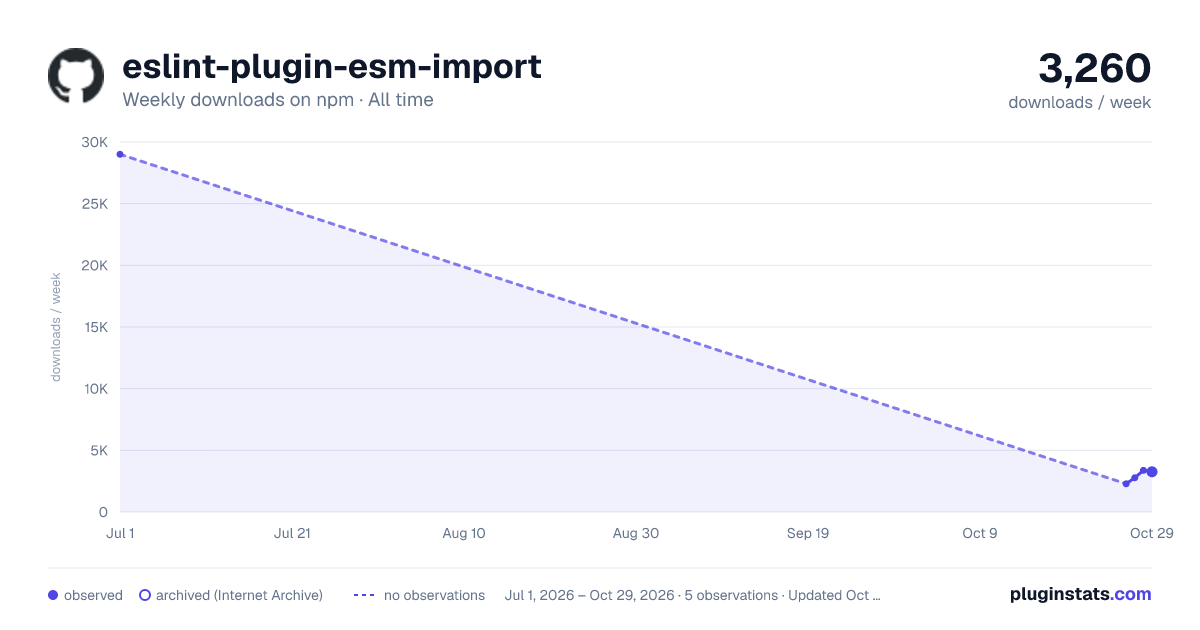

Adoption over time
7/30/90-day growth
Ranking history
Listing placement
Listing placement
Filled points are observed values; hollow points come from Internet Archive snapshots of the listing page. Dashed segments span periods with no observations — values between points are not interpolated.
Each band is one page of 20. Weekly downloads on a linear scale. Placement is projected from weekly downloads, so it can differ from the marketplace's own sort order. Hover a dot to see the listing.
Recent observations
Full history (1)Similar npm ESLint plugins plugins
All 20 eslint-plugin-esm-import alternatives- 28.8K weekly downloads-25.4%
Data source
Weekly downloads (trailing 7 complete days) come from the official npm downloads API. Downloads include CI and mirrors and are not equivalent to installs or users. npm publishes no ratings.
Listing: https://www.npmjs.com/package/eslint-plugin-esm-import. First seen Oct 27, 2026; last successful collection Oct 27, 2026. See the methodology.