 PluginStats
vite-plugin-vsharp weekly downloads statistics
By jw-12138 · npm · Vite plugins
A Vite plugin that compresses static images after each builds by using sharp.js
vite-plugin-vsharp has 4,881 recorded weekly downloads on npm.
About vite-plugin-vsharp
VSharp: Simple Image Compression for Vite Projects
VSharp is a Vite plugin that makes image optimization easy. It uses the powerful Sharp library to automatically compress your images during the build process. This means faster-loading websites with high-quality images, all without any extra work on your part.
<img width="716" alt="image" src="https://github.com/jw-12138/vite-plugin-vsharp/assets/29943110/3e4b97f4-892c-47c0-b850-d1e0fc46b245">Features
- Works with common image formats:
.jpg/.jpeg,.png,.gif, and.webp - Uses Sharp's proven compression methods for each format type (Sharp documentation)
Getting Started
Installation
Add VSharp to your project:
npm install vite-plugin-vsharp --save-dev
Basic Setup
Add VSharp to your Vite config file:
// vite.config.js
import vsharp from 'vite-plugin-vsharp';

export default {
  plugins: [
    vsharp({
      // Your options here
    }),
  ],
};
Configuration Options
Here's how you can customize VSharp to fit your needs:
-
exclude: Skip specific images during compression. Just list the filenames:// vite.config.js { plugins: [ vsharp({ exclude: [ "bg.jpg", // Won't compress this file // Note: Just use filenames, no paths needed ], }), ] } -
excludePublic: Skip images in your public folder using patterns:// vite.config.js { plugins: [ vsharp({ excludePublic: [ "public/*", // Skip everything in public "public/test_img/*", // Skip all images in test_img ], }), ] } -
includePublic: Choose specific files to compress from excluded folders:// vite.config.js { plugins: [ vsharp({ excludePublic: [ "public/*" // Skip all public files ], includePublic: [ "public/images/*", // But compress files in this folder "public/test_img/001.jpg", // And this specific image ], }), ] }Note:
includePublictakes priority overexcludePublic, letting you:- First exclude entire folders
- Then pick specific files or folders to include
- Use either patterns or exact file paths
-
Image Size Options: Control how your images are resized:
// vite.config.js { plugins: [ vsharp({ width: 800, // Maximum width (won't upscale smaller images) height: 800, // Maximum height (won't upscale smaller images) scale: 0.8, // Or use this to reduce by percentage (overrides width/height) }), ] } -
Metadata Options: Keep important image information:
// vite.config.js
{
  plugins: [
    vsharp({
      preserveMetadata: {
        orientation: true, // Keeps correct image orientation
      },
    }),
  ]
}
Default Settings
VSharp comes with these sensible defaults, which you can override as needed:
{
  "includePublic": [],
  "excludePublic": [],
  "exclude": [],
  ".jpg": {
    "quality": 80
  },
  ".jpeg": {
    "quality": 80
  },
  ".png": {
    "quality": 80,
    "palette": true
  },
  ".webp": {
    "lossless": true
  },
  ".gif": {

  },
  "preserveMetadata": {
    "orientation": false
  }
}
For more advanced options, check out the Sharp documentation.
Description from the npm listing.
- vite
- vite-plugin
- sharp.js
README badge
Show your rank in a README or on your website. The badge updates automatically.
Charts
Images: 30d · 1y · all time · 1600×900 dark
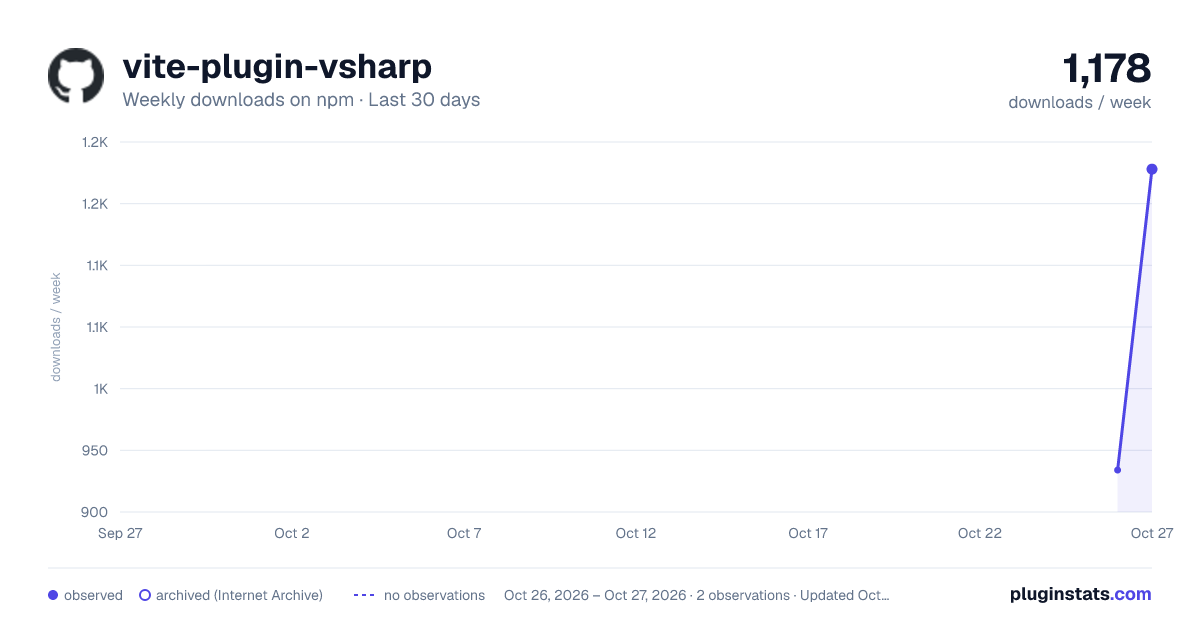
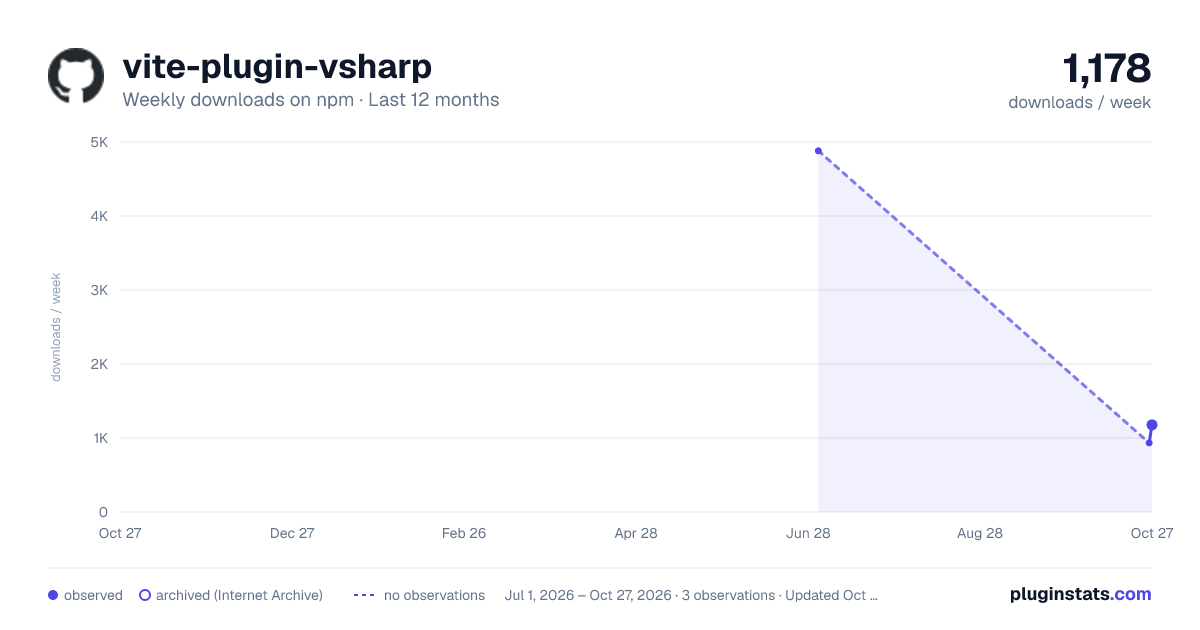
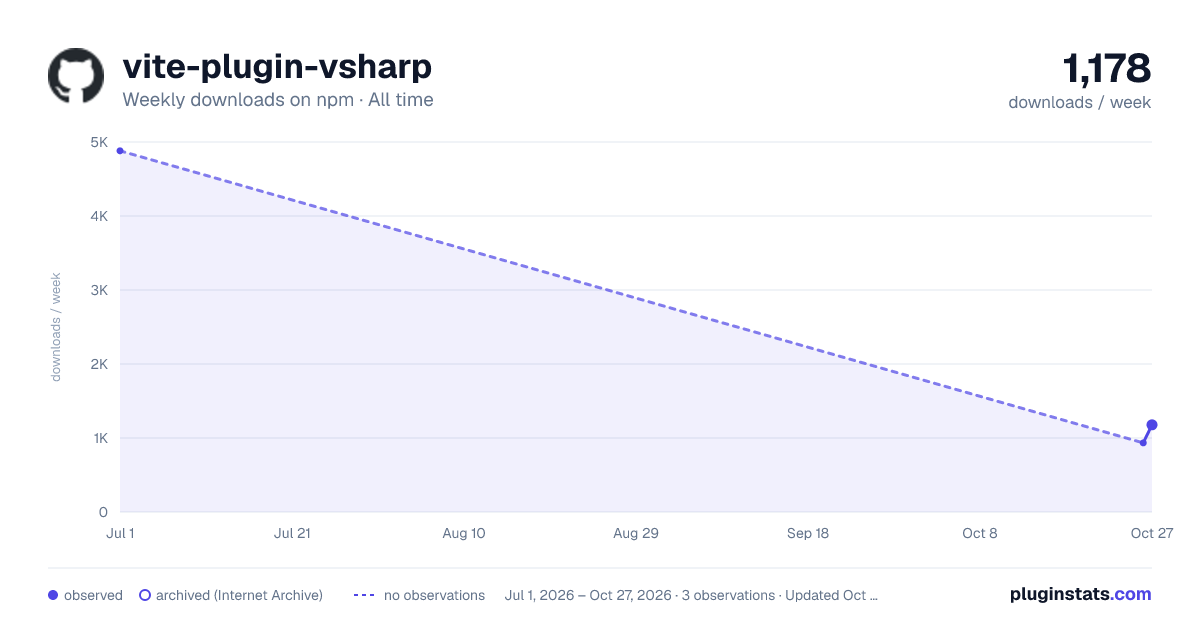

Adoption over time
7/30/90-day growth
Ranking history
Listing placement
Listing placement
Filled points are observed values; hollow points come from Internet Archive snapshots of the listing page. Dashed segments span periods with no observations — values between points are not interpolated.
Each band is one page of 20. Weekly downloads on a linear scale. Placement is projected from weekly downloads, so it can differ from the marketplace's own sort order. Hover a dot to see the listing.
Recent observations
Full history (1)Similar npm Vite plugins plugins
All 20 vite-plugin-vsharp alternativesData source
Weekly downloads (trailing 7 complete days) come from the official npm downloads API. Downloads include CI and mirrors and are not equivalent to installs or users. npm publishes no ratings.
Listing: https://www.npmjs.com/package/vite-plugin-vsharp. First seen Oct 27, 2026; last successful collection Oct 27, 2026. See the methodology.