 PluginStats
npm-deprecated-check weekly downloads statistics
By KID-joker · npm · MCP servers
Check for deprecated packages
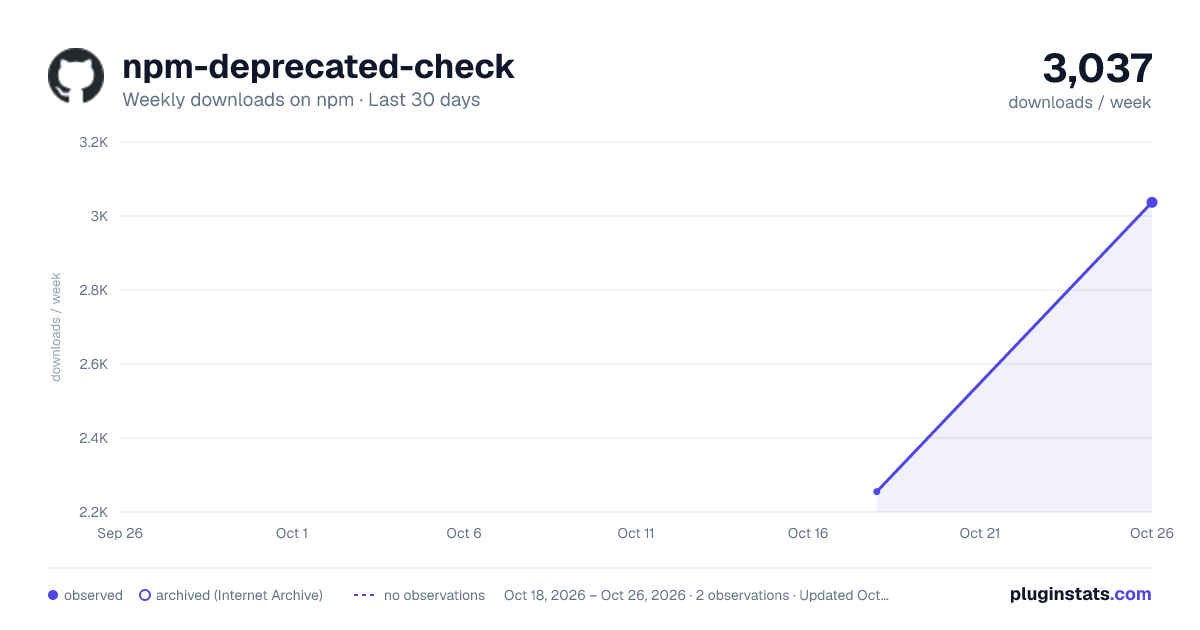
npm-deprecated-check has 2,255 recorded weekly downloads on npm, ranking #1305 of 2,322 tracked listings.
About npm-deprecated-check
Preview
<p align="center"><img src="./assets/preview.png" /></p>Requirements
Since version 1.4.0, npm-deprecated-check requires Node.js 18 or higher.
Install
npm install -g npm-deprecated-check
Features
- Check the packages of current project, global or specified is deprecated.
- According to the version range of lockfile and package.json.
- Additionally checks if the running node version reached End Of Life.
- Return the minimum upgradable version.
- Check if the current environment meets the Node.js version range required for dependency operation.
- Calculate the minimum Node.js version required across all dependencies.
- Suggest compatible dependency versions when Node.js version requirements are not met.
- Check Node.js version compatibility for a project or package when upgrading or downgrading Node.js.
- MCP Server support: expose tools for external AI agents to consume deprecation data.
Node.js Version Compatibility
The tool automatically analyzes Node.js version requirements across all dependencies and provides helpful information.
Default Output
By default, you get a concise summary showing the recommended engines.node value:
Node Version Summary:
Minimum engines.node: >=20.0.0

Recommendation: Update package.json engines.node to ">=20.0.0"
   Current: >=18.12
Detailed Output (--verbose)
Use the --verbose flag for detailed information:
ndc current --verbose
Node Version Summary (detailed):
Minimum Node version (production): 20.0.0
  Determined by: eslint@9.35.0
Minimum Node version (development): 20.17.0
  Determined by: typescript@5.7.2
Current Node version: v25.4.0
Project engines.node: >=18.12

Production dependencies require Node >=20.0.0, but package.json allows >=18.12
   Consider updating engines.node to ">=20.0.0"
Compatible Version Suggestions
When a dependency requires a newer Node.js version than you're currently running, the tool suggests a compatible alternative version:
WARN  eslint@9.35.0: 2024-10-05T18:45:12.345Z
Required node: ^18.18.0 || ^20.9.0 || >=21.1.0
Compatible version for current Node: 8.57.1
Usage
Usage: ndc <command> [options]

Options:
  -V, --version                    output the version number
  -h, --help                       display help for command

Commands:
  current [options]                check the packages of the current project
  global [options]                 check global packages, default: npm
  package [options] <packageName>  check for specified package
  compat [options] [packageName]   check Node.js version compatibility for project or package
  node                             check if used node version is deprecated (reached End Of Life)
  config [options]                 inspect and modify the config
  help [command]                   display help for command
For current:
Options:
  --registry <value>        specify registry URL, default: https://registry.npmjs.org/
  --ignore <value>          ignore specific packages, example: request,tslint
  --failfast                exit the program if it has been deprecated
  --deep                    deep inspection for monorepo projects
  --verbose                 show detailed Node version compatibility information
For global:
Options:
  -m, --manager <value>      check specified package manager (choices: "npm", "yarn", "pnpm")
  --registry <value>        specify registry URL, default: https://registry.npmjs.org/
  --ignore <value>          ignore specific packages, example: request,tslint
  --failfast                exit the program if it has been deprecated
For package:
Options:
  -r, --range <value>       check specified versions
  --registry <value>        specify registry URL, default: https://registry.npmjs.org/
For compat:
Usage: ndc compat [packageName] [options]

check Node.js version compatibility for project or package

Options:
  --node <version>          target Node.js version (e.g. "18", "20.11.0"), default: current Node version
  --deep                    deep inspection for monorepo projects (project mode only)
  --ignore <value>          ignore specific packages, example: request,tslint
  --registry <value>        specify registry URL, default: https://registry.npmjs.org/
Compat Examples
Check current project against the current Node version:
ndc compat
Check current project against a target Node version:
ndc compat --node 18
Check a specific package against a target Node version:
ndc compat esbuild --node 18
Deep check monorepo projects:
ndc compat --node 20 --deep
You can also save options to global configuration:
Usage: ndc config [options]

inspect and modify the config

Options:
  -g, --get <path>          get value from option
  -s, --set <path> <value>  set option value
  -d, --delete <path>       delete option from config
  -l, --list                list all options
MCP Server
npm-deprecated-check can run as an MCP (Model Context Protocol) Server, exposing its checking capabilities as tools for AI agents.
Start the MCP Server
npx -y npm-deprecated-check --mcp
Client Configuration
Claude Desktop / OpenCode (recommended: global install):
{
  "mcpServers": {
    "npm-deprecated-check": {
      "command": "npm-deprecated-check",
      "args": ["--mcp"]
    }
  }
}
Install globally first:
npm install -g npm-deprecated-check
Claude Desktop / OpenCode (npx):
{
  "mcpServers": {
    "npm-deprecated-check": {
      "command": "npx",
      "args": ["-y", "npm-deprecated-check", "--mcp"]
    }
  }
}
Available Tools…
Description from the npm listing.
- cli
- cli-tool
- dependencies
- deprecated
- mcp
- mcp-server
README badge
Show your rank in a README or on your website. The badge updates automatically.
Charts
Images: 30d · 1y · all time · 1600×900 dark

Adoption over time
7/30/90-day growth
Ranking history
Listing placement
Listing placement
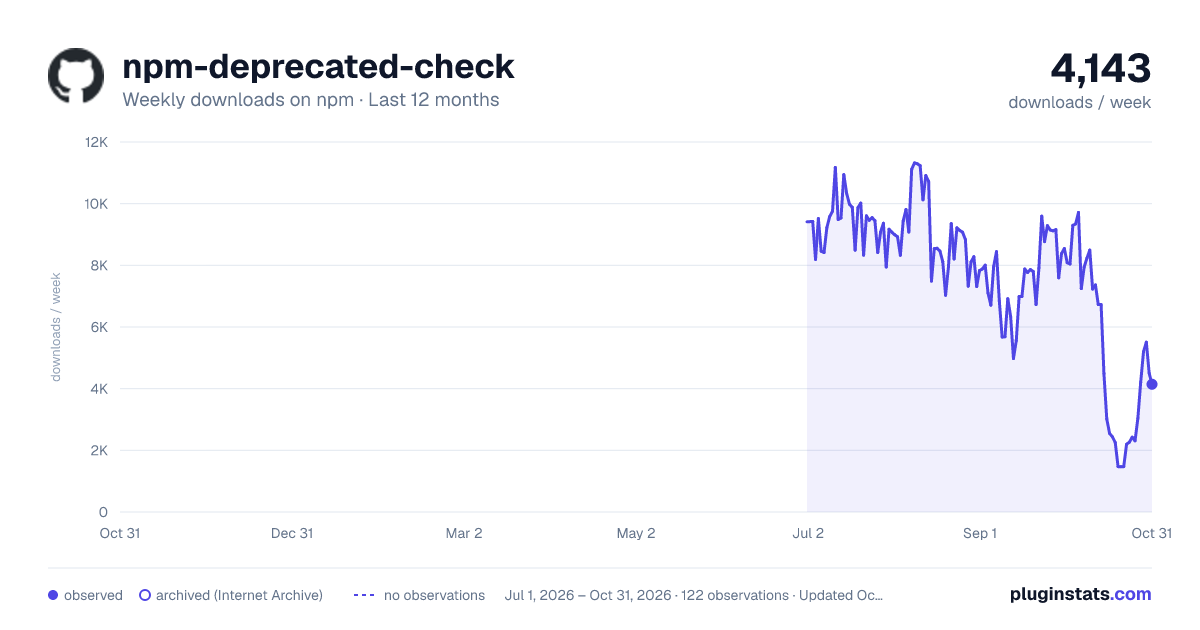
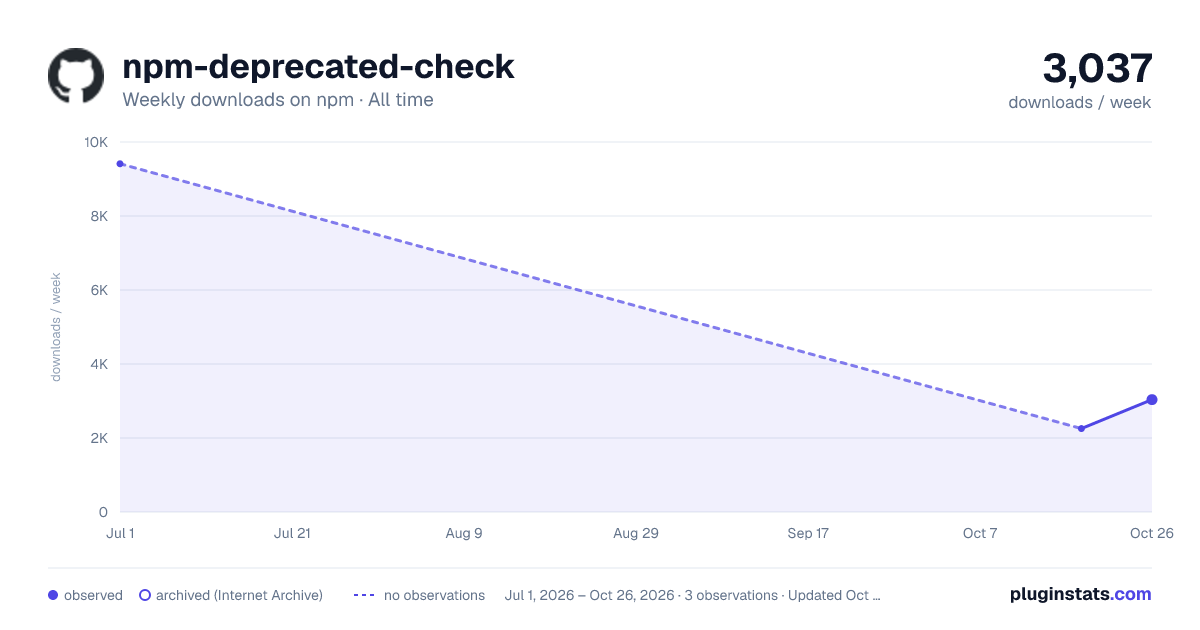
Filled points are observed values; hollow points come from Internet Archive snapshots of the listing page. Dashed segments span periods with no observations — values between points are not interpolated.
Each band is one page of 20. Weekly downloads on a linear scale. Placement is projected from weekly downloads, so it can differ from the marketplace's own sort order. Hover a dot to see the listing.
Recent observations
Full history (1)Similar npm MCP servers plugins
All 20 npm-deprecated-check alternatives- 2.3K weekly downloads-39.7%
Data source
Weekly downloads (trailing 7 complete days) come from the official npm downloads API. Downloads include CI and mirrors and are not equivalent to installs or users. npm publishes no ratings.
Listing: https://www.npmjs.com/package/npm-deprecated-check. First seen Oct 20, 2026; last successful collection Oct 20, 2026. See the methodology.