 PluginStats
@discourse/mcp weekly downloads statistics
By discourse · npm · MCP servers
Discourse MCP CLI server (stdio) exposing Discourse tools via MCP
@discourse/mcp has 13,276 recorded weekly downloads on npm, ranking #888 of 2,391 tracked listings.
About @discourse/mcp
Discourse MCP
A Model Context Protocol (MCP) stdio server that exposes Discourse forum capabilities as tools and resources for AI agents.
- Entry point:
src/index.ts→ compiled todist/index.js(binary name:discourse-mcp) - SDK:
@modelcontextprotocol/sdk - Node: >= 24
- Version: 0.3.1 (simplifies write opt-in so
--allow_writesis sufficient and deprecatesread_only=false; 0.3.0 added operator-selectable toolsets, structured directory output, and expanded opt-in administration capabilities; 0.2.x introduced breaking changes from 0.1.x, including JSON-only tool output; category/group resources remain deprecated compatibility surfaces alongside canonical list tools)
Quick start (release)
- Run (read‑only, recommended to start)
npx -y @discourse/mcp@latest
Then, in your MCP client, either:
-
Call the
discourse_select_sitetool with{ "site": "https://try.discourse.org" }to choose a site, or -
Start the server tethered to a site using
--site https://try.discourse.org(in which casediscourse_select_siteis hidden). -
Enable writes (opt‑in, safe‑guarded)
npx -y @discourse/mcp@latest --allow_writes --auth_pairs '[{"site":"https://try.discourse.org","api_key":"'$DISCOURSE_API_KEY'","api_username":"system"}]'
- Run with only Data Explorer built-in tools
npx -y @discourse/mcp@latest --toolsets data_explorer --tools_mode discourse_api_only
This exposes discourse_select_site plus the read-only Data Explorer tools. Add --site, authentication, and the write flags as needed; see Built-in toolsets.
- Use in an MCP client (example: Claude Desktop) — via npx
{
  "mcpServers": {
    "discourse": {
      "command": "npx",
      "args": ["-y", "@discourse/mcp@latest"],
      "env": {}
    }
  }
}
Alternative: if you prefer a global binary after install, the package exposes
discourse-mcp.{ "mcpServers": { "discourse": { "command": "discourse-mcp", "args": [] } } }
Configuration
The server registers tools under the MCP server name @discourse/mcp. Choose a target Discourse site either by:
-
Using the
discourse_select_sitetool at runtime (validates via/about.json), or -
Supplying
--site <url>to tether the server to a single site at startup (validates via/about.jsonand hidesdiscourse_select_site). -
Auth
- None by default.
- Admin API Keys (require admin permissions):
--auth_pairs '[{"site":"https://example.com","api_key":"...","api_username":"system"}]' - User API Keys (any user can generate):
--auth_pairs '[{"site":"https://example.com","user_api_key":"...","user_api_client_id":"..."}]' - HTTP Basic Auth (for sites behind a reverse proxy): Add
http_basic_userandhttp_basic_passto anyauth_pairsentry. This is useful for Discourse sites protected by HTTP Basic Authentication at the reverse proxy level. - You can include multiple entries in
auth_pairs; the matching entry is used for the selected site. If bothuser_api_keyandapi_keyare provided for the same site,user_api_keytakes precedence.
-
Write safety
- Writes are disabled by default.
- Built-in write tools are only registered when
--allow_writesis enabled. This includes post, topic, private-message, category, user, upload, draft, and saved Data Explorer query mutations. - Private-message listing and reading also require a matching authenticated site because PM data is never public.
- Toolset selection does not bypass write safety. A selected write tool remains absent unless writes are enabled.
- Write tools require a matching
auth_pairsentry for the selected site; otherwise they return an error. - A ~1 req/sec rate limit is enforced for write actions.
-
Flags & defaults
--help,-h, or positionalhelp: print current CLI help and exit successfully before loading profiles or starting a transport.--version,-v, or positionalversion: print one package-version line and exit successfully.-vmeans version; logging verbosity uses--log_level.…
Description from the npm listing.
- discourse
- mcp
README badge
Show your rank in a README or on your website. The badge updates automatically.
Charts
Images: 30d · 1y · all time · 1600×900 dark
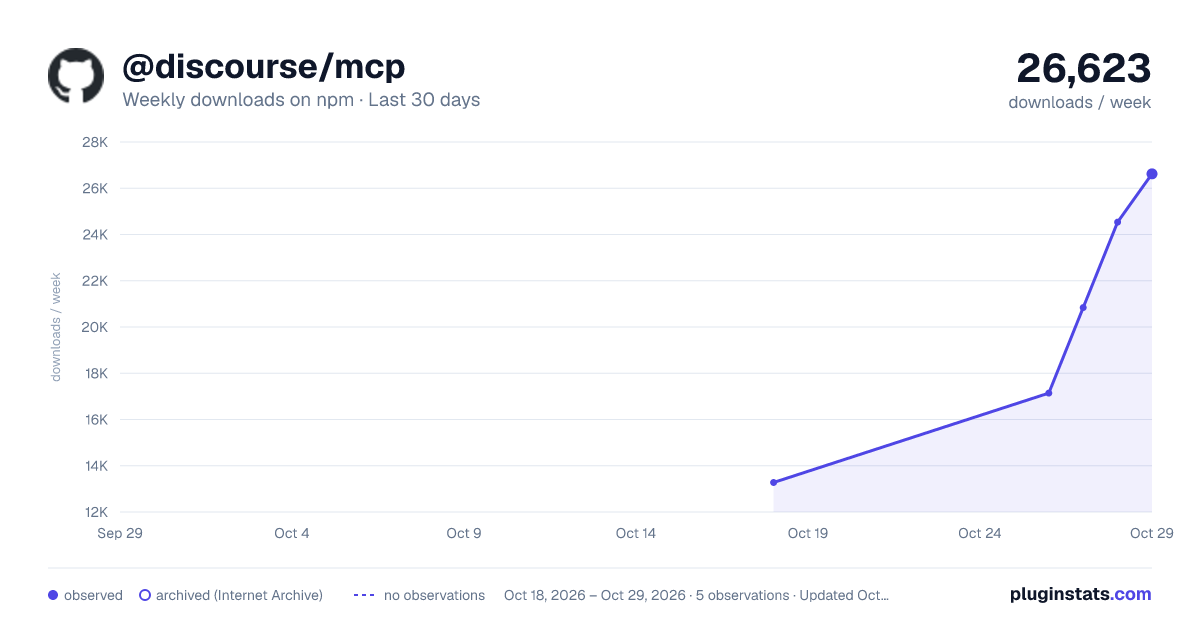
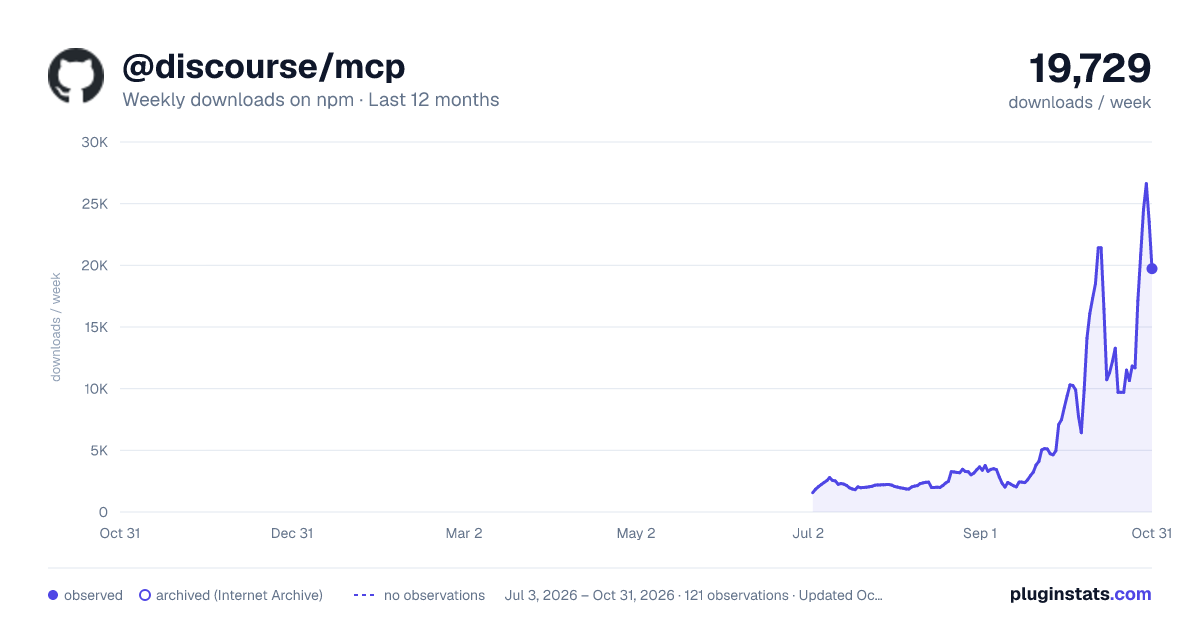
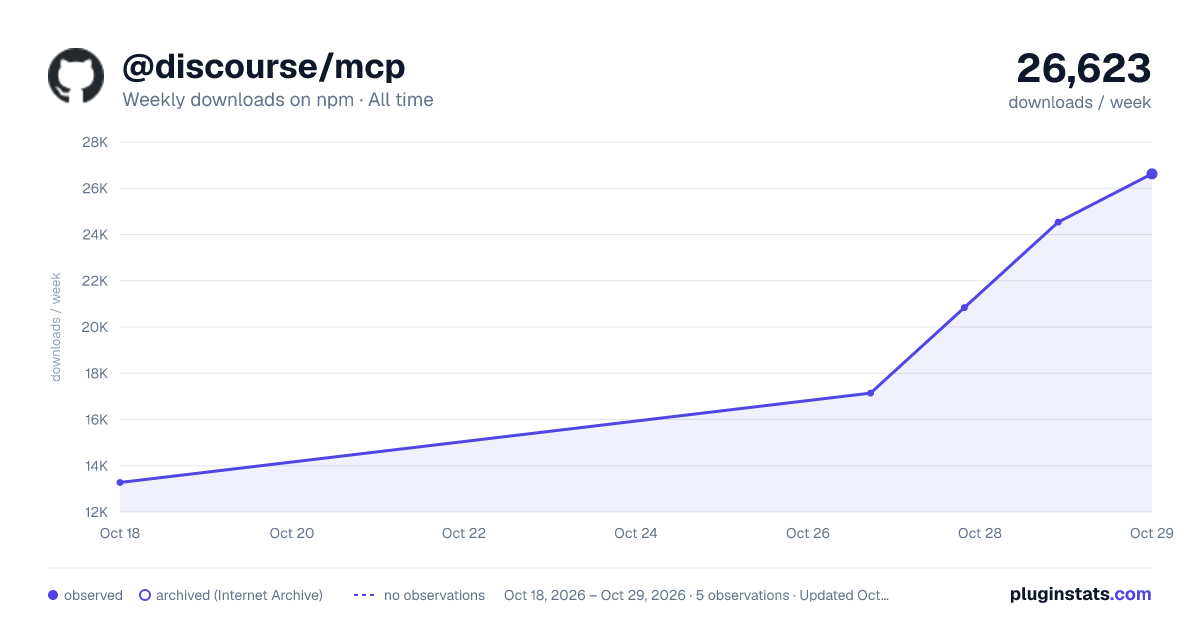

Adoption over time
7/30/90-day growth
Ranking history
Listing placement
Listing placement
Filled points are observed values; hollow points come from Internet Archive snapshots of the listing page. Dashed segments span periods with no observations — values between points are not interpolated.
Each band is one page of 20. Weekly downloads on a linear scale. Placement is projected from weekly downloads, so it can differ from the marketplace's own sort order. Hover a dot to see the listing.
Recent observations
Full history (1)Similar npm MCP servers plugins
All 20 @discourse/mcp alternativesData source
Weekly downloads (trailing 7 complete days) come from the official npm downloads API. Downloads include CI and mirrors and are not equivalent to installs or users. npm publishes no ratings.
Listing: https://www.npmjs.com/package/@discourse/mcp. First seen Oct 21, 2026; last successful collection Oct 21, 2026. See the methodology.