 PluginStats
@chipzhang/webpack-asset-attributes-plugin weekly downloads statistics
By chipzhang · npm · Webpack plugins
Add custom attributes to the asset tags in the generated HTML by html-webpack-plugin
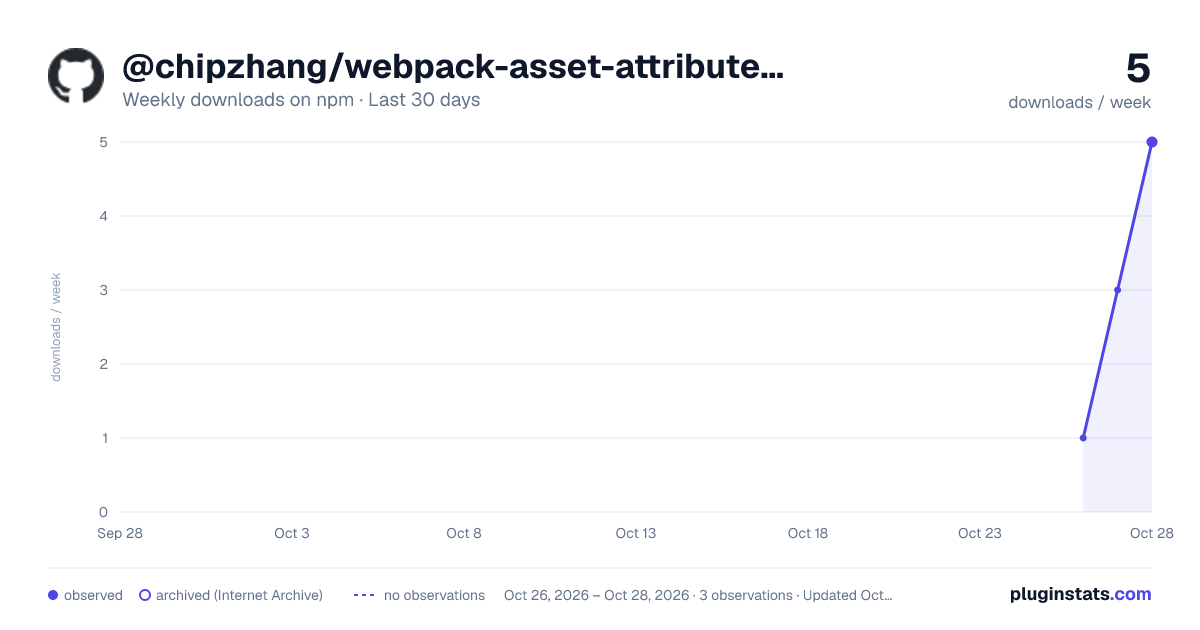
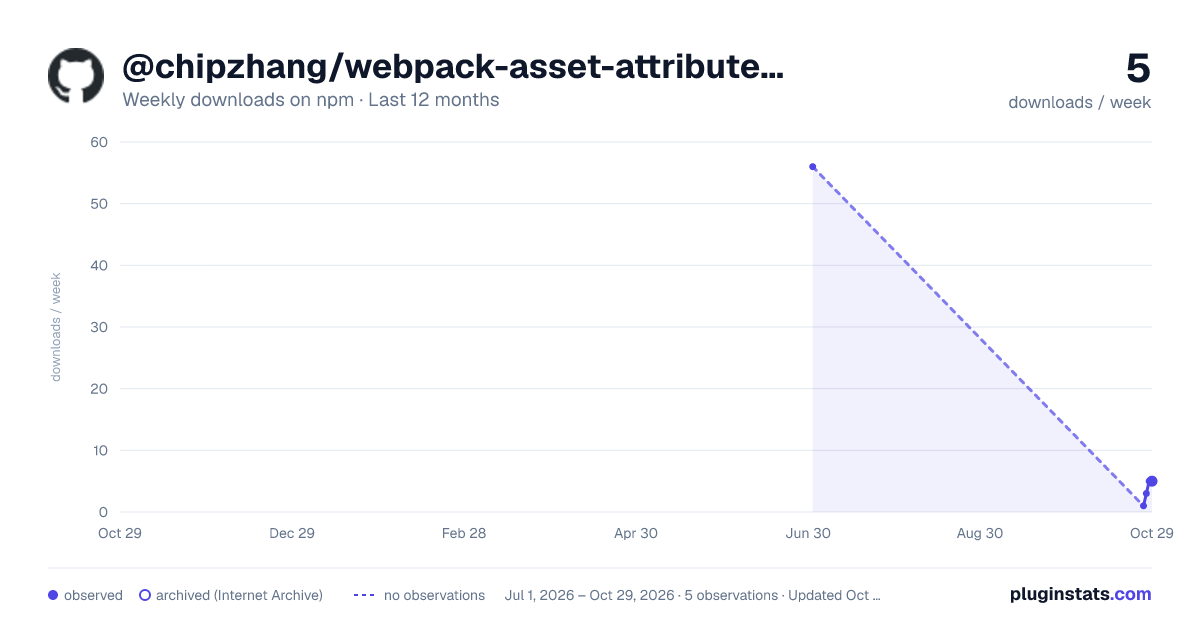
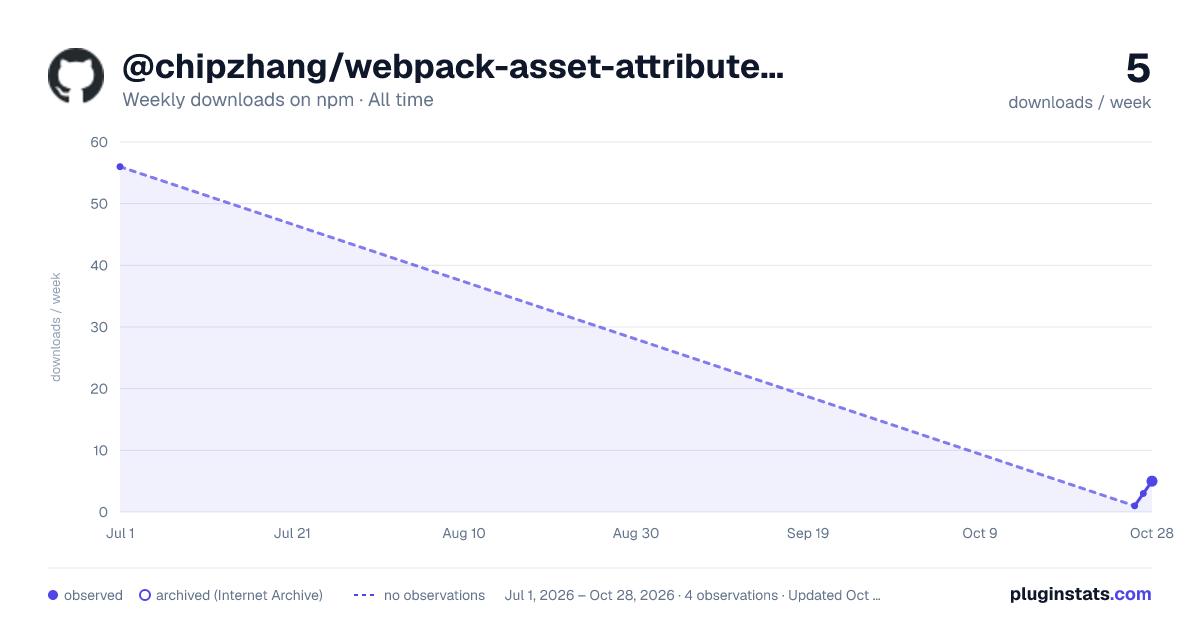
@chipzhang/webpack-asset-attributes-plugin has 56 recorded weekly downloads on npm.
About @chipzhang/webpack-asset-attributes-plugin
Add custom attributes to the asset tags in the generated HTML by html-webpack-plugin
Overview
This is a webpack plugin, that adds custom attributes (i.e. onload) to the JS / CSS asset tags generated by html-webpack-plugin.
This plugin only handles statically loaded assets, rather than lazy loaded assets (i.e. via import('file') syntax).
Supports webpack v4 + html-webpack-plugin v4, or webpack v5 + html-webpack-plugin v5.
This package has built-in TypesScript support.
Install
npm i @chipzhang/webpack-asset-attributes-plugin
Note this will not install webpack or html-webpack-plugin automatically.
Options
scriptAttribs
A key-value object representing the custom attributes to add to the JS asset tags. Values can be string or boolean, and will be automatically escaped. For example:
{onload: 'console.log("JS Asset loaded", this)', defer: true}
styleAttribs
A key-value object representing the custom attributes to add to the CSS asset tags. Values can be string or boolean, and will be automatically escaped. For example:
{onload: 'console.log("CSS Asset loaded", this)', disabled: true}
Example Usage
const HTMLPlugin = require('html-webpack-plugin')
const MiniCssExtractPlugin = require('mini-css-extract-plugin')
const {AssetAttributesPlugin} = require('@chipzhang/webpack-asset-attributes-plugin')

const assetAttributesPlugin = new AssetAttributesPlugin({
  scriptAttribs: {onload: 'console.log("JS Asset loaded", this)', defer: true},
  styleAttribs: {onload: 'console.log("CSS Asset loaded", this)', disabled: true},
})

module.exports = {
  /* your webpack configs */
  plugins: [new HTMLPlugin(), new MiniCssExtractPlugin(), assetAttributesPlugin],
  module: {
    rules: [
      /* loaders for other file extensions */
      {
        test: /\.css$/i,
        use: [MiniCssExtractPlugin.loader, 'css-loader'],
      },
    ],
  },
}
In your webpack config file, first add plugin html-webpack-plugin, to generate the HTML file.
Then configure this plugin (@chipzhang/webpack-asset-attributes-plugin), to add custom attributes to the JS / CSS asset tags.
You may need mini-css-extract-plugin to generate separate CSS files instead of inlining styles in JS files.
For the above example, the generated HTML may look like:
<html>
  <head>
    <!-- other head tags -->
    <script defer src="example.js" onload='console.log("JS Asset loaded", this)'></script>
    <link href="example.css" rel="stylesheet" onload='console.log("CSS Asset loaded", this)' disabled />
  </head>
  <body>
    <!-- body tags -->
  </body>
</html>
License
GNU AFFERO GENERAL PUBLIC LICENSE Version 3
Description from the npm listing.
- webpack
- plugin
- webpack-plugin
- html-webpack-plugin
README badge
Show your rank in a README or on your website. The badge updates automatically.
Charts
Images: 30d · 1y · all time · 1600×900 dark

Adoption over time
7/30/90-day growth
Ranking history
Listing placement
Listing placement
Filled points are observed values; hollow points come from Internet Archive snapshots of the listing page. Dashed segments span periods with no observations — values between points are not interpolated.
Each band is one page of 20. Weekly downloads on a linear scale. Placement is projected from weekly downloads, so it can differ from the marketplace's own sort order. Hover a dot to see the listing.
Recent observations
Full history (1)Similar npm Webpack plugins plugins
All 20 @chipzhang/webpack-asset-attributes-plugin alternatives- 50 weekly downloads+51.5%
- 49 weekly downloads-71.8%
- 64 weekly downloads-60.5%
Data source
Weekly downloads (trailing 7 complete days) come from the official npm downloads API. Downloads include CI and mirrors and are not equivalent to installs or users. npm publishes no ratings.
Listing: https://www.npmjs.com/package/@chipzhang/webpack-asset-attributes-plugin. First seen Oct 27, 2026; last successful collection Oct 27, 2026. See the methodology.