Skip to content
PluginStats

@byokit/accounts weekly downloads statistics

By byokit (10 listings) · npm · AI SDKs

TypeScript kits that let people sign in to your app with the AI plans they already pay for, on web, phone and desktop.

View on npm Fresh · Oct 26, 2026 · data Oct 22, 2026

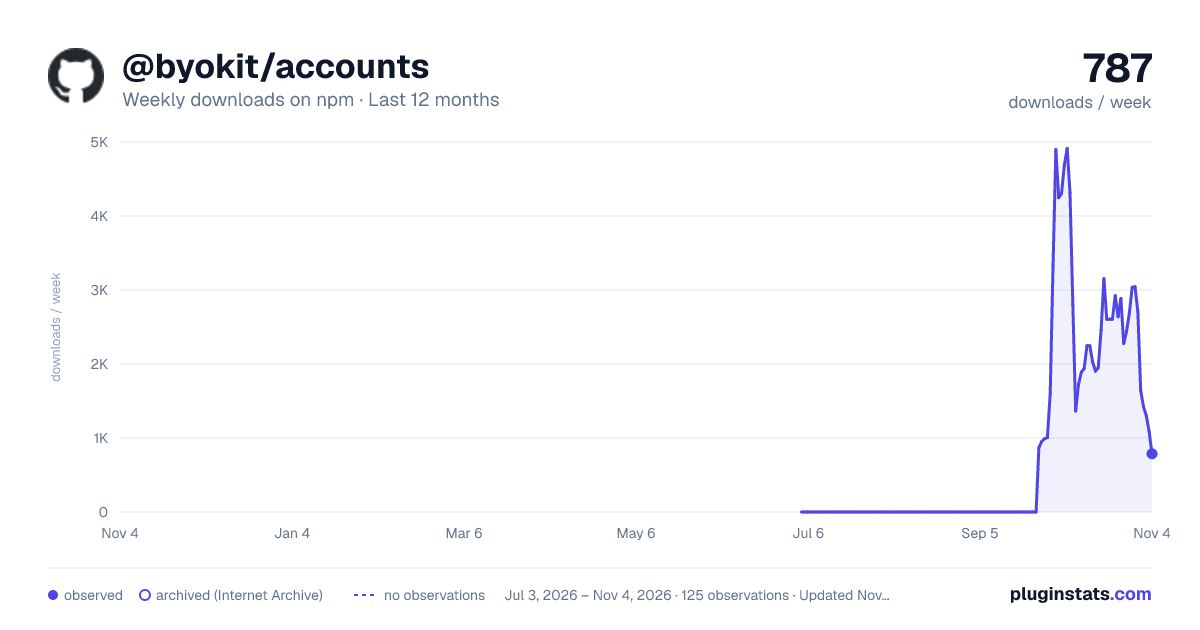
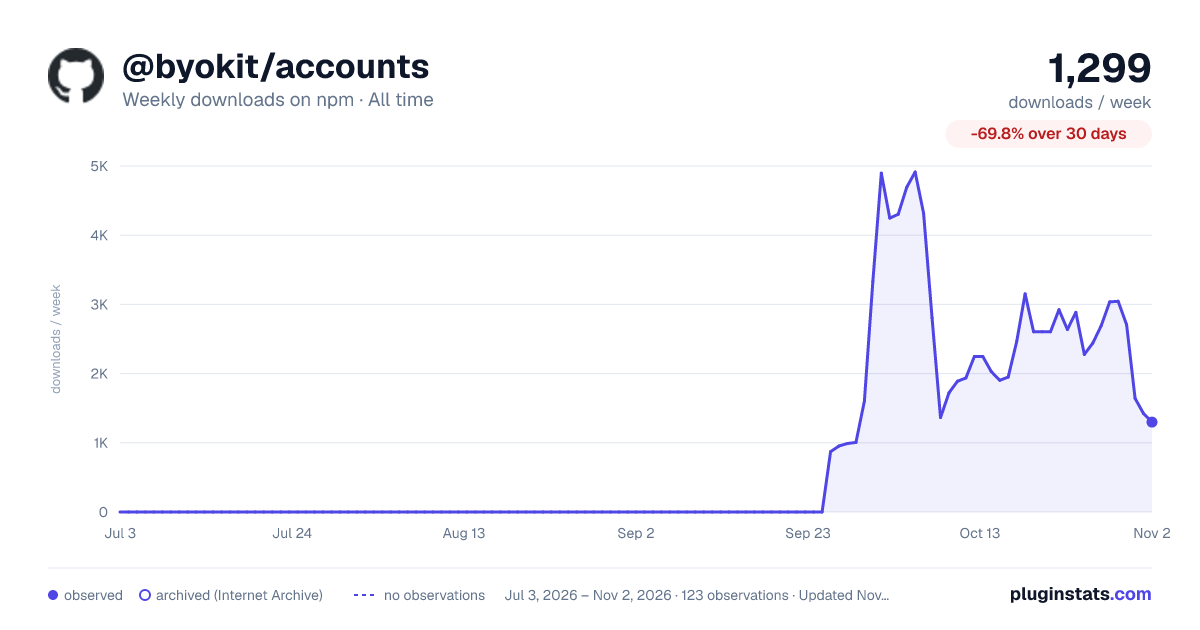
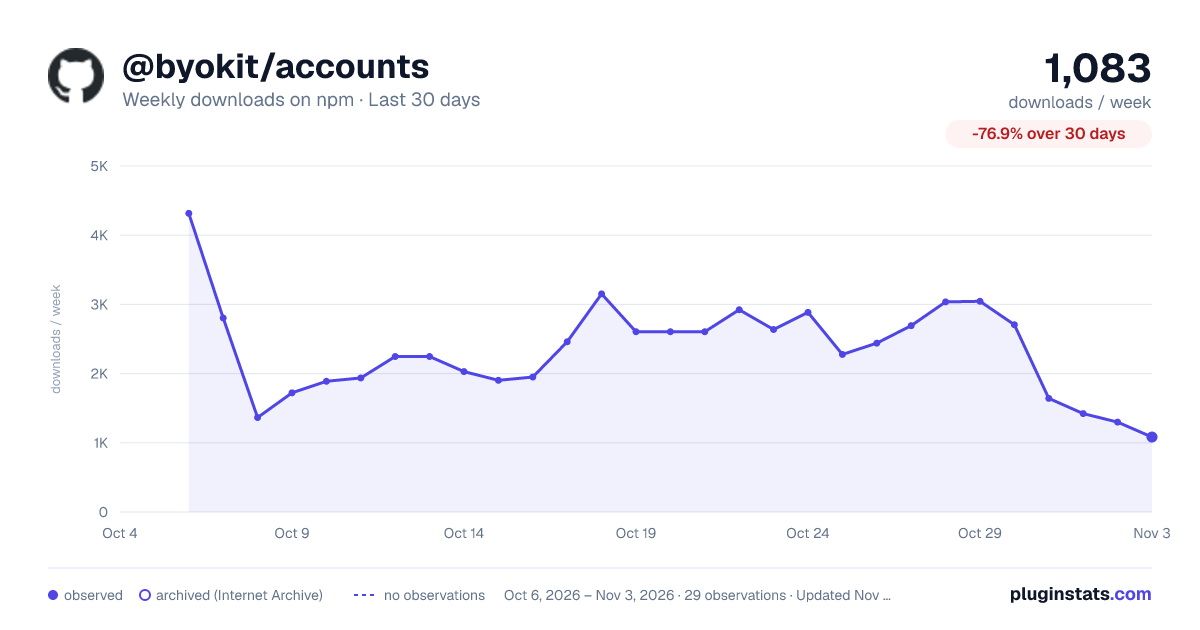
@byokit/accounts has 2,923 recorded weekly downloads on npm.

Weekly downloads
2,923
Official API · Oct 22, 2026
7-day growth
—
Insufficient history
30-day growth
—
Insufficient history
90-day growth
—
Insufficient history
Rank
—
Among tracked npm listings

About @byokit/accounts

<h1 align="center">@byokit/accounts</h1> <p align="center"> <a href="https://www.npmjs.com/package/@byokit/accounts"><img alt="npm" src="https://img.shields.io/npm/v/@byokit/accounts?style=flat&label=npm" /></a> <a href="https://github.com/umeranjum17/byokit/actions/workflows/ci.yml"><img alt="CI" src="https://img.shields.io/github/actions/workflow/status/umeranjum17/byokit/ci.yml?style=flat&branch=main" /></a> <a href="LICENSE"><img alt="Apache 2.0" src="https://img.shields.io/badge/license-Apache--2.0-666?style=flat" /></a> <img alt="Node | Electron | browsers | React Native" src="https://img.shields.io/badge/platform-Node%20%7C%20Electron%20%7C%20browsers%20%7C%20React%20Native-666?style=flat" /> </p> <p align="center"><strong>Sign in with the AI plan you already pay for, inside your own app.</strong><br/> Plans work on every platform; computer-only plans work on computers, and some plans need Web Crypto. API keys are billed per use and require explicit app opt-in ([which sign-in works where](#which-sign-in-works-where)). Sign-ins go into your app's own store: on a computer (Node, Electron), in a browser (a PWA, Electron's renderer) and on a phone (React Native and Expo, iOS and Android). One import; your bundler picks the platform's side (`package.json`'s `react-native` and `browser` conditions).</p> <p align="center"> <img src="https://raw.githubusercontent.com/umeranjum17/byokit/main/docs/images/pwa-1-signed-out.png" width="240" alt="The page &quot;Umer's AI plans&quot;, signed out: the ChatGPT card with a Plan chip, &quot;ChatGPT isn't signed in yet.&quot; and a Sign in with ChatGPT button" /> <img src="https://raw.githubusercontent.com/umeranjum17/byokit/main/docs/images/pwa-2-code.png" width="240" alt="The same page signing in: &quot;Signing in to ChatGPT…&quot;, &quot;On the ChatGPT page, type this code:&quot; MOCK-10001 with a Copy button, &quot;Code expires in 14:59&quot;, and Open ChatGPT and Cancel buttons" /> <img src="https://raw.githubusercontent.com/umeranjum17/byokit/main/docs/images/pwa-3-connected.png" width="240" alt="The same page signed in: &quot;ChatGPT is connected.&quot;, umer@example.com, a ChatGPT Plus chip, an Auto (most room) selector, an Ask ChatGPT something box and Sign out / Add another ChatGPT" /> </p> <p align="center"><sub><a href="../../examples/pwa"><code>examples/pwa</code></a> signing in by device code in headless Chromium (Playwright), against the kit's stand-in OpenAI (<code>mockOpenAI()</code>), not the real one; the pictured code is the stand-in's own <code>MOCK-…</code> shape.</sub></p>

Install

npm install @byokit/accounts

npm · Latest release · All releases

Quickstart

npm install @byokit/accounts

The whole ChatGPT flow, run against the stand-in OpenAI so it needs no account and no network beyond loopback: sign in by device code, see the status, ask.

import { Accounts, memoryStore, portable } from '@byokit/accounts';
import { mockOpenAI } from '@byokit/accounts/testing';

const openai = await mockOpenAI(); // a stand-in OpenAI on 127.0.0.1, no account needed
const accounts = new Accounts(
  { authBase: openai.base, apiBase: openai.base, store: () => memoryStore() }, // in memory: this demo ends with it
  portable, // device code with fetch alone, as on a phone or in a browser
);

const shown = await accounts.login(1, 'chatgpt');
console.log(shown?.state, shown?.via, shown?.code);
openai.approve(shown!.code!); // the person types the code on the provider's page

await accounts.finished(1, 'chatgpt'); // the whole sign-in, once the code is approved
console.log((await accounts.status(1, 'chatgpt')).words);

const answer = await accounts.respond(1, { model: 'gpt-6-sol', instructions: 'Answer briefly.', input: 'Plan my day', onText: (d) => process.stdout.write(d) });
console.log('\nfinal:', answer);
await openai.close();
waiting code MOCK-10001
ChatGPT is connected.
You said: Plan my day
final: You said: Plan my day

The stand-in echoes the question. In an app, drop authBase, apiBase and portable, and give each person a store, as below.

On a computer

On a computer it uses Pi's @earendil-works/pi-ai sign-in flows, pinned exactly:

import { isolate, launchEnv } from '@byokit/accounts/isolate';
const dir = isolate('/path/to/app/engine'); // creates the folder; never changes process.env
const launch = launchEnv({ set: { PI_CODING_AGENT_DIR: dir, PI_OFFLINE: '1',
  PI_TELEMETRY: '0', PI_SKIP_VERSION_CHECK: '1' } });
// Pass launch.env to spawn(), or launch to Herdr's startAgent({ env: launch, ... }).

// Every BYOKit app on this computer keeps sign-ins at one machine store under one seal, so the person signs in once.
export async function connect() {
  const { Accounts, machineStore } = await import('@byokit/accounts');
  const { osKeyringSeal } = await import('@byokit/secrets');
  const seal = osKeyringSeal({ service: 'byokit' });
  const accounts = new Accounts({ store: (member) => machineStore(member, seal) });
  const shown = await accounts.login(1, 'chatgpt', { via: 'code' }); // { state: 'waiting', code, url }
  // show shown.code and shown.url; the sign-in finishes by itself
  return { shown, status: await accounts.status(1, 'chatgpt') };
}
On a phone or in a browser…

Description from the npm listing.

  • typescript
  • ai
  • ai-sdk
  • react-native
  • web
  • privacy

README badge

Show your rank in a README or on your website. The badge updates automatically.

Charts

Images: 30d · 1y · all time · 1600×900 dark
Adoption over time

@byokit/accounts weekly downloads on npm, last 90 days: 2,923 weekly downloads as of Oct 22, 2026.@byokit/accountsWeekly downloads on npm · Last 90 days2,923downloads / week2.6K2.7K2.8K2.9K3K3.1K3.2K3.3KJul 24Aug 8Aug 23Sep 7Sep 22Oct 7Oct 22downloads / weekOct 22, 2026 – Oct 22, 2026 · 1 observations · Updated Oct 22, 2026pluginstats.com
@byokit/accounts weekly downloads on npm, last 90 days: 2,923 weekly downloads as of Oct 22, 2026.

7/30/90-day growth

@byokit/accounts weekly downloads growth on npm: 7-day growth unavailable, 30-day growth unavailable, 90-day growth unavailable.@byokit/accountsWeekly downloads growth on npm2,923downloads / week now7-day growthinsufficient historyInsufficient history30-day growthinsufficient historyInsufficient history90-day growthinsufficient historyInsufficient historyGrowth vs. nearest observation to each baseline date · Updated Oct 22, 2026pluginstats.com
@byokit/accounts weekly downloads growth on npm: 7-day growth unavailable, 30-day growth unavailable, 90-day growth unavailable.

Ranking history

@byokit/accounts has no ranking history on npm yet.@byokit/accountsnpm ranking · by weekly downloads · Last 90 daysNo ranking observations in this periodno observations · 0 observations · Updated Oct 22, 2026pluginstats.com
@byokit/accounts has no ranking history on npm yet.

Listing placement

All npm2,577 listings · 129 pages · 1,290 shown · page 69, #12 (overall #1,372)
All npm: every listing in weekly downloads order

Listing placement

AI SDKs284 listings · 15 pages · page 5, #15 (overall #95)
AI SDKs: every listing in weekly downloads order

Filled points are observed values; hollow points come from Internet Archive snapshots of the listing page. Dashed segments span periods with no observations — values between points are not interpolated.

Each band is one page of 20. Weekly downloads on a linear scale. Placement is projected from weekly downloads, so it can differ from the marketplace's own sort order. Hover a dot to see the listing.

Recent observations

Full history (1)
Recent weekly downloads observations for @byokit/accounts
Date (UTC)Weekly downloadsChange vs. previous
2,923—

Similar npm AI SDKs plugins

All 20 @byokit/accounts alternatives

Data source

Weekly downloads (trailing 7 complete days) come from the official npm downloads API. Downloads include CI and mirrors and are not equivalent to installs or users. npm publishes no ratings.

Listing: https://www.npmjs.com/package/@byokit/accounts. First seen Oct 26, 2026; last successful collection Oct 26, 2026. See the methodology.