 PluginStats
@svg-jar/plugin weekly downloads statistics
By svg-jar · npm · Vite plugins
An unplugin for importing SVGs as components with sprite sheet support
@svg-jar/plugin has 2,204 recorded weekly downloads on npm, ranking #1277 of 2,644 tracked listings.
About @svg-jar/plugin
@svg-jar/plugin


An unplugin for importing SVGs as components. Supports sprite sheets, inline SVGs, and raw file exports across Vite, Rollup, and Rolldown (including tsdown).
Install
pnpm add -D @svg-jar/plugin
Setup
Vite
// vite.config.ts
import svgJar from '@svg-jar/plugin/vite';

export default {
  plugins: [svgJar({ target: 'ember' })],
};
Rollup
// rollup.config.ts
import svgJar from '@svg-jar/plugin/rollup';

export default {
  plugins: [svgJar({ target: 'ember' })],
};
Rolldown
// rolldown.config.ts
import svgJar from '@svg-jar/plugin/rolldown';

export default {
  plugins: [svgJar({ target: 'ember' })],
};
tsdown
tsdown is built on Rolldown, so it uses the Rolldown entry point. Declaration files (dts: true) get correctly typed exports for each SVG import.
// tsdown.config.ts
import { defineConfig } from 'tsdown';
import svgJar from '@svg-jar/plugin/rolldown';

export default defineConfig({
  entry: ['src/index.ts'],
  dts: true,
  plugins: [svgJar({ target: 'dom', base: '/vendor/icons/' })],
});
[!IMPORTANT] Sprite sheets are an application-level optimization — their benefits (app-wide symbol dedupe, per-symbol tree-shaking, a single sheet on a known origin) only exist when one build owns the whole module graph. A package built with tsdown emits sprite and
?fileassets into its owndist/assetswith baked URLs that a consuming bundler will not copy or rewrite.Use sprite or
?fileoutput from tsdown only for internal packages where the consuming app controls the deploy origin: set thebaseoption to a fixed public path, and have the app copy the package'sdist/assetsthere as part of its build (seetest-projects/tsdown/internal-package). For publicly distributed libraries, ship raw SVG files (and let the consuming app run svg-jar itself) or export inline components (?unsafe-inline), which need no asset serving.
Usage
Sprite mode (default)
SVGs are collected into a sprite sheet and rendered via <use href>. The sprite file is emitted with a content-hashed filename for cache busting.
import Arrow from './icons/arrow.svg';
Named sprites
Group SVGs into separate sprite sheets with the ?sprite=name query:
import Circle from './icons/circle.svg?sprite=shapes';
This creates a separate shapes-<hash>.svg sprite file containing only the icons assigned to it.
Inline mode
Embed the full SVG markup directly in the component. No sprite sheet, no external request.
import Square from './icons/square.svg?unsafe-inline';
[!CAUTION] Inline SVGs are embedded in your JavaScript bundle, increasing parse time and preventing separate caching. Sprite mode (the default) is more efficient for most use cases. See What's unsafe about inline SVGs?
File mode
Export the SVG as a raw asset URL, like any other static file:
import logoUrl from './icons/logo.svg?file';

const img = document.createElement('img');
img.src = logoUrl;
Options
svgJar({
  // Framework target for component generation.
  // Default: 'dom'
  target: 'dom' | 'ember' | 'react' | 'preact' | 'vue' | 'solid' | 'web-component',

  // SVGO configuration. See "SVGO optimization" below.
  // true (default): use the baseline config
  // false: disable optimization entirely
  // object: custom SVGO config, used in place of the baseline
  svgo: true,

  // Default sprite name for bare SVG imports.
  // Default: 'sprite'
  defaultSprite: 'sprite',

  // Replace non-none fill/stroke with currentColor globally.
  // Default: false
  currentColor: false,

  // Attributes copied from the root <svg> of each source file to the <svg>
  // that the runtime renders. See "Root attributes" below.
  // Default: the list below. A list given here replaces the default list.
  rootAttributes: [
    'fill',
    'fill-opacity',
    'fill-rule',
    'stroke',
    'stroke-width',
    'stroke-linecap',
    'stroke-linejoin',
    'stroke-miterlimit',
    'stroke-dasharray',
    'stroke-dashoffset',
    'stroke-opacity',
    'clip-rule',
    'opacity',
    'color',
  ],

  // Sprite sheets to inline into the HTML document rather than emit as
  // external files. See "Embedded sprites" below.
  // true: embed all sprites  |  string[]: embed named sprites  |  false (default): external files
  embedded: false,

  // Base public path prepended to emitted asset URLs (sprite sheets and
  // ?file assets). Defaults to Vite's resolved `base` in Vite, '/' elsewhere.
  // Set this when the build output is served from a known non-root location,
  // e.g. an internal package whose dist/assets the consuming app copies to a
  // fixed public path. A trailing slash is added if missing.
  base: '/vendor/icons/',
});
Per-SVG modifiers
These can be combined with any import mode:
| Query | Effect |
|---|---|
?current-color | Replace fill/stroke with currentColor (opt-in per SVG) |
?skip-current-color | Preserve original colors (opt-out when global option is true) |
Description from the npm listing.
- svg
- svg-jar
- icons
- sprite
- sprite-sheet
- symbol
- components
- unplugin
- vite
- vite-plugin
- rollup
- rollup-plugin
- rolldown
- esbuild
- webpack
- rspack
- react
- preact
- vue
- solid
README badge
Show your rank in a README or on your website. The badge updates automatically.
Charts
Images: 30d · 1y · all time · 1600×900 dark
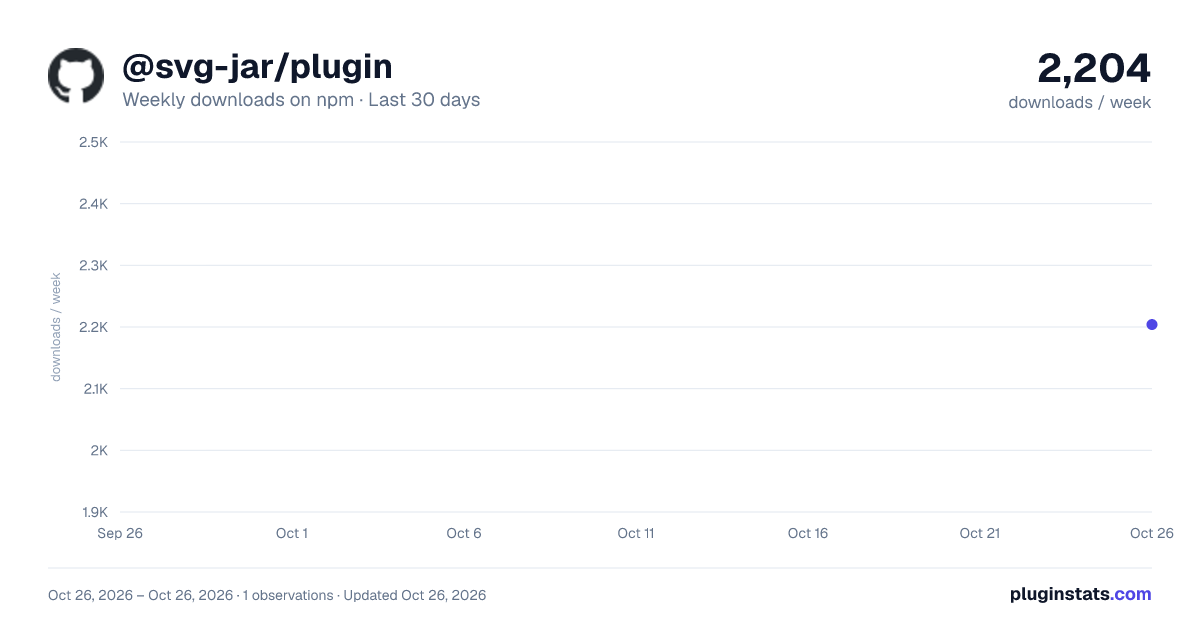
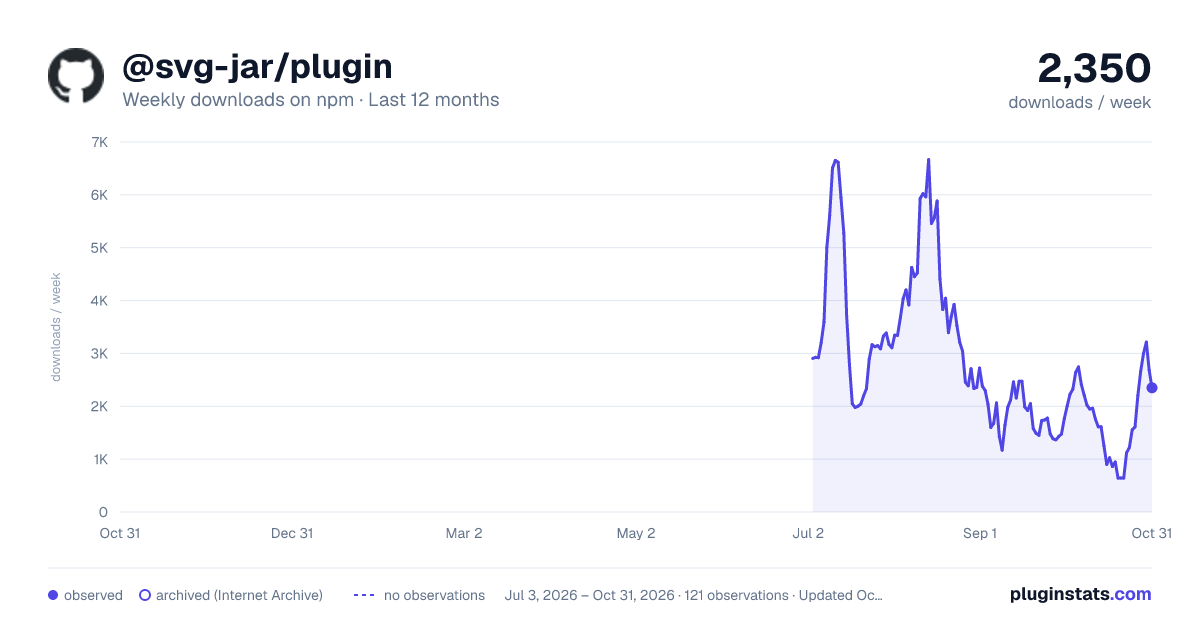

Adoption over time
7/30/90-day growth
Ranking history
Listing placement
Listing placement
Filled points are observed values; hollow points come from Internet Archive snapshots of the listing page. Dashed segments span periods with no observations — values between points are not interpolated.
Each band is one page of 20. Weekly downloads on a linear scale. Placement is projected from weekly downloads, so it can differ from the marketplace's own sort order. Hover a dot to see the listing.
Recent observations
Full history (1)Similar npm Vite plugins plugins
All 20 @svg-jar/plugin alternativesData source
Weekly downloads (trailing 7 complete days) come from the official npm downloads API. Downloads include CI and mirrors and are not equivalent to installs or users. npm publishes no ratings.
Listing: https://www.npmjs.com/package/@svg-jar/plugin. First seen Oct 28, 2026; last successful collection Oct 28, 2026. See the methodology.