 PluginStats
@vigilon/bundler-plugins weekly downloads statistics
By vigilon · npm · Webpack plugins
Vigilon build plugins for Vite, Rollup, webpack, and esbuild: debug IDs and source map upload
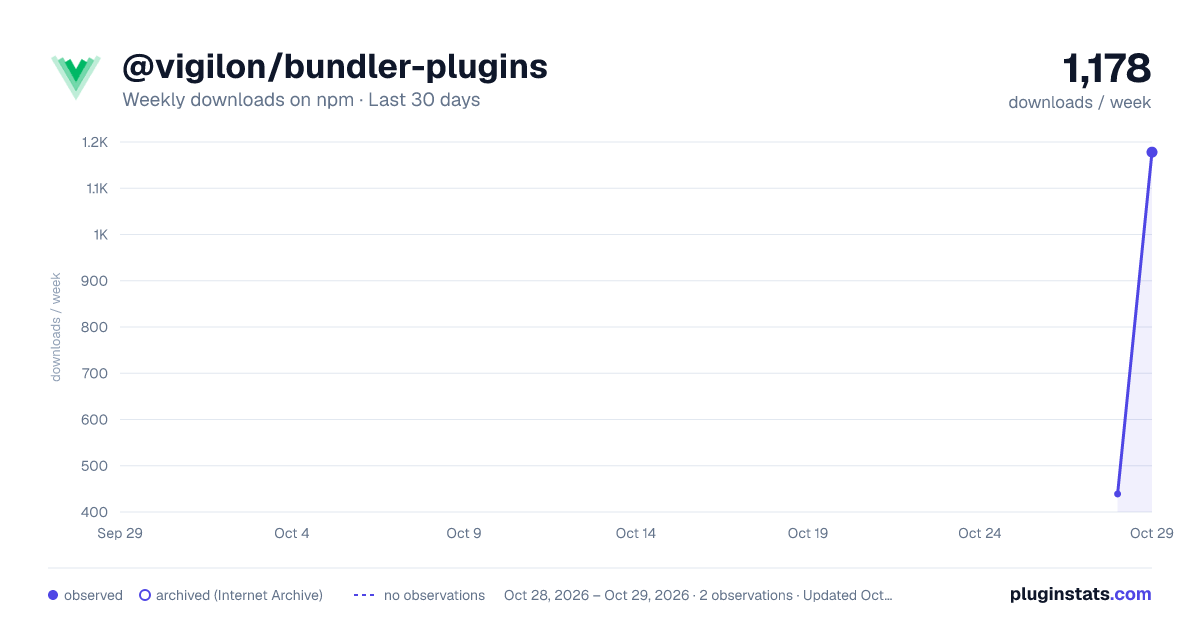
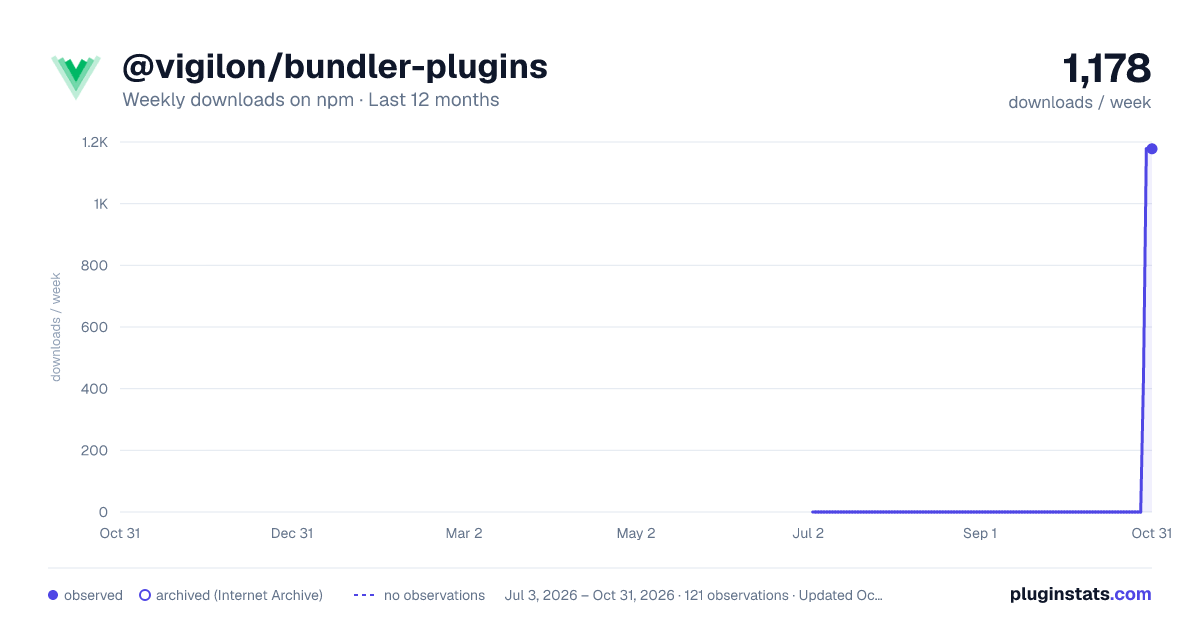
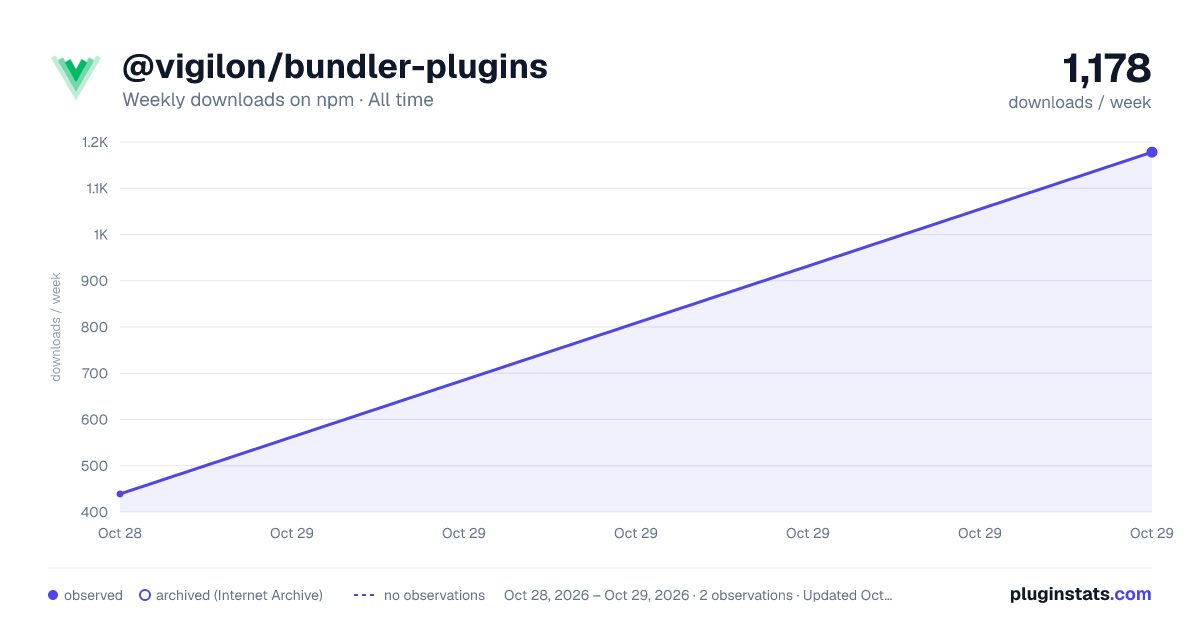
@vigilon/bundler-plugins has 439 recorded weekly downloads on npm, ranking #1623 of 2,687 tracked listings.
About @vigilon/bundler-plugins
@vigilon/bundler-plugins
Build plugins for Vite, Rollup, webpack, and esbuild that link each script your build emits to its source map, so browser errors reported by @vigilon/browser can be shown against your original source.
Early access. Source map upload is not available yet. Until it is, run the plugin without an upload token: it gives every script a debug ID and uploads nothing.
How it works
At the end of a production build the plugin gives every emitted script one debug ID, a UUID derived from the script and its source map. It writes the ID into the script as a //# debugId= comment and a small runtime registration, and into the source map as debugId. @vigilon/browser reads the registration and sends the IDs of the scripts in an error's stack with the error, so Vigilon can find the right source map no matter what the file is called or where it is served from.
With an upload token, the plugin then uploads each script and its source map to Vigilon, which verifies them before using them.
If a script already has a debug ID, for example from Sentry's bundler plugin, the plugin reuses it and adds nothing to the script, so a script never carries two IDs. Plugin order does not matter.
A hashed file name never serves two different contents. In Rollup and Vite the plugin adds each module's source to the file name hash, because a change that only touches comments can leave the minified code the same while changing its source map, and with it the debug ID.
Install
npm install --save-dev @vigilon/bundler-plugins
Requires Node.js 22.12 or later.
Set up
Vite
// vite.config.ts
import { defineConfig } from "vite";
import vigilon from "@vigilon/bundler-plugins/vite";

export default defineConfig({
  build: { sourcemap: "hidden" },
  plugins: [vigilon({ uploadToken: process.env.VIGILON_SOURCE_MAP_TOKEN })],
});
Rollup
// rollup.config.mjs
import vigilon from "@vigilon/bundler-plugins/rollup";

export default {
  input: "src/main.js",
  output: { dir: "dist", format: "es", sourcemap: "hidden" },
  plugins: [vigilon()],
};
webpack
// webpack.config.js
const vigilon = require("@vigilon/bundler-plugins/webpack").default;

module.exports = {
  mode: "production",
  devtool: "hidden-source-map",
  plugins: [vigilon()],
};
esbuild
import { build } from "esbuild";
import vigilon from "@vigilon/bundler-plugins/esbuild";

await build({
  entryPoints: ["src/main.js"],
  bundle: true,
  outdir: "dist",
  sourcemap: "external",
  plugins: [vigilon()],
});
The plugin leaves development out: the Vite dev server and webpack mode: "development" builds are untouched. A Vite server-side (SSR) build is skipped too, since it never runs in the browser.
Source maps
The plugin needs source map files. If your build produces none, it turns on hidden source maps (maps with no sourceMappingURL comment) and deletes them once the build is done, so they are never deployed. If your build already produces source maps, they are left in place unless you set deleteSourceMapsAfterUpload. Inline source maps cannot be uploaded.
Options
| Option | Default | Description |
|---|---|---|
uploadToken | VIGILON_SOURCE_MAP_TOKEN | A source map upload token for the project. Without one, debug IDs are injected and nothing is uploaded. Never use a project API key here: API keys are public in the browser. |
apiUrl | VIGILON_API_URL, then https://api.vigilon.io | The Vigilon API. |
deleteSourceMapsAfterUpload | false | Delete the build's own .map files once they are uploaded. |
onUploadError | "error" | What a failed upload, or a script Vigilon reports as unusable, does to the build: "error" fails it, "warn" logs a warning. |
disabled | false | Turn the plugin off. |
debug | false | Log each script's debug ID. |
Support
- Bugs and feature requests: GitHub Issues
- Security vulnerabilities: report them privately to security@vigilon.io
Description from the npm listing.
- vigilon
- source-maps
- debug-id
- vite-plugin
- rollup-plugin
- webpack-plugin
- esbuild-plugin
README badge
Show your rank in a README or on your website. The badge updates automatically.
Charts
Images: 30d · 1y · all time · 1600×900 dark

Adoption over time
7/30/90-day growth
Ranking history
Listing placement
Listing placement
Filled points are observed values; hollow points come from Internet Archive snapshots of the listing page. Dashed segments span periods with no observations — values between points are not interpolated.
Each band is one page of 20. Weekly downloads on a linear scale. Placement is projected from weekly downloads, so it can differ from the marketplace's own sort order. Hover a dot to see the listing.
Recent observations
Full history (1)Similar npm Webpack plugins plugins
All 20 @vigilon/bundler-plugins alternatives- 418 weekly downloads+47.2%
Data source
Weekly downloads (trailing 7 complete days) come from the official npm downloads API. Downloads include CI and mirrors and are not equivalent to installs or users. npm publishes no ratings.
Listing: https://www.npmjs.com/package/@vigilon/bundler-plugins. First seen Oct 30, 2026; last successful collection Oct 30, 2026. See the methodology.