 PluginStats
glimmervoid weekly downloads statistics
By johncwaters · npm · Claude Code
Mission control that ships. Not a terminal multiplexer: Claude Code, Codex, Kimi Code and Grok each work in their own git worktree. Only the one that needs you asks for your attention.
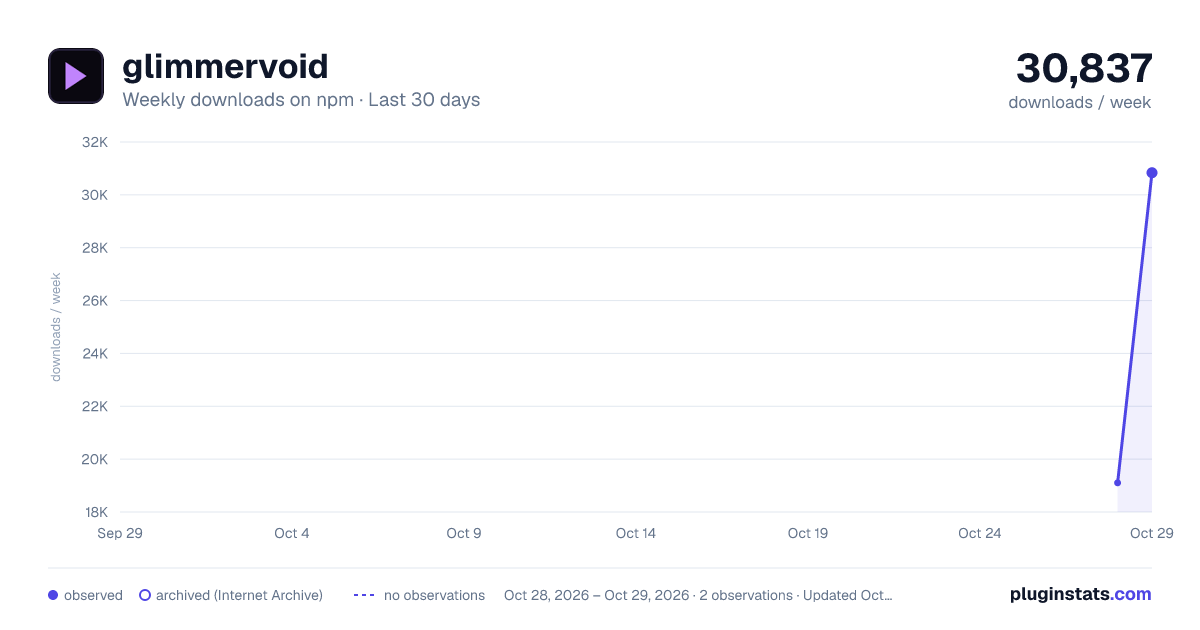
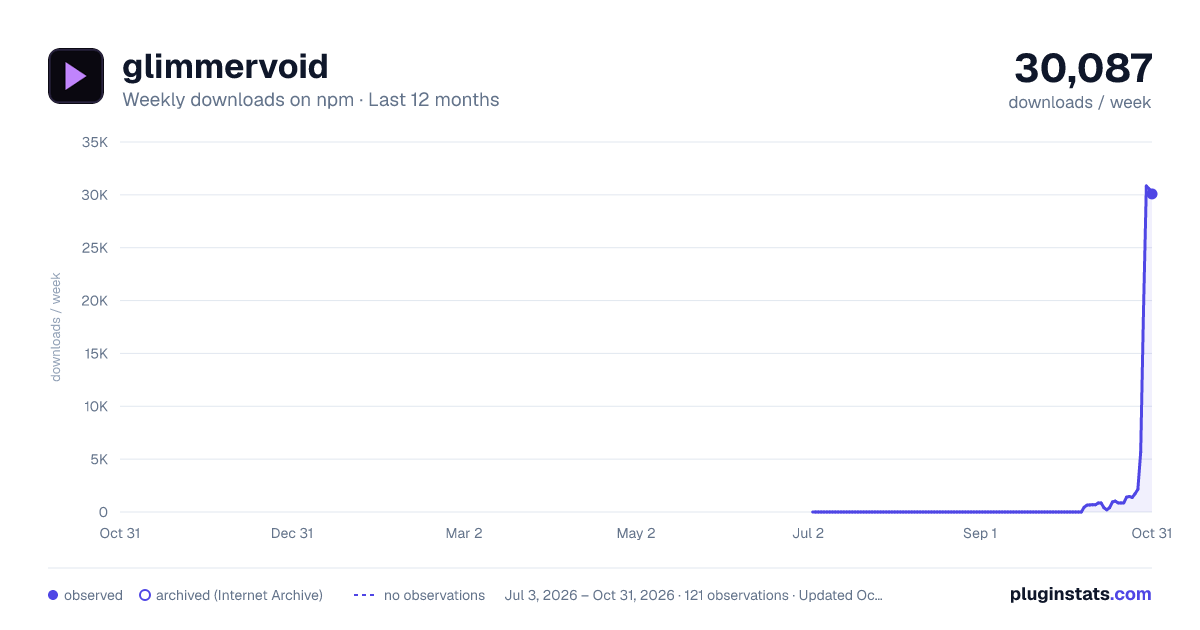
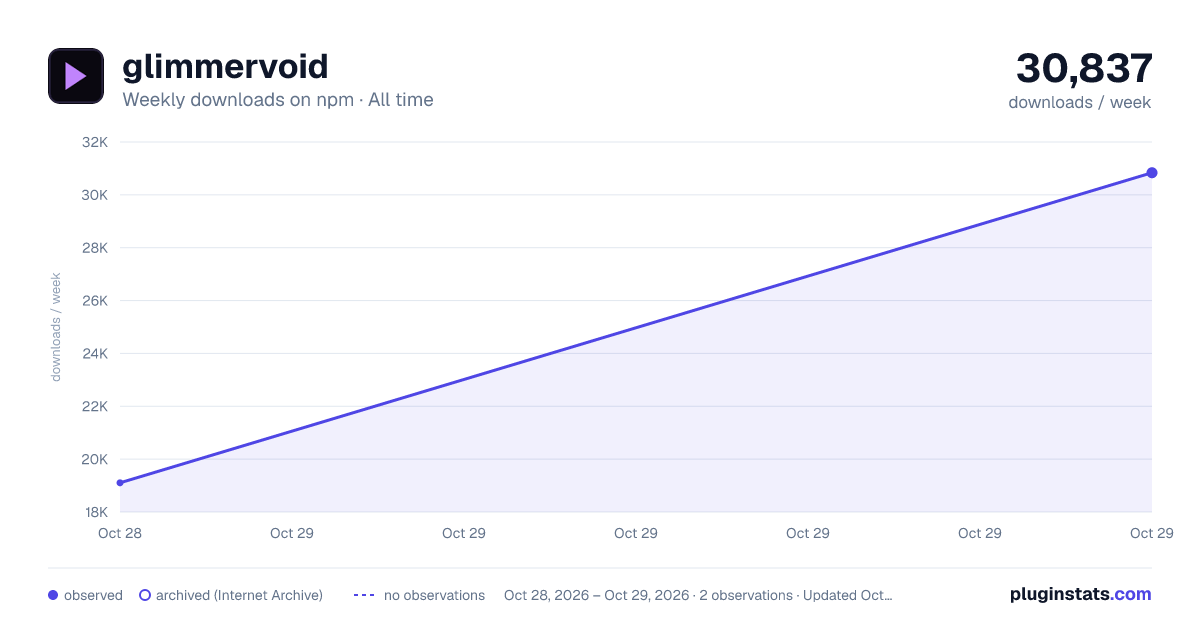
glimmervoid has 19,104 recorded weekly downloads on npm, ranking #1002 of 2,687 tracked listings.
About glimmervoid
Glimmervoid



Mission control that ships. Not a terminal multiplexer. Grids are for watching. This is for shipping.
Glimmervoid takes a feature from start to finish. Every agent works in its own git worktree, status comes from the agent's own hooks, and the one session that needs you comes to the front. Review and merge from the same page.
It is an orchestrator, not a harness. Claude Code, Codex, Kimi Code and Grok run unmodified, as real processes in real terminals on your own machine, with your own login, subscription, skills, hooks and settings, talking straight to their model. No cloud service, no account. Glimmervoid is developed inside Glimmervoid.

Quickstart
1. Start it. Windows and macOS:
npx glimmervoid@latest
Linux, where node-pty compiles at install time:
sudo apt install build-essential python3 git
npx --allow-scripts=node-pty glimmervoid@latest
2. Open http://localhost:3000. The first start from a terminal opens it in your browser for you; pass --no-open to skip that.
3. Follow the checklist. The empty dashboard walks you through three steps: an agent CLI it can find, the folder that holds your git checkouts, and your first session. It suggests folders such as ~/Projects that already hold git repos, or you can type a path. Each subfolder becomes a project. For a folder outside your repository roots, open Run in a folder outside your repository roots in the + Session dialog.
That is the whole setup. Allow notifications when the dashboard asks, and keep a dashboard tab open: a notification appears whenever that tab is in the background, unless Streamer mode is on.
Keep @latest so npx picks up new releases. To install globally instead, run npm install -g glimmervoid (add --allow-scripts=node-pty on Linux), then glimmervoid. Never use sudo npm; see EACCES on a global install.
If something fails, run glimmervoid doctor and see troubleshooting.
From source
git clone https://github.com/johncwaters/glimmervoid.git
cd glimmervoid
npm ci
npm run build
npm start
npm ci does not run on Windows, because a dev dependency supports only macOS and Linux: on Windows, install the package or build from source in WSL.
To update, run git pull --ff-only && npm ci && npm run build and restart. The dashboard's update banner shows the right command for however you installed.
Requirements
- Node.js 22.18 or newer. Distro-packaged Node is usually older; use nvm, NodeSource or the official installer.
- Windows 11, Linux or macOS. CI runs the suite on Linux and installs and starts the package on Windows; macOS is tested by hand.
- An agent CLI on PATH: Claude Code, Codex, Kimi Code, Grok or another terminal agent.
- git on PATH, for per-session worktrees.
- Linux only:
build-essentialandpython3to compile node-pty.
glimmervoid doctor checks all of these.
Supported agents
| Agent | Command | Status from |
|---|---|---|
| Claude Code (default) | claude | Hooks |
| Codex CLI | codex | Hooks, plus its session log for a plan awaiting approval |
| Kimi Code | kimi | Hooks |
| Grok Build (best effort) | grok | Hooks, after running glimmervoid agent setup grok once |
| Any other terminal agent (best effort) | your own | Terminal title only |
Claude Code, Codex and Kimi Code are first-class: every feature is checked against live recordings of all three, so a waiting prompt, a plan, a question, compaction, sub-agents and /clear look the same on each card.
Declare another agent under customAgents in config.json with an id, label and command, plus optional args, idleTitle and busyTitle. The + Session dialog offers only the agents it finds on PATH, and a project can default to one with projects[].agent.
Features…
Description from the npm listing.
- claude
- claude-code
- codex
- kimi-code
- coding-agents
- ai-agents
- agent-orchestrator
- agent-manager
- parallel-agents
- git-worktree
- terminal
- dashboard
- session-manager
- xterm
- windows
- linux
- macos
README badge
Show your rank in a README or on your website. The badge updates automatically.
Charts
Images: 30d · 1y · all time · 1600×900 dark

Adoption over time
7/30/90-day growth
Ranking history
Listing placement
Listing placement
Filled points are observed values; hollow points come from Internet Archive snapshots of the listing page. Dashed segments span periods with no observations — values between points are not interpolated.
Each band is one page of 20. Weekly downloads on a linear scale. Placement is projected from weekly downloads, so it can differ from the marketplace's own sort order. Hover a dot to see the listing.
Recent observations
Full history (1)Similar npm Claude Code plugins
All 20 glimmervoid alternativesData source
Weekly downloads (trailing 7 complete days) come from the official npm downloads API. Downloads include CI and mirrors and are not equivalent to installs or users. npm publishes no ratings.
Listing: https://www.npmjs.com/package/glimmervoid. First seen Oct 30, 2026; last successful collection Oct 30, 2026. See the methodology.