 PluginStats
MarkView: Markdown Viewer with Mermaid Diagrams, Math & Export users statistics
Read, present & export markdown - Mermaid/PlantUML/Graphviz diagrams, folder browser, RTL, mind map, math & Word/HTML/PDF export.
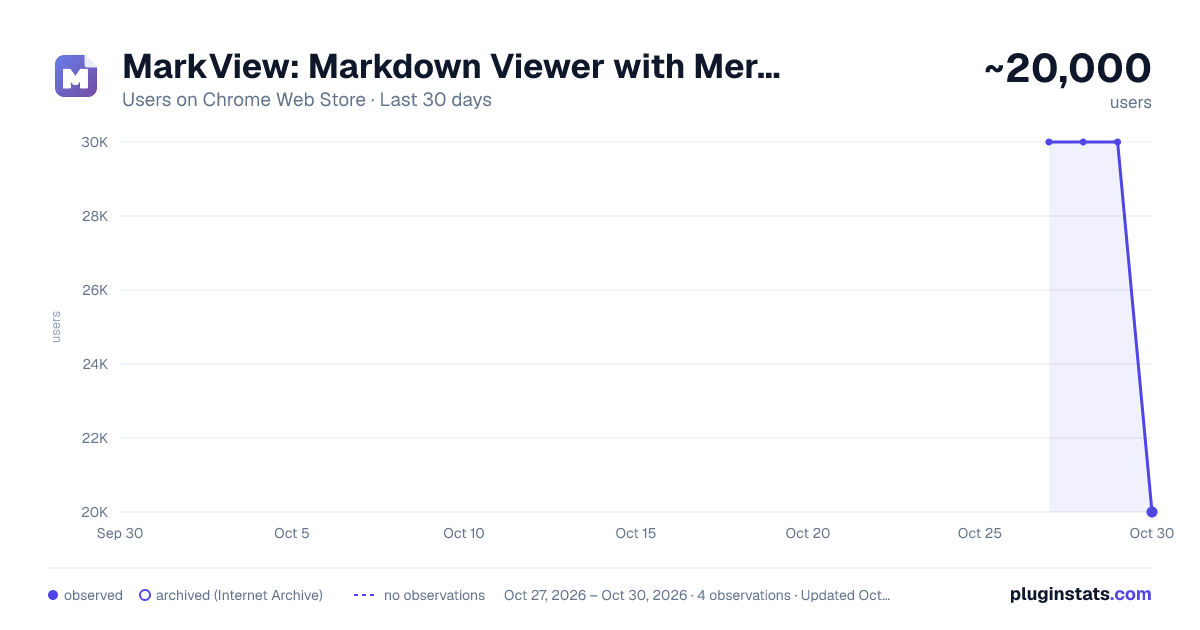
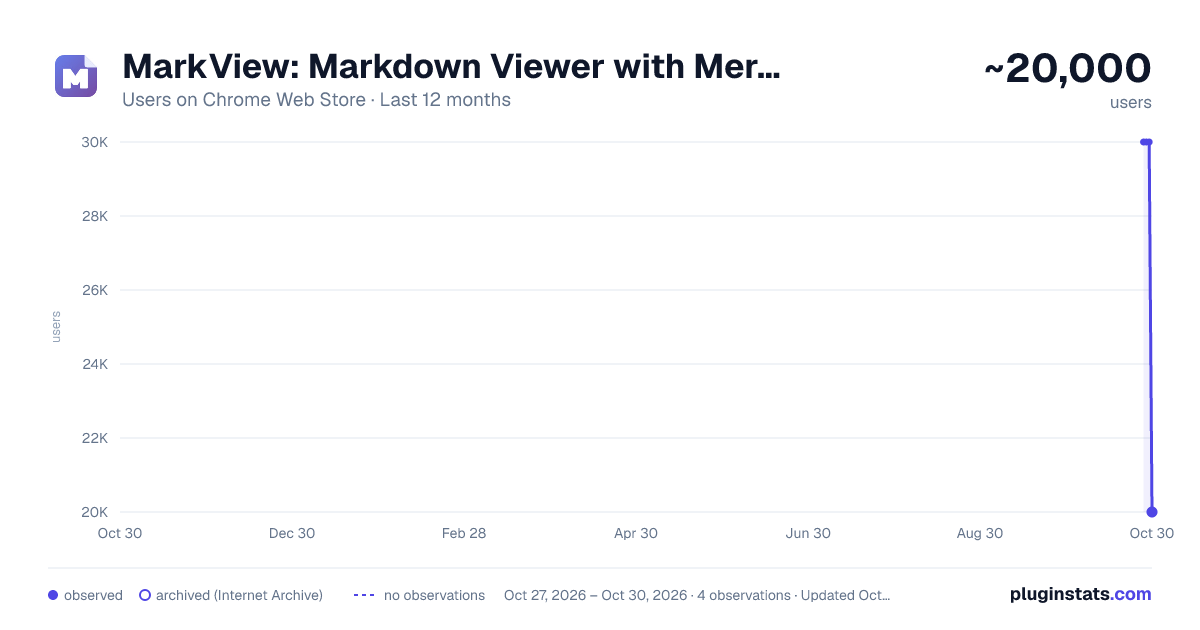
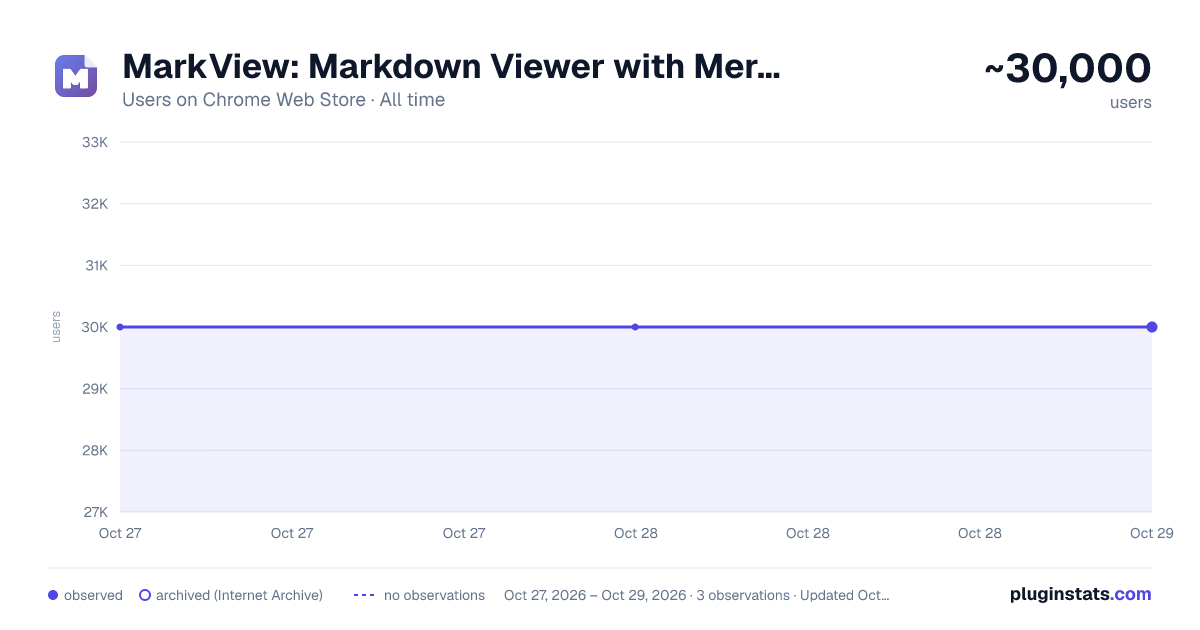
MarkView: Markdown Viewer with Mermaid Diagrams, Math & Export has approximately 30,000 recorded users on Chrome Web Store, ranking #310 of 4,553 tracked listings.
Rating: 5.00 / 5 from 94 ratings
About MarkView: Markdown Viewer with Mermaid Diagrams, Math & Export
Read, present & export markdown - Mermaid/PlantUML/Graphviz diagrams, folder browser, RTL, mind map, math & Word/HTML/PDF export.
MarkView is a fast markdown viewer that opens .md files right in your browser and processes everything on your device - Mermaid, PlantUML, Graphviz and WaveDrom diagrams, KaTeX math, syntax highlighting, smart TOC, and export to Word, HTML, and PDF. Works with local files and with raw markdown served from GitHub, GitLab, and documentation sites. No accounts, no data collection.
⚡ PRODUCTIVITY & UNIQUE FEATURES
- Export to DOCX and HTML with formatting preserved
- Print to PDF - clean, optimized layout without toolbars or sidebars, via browser print
- Presentation Mode - turn any markdown document into slides, with themes, speaker notes, touch navigation, and auto-play
- Mind Map view - see your document's structure as an interactive mind map; download as SVG, PNG, or JPEG
- Annotations - highlight, underline, and comment on your documents; notes persist across sessions and appear in print and exports
- Folder Browser - navigate your entire project structure without leaving the tab
- Folder Bookmarks - save and instantly access frequently used directories
- Search in Folder - full-text search across every markdown file in the open folder
- Live auto-refresh when files change - edit in your editor and watch the rendered page update
- Recent Documents - quickly reopen recently viewed files from the popup
- Word Count & Reading Time - live statistics as you read: words, characters, estimated time
- Reading Progress Bar - visual indicator showing your position in long documents
- Raw view toggle - instantly switch between rendered and source view
- Table of Contents (TOC) with smooth scrolling for long documents
- Sticky table headers - the header row stays visible while you scroll long tables
- One-click copy button on all code blocks
- KaTeX math equations - inline and display mode with full support for complex mathematical notation
- Mermaid, PlantUML, Graphviz & WaveDrom diagrams - flowcharts, UML, graphs and timing diagrams rendered inline, with interactive fullscreen zoom & pan
- Image viewer - lightbox with gallery navigation, zoom, pan, and lazy loading
- External link indicators - visual previews and icons for outbound links
- Render .txt as Markdown - useful for llms.txt, changelogs, and plain-text notes
🌍 LANGUAGES & TEXT DIRECTION
- Interface available in 19 languages
- Full right-to-left (RTL) rendering - documents in RTL scripts display correctly, with automatic per-paragraph direction detection and a manual Text Direction setting
- RTL support carries into print, HTML, Word, and mind map exports
🌐 MARKDOWN READER FOR LOCAL AND REMOTE FILES MarkView activates on markdown files served as plain text:
- Local files (file:///) - enable "Allow access to file URLs" in Chrome settings
- Raw file URLs from GitHub, GitLab, and other code-hosting services
- Any URL ending in .md, .markdown, .mdx, or another markdown extension
- Plain .txt files rendered as markdown for convenience
⚠️ NOTE: MarkView renders RAW files only. It won't activate on sites that already render markdown (GitHub blob pages, ReadTheDocs, GitBook, etc.) - those have their own rendering.
🔒 PRIVATE BY DESIGN
- Zero data collection - no personal information collected, ever
- No analytics, no tracking, no telemetry, no cloud services
- All processing happens locally in your browser
- Your files never leave your device - the one optional network feature (the PlantUML diagram server) is off by default and requires your explicit consent
- Settings stored locally using Chrome's storage API
- Built on trusted, widely used open-source rendering libraries
🚀 QUICK START
- Install MarkView - click "Add to Chrome"
- Test instantly: visit https://raw.githubusercontent.com/facebook/react/main/README.md
- For local files: go to chrome://extensions → MarkView → Details → enable "Allow access to file URLs"
- Open any .md file - drag & drop, File → Open, or click a link
📞 SUPPORT
- FAQ: https://getmarkview.com/support
- Email: support@getmarkview.com
- GitHub: https://github.com/markview-app/support
🔗 LINKS
- Website: https://getmarkview.com/
- Privacy Policy: https://getmarkview.com/privacy-policy
- Terms: https://getmarkview.com/terms
🔐 PERMISSIONS
- Storage: Save theme, font, and layout preferences locally
- ActiveTab: Read file content from the current tab for rendering
- Downloads: Export to HTML and DOCX files
- File URLs: Access local .md files (disabled by default)
- Host Permissions: Render raw markdown files from any website you open All processing is local. No data is ever sent to external servers.
Description from the Chrome Web Store listing.
README badge
Show your rank in a README or on your website. The badge updates automatically.
Charts
Images: 30d · 1y · all time · 1600×900 dark
Adoption over time
7/30/90-day growth
Ranking history
Ratings over time
Listing placement
Listing placement
Filled points are observed values; hollow points come from Internet Archive snapshots of the listing page. Dashed segments span periods with no observations — values between points are not interpolated.
Each band is one page of 20. Users on a linear scale. Placement is projected from users, so it can differ from the marketplace's own sort order. Hover a dot to see the listing.
Recent observations
Full history (1)Similar Chrome Web Store Tools plugins
All 20 MarkView: Markdown Viewer with Mermaid Diagrams, Math & Export alternatives



Data source
Covers every Chrome Web Store extension with at least 100 users, found through the store's public sitemap. User counts are read from public listing pages. The 10% most-used extensions are refreshed daily, the next 40% weekly and the next 40% monthly; the least-used 10% are not refreshed. Google displays rounded user counts (and caps the display at 10,000,000+), so small changes may not be visible. Rating counts above 1,000 are rounded (e.g. 1.6K).
Listing: https://chromewebstore.google.com/detail/markview-markdown-viewer/cfopbpknalachedpcddhgbgjoigklien. First seen Oct 27, 2026; last successful collection Oct 27, 2026. See the methodology.