 PluginStats
use-as-dictionary weekly downloads statistics
By giorgiopellegrino · npm · Webpack plugins
Webpack and Vite plugins for Compression Dictionary Transport with Shared Brotli dictionaries
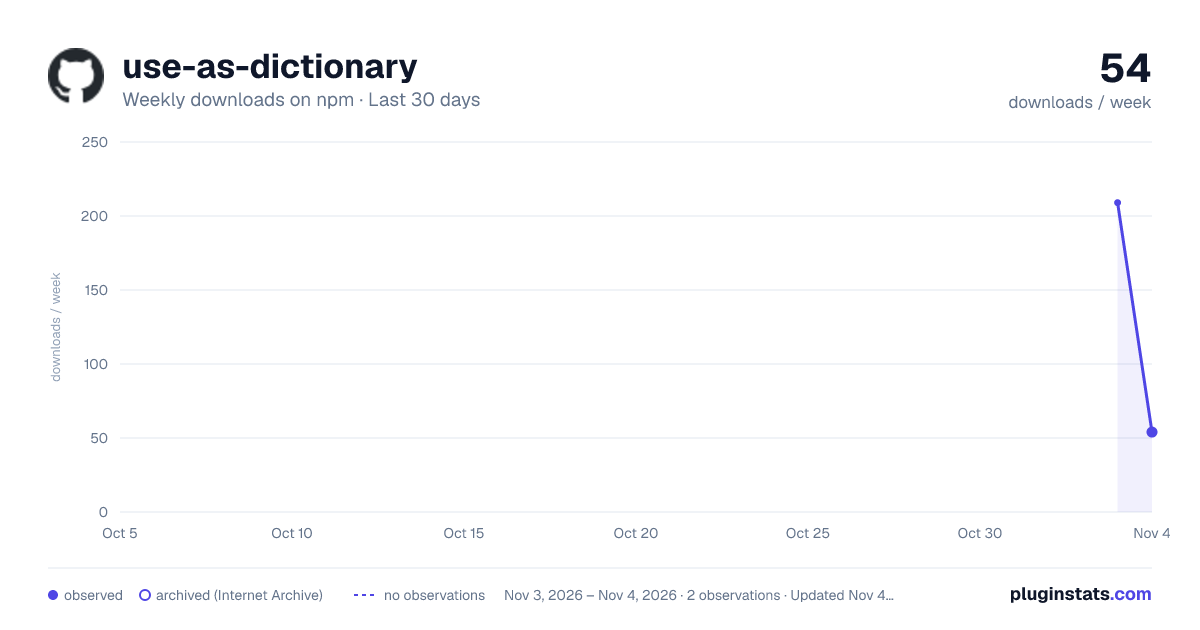
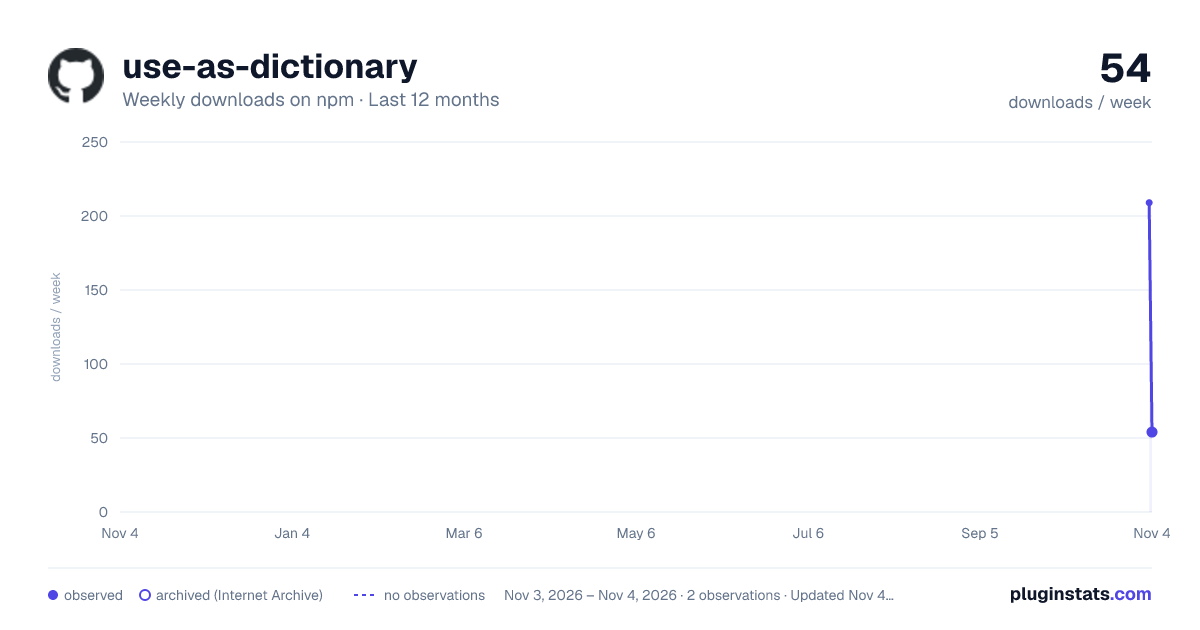
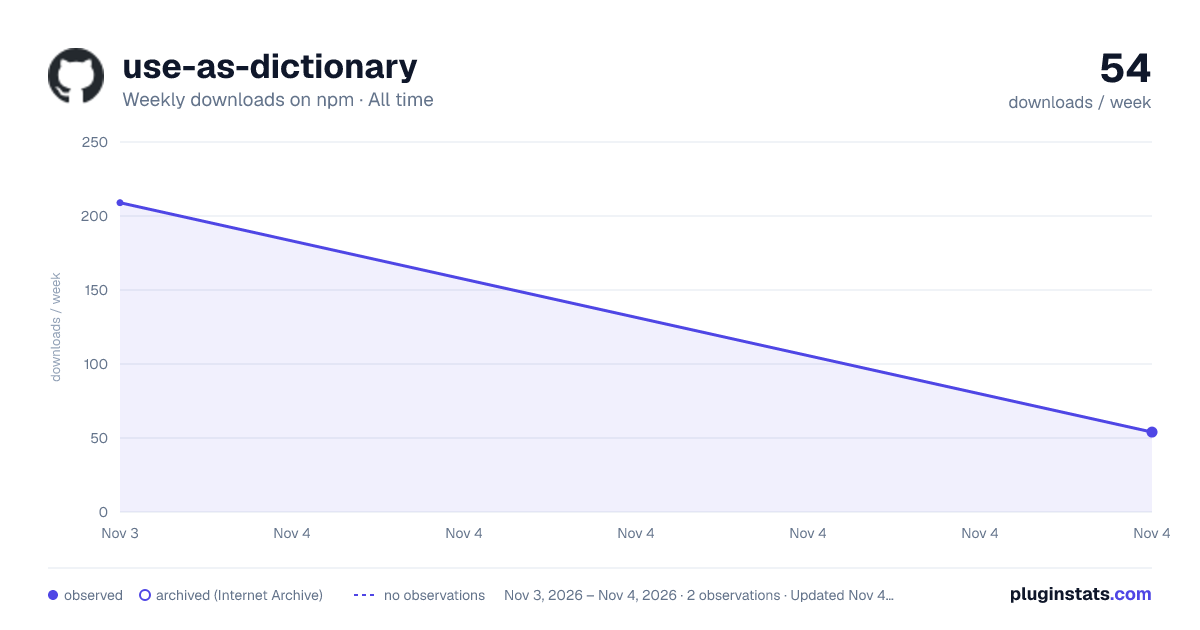
use-as-dictionary has 209 recorded weekly downloads on npm, ranking #1864 of 2,855 tracked listings.
About use-as-dictionary
use-as-dictionary
A plugin for Webpack 5 and Vite 8 that generates compression dictionaries and Shared Brotli (dcb) representations for Compression Dictionary Transport.
Both adapters read final build assets after minification and content hashing, then use the same compression core to emit raw dictionaries, compressed representations, and a dictionary manifest. They can preserve a dictionary between builds and replace it when compression savings fall below a configured threshold.
The plugin works independently of Vue. The Vue + Webpack and Vue + Vite examples share a Vue interface and an HTTP server that implements dictionary discovery, encoding negotiation, and fallback compression.
Requirements and installation
- Node.js 22.12 or later.
- Webpack 5 or Vite 8 in the consuming project.
- A server or CDN configured to serve Compression Dictionary Transport responses; see HTTP integration.
Install the plugin with the bundler your project uses. For Webpack:
npm install --save-dev use-as-dictionary "webpack@^5"
For Vite:
npm install --save-dev use-as-dictionary "vite@^8"
Webpack and Vite are optional peer dependencies. Install your chosen bundler; neither adapter requires the other bundler to be installed.
For local development, you can also install the checkout directly after running npm ci there:
npm install --save-dev /absolute/path/to/use-as-dictionary
The package includes both adapters, their shared compression core, and the documentation. brotli-wasm-custom-dictionary is installed as a runtime dependency; Vue and the example server belong to the repository's examples.
| Import | Export |
|---|---|
use-as-dictionary/webpack | The CompressionDictionaryPlugin class for Webpack. |
use-as-dictionary/vite | The CompressionDictionaryPlugin class for Vite. |
Import the class for your bundler and create a plugin with new CompressionDictionaryPlugin(options).
Webpack configuration
Add the plugin to your existing Webpack configuration. This example assumes your CSS extraction plugin emits one file matching dist/styles.<hash>.css:
const path = require('node:path');
const CompressionDictionaryPlugin = require('use-as-dictionary/webpack');

// Add this instance to the plugins array in webpack.config.cjs.
new CompressionDictionaryPlugin({
  test: /^dist\/styles\.[a-f0-9]+\.css$/,
  dictionarySource: path.resolve(__dirname, '.dictionary-cache/styles.dat'),
  autoUpdate: { minSavings: 0.9 },
});
With output.path set to build/, this produces:
build/
├── dictionaries/
│   ├── styles.<sha256>.dat
│   └── compression-dictionary-manifest.json
└── dist/
    ├── styles.<contenthash>.css
    └── styles.<contenthash>.css.dcb
The original CSS remains available for fallback responses. The .dcb file is an alternative representation of that CSS, served at the original CSS URL with Content-Encoding: dcb.
For a complete configuration, see the example's webpack.config.cjs.
Vite configuration
Import the Vite adapter and add it to your vite.config.mjs:
import { defineConfig } from 'vite';
import CompressionDictionaryPlugin from 'use-as-dictionary/vite';

export default defineConfig({
  plugins: [
    new CompressionDictionaryPlugin({
      test: /\.css$/,
      dictionarySource: '.dictionary-cache/styles.dat',
      autoUpdate: { minSavings: 0.9 },
    }),
  ],
  build: {
    cssCodeSplit: false,
  },
});
This configuration combines CSS into one asset so the automatic dictionary has one resource to track. Adapt the selector if your build emits different assets. The adapter runs during vite build, processes final assets in generateBundle, and preserves their original filenames. Each selected resource gets a .dcb representation beside it; the dictionary and manifest have the same format as the Webpack output.
Place every CompressionDictionaryPlugin instance after plugins that modify final assets in generateBundle. With autoUpdate, the last adapter instance must also follow other plugins with writeBundle hooks using order: 'post'; incompatible ordering fails the build. Move any such plugins from output.plugins into Vite's plugins array before the adapter.
The adapter applies only to builds. Vite's development server does not generate dictionaries or implement discovery and HTTP negotiation. The Vite example builds the app and serves it through the shared Node server. Its vite.config.js places the CSS and JavaScript under dist/ for that server.
Vite builds must use one directory output. Multiple outputs and output.file are unsupported; library builds must select one output format. autoUpdate cannot be combined with build.watch. Run completed builds to update persistent dictionaries. With build.write: false, compressed assets can be generated in memory, but the persistent dictionary is not written.
Options
Both adapters accept the same options. Specify exactly one of test and input. Relative input and dictionary paths resolve against Webpack's context or Vite's root.…
Description from the npm listing.
- webpack
- webpack-plugin
- vite
- vite-plugin
- compression-dictionary-transport
- brotli
- dcb
README badge
Show your rank in a README or on your website. The badge updates automatically.
Charts
Images: 30d · 1y · all time · 1600×900 dark

Adoption over time
7/30/90-day growth
Ranking history
Listing placement
Listing placement
Filled points are observed values; hollow points come from Internet Archive snapshots of the listing page. Dashed segments span periods with no observations — values between points are not interpolated.
Each band is one page of 20. Weekly downloads on a linear scale. Placement is projected from weekly downloads, so it can differ from the marketplace's own sort order. Hover a dot to see the listing.
Recent observations
Full history (1)Similar npm Webpack plugins plugins
All 20 use-as-dictionary alternativesData source
Weekly downloads (trailing 7 complete days) come from the official npm downloads API. Downloads include CI and mirrors and are not equivalent to installs or users. npm publishes no ratings.
Listing: https://www.npmjs.com/package/use-as-dictionary. First seen Nov 5, 2026; last successful collection Nov 5, 2026. See the methodology.