 PluginStats

Scroll Preview users statistics
By Mike Chen · Chrome Web Store · Workflow & Planning
Scroll Preview integrates a whole-page preview with scrollbar that inspired by Sublime Text's mini map.
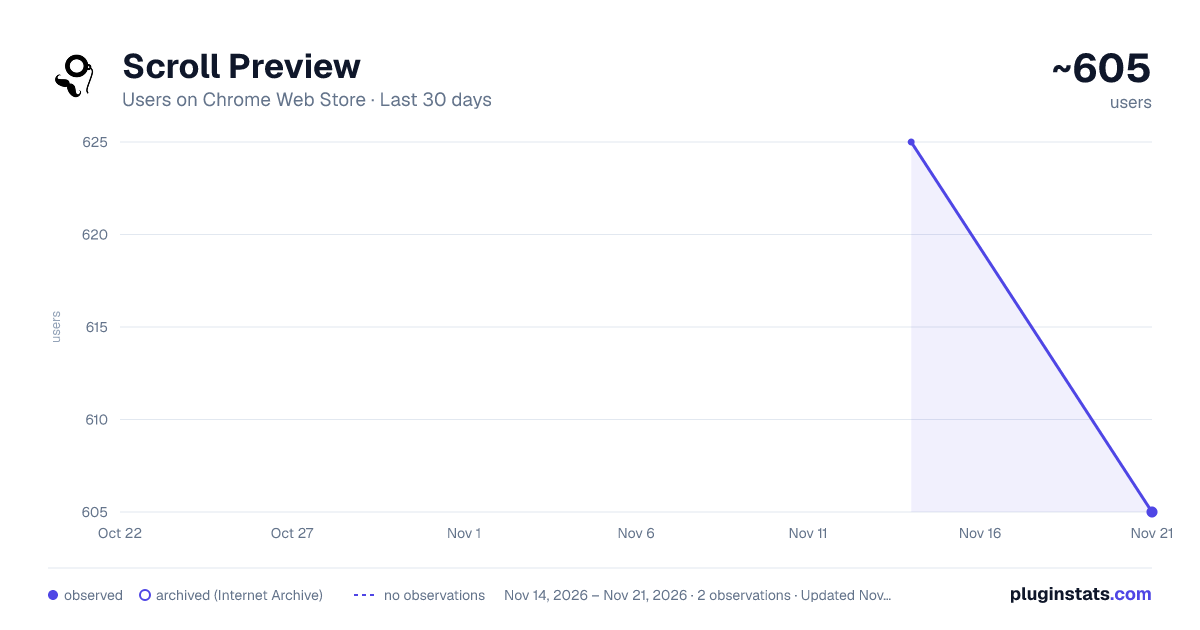
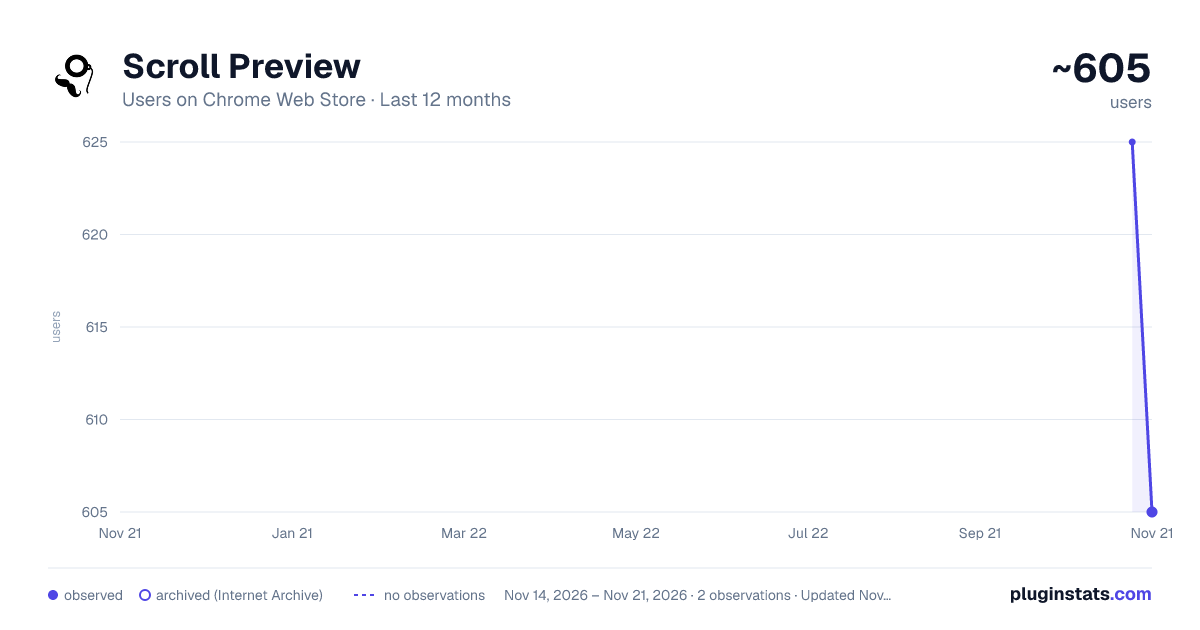
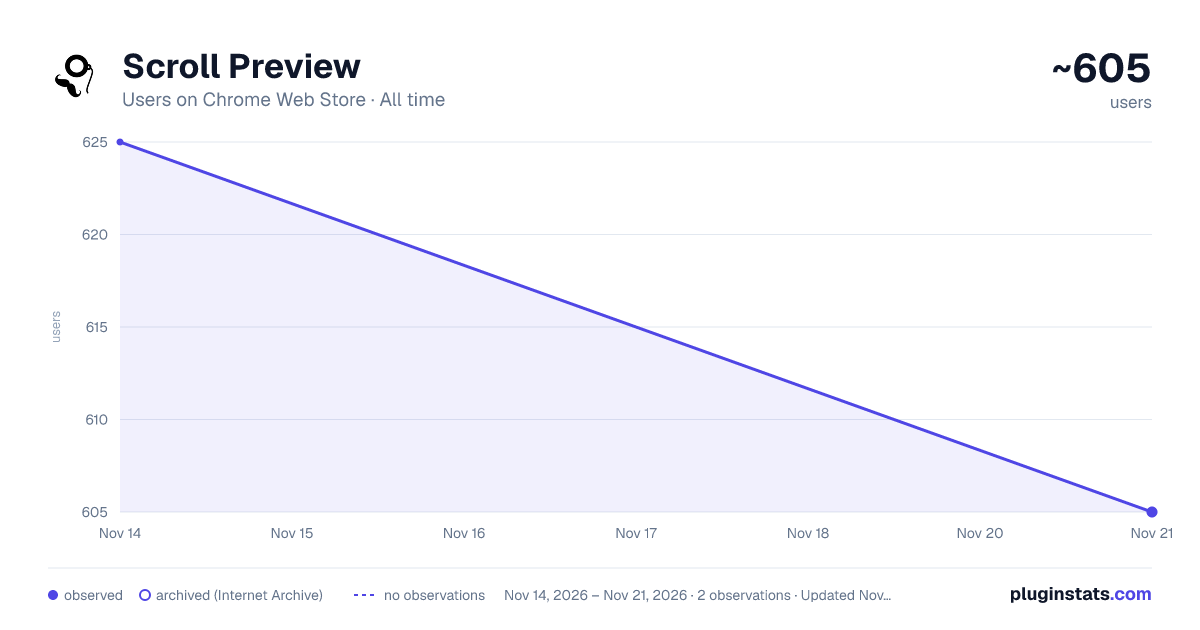
Scroll Preview has approximately 605 recorded users on Chrome Web Store, a change of -3.2% over the past 7 days, ranking #4786 of 10,388 tracked listings.
Rating: 3.90 / 5 from 26 ratings
About Scroll Preview
Scroll Preview integrates a whole-page preview with scrollbar that inspired by Sublime Text's mini map.
HOW IT WORKS • Alt + A — get a new scrollbar with rough preview • drag/click the scrollbar — just like how you used to • Alt + Shift + A — get a refined preview (please wait patiently) • tired of key pressing? — turn on Automatic or Conditional mode in option page
FAQ • https://github.com/chintown/monocle/wiki
UPDATES • Floating handle • Conditional mode for articles • Setting synchronization
FEATURES • Captures whole-page snapshot (Alt+A) • Adds an additional easy-to-drag scrollbar which works nicely with the native one • Integrates snapshot with scrollbar for better previewing • Refreshes snapshot while window is resized • Allows hide/show toggling (Alt+A again) • If you found blank areas shown in snapshot, let the browser re-scan the page to refine it. (Shift+Alt+A) • Applies anti-aliasing on snapshot. • Jumps to where you click on the snapshot. • Magnifier on snapshot (works great with click-to-jump). • Always-on mode (Options > Basics > Automatically) • Option page (chrome://extensions/ > Scroll Preview > Options) • Auto-hide • Blacklist / Whitelist
ISSUES • https://github.com/chintown/monocle/issues
CONTRIBUTORS • Mike Chen
ACKNOWLEDGEMENTS • "html2canvas" by Niklas von Hertzen
Description from the Chrome Web Store listing.
README badge
Show your rank in a README or on your website. The badge updates automatically.
Charts
Images: 30d · 1y · all time · 1600×900 dark
Adoption over time
7/30/90-day growth
Ranking history
Ratings over time
Listing placement
Listing placement
Filled points are observed values; hollow points come from Internet Archive snapshots of the listing page. Dashed segments span periods with no observations — values between points are not interpolated.
Each band is one page of 20. Users on a linear scale. Placement is projected from users, so it can differ from the marketplace's own sort order. Hover a dot to see the listing.
Recent observations
Full history (2)Similar Chrome Web Store Workflow & Planning plugins
All 20 Scroll Preview alternatives



Data source
Covers every Chrome Web Store extension with at least 100 users, found through the store's public sitemap. User counts are read from public listing pages. The 10% most-used extensions are refreshed daily, the next 40% weekly and the next 40% monthly; the least-used 10% are not refreshed. Google displays rounded user counts (and caps the display at 10,000,000+), so small changes may not be visible. Rating counts above 1,000 are rounded (e.g. 1.6K).
Listing: https://chromewebstore.google.com/detail/scroll-preview/hhpfdnhklmhheldplcmfhfdooeekgpmm. First seen Nov 14, 2026; last successful collection Nov 21, 2026. See the methodology.