 PluginStats
Azure Resources installs statistics
By Microsoft (224 listings) · VS Code Marketplace · Azure
An extension for viewing and managing Azure resources.
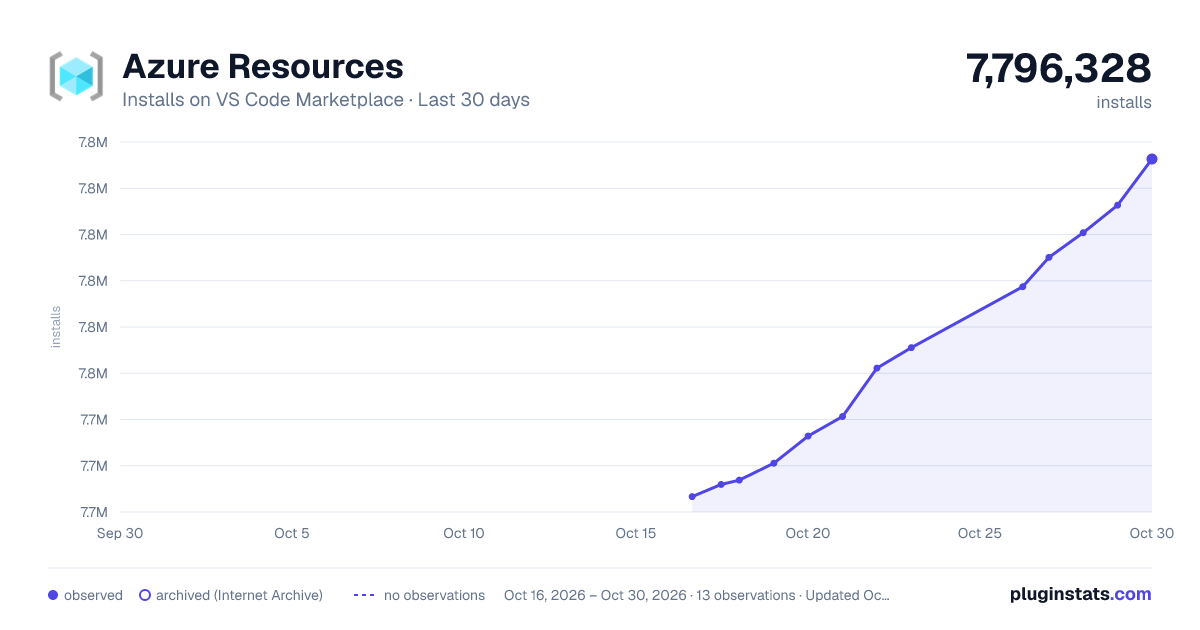
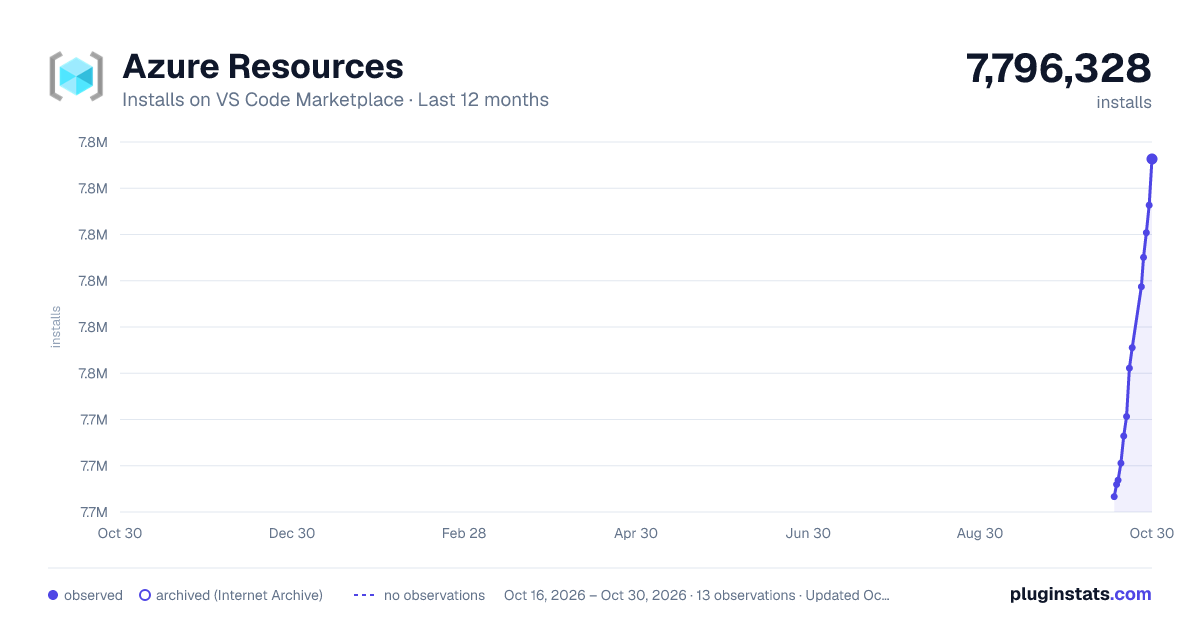
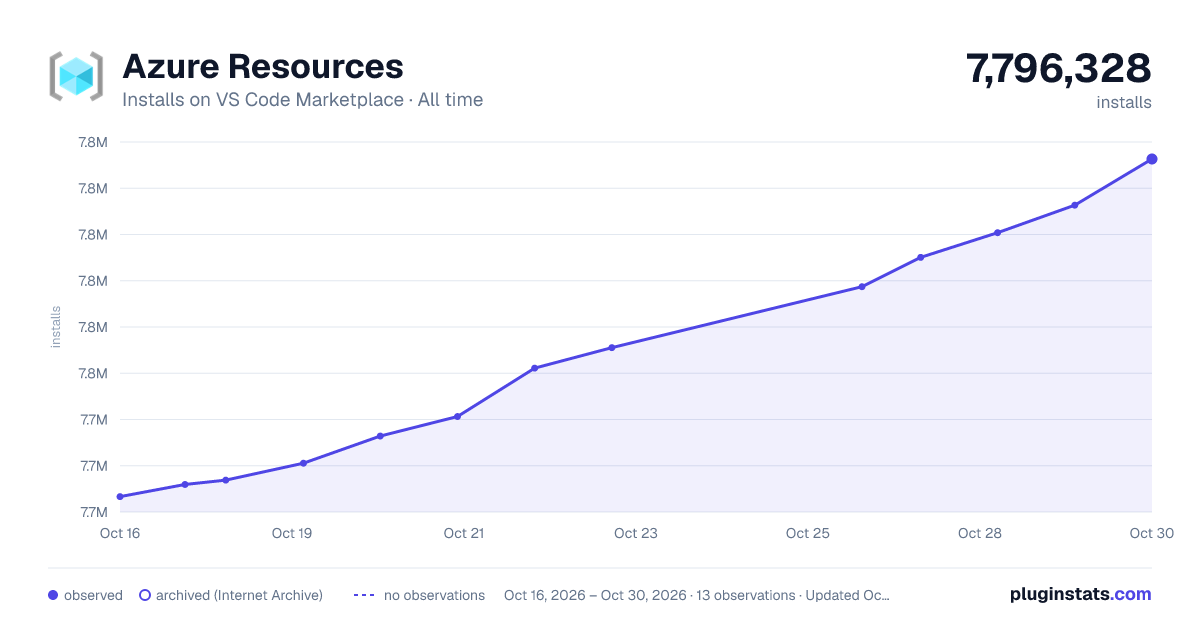
Azure Resources has 7,740,640 recorded installs on VS Code Marketplace, ranking #119 of 2,502 tracked listings.
Rating: 2.13 / 5 from 8 ratings
About Azure Resources
Azure Resources for Visual Studio Code (Preview)
<!-- region exclude-from-marketplace -->View and manage Azure resources directly from VS Code.

Sign up today for your free Azure account and receive 12 months of free popular services, $200 free credit and 25+ always free services 👉 Start Free.
Move to built-in VS Code authentication
The Azure Resources extension now uses the built-in VS Code Microsoft authentication provider to authenticate with Azure, and no longer depends on the Azure Account extension. This move increases the reliability of Azure authentication, especially when using a proxy.
How to Sign In
Sign in by selecting the "Sign in to Azure..." item in the Azure Resources view.
<img width="379" alt="Sign in" src="https://github.com/microsoft/vscode-azureresourcegroups/assets/12476526/cd86687c-9a9f-4d0b-b8dc-7eef071d657a">Note: Sessions won't be migrated from Azure Account to the new built-in authentication. This means you will have to sign in once Azure Resources updates to v0.8.0.
You can also sign in using the new "Azure: Sign In" command contributed by the Azure Resources extension. Note: make sure you don't mistake it for the old Azure Account "Azure: Sign In" command.
<img width="471" alt="Sign in using command palette" src="https://github.com/microsoft/vscode-azureresourcegroups/assets/12476526/4e9dbd3b-86aa-4d83-80f0-055286e9f460">How to Sign Out
Sign out in the Accounts menu located in the bottom left of your VS Code window.
<img width="568" alt="Sign out with Accounts menu" src="https://github.com/microsoft/vscode-azureresourcegroups/assets/12476526/9a83119a-bf4b-45dd-9ddd-02ba3bf61746">Filter Subscriptions
You can filter the displayed subscriptions just as before, by selecting the Filter icon on any subscription. Previously filtered subscriptions will not be migrated automatically.
<img width="546" alt="Filter subscriptions" src="https://github.com/microsoft/vscode-azureresourcegroups/assets/12476526/d57712cf-276f-41c1-8264-3974543d1ae6">The filtered subscriptions are stored in the new azureResourceGroups.selectedSubscriptions setting.
Manage Accounts & Tenants
You can use the Accounts and Tenants view to manage and authenticate tenants. By checking and unchecking tenants, subscriptions within the Resources view and subscription filter will be filtered out.
<img width = "900" alt = "Accounts & Tenants view" src = "https://github.com/user-attachments/assets/d34c1f79-fb21-46f9-af3a-cbb109ba0414">Sign In to another account
With the Accounts & Tenants view we have also added multi-account support. You can sign into a new account by clicking the + icon in the right corner of the view.
<img width = "400" alt = "Sign in to Account" src = "https://github.com/user-attachments/assets/6f853bee-da97-40ea-9fa0-4f4c4b11d636">Sign In to a Specific Directory/Tenant
Within the tenants view you can now Sign In to a specific tenant by checking an unauthenticated tenant.
<img width = "400" alt = "Authenticate Tenant" src = "https://github.com/user-attachments/assets/b4cc98b2-e427-40f9-86d9-29bc13a681fd">Users are still able to use the "Sign in to Tenant (Directory)" along with the tenants view. This is useful for directories/tenants that require MFA. Executing this command will show a menu with a list of unauthenticated directories. If the list is empty, then sessions exist for each directory already.
Using Sovereign Clouds
<img width = "400" alt = "Sovereign Clouds" src = "https://github.com/user-attachments/assets/d07af7a8-eab9-46db-8ab5-f386c5c78b57">To connect to a sovereign cloud users can click the gear button on the right side of the tenants view. This will bring up a list of sovereign clouds and once chosen the microsoft-sovereign-cloud.environment setting will automatically be set.
Support for vscode.dev
The Azure Resources extension fully supports running on vscode.dev and github.dev. This means you can use the Azure Resources extension to manage your Azure resources directly from your browser! Note that this does not require the Azure Accounts extension and uses VS Code's built-in authentication provider.
Features
Create New Project with Copilot
Turn a one-sentence idea into a running, Azure-ready application. The extension drives GitHub Copilot through a fixed pipeline of specialized agents — plan → scaffold → integrate → debug → deploy — and surfaces each step in a native VS Code webview, so you review and approve the work as it happens.
Start it from the Azure Project view in the Explorer sidebar (or an empty window's welcome view) by clicking Create New Project With Copilot.
📖 Read the full guide — what each stage does, the artifacts it writes, and how to troubleshoot a run.
Resource and Workspace views
Use the Resources explorer to create and manage Azure resources. Use the Workspace explorer to create files and deploy.

Grouping
Change the way resources are grouped to fit your workflow.…
Description from the VS Code Marketplace listing.
- Azure
- chat-participant
- keybindings
- multi-root ready
- Resource Groups
README badge
Show your rank in a README or on your website. The badge updates automatically.
Charts
Images: 30d · 1y · all time · 1600×900 dark

Adoption over time
7/30/90-day growth
Ranking history
Ratings over time
Listing placement
Listing placement
Filled points are observed values; hollow points come from Internet Archive snapshots of the listing page. Dashed segments span periods with no observations — values between points are not interpolated.
Each band is one page of 20. Installs on a linear scale. Placement is projected from installs, so it can differ from the marketplace's own sort order. Hover a dot to see the listing.
Recent observations
Full history (6)Similar VS Code Marketplace Azure plugins
All 20 Azure Resources alternativesData source
Install counts, average rating, and rating counts come from the public Visual Studio Marketplace gallery API. Installs are cumulative and exclude updates.
Listing: https://marketplace.visualstudio.com/items?itemName=ms-azuretools.vscode-azureresourcegroups. First seen Oct 16, 2026; last successful collection Oct 21, 2026. See the methodology.