 PluginStats
WXML - Language Service installs statistics
By Mora Qiu · VS Code Marketplace · Programming Languages
WXML Language Support
WXML - Language Service has 656,190 recorded installs on VS Code Marketplace.
It ranks #724 of 2,500 tracked VS Code Marketplace listings by installs.
It is rated 5.0 out of 5 from 19 ratings.
PluginStats has 3 daily observations since Oct 16, 2026; the latest is from Oct 18, 2026.
Rating: 5.00 / 5 from 19 ratings
About WXML - Language Service
WXML - Language Service
最近更新 【CHANGELOG.md】
@iChenLei 已接手维护本插件,欢迎大家在钉钉群或者 Github issues 提意见。
主要功能
• 一键创建小程序组件 • 标签名与属性自动补全 • 根据组件已有的属性,自动筛选出对应支持的属性集合 • 属性值自动补全 • 点击模板文件中的函数或属性跳转到 js/ts 定义的地方(纯 wxml 或 pug 文件才支持,vue 文件不完全支持) • 样式名自动补全(纯 wxml 或 pug 文件才支持,vue 文件不完全支持) • 在 vue 模板文件中也能自动补全,同时支持 pug 语言 • 支持 link(纯 wxml 或 pug 文件才支持,vue 文件不支持) • 自定义组件自动补全(纯 wxml 文件才支持,vue 或 pug 文件不支持) • 模板文件中 js 变量高亮(纯 wxml 或 pug 文件才支持,vue 文件不支持) • 内置 snippets • 支持 emmet 写法 • wxml 格式化
所有自动补全的模板数据都来自于官方文档,通过脚本自动获取的
一键创建小程序组件
• 右键可以看到 New Miniprogram Component 选项,输入组件名即可一键创建 .wxml/.js/.wxss/.json 以及组件文件夹 • 创建成功后自动打开 js 文件 • 创建组件支持配置 css/wxml/js 后缀,比如项目使用 less/vue/ts
标签名与属性名自动补全
• wxml 中需要输入
根据组件已有的属性,自动筛选出对应支持的属性集合
• 当 picker 的 mode="selector" 时,有 range 和 range-key 的属性 • 当 picker 的 mode="time" 时,有 start 和 end 的属性
属性值自动补全(有可选值的情况下才会触发补全)
• 在属性值中输入空格可以触发,补全后自动会将空格覆盖
点击模板文件中的函数或属性跳转到 js/ts 定义的地方(纯 wxml 或 pug 文件才支持,vue 文件不完全支持)
功能还不完善,只会查找和当前模板同名的脚本文件,所以有可能会找不到 JS 中的定义
样式名自动补全(纯 wxml 或 pug 文件才支持,vue 文件不完全支持)
系统会自动获取和当前模板同名的样式文件中的所有样式名,同时还能获取样式名上的 /** */ 中的文档;如果有全局的样式,需要通过配置项 minapp-vscode.globalStyleFiles 来指定。
• 默认会获取和当前模板同名的样式文件中的名称
注意:如果样式文件是 @import 了另一个样式文件,则程序不会去获取这个引入的文件中的样式名
• 另外可以使用 minapp-vscode.globalStyleFiles 来指定一些全局的样式文件,这样在输入 class="" 后就也会出现这些文件中的样式名
小程序的 app.wxss 一般是全局的样式,所以需要你手动通过此配置来指定,如配置 minapp-vscode.globalStyleFiles: ["src/app.wxss"]
• 另外也可以使用 minapp-vscode.styleExtensions 来指定系统使用的样式文件的后缀
建议配置此项,系统默认会查找各种后缀的样式文件,为避免不必要的性能损耗,最好配置成项目中使用的后缀!
注意:不支持 sass 这种缩进排版的样式文件
在 vue 模板文件中也能自动补全,同时支持 pug 语言
vue 中的 template 板支持两个属性:
1. lang 可以设置为 "wxml" 或 "pug",表示使用的语言(在类 vue 框架中指定 lang 属性可能会导致编译报错,你可以使用 xlang 替代,但这样会同时出现 vue 和 minapp 的补全) 2. minapp 可以设置为 "native", "wepy","mpx" 或 "mpvue",表示使用的框架,默认为 "mpvue"
如:
• 表示使用 wxml 语言,不使用任何框架 • 表示使用 pug 语言,并使用 mpvue 框架
注意,mpvue 中指定 lang="wxml" 会报错,需要等待作者修复!不过 你可以临时使用 xlang="wxml",但这样同时也会触发 vue 的自动补全
指定为不同的 minapp 值会触发对应框架的自动补全,由于本人没有使用 wepy 和 mpvue 开发过,所以这些自动补全是根据官方文档说明而加上的,如果有错误,欢迎 PR(只需要修改文件 src/plugin/lib/language.ts)
支持 link(纯 wxml 或 pug 文件才支持,vue 文件不支持)
• 默认只会 link src 标签,并且文件需要存在,不存在不会加 link • 可以配置 minapp-vscode.linkAttributeNames 来扩展额外的支持 link 的标签,将此值配置成空数组,可以禁用 link 功能 • 可以配置 minapp-vscode.resolveRoots 来使用相对目录解析图片路径
自定义组件自动补全(纯 wxml 文件才支持,vue 或 pug 文件不支持)
• 自动获取对应 json 文件中的组件信息 • 优先提示自定义组件 • 自动获取组件中属性的描述
模板文件中 js 变量高亮(纯 wxml 或 pug 文件才支持,vue 文件不支持)
• 默认关闭高亮,可以配置 minapp-vscode.disableDecorate 为 true 来开启高亮 • 默认高亮颜色使用紫色,可以配置 minapp-vscode.decorateType 来使用你喜欢的颜色,如 {"color": "red"} • 默认会将 "{{" 与 "}}" 之间的所有字符都高亮,可以配置 minapp-vscode.decorateComplexInterpolation 为 false,这样只有变量(如:foo, foo.prop, foo[1])会高亮,而表达式(如:foo + bar, foo
内置 snippets
• 自带 swiper/icon/button/picker time/picker date/picker region/checkbox-group/radio-group,见文件 • 可以通过配置项 minapp-vscode.snippets 来定义你自己的 snippets
_和官方的 Snippets 的区别时,这里的 Snippets 只需要指定 key 和 body 即可,组件描述自动会根据 key 来获取(另外后期可以让配置和内置的数据结合起来)_
支持 emmet 写法
emmet cheat sheet
wxml 格式
支持prettyHtml, js-beautify 和prettier(部分内容需要采用兼容html的方式书写)
• 默认 wxml • js-beautify • prettyHtml • prettier • tips: 1. 针对prettyHtml 和 prettier 方式,会自动读取项目下的配置文件,Prettier configuration file .editorconfig 2. 切换格式化工具需重启 VSCode 3. 针对 prettyHtml ,和 prettier 采用 HTML5 的语法和 wxml 不完全一致,写法要注意兼容 4. 针对 jsBeautifyHtml , 当值为 "useCodeBuiltInHTML"时, 配置信息将从 vscode 配置中的 html.format.* 配置字段doc 读取, 转换为 js-beautify 的配置
常见问题
安装插件后没有出现自动补全
1. 确保安装后有重启过 VSCode 2. 确保当前文件的格式是 wxml 或 wxml-pug 或 vue (不能看文件后缀名,因为可能在配置文件中把它们关联的其它文件格式;需要看 vscode 右下角显示的文件类型)
在非小程序项目,pug 文件不想要小程序的自动补全
minapp 插件会自动将 .pug 文件关联到 wxml-pug 文件类型。所以你只需要在具体的项目中配置一下文件关联就行了。
• 非小程序项目中,将 .pug 后缀的文件关联到 pug 文件类型 • 小程序项目中,将 .pug 后缀的文件关联到 wxml-pug 文件类型
Description from the VS Code Marketplace listing.
- minapp
- vue
- wexin
- wxml
- wxml-pug
- wxs
- wxss
- 小程序
- 微信
Where WXML - Language Service sits in the listing
Each band is one page of 20. Installs on a log scale. Placement is projected from installs, so it can differ from the marketplace's own sort order. Hover a dot to see the listing.


Charts
Images: 30d · 1y · all time · 1600×900 dark
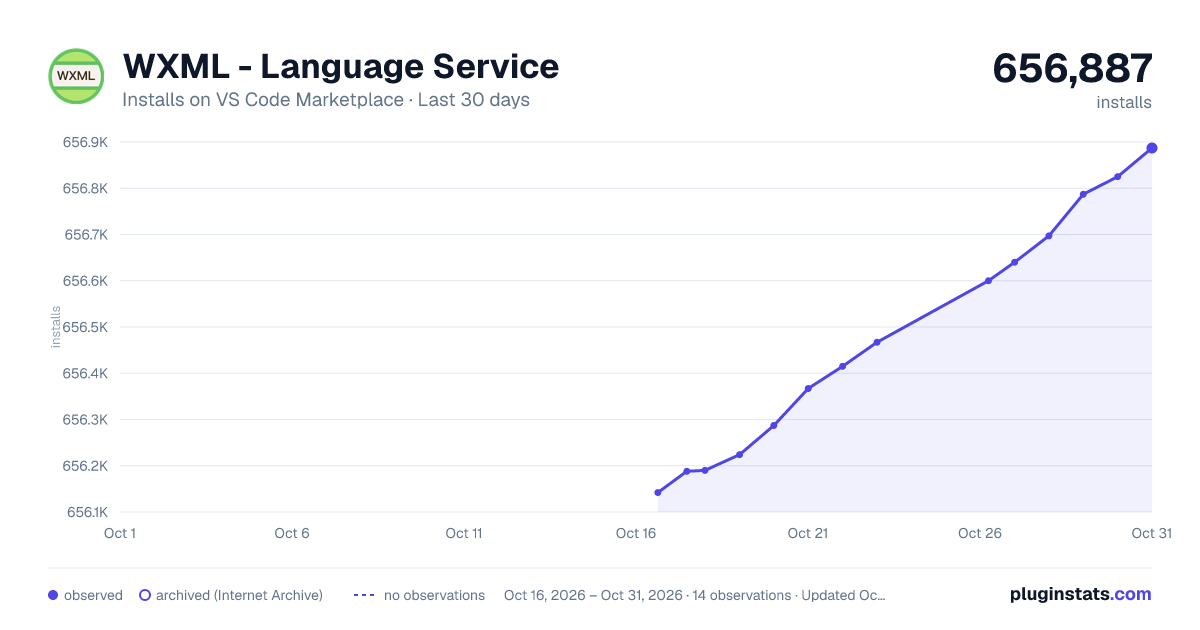
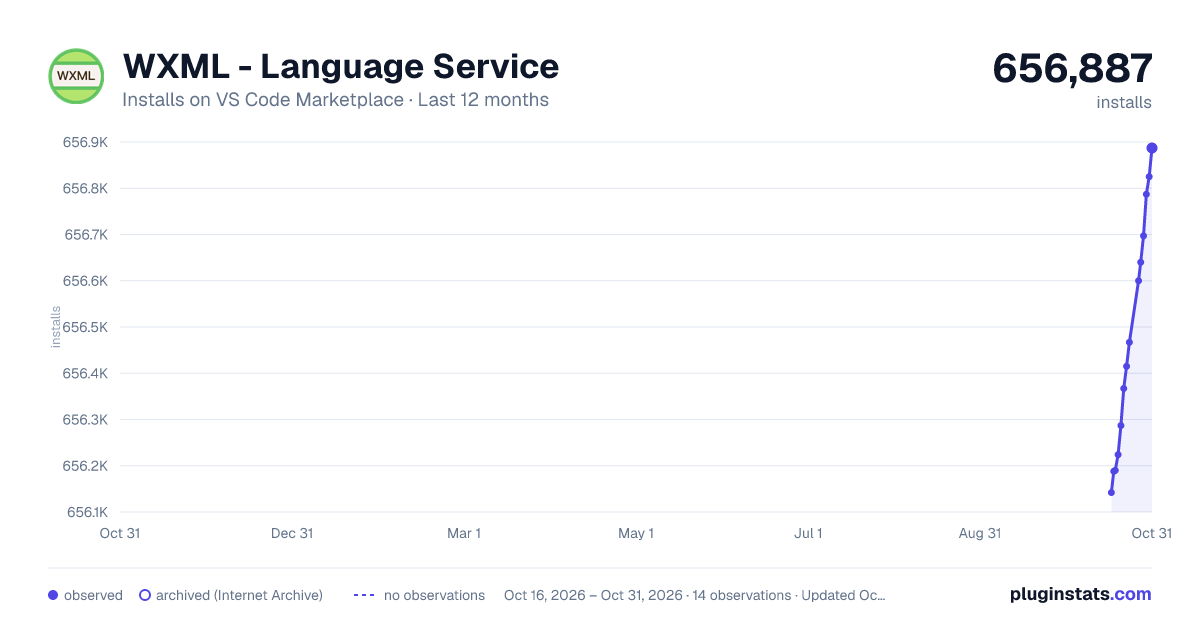
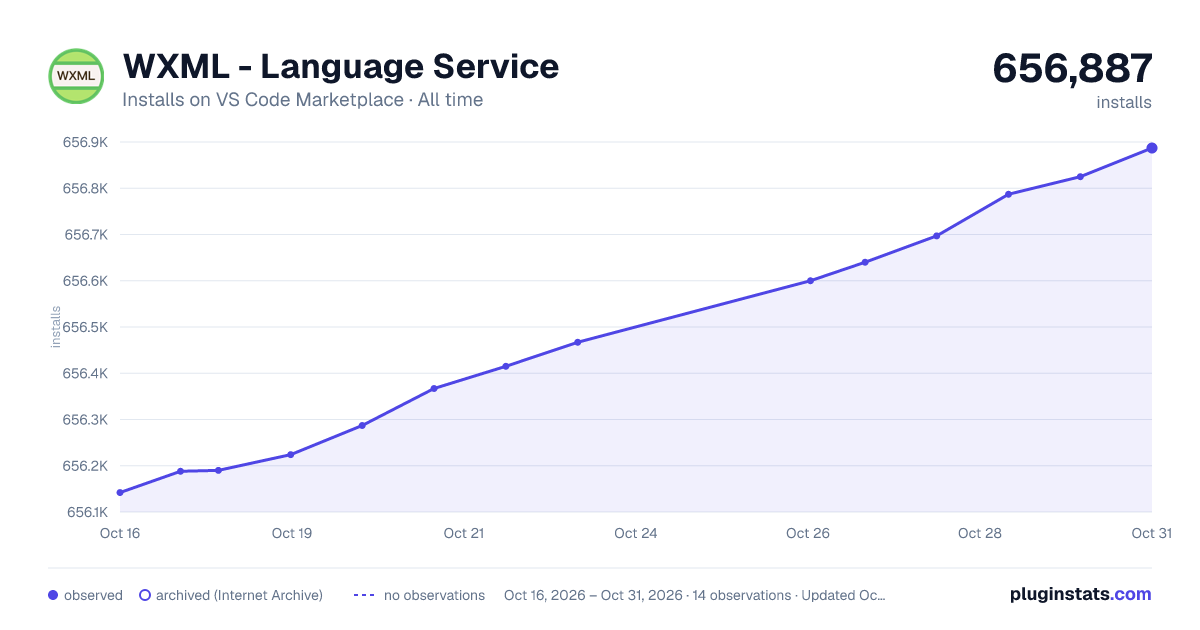

Adoption over time


7/30/90-day growth


Ranking history


Filled points are observed values; hollow points come from Internet Archive snapshots of the listing page. Dashed segments span periods with no observations — values between points are not interpolated.
Recent observations
Full history (3)Similar VS Code Marketplace Programming Languages plugins
Data source
Install counts, average rating, and rating counts come from the public Visual Studio Marketplace gallery API. Installs are cumulative and exclude updates.
Listing: https://marketplace.visualstudio.com/items?itemName=qiu8310.minapp-vscode. First seen Oct 16, 2026; last successful collection Oct 18, 2026. See the methodology.