 PluginStats
Formatter Hero - Beautify Sass/Less/Scss/Typescript/Javascript/Jade/Pug installs statistics
By Eno Yao (6 listings) · VS Code Marketplace · Programming Languages
🧣Beautify sass, less, scss, typescript, javascript, jade and pug.
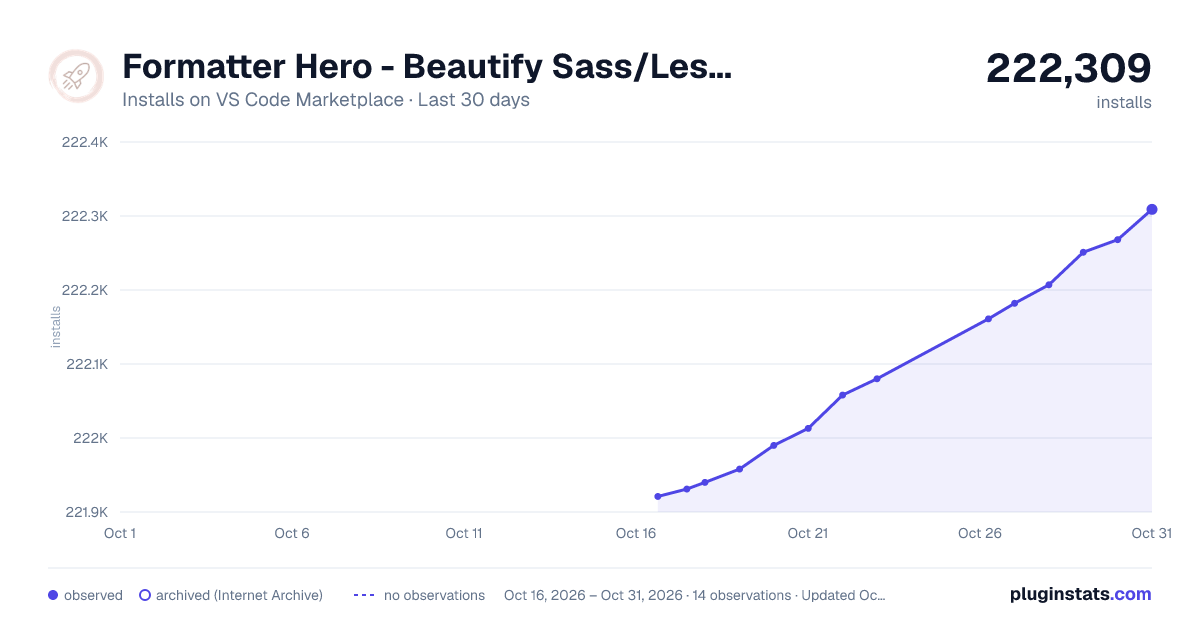
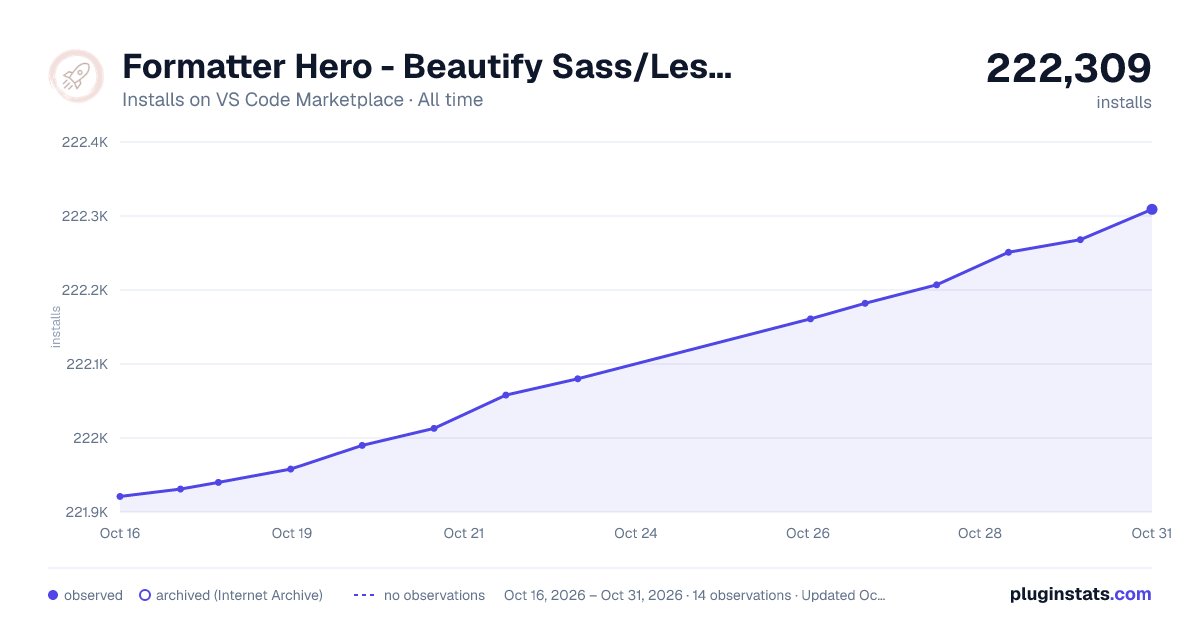
Formatter Hero - Beautify Sass/Less/Scss/Typescript/Javascript/Jade/Pug has 221,940 recorded installs on VS Code Marketplace.
It ranks #1411 of 2,500 tracked VS Code Marketplace listings by installs.
It is rated 4.0 out of 5 from 65 ratings.
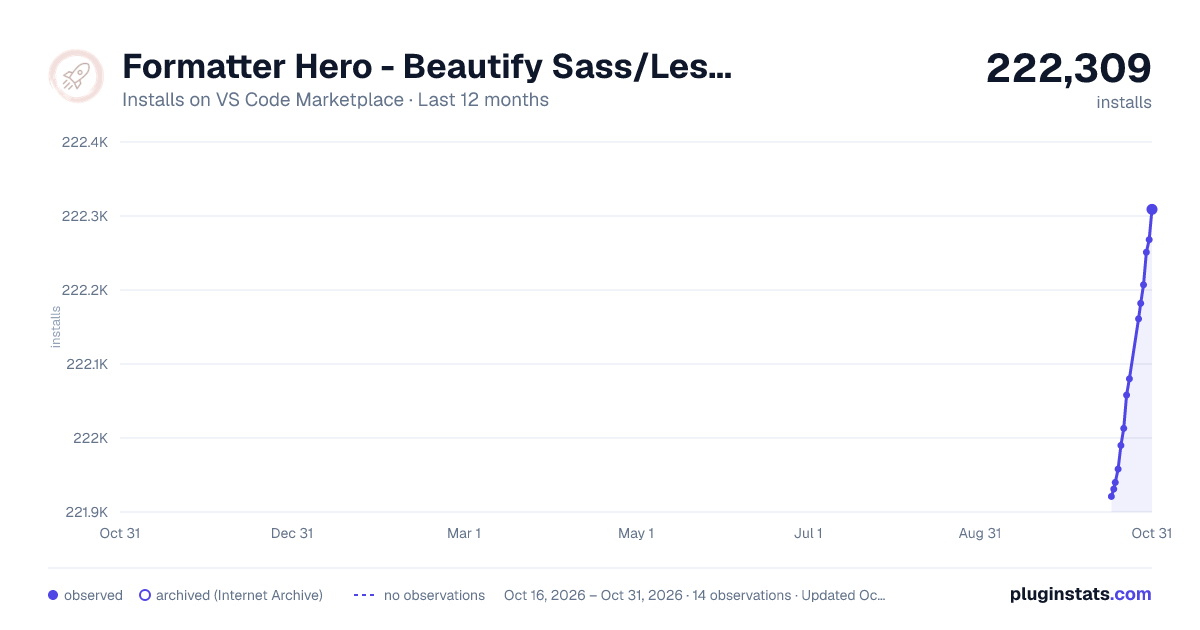
PluginStats has 3 daily observations since Oct 16, 2026; the latest is from Oct 18, 2026.
Rating: 3.95 / 5 from 65 ratings
About Formatter Hero - Beautify Sass/Less/Scss/Typescript/Javascript/Jade/Pug
English | 中文
Features
1.Open the less, sass, scss, styl, ts, tsx, jade, pug or js file.
2.Compile Hero: On/Off will appear in the status bar at the bottom right corner, please turn on the Compile Hero: On switch when using ↓
3.Compile on save (ctrl+s) ↓
Or select Compile Files on right-click menu item, it will automatically compile the files to the dist directory.
You can also select part of the code and use the Compile Selected menu item or shortcut key (ctrl+shift+s) to perform partial compilation of the code block.
4.Beautify on save (alt+shift+f) or select Format Document on right-click menu item for javascript, json, css, sass and html.
• Compile less, sass, scss, stylus, typescript, typescriptreact, jade, pug and javascript on save. • Support autoprefixer for less, scss, scss. • Support to open html files to preview in browser. • minify javascript and css files. • Beautify javascript, json, css, sass, and html.
| Before Compile | After Compile |
| .pug | .html | | .jade | .html | | .scss(sass) | .css | | .less | .css | | .styl | .css | | .ts/.tsx | .js(JSX) | | .js(ES6) | .js(ES5) |
Easy to use. When you writing a file, press save ctrl+s to generate the compiled file in the same directory. I hope you can get rid of the constraint of gulp or webpack😁
Extension Settings
Click to open the extension management interface Configure Extension Settings.
• You can change the output path of the project compilation directory. • Toggle the compile switch of different language. • Or disable automatic compilation on save (ctrl+s).
| Whether the configuration is automatically compiled after saving(ctrl+s) | Default Value |
| disable-compile-files-on-did-save-code | false |
| Switch to control the notification | Default Value |
| notification-toggle | true |
| Switch to control compilation and formatting of specific files | Default Value |
| ignore | null |
| Output Path Configuration | Default Value | Compile Switch Status | Default Value |
| javascript-output-directory | ./dist | javascript-output-toggle | true | | sass-output-directory | ./dist | sass-output-toggle | true | | scss-output-directory | ./dist | scss-output-toggle | true | | less-output-directory | ./dist | less-output-toggle | true | | jade-output-directory | ./dist | jade-output-toggle | true | | typescript-output-directory | ./dist | typescript-output-toggle | true | | typescriptx-output-directory | ./dist | typescriptx-output-toggle | true | | pug-output-directory | ./dist | pug-output-toggle | true | | stylus-output-directory | ./dist | stylus-output-toggle | true | | generate-minified-html | false | generate-minified-html-only | false | | generate-minified-css | false | generate-minified-css-only | false | | generate-minified-javascript | false | generate-minified-javascript-only | false |
Using settings.json
Advanced Extension Settings:
• Project-wide settings are configured using the standard settings.json file (i.e. Workspace Settings). • settings.json must exist in the .vscode directory at the root level of your project. • Alternatively, settings can go in User Settings for global defaults. • Use the compile-hero key. • Prohibit partial compilation and formatting of specific files compile-hero.ignore. • Use compile-hero.watch to monitor partial files - You can turn this on -> Compile Hero: On when using.
Here Example settings.json file:
Using tsconfig.json
If you want to add or overwrite certain settings in the tsconfig.json file, you can create a new tsconfig.json in the same directory of your .ts file.
Here Example tsconfig.json file:
Open In Browser
Right click the html file in the directory menu, and the open in browser option will appear. You can preview the page in the browser.
Compile File Menu Item
Sometimes you may not need to automatically compile the file every time you save the file, at this time you can disable the automatic compilation. And use the Compile File(s) menu item to replace.
Close Port Command(MAC)
At some point, you may be using ports for some services. You can use the Close Port command to close, but now only supported on mac.
Thanks
👪 Tencent Alloyteam Team And Qian Feng Team:
| Eno Yao | Aaron Xie | DK Lan | Yong | Li Ting | Xin | Lemon | Jing | Lin | Tian Fly | | - | - | - | - | - | - | - | - | - | - |
If you think it's useful, hope you can leave us a message and like it💝, your support is our driving force😀
License
Compile Hero is released under the MIT.
Description from the VS Code Marketplace listing.
- beautify
- close
- compile
- css
- ES5
- ES6
- format
- formate
- formatter
- hero
- html
- jade
- javascript
- javascriptreact
- JS
- json
- keybindings
- less
- minified
- port
Where Formatter Hero - Beautify Sass/Less/Scss/Typescript/Javascript/Jade/Pug sits in the listing
Each band is one page of 20. Installs on a log scale. Placement is projected from installs, so it can differ from the marketplace's own sort order. Hover a dot to see the listing.


Charts
Images: 30d · 1y · all time · 1600×900 dark

Adoption over time


7/30/90-day growth


Ranking history


Filled points are observed values; hollow points come from Internet Archive snapshots of the listing page. Dashed segments span periods with no observations — values between points are not interpolated.
Recent observations
Full history (3)Similar VS Code Marketplace Programming Languages plugins
Data source
Install counts, average rating, and rating counts come from the public Visual Studio Marketplace gallery API. Installs are cumulative and exclude updates.
Listing: https://marketplace.visualstudio.com/items?itemName=Wscats.qf. First seen Oct 16, 2026; last successful collection Oct 18, 2026. See the methodology.