 PluginStats
Azure Cosmos DB installs statistics
By Microsoft (223 listings) · VS Code Marketplace · Azure
Connect Azure CosmosDB databases in Azure, inspect and edit your data and run powerful queries with the visual query editor.
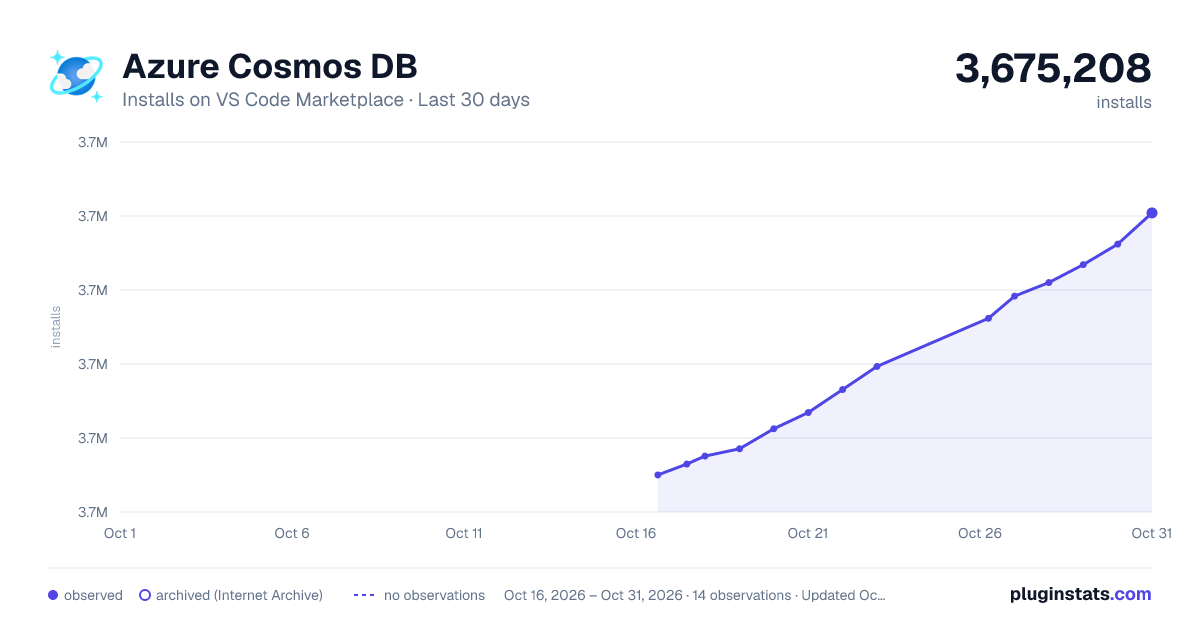
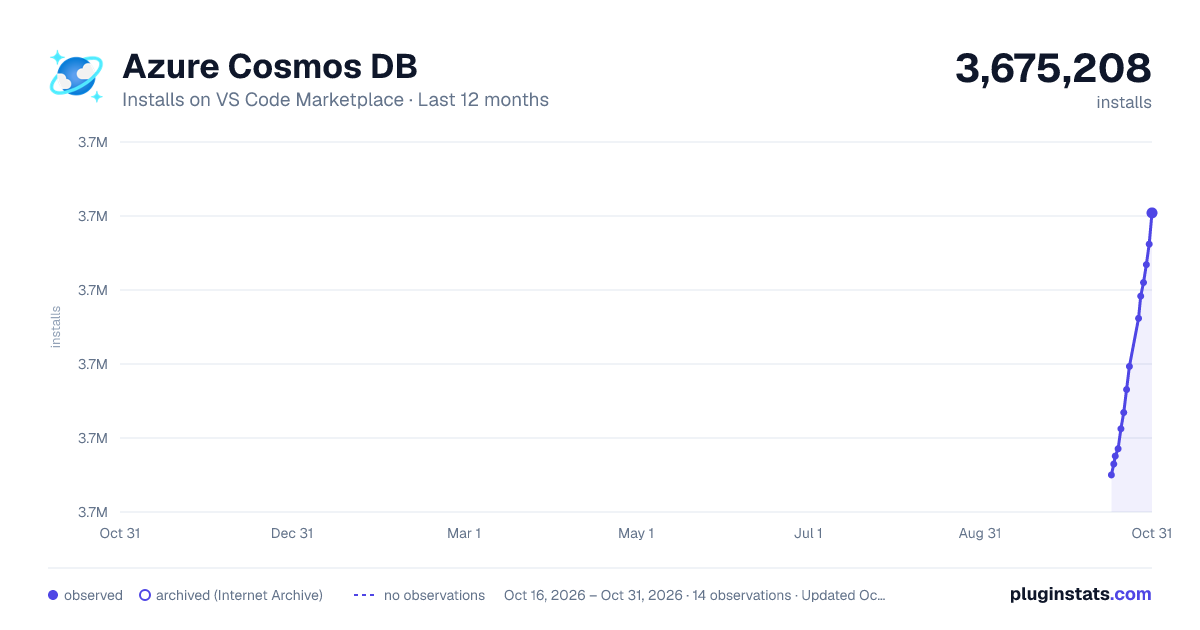
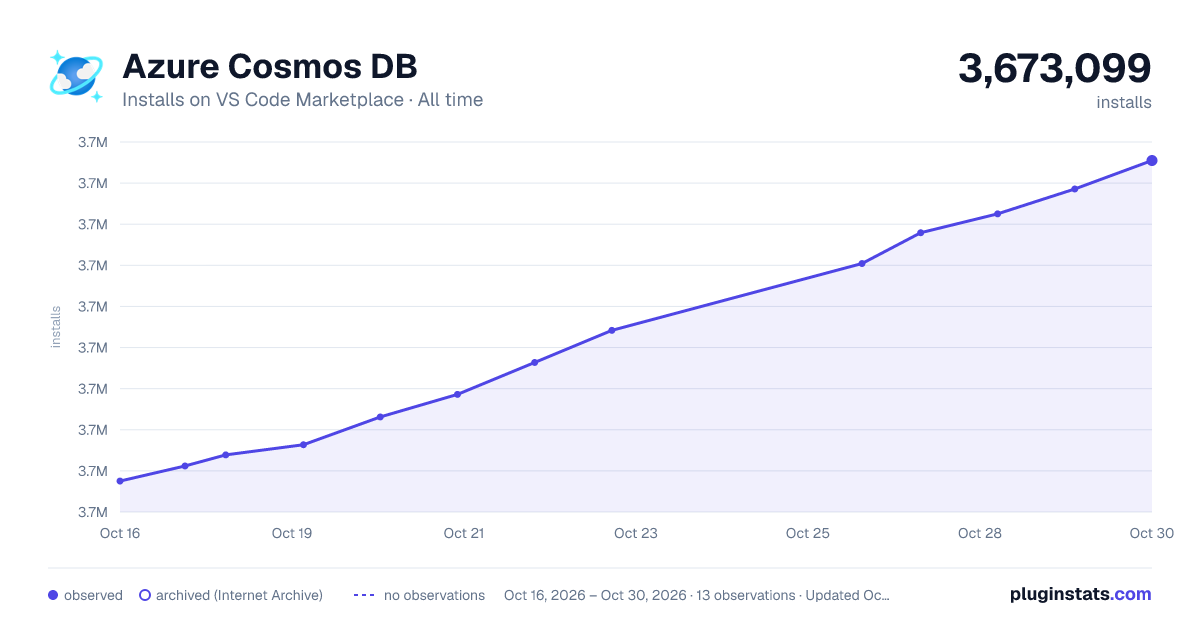
Azure Cosmos DB has 3,658,778 recorded installs on VS Code Marketplace.
It ranks #217 of 2,500 tracked VS Code Marketplace listings by installs.
It is rated 3.3 out of 5 from 42 ratings.
PluginStats has 3 daily observations since Oct 16, 2026; the latest is from Oct 18, 2026.
Rating: 3.26 / 5 from 42 ratings
About Azure Cosmos DB
Azure Cosmos DB for VS Code
Browse, manage, and query your Azure Cosmos DB databases both locally and in the cloud with support for Azure Cosmos DB for NoSQL.
Sign up today for your free Azure account and receive 12 months of free popular services, $200 free credit and 25+ always free services 👉 Start Free.
Features
Azure Cosmos DB Explorer
The Azure Cosmos DB Explorer helps you find, view, and manage your Azure CosmosDB databases.
• Discover Database Accounts: scan your Azure subscription for available database accounts and get a structured list of your resources. • Open in Azure Portal: Access database servers directly in the Azure portal. • Manage Databases: View, create, and delete databases, collections, stored procedures, and documents. • Edit Documents and Queries: Open documents, stored procedures, and queries in the editor. • Save Changes: Make updates and persist them to the cloud. • Workspace Support: Attach database accounts to your workspace using connection strings. This is especially useful for teams working with shared resources from various subscriptions.
Account Overview Dashboard
The Account Overview Dashboard gives you an at-a-glance, read-only view of a Cosmos DB account: inventory, provisioned vs. normalized RU consumption, partition health, active alerts, and recommendations. Open it from an account node in the Explorer.
Every section reads from Azure Resource Manager and Azure Monitor. When a section can't load, it shows an explicit empty state instead of a blank panel:
• No data — the account is healthy but has no data for the selected window. • Not supported — the section doesn't apply to this account's API (for example, inventory metrics are only available for NoSQL (Core) API accounts). • Access required — your Azure role doesn't grant permission to read the underlying data.
Required Azure roles
Data is fetched with your Azure credentials, so each section requires the corresponding role assignment. If a role is missing, that section shows an "Access required" empty state naming the role below; the rest of the dashboard continues to work.
| Dashboard section | Minimum Azure role |
| Account header, inventory, throughput | Reader on the Cosmos DB account | | RU trends, partition health, Tier-1 derived advisories | Monitoring Reader | | Tier-2 (log-based) derived advisories | Log Analytics Reader | | Active alerts | Monitoring Reader | | Advisor recommendations | Reader on the subscription |
Tier-2 derived advisories (cross-partition query fan-out, shard-key misalignment, uncontrolled ingestion, and shared-throughput starvation) additionally read the account's CDB* diagnostic-log tables, so they require Diagnostic Settings → Log Analytics enabled on the account plus the Log Analytics Reader role (Monitoring Reader also works). When these are missing, the Derived Advisories card still renders every Tier-1 advisory and flags the Tier-2 gap with a "Partial coverage" notice.
Learn more about assigning roles in Azure role-based access control.
For the metrics, detections, and ARM endpoints behind the dashboard, see docs/account-overview-dashboard.md.
Query Editor
The Query Editor allows you to write and execute queries across your databases.
• Rich Syntax Highlighting: Highlights query syntax to make it more readable and help prevent errors. • Query History: Automatically saves previously executed queries, allowing you to open and reuse them later. • Run Queries: Execute queries and view results in Table, JSON, or Tree view. • Export Results: Provides options to copy query results as JSON or CSV or to save them to a file for later use. • Pagination: Adjust how many results are displayed at a time when working with large datasets. • Query Insights and Index Advisor: Displays key details such as execution time, resource consumption, and indexing recommendations. • Edit Documents: Open, update, and save individual documents. • Create New Documents: Write and validate documents with syntax highlighting.
Keyboard Shortcuts
The Azure Cosmos DB extension supports various keyboard shortcuts to improve your productivity when working with queries and documents.
For a complete list of keyboard shortcuts, see Keyboard Shortcuts.
AI-Powered Query Assistance (GitHub Copilot)
The extension integrates with GitHub Copilot to help you write, edit, and understand Cosmos DB NoSQL queries using natural language.
• Generate Query: Click the AI button in the Query Editor toolbar and select Generate query to describe your query in plain English. Copilot will generate a Cosmos DB NoSQL query for you. • Explain Query: Click the AI button and select Explain query to get a plain-English explanation of the current query in the editor.
Requires the GitHub Copilot extension and an active Copilot subscription.
For more details, see the AI Chat documentation.
Import into Azure Cosmos DB
The extension allows you to import documents into CosmosDB.
• Workspace Integration: Use the context menu of a collection or document file (JSON) to initiate import.
Attach to the Azure Cosmos DB Emulator
Attach the Azure Cosmos DB Emulator to work with a local instance of Azure Cosmos DB for development and testing purposes.
• Emulator Installation: Install and run the Azure Cosmos DB Emulator on your local machine. • New Emulator Connection: Expand 'CosmosDB Accounts', next expand 'Local Emulators', and select 'New Emulator Connection' to link the emulator to your workspace.
Known Issues
[!WARNING] Support for previously included features such as MongoDB, PostgreSQL, Graph (Gremlin), Table, Cassandra, and the Grammar Language Server has been removed from this extension.
- For MongoDB support, use the DocumentDB Extension for VS Code. - For PostgreSQL support, use the PostgreSQL Extension for VS Code.
Telemetry…
Description from the VS Code Marketplace listing.
- Cosmos DB
- cosmosdbshell
- CosmosDBShellScript
- CosmosNoSQL
- Database
- language-model-tools
- nosql
- tools
Where Azure Cosmos DB sits in the listing
Each band is one page of 20. Installs on a log scale. Placement is projected from installs, so it can differ from the marketplace's own sort order. Hover a dot to see the listing.


Charts
Images: 30d · 1y · all time · 1600×900 dark

Adoption over time


7/30/90-day growth


Ranking history


Filled points are observed values; hollow points come from Internet Archive snapshots of the listing page. Dashed segments span periods with no observations — values between points are not interpolated.
Recent observations
Full history (3)Similar VS Code Marketplace Azure plugins
Data source
Install counts, average rating, and rating counts come from the public Visual Studio Marketplace gallery API. Installs are cumulative and exclude updates.
Listing: https://marketplace.visualstudio.com/items?itemName=ms-azuretools.vscode-cosmosdb. First seen Oct 16, 2026; last successful collection Oct 18, 2026. See the methodology.