 PluginStats
GDB Debugger - Beyond installs statistics
By coolchyni · VS Code Marketplace · Programming Languages
Debugger with gdb for c,c++,freepascal,fortran and more.
GDB Debugger - Beyond has 202,332 recorded installs on VS Code Marketplace.
It ranks #1496 of 2,501 tracked VS Code Marketplace listings by installs.
It is rated 4.1 out of 5 from 11 ratings.
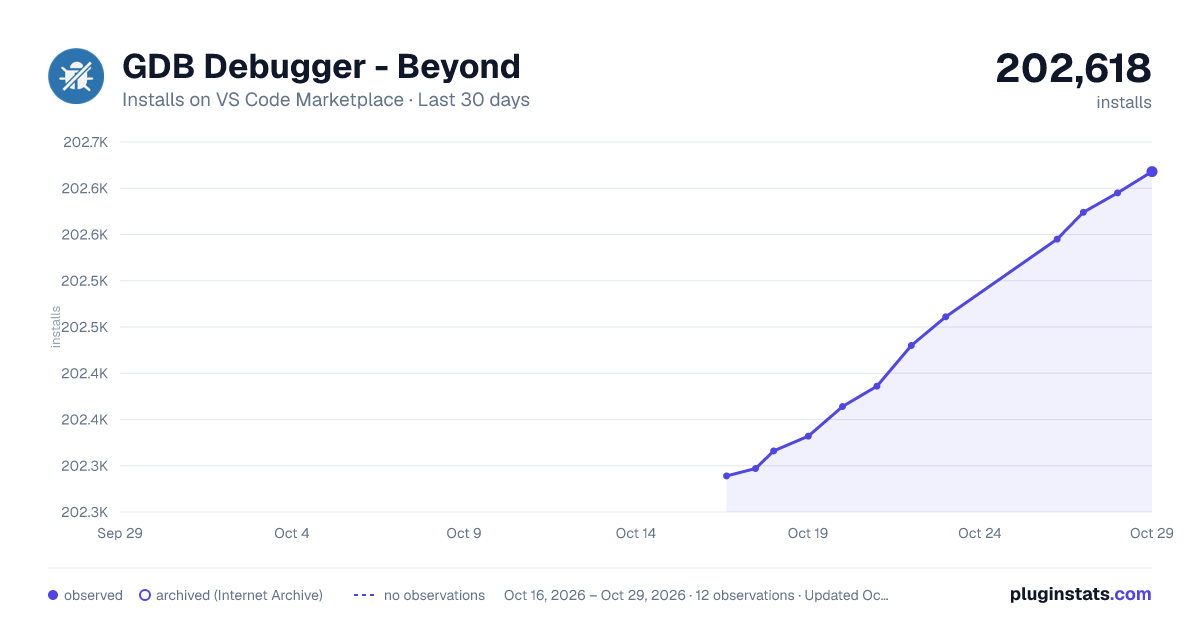
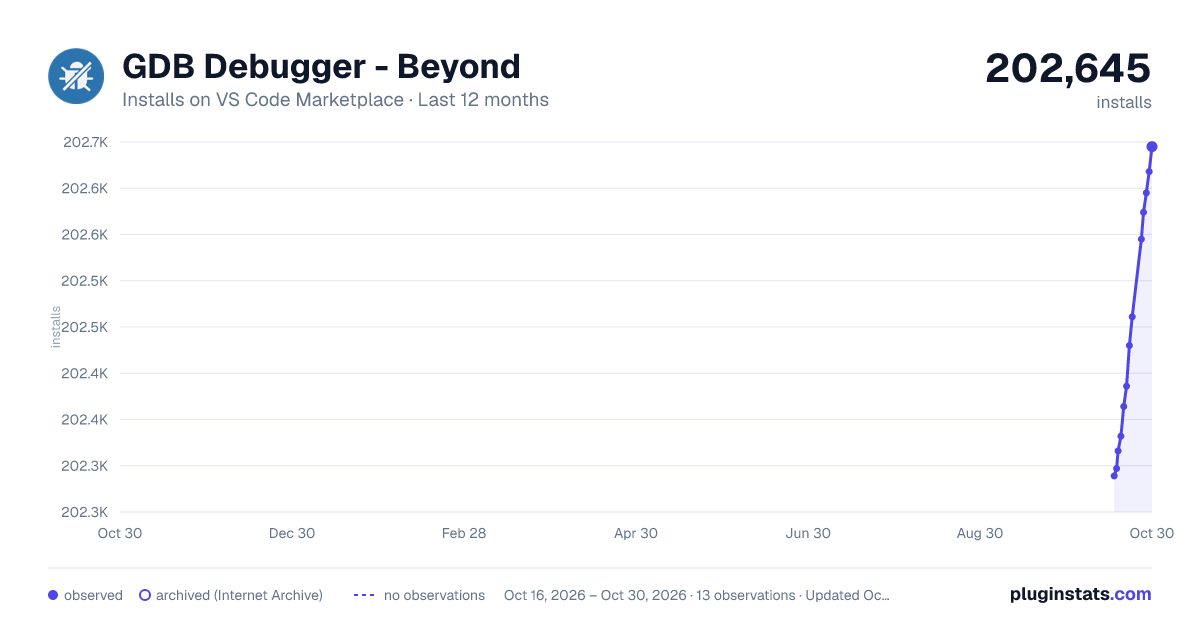
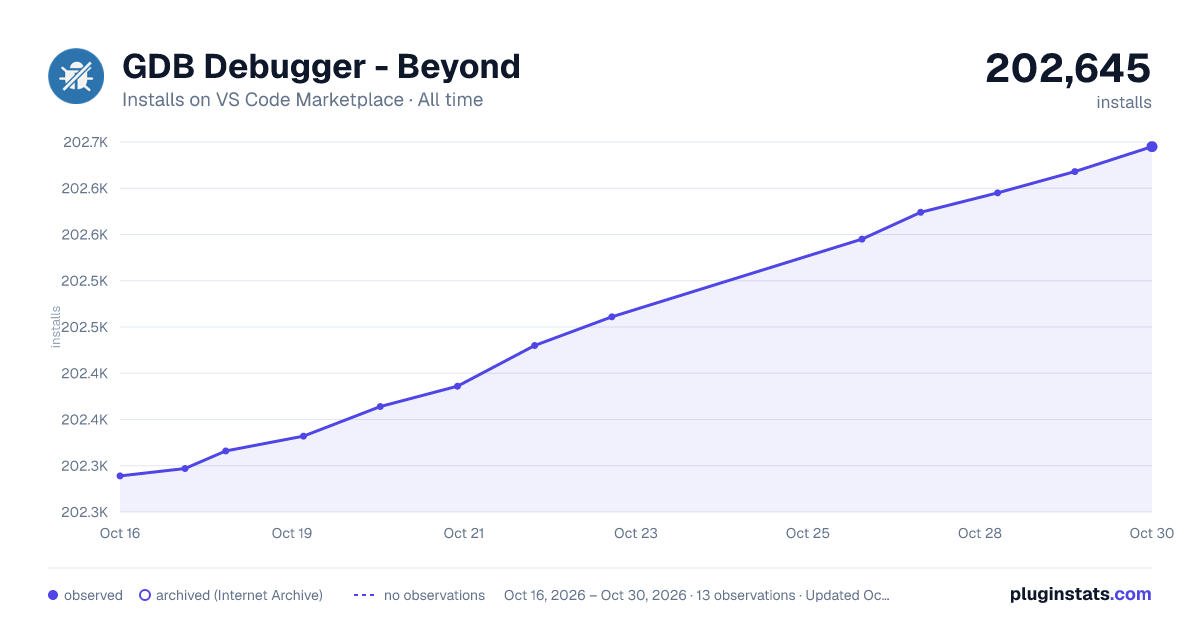
PluginStats has 4 daily observations since Oct 16, 2026; the latest is from Oct 19, 2026.
Rating: 4.09 / 5 from 11 ratings
About GDB Debugger - Beyond
GDB Debugger - Beyond
Hi all, Beyond Debug is a debug adapter for Visual Studio Code. It implemented through the GDB’s Machine Interface(MI).
Supported Languages
• C, C++,Pascal,ObjectPascal, Fortran, D, Go, Objective-C, Fortran, OpenCL C, Rust, assembly, Modula-2, and Ada.
Supported features
• insert, *remove*, *enable*, *disable*, *condition* breakpoints • view local variables • view watchs • multi-threaded debugging • remote, extended-remote debugging • gdbserver --multi supported • transfer files from local to remote • use native commands in debug console • attach to process
What's new in 0.9.16
• Function breakpoints can now be set and will stop execution when their symbols are hit. • The disassembly view shows instruction listings around the current program counter. • Instruction-level stepping (step over, into, and out) is available for fine-grained control.
Using the debugger
• Install gdb on your system. • Install the Beyond Debug extension in VS Code. • Open your project • Switch to the debug viewlet and press the gear dropdown. • Select the debug environment "GDB(Beyond)". • Press the green 'play' button to start debugging.
You can now debugging your program.
Launch a program
Use launch.json and setting request to "launch". You also need to specify the executable path for the debugger to find the debug symbols.
Attach to process
Attaching to existing processes currently only works by specifying the processId in the launch.json and setting request to "attach". You also need to specify the executable path for the debugger to find the debug symbols. If the argument program arg is not set, a pickprocess window will be displayed. If the argument program is set and only one process is found ,the debugger will start automatically.
This will attach to 5678 which should already run.
Connect to gdbserver
You can use gdbserver as your remote debugger. For that modify the launch.json by setting request to "launch" and set remote section as below:
You also need to specify the executable path for the debugger to find the debug symbols.
This will connect to the remote gdbserver on localhost:2345.
Transfer file form local to remote
Often, if doing cross-platform compilation, we need to transfer locally compiled files to the server. To do that, you need set remote - transfer as below:
Use extended-remote mode
To use extende-remote mode. You must run gdbserver as gdbserver --multi. Then change remote mode to extended-remote in launch.json
Use gdb through SSH
To use gdb through SSH. You can use ssh mode like this.
If passwordType and privateKey is None, it will try to use .ssh/id_rsa file of system for authentication.
Use gdb's native command
You can use all the GDB commands from the debug console. Just like in the shell.
View Memory
You can view memory data on debug console or Microsoft Hex Editor if it installed. Rignt click in editor on deubgging or use command byeond:View Memory. If no content is selected, you can input address like this:[address or variable]:[address length (default:100) ], e.g. 0x1111:12 or 0x1111 or va:123 or s.c_str():100 ...
Configuration
|name|type|default|desc|attach --|--|--|--|-- debuggerPath|string|gdb|The path to the debugger (such as gdb) debuggerArgs|array|Additional arguments for the debugger program|string||Full path to program executable programArgs|string||Command line arguments passed to the program cwd|string|${workspaceRoot}|The working directory of the target stopAtEntry|boolean|false|If true, the debugger should stop at the entrypoint of the target commandsBeforeExec|array||One or more GDB/GDB-MI commands to execute before launch. varUpperCase|boolean|false|Convert all variables to uppercase. Used in case insensitive language, e.g. pascal. defaultStringCharset|string||Set the charset of a string variable on display. e.g. utf-8 remote | enabled|boolean|true|If true, the remote mode will be actived. address|string||Remote address and port. [ip:port] mode|string|remote|Extended target mode. Can be remote or extended-remote execfile|string||Remote exec file. transfer|array||Transfer local file to remote before launch. ssh| enabled|boolean|true|If true, the ssh mode will be actived. address|string||Remote address and port. [ip:port] username|string||User name for login passwordType|string||How to use password. Can b input or inputAndSave. privateKey|string||File path of privateKey to login.(eg. id_rsa) \n This will be ignored if password is not empty. timeout|string||Time out for SSH.(ms) remoteSrcPrefix|string||Path prefix of remote source code.\n It will be replaced by localSrcPrefix if not empty. loacalSrcPrefix|string||Path prefix of local source code. transfer|array||Transfer local file to remote before launch.
Todo List
• Add i18n supports • lldb-mi support
Thanks
• dbgmits This library used to programmatically control debuggers that implement the GDB/Machine Interface via JavaScript.
Description from the VS Code Marketplace listing.
- beyond
- c++
- cpp
- debug
- debugger
- debuggers
- fpc
- gdb
- pascal
Where GDB Debugger - Beyond sits in the listing
Each band is one page of 20. Installs on a log scale. Placement is projected from installs, so it can differ from the marketplace's own sort order. Hover a dot to see the listing.


Charts
Images: 30d · 1y · all time · 1600×900 dark

Adoption over time


7/30/90-day growth


Ranking history


Filled points are observed values; hollow points come from Internet Archive snapshots of the listing page. Dashed segments span periods with no observations — values between points are not interpolated.
Recent observations
Full history (4)Similar VS Code Marketplace Programming Languages plugins
Data source
Install counts, average rating, and rating counts come from the public Visual Studio Marketplace gallery API. Installs are cumulative and exclude updates.
Listing: https://marketplace.visualstudio.com/items?itemName=coolchyni.beyond-debug. First seen Oct 16, 2026; last successful collection Oct 19, 2026. See the methodology.