 PluginStats
Datadog installs statistics
By Datadog (10 listings) · VS Code Marketplace · Programming Languages
Bring Datadog to your code editor to accelerate your development.
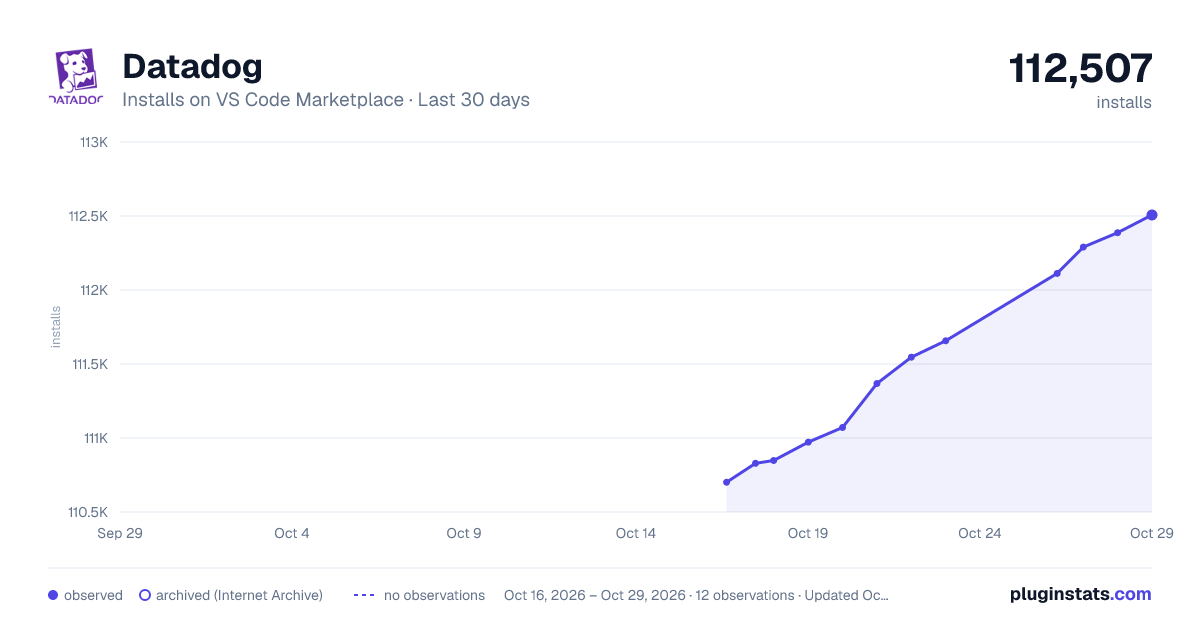
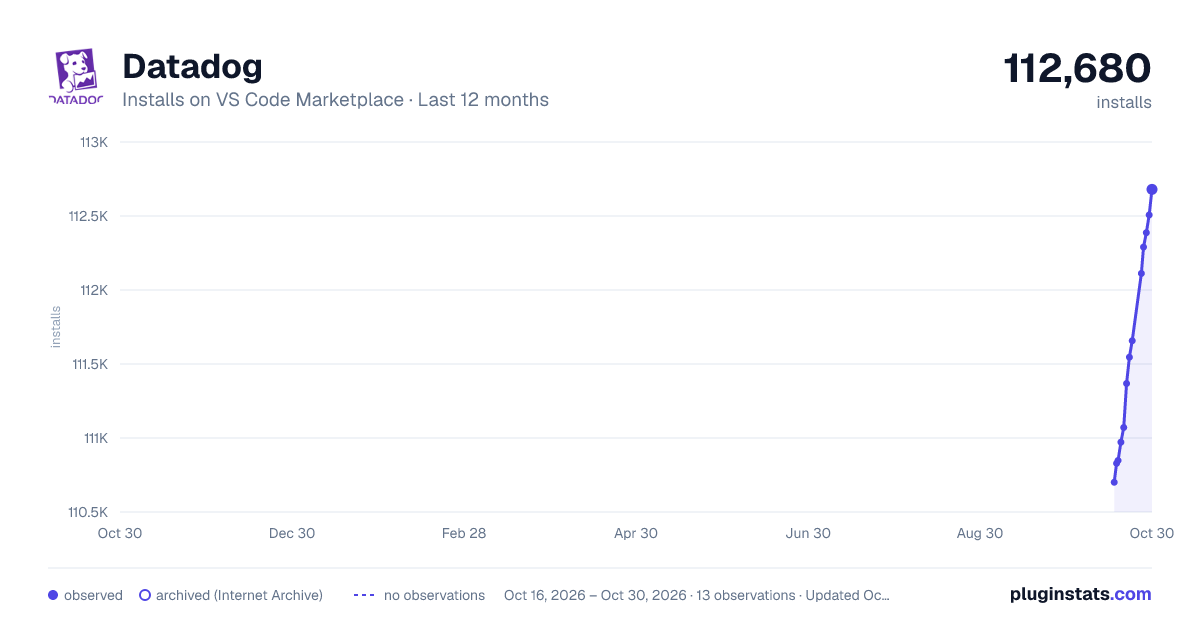
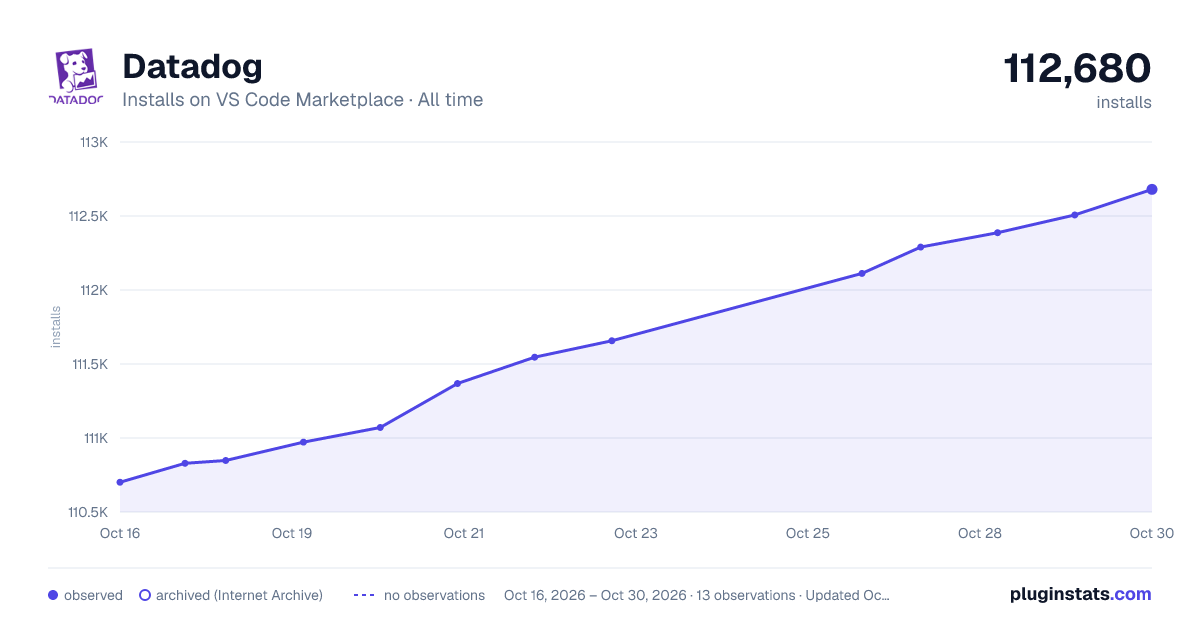
Datadog has 110,848 recorded installs on VS Code Marketplace.
It ranks #2231 of 2,500 tracked VS Code Marketplace listings by installs.
It is rated 5.0 out of 5 from 4 ratings.
PluginStats has 3 daily observations since Oct 16, 2026; the latest is from Oct 18, 2026.
Rating: 5.00 / 5 from 4 ratings
About Datadog
Datadog for VS Code & Cursor
Overview | Requirements | License | Help and Feedback
Overview
The Datadog extension for VS Code and Cursor brings Datadog to your code editor to accelerate your development.
The extension includes these features:
• Code Security: Detect and fix security vulnerabilities, bugs, and exposed secrets before you commit changes. • Code Insights: Stay informed about code and library vulnerabilities without leaving the code. • View in IDE: Jump directly from code references in Datadog to your source files. • Fix in Chat: Fix code errors, vulnerabilities, and flaky tests with AI-powered suggestions and explanations. • Log Annotations: Gauge log volumes and search logs from your code. • Exception Replay: Debug your production code.
The extension integrates with the Datadog MCP Server which is configured separately.
Unless stated otherwise, all extension features are available for both VS Code and any other IDEs based on VS Code forks, such as Cursor.
Requirements
• Datadog account: Most features require a Datadog account. • New to Datadog? [Learn more][datadog] about Datadog's monitoring and security tools and sign up for a free trial. • If your organization uses a [custom sub-domain][custom_subdomain] such as myorg.datadoghq.com, you must indicate it using the datadog.connection.oauth.setup.domain setting in the IDE. • Git: The extension works better when Git is enabled in the IDE. Ensure this is enabled by checking the git.enabled setting.
MCP Server setup
The extension works well alongside the [Datadog MCP Server][mcp_server]. Enable the MCP Server to enhance your IDE's AI capabilities with your specific Datadog environment.
In Cursor
Install the [Datadog Cursor Plugin][cursor_plugin] from the Cursor marketplace. The plugin configures the Datadog MCP Server in Cursor automatically.
In VS Code
Follow the [Datadog MCP Server setup guide][mcp_setup_vscode] to configure the Datadog MCP Server in VS Code.
Code Security
The Code Security features analyze your code locally to detect and fix security issues and vulnerabilities before you commit your changes. The extension supports three complementary scan types: Static Code Analysis, Secret Scanning, and Infrastructure as Code (IaC) Scanning.
Static Code Analysis
[Static Code Analysis][static_analysis] analyzes your source files against predefined rules to catch security vulnerabilities, bugs, and maintainability issues.
The extension runs Static Code Analysis rules on the source files you have open in your workspace. Static Code Analysis supports scanning for many programming languages. For a complete list, see [Static Code Analysis Rules][static_analysis_rules]. Issues are shown in the source code editor, and you can directly apply suggested fixes.
Get started with Static Code Analysis
When you start editing a source file, the extension checks for [static-analysis.datadog.yml][static_analysis_config_file] at your source repository's root. It prompts you to create it if necessary.
After you create the configuration file, the analyzer runs automatically in the background whenever you open a file. If you need to enable Static Code Analysis for a particular language, search for the command Datadog: Configure Static Analysis Languages in the command palette (Shift + Cmd/Ctrl + P).
You can also run a batch analysis for individual folders and even the entire workspace. In the IDE's file explorer view, right-click a folder and select Datadog Code Security \> Analyze Folder or Analyze Workspace.
Rule editor
Write and test custom [Static Code Analysis rules][static_analysis_custom_rules] without leaving your IDE. Use the Datadog DDSA Rule Editor to design detection logic for internal standards, security patterns, or maintainability checks specific to your codebase.
To open the rule editor, run the Datadog: New DDSA Rule command from the command palette (Shift + Cmd/Ctrl + P), or right-click a YAML file and select Datadog Code Security \> Open in DDSA Rule Editor.
Secret Scanning
[Secret Scanning][secret_scanning] detects exposed credentials — API keys, tokens, and passwords — in your source files before you commit them. File contents are scanned locally against rules fetched from your Datadog organization, and findings appear in the editor as you type.
Secret Scanning is enabled by default and runs in the background whenever you open a source file. No local configuration is required — scan rules are fetched from the Datadog backend. All text files are scanned; binary files are skipped automatically.
You can also scan an entire folder or workspace at once. In the IDE's file explorer view, right-click a folder and select Datadog Code Security \> Analyze Folder or Analyze Workspace.
Secret Scanning requires you to be signed in to Datadog, because detection rules are fetched from your Datadog organization.
Review findings
Detected secrets are shown in three places:
• Inline in the editor: each finding appears as an underline on the detected secret, with severity derived from the rule's priority. • Problems panel: all findings are listed with the source Datadog. • File Insights view: findings are grouped alongside other Code Security issues.
Suppress a finding
To suppress an individual detection, use the code action for the flagged secret to insert a no-dd-secrets comment on the line above. The comment suppresses all secret findings on the immediately following line.
Turn Secret Scanning on or off
To toggle Secret Scanning, run the Datadog: Turn on Secret Scanning or Datadog: Turn off Secret Scanning command from the command palette (Shift + Cmd/Ctrl + P), or change the datadog.codeSecurity.setup.secretScanning.enabled setting.
Infrastructure as Code (IaC) Scanning…
Description from the VS Code Marketplace listing.
- code analysis
- code quality
- Datadog
- insights
- keybindings
- linters
- mcp
- model context protocol
- observability
- testing
Where Datadog sits in the listing
Each band is one page of 20. Installs on a log scale. Placement is projected from installs, so it can differ from the marketplace's own sort order. Hover a dot to see the listing.


Charts
Images: 30d · 1y · all time · 1600×900 dark

Adoption over time


7/30/90-day growth


Filled points are observed values; hollow points come from Internet Archive snapshots of the listing page. Dashed segments span periods with no observations — values between points are not interpolated.
Recent observations
Full history (3)Similar VS Code Marketplace Programming Languages plugins
Data source
Install counts, average rating, and rating counts come from the public Visual Studio Marketplace gallery API. Installs are cumulative and exclude updates.
Listing: https://marketplace.visualstudio.com/items?itemName=Datadog.datadog-vscode. First seen Oct 16, 2026; last successful collection Oct 18, 2026. See the methodology.