 PluginStats
R installs statistics
By REditorSupport (2 listings) · VS Code Marketplace · Programming Languages
R Extension for Visual Studio Code
R has 3,534,333 recorded installs on VS Code Marketplace, ranking #225 of 2,501 tracked listings.
Rating: 4.88 / 5 from 43 ratings
About R
R Extension for Visual Studio Code
<!-- badges: start --><a href="https://marketplace.visualstudio.com/items?itemName=reditorsupport.r"><img src="https://img.shields.io/github/v/release/REditorSupport/vscode-R?label=release" alt="Release"></a> <a href="https://github.com/REditorSupport/vscode-R/releases/tag/latest"><img src="https://img.shields.io/github/package-json/v/REditorSupport/vscode-R/main?label=dev" alt="Development version"></a> <a href="https://github.com/REditorSupport/vscode-R/actions/workflows/main.yml"><img src="https://img.shields.io/github/actions/workflow/status/REditorSupport/vscode-R/main.yml?branch=main&label=ci" alt="CI"></a>
<!-- badges: end -->This VS Code extension provides support for the R programming language, including features such as R language service based on code analysis, interacting with R terminals, viewing data, plots, workspace variables, help pages, managing packages, and working with R Markdown documents. See the wiki for full documentation.
The R and R Markdown syntaxes are located in a sibling package vscode-R-syntax.
What's new in 3.0.0
v3.0.0 is a major release with faster, more reliable R session communication,
powered by the sess package. The extension includes sess
and prompts to install or update the bundled copy when needed. Missing Imports
are installed from the configured R repository. See the changelog
for other changes and upgrade notes.
Quickstart
-
Install R (>= 3.4.0) on your system. On Windows, we recommend letting the installer write the R path to the registry.
-
Install the
languageserverpackage from R.install.packages("languageserver") -
Install the stable release of this extension from the VS Code Marketplace or the Open VSX Registry. This release requires VS Code 1.110 or later.
code --install-extension REditorSupport.rTo receive daily development updates, choose Switch to Pre-Release Version on the R extension's page in VS Code. New pre-releases are published to the VS Code Marketplace and Open VSX Registry when
mainchanges and verification passes. Choose Switch to Release Version to return to stable releases. When reporting problems, include the extension version and reproduction steps.Alternatively, you can test the latest development version by installing from GitHub:
<details> <summary>Install the development version</summary>The
latestpre-release is updated after successful verification of a push tomain. Download and install it:
</details>curl -fsSL -o vscode-R.vsix https://github.com/REditorSupport/vscode-R/releases/download/latest/vscode-R.vsix code --install-extension vscode-R.vsix -
Create an R file and start coding! (Click Yes if prompted to install
sess.)
Recommended extras
Steps 1–3 above are all that's required to get started with R in VS Code. But we also recommend the following software for a fully optimized R + VS Code experience:
-
Install an interactive plotting backend for a better R graphics experience:
-
arf: A modern R console with many features: syntax highlighting, multiline editing, vi/emacs keybindings, R version switching, etc. Successor to radian written in Rust.
-
Complementary VS Code extensions:
- Quarto: the official Quarto plugin for VS Code.
- VSCode-R-Debugger: enables VS Code's debugging facilities for R scripts.
For example, assuming that you have installed arf and jgd, your user settings.json might include:
{
    "r.consolePath": "arf",
    "r.bracketedPaste": true,  // recommended for arf (and radian)
    "r.plot.backend": "jgd"    // "auto" already prefers jgd, then httpgd
}
Please consult the relevant installation wiki pages for your OS (Windows | macOS | Linux) for more detailed instructions.
Set r.plot.backend to "native" to use R's configured graphics device without
opening the VS Code plot viewer automatically. The "standard" backend continues
to display static plots in VS Code.
Features
-
Snippets for R and R Markdown.
-
R Language Service: Code completion, function signature, symbol highlight, document outline, formatting, definition, diagnostics, references, and more.
-
Interacting with R terminals: Sending code to terminals, running multiple terminals, working with remote servers.
-
Package development: Build, test, install, load all and other commands from devtools.…
Description from the VS Code Marketplace listing.
- buildignore.r
- debian-control.r
- keybindings
- namespace.r
- r
- R documentation
- R language
- R Markdown
- rd
- RDCF
- Rdocumentation
- Rignore
- rmd
- RNAMESPACE
- snippet
README badge
Show your rank in a README or on your website. The badge updates automatically.
Charts
Images: 30d · 1y · all time · 1600×900 dark
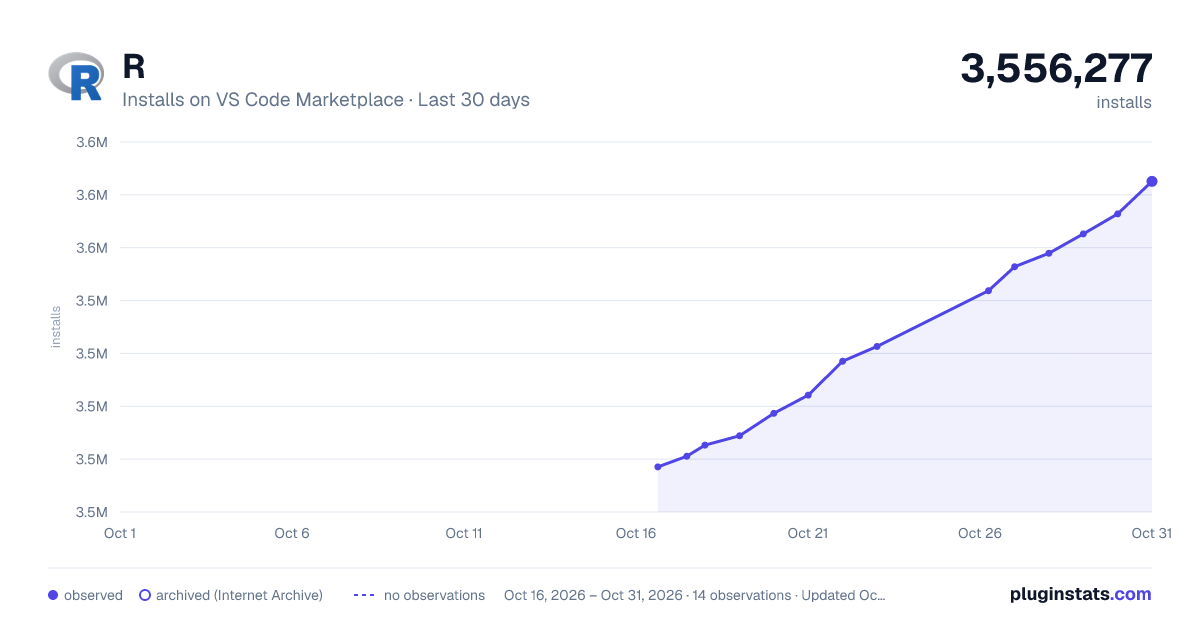
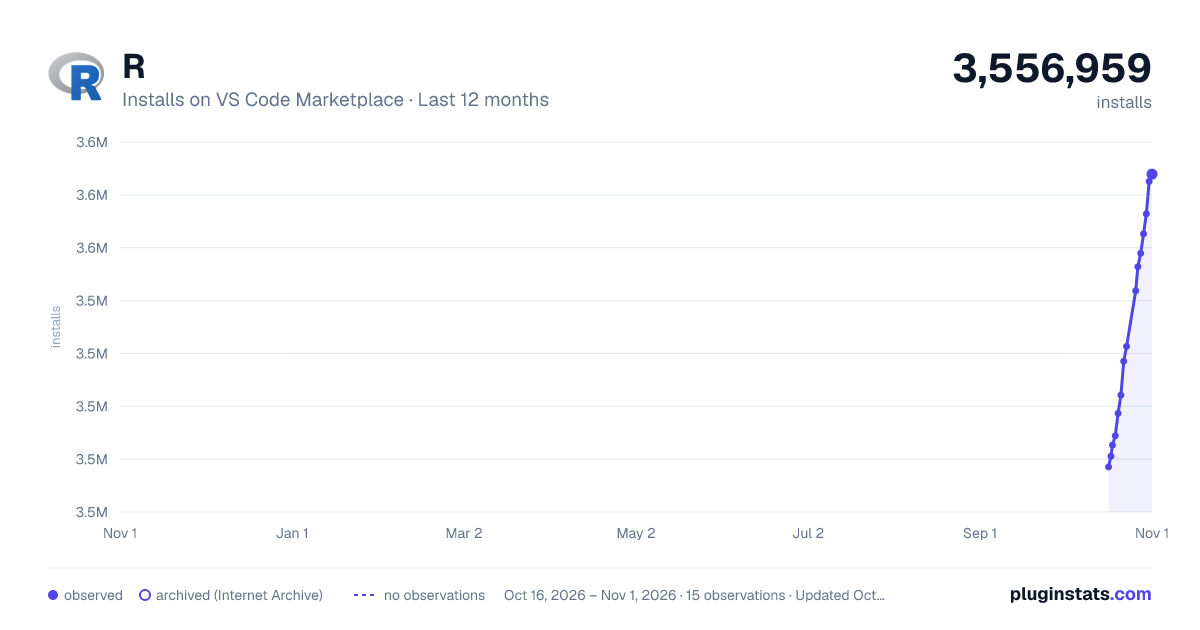
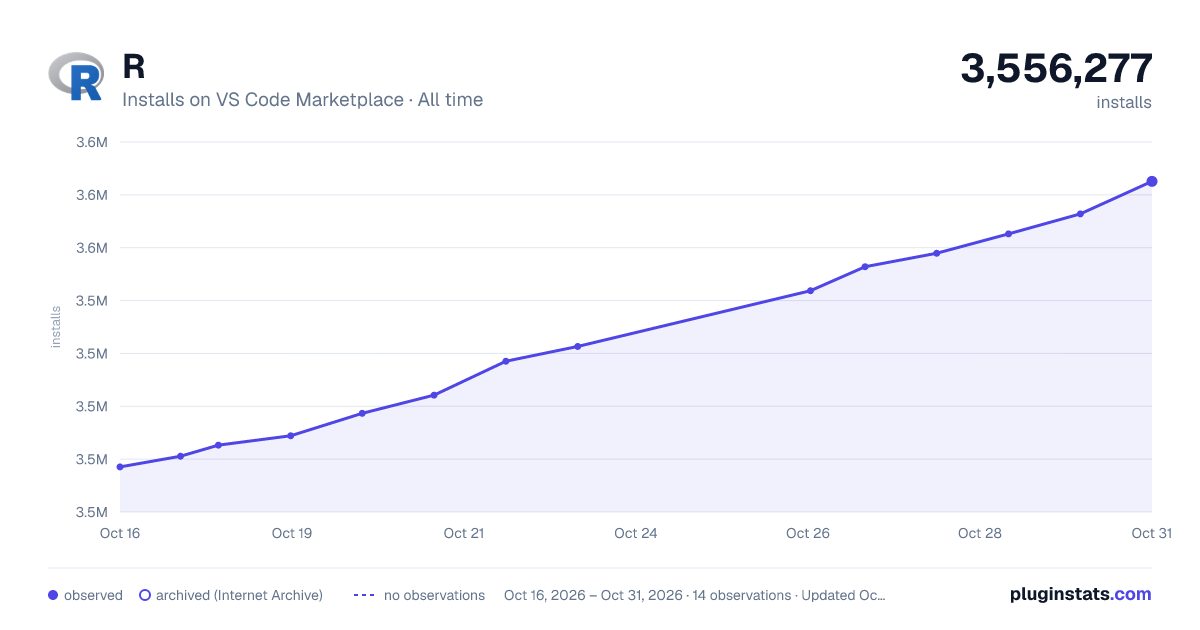

Adoption over time
7/30/90-day growth
Ranking history
Ratings over time
Listing placement
Listing placement
Listing placement
Filled points are observed values; hollow points come from Internet Archive snapshots of the listing page. Dashed segments span periods with no observations — values between points are not interpolated.
Each band is one page of 20. Installs on a linear scale. Placement is projected from installs, so it can differ from the marketplace's own sort order. Hover a dot to see the listing.
Recent observations
Full history (5)Similar VS Code Marketplace Programming Languages plugins
All 20 R alternativesData source
Install counts, average rating, and rating counts come from the public Visual Studio Marketplace gallery API. Installs are cumulative and exclude updates.
Listing: https://marketplace.visualstudio.com/items?itemName=REditorSupport.r. First seen Oct 16, 2026; last successful collection Oct 20, 2026. See the methodology.