 PluginStats
Qt for Python installs statistics
By Shuang Wu · VS Code Marketplace · Programming Languages
Visual Studio Code extension for PySide6 and PyQt6.
Qt for Python has 856,228 recorded installs on VS Code Marketplace.
It ranks #595 of 2,501 tracked VS Code Marketplace listings by installs.
It is rated 4.4 out of 5 from 13 ratings.
PluginStats has 4 daily observations since Oct 16, 2026; the latest is from Oct 19, 2026.
Rating: 4.38 / 5 from 13 ratings
About Qt for Python
Visual Studio Code Extension Qt for Python
A Visual Studio Code extension for PySide6, PySide2, PyQt6 and PyQt5.
Highlight Features
All features support multi-root workspace project.
QML
• Syntax highlighting (qml and qmldir files) • Linting (requires PySide6 >= 6.3) • Support .qmllint.ini configuration file • Code completion (requires PySide6 >= 6.4) • Preview QML file in a separate window (requires PySide6) • Format QML file (requires PySide6 >= 6.5.2)
Qt UI Files
• Syntax highlighting (ui files) • Compile to Python code • Continuous compilation • Create and edit UI file with Qt Designer (requires PySide6 or PySide2)
Qt Resource Files
• Syntax highlighting (qrc files) • Compile to Python code (requires PySide6, PySide2, or PyQt5) • Continuous compilation
Qt Style Sheets
• Syntax highlighting (qss files) • Provide color picker for HEX, RGBA, HSVA, and HSLA code
Qt Translation Files
• Syntax highlighting (ts files) • Extract translation strings from Python, QML and UI files • Edit translations with Qt Linguist (requires PySide6) • Compile to binary translation files (requires PySide6)
Supported Environment Variables
The following list shows the supported variables you can use in extension configurations.
Predefined Variables
• ${userHome} - the path of the user's home folder • ${workspaceFolder} - the path of the folder opened in VS Code • ${workspaceFolderBasename} - the name of the folder opened in VS Code without any slashes (/) • ${file} - the current opened file • ${fileWorkspaceFolder} - the current opened file's workspace folder • ${relativeFile} - the current opened file relative to workspaceFolder • ${relativeFileDirname} - the current opened file's dirname relative to workspaceFolder • ${fileBasename} - the current opened file's basename • ${fileBasenameNoExtension} - the current opened file's basename with no file extension • ${fileDirname} - the current opened file's dirname • ${fileExtname} - the current opened file's extension • ~~${cwd} - the task runner's current working directory upon the startup of VS Code~~ (currently not supported) • ${lineNumber} - the current selected line number in the active file • ${selectedText} - the current selected text in the active file • ${execPath} - the path to the running VS Code executable • ~~${defaultBuildTask} - the name of the default build task~~ (currently not supported) • ${pathSeparator} - the character used by the operating system to separate components in file paths • ${resource} - the path of the target file • ${resourceWorkspaceFolder} - the target file's workspace folder • ${relativeResource} - the target file relative to it's workspaceFolder • ${relativeResourceDirname} - the target file's dirname relative to it's workspaceFolder • ${resourceBasename} - the target file's basename • ${resourceBasenameNoExtension} - the target file's basename with no file extension • ${resourceDirname} - the path of the target file's dirname • ${resourceExtname} - the target file's extension
The example of predefined variables can be found here.
System Environment Variables
You can also reference environment variables through the ${env:Name} syntax (for example, ${env:USER}).
Be sure to match the environment variable name's casing, for example, ${env:Path} on Windows.
Release Notes
Please see the release notes in CHANGELOG.
Contributing
Please see how to contribute in CONTRIBUTING.
Description from the VS Code Marketplace listing.
- multi-root ready
- PyQt
- PySide
- QML
- QML Directory
- qmldir
- qss
- Qt
- snippet
- xml
Where Qt for Python sits in the listing
Each band is one page of 20. Installs on a log scale. Placement is projected from installs, so it can differ from the marketplace's own sort order. Hover a dot to see the listing.


Charts
Images: 30d · 1y · all time · 1600×900 dark
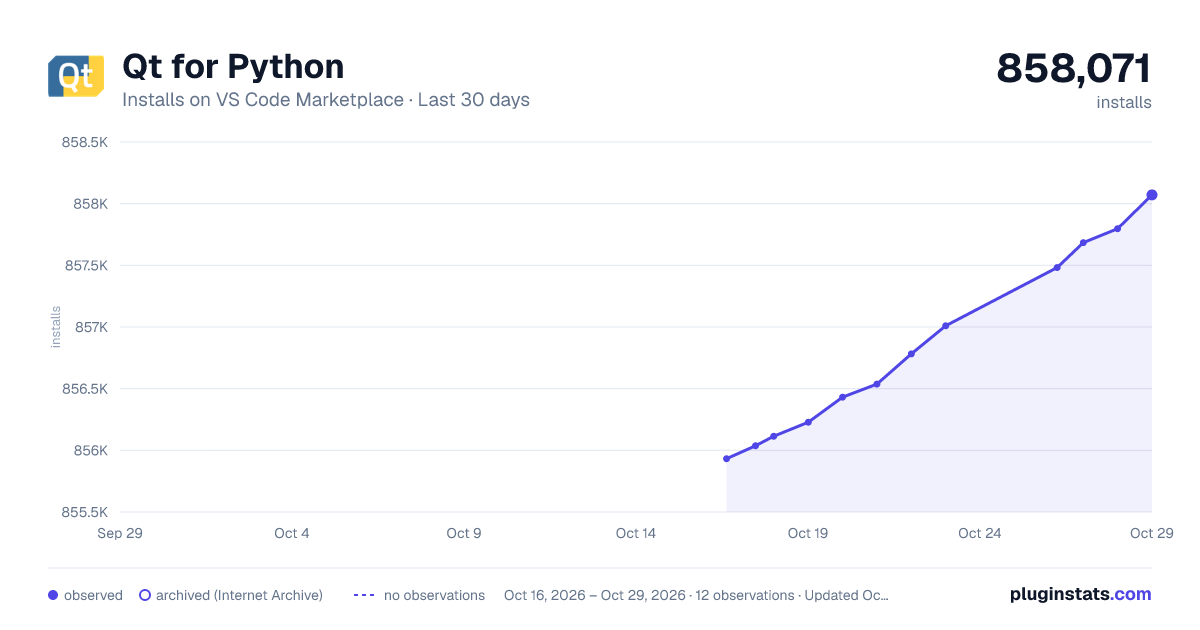
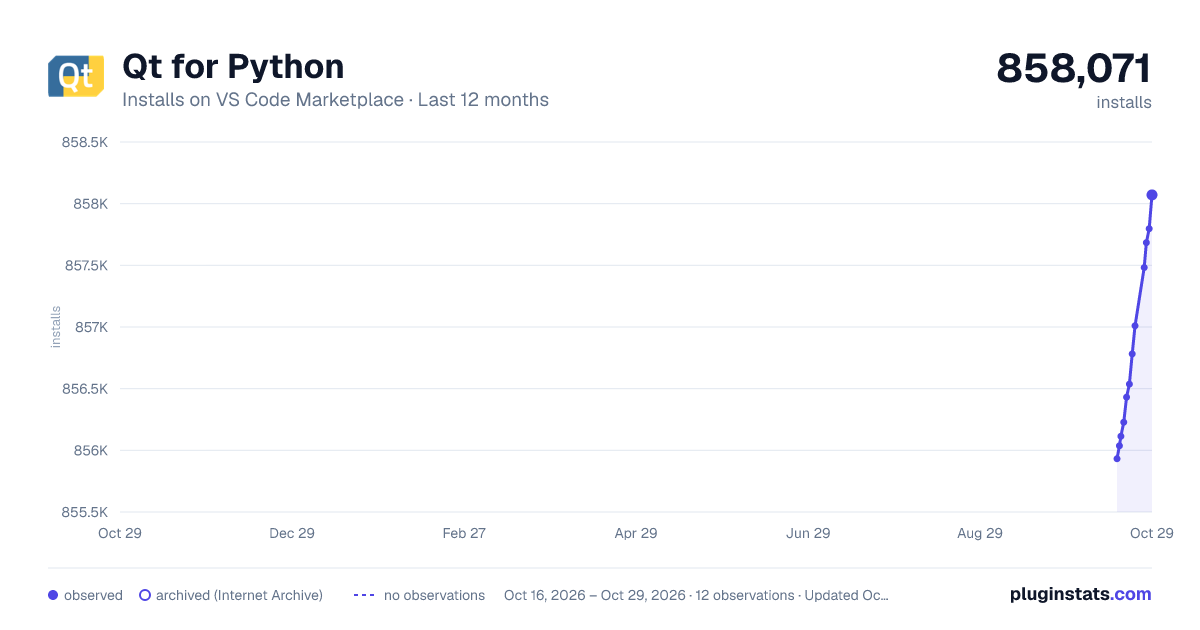
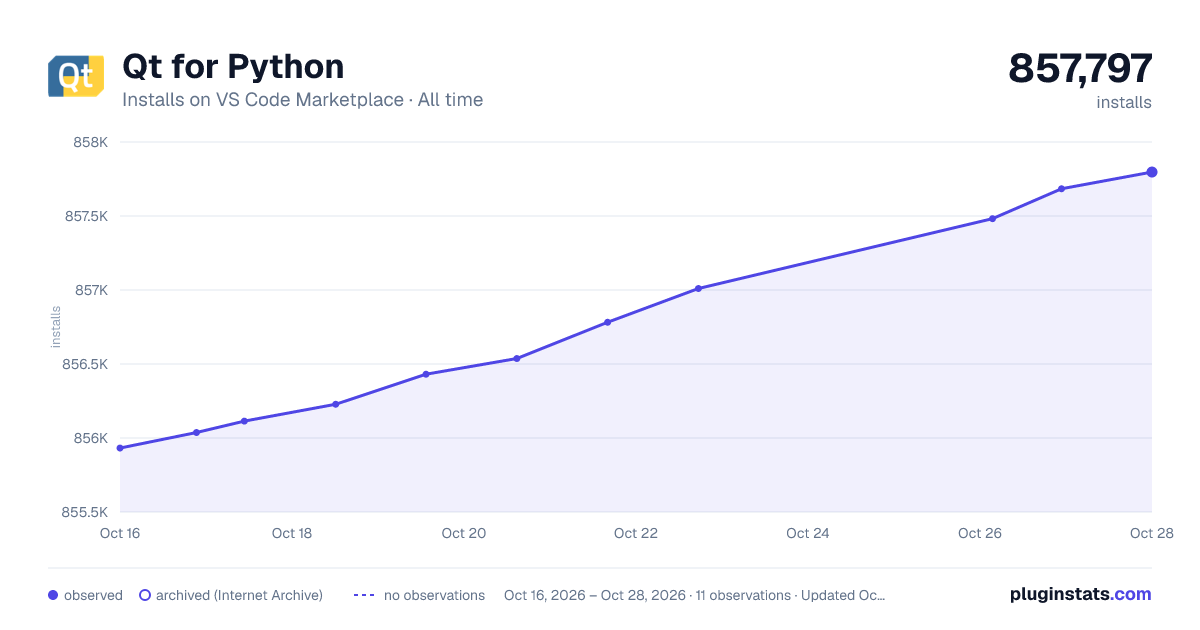

Adoption over time


7/30/90-day growth


Ranking history


Filled points are observed values; hollow points come from Internet Archive snapshots of the listing page. Dashed segments span periods with no observations — values between points are not interpolated.
Recent observations
Full history (4)Similar VS Code Marketplace Programming Languages plugins
Data source
Install counts, average rating, and rating counts come from the public Visual Studio Marketplace gallery API. Installs are cumulative and exclude updates.
Listing: https://marketplace.visualstudio.com/items?itemName=seanwu.vscode-qt-for-python. First seen Oct 16, 2026; last successful collection Oct 19, 2026. See the methodology.