 PluginStats
Python Debugger installs statistics
By Microsoft (223 listings) · VS Code Marketplace · Debuggers
Python Debugger extension using debugpy.
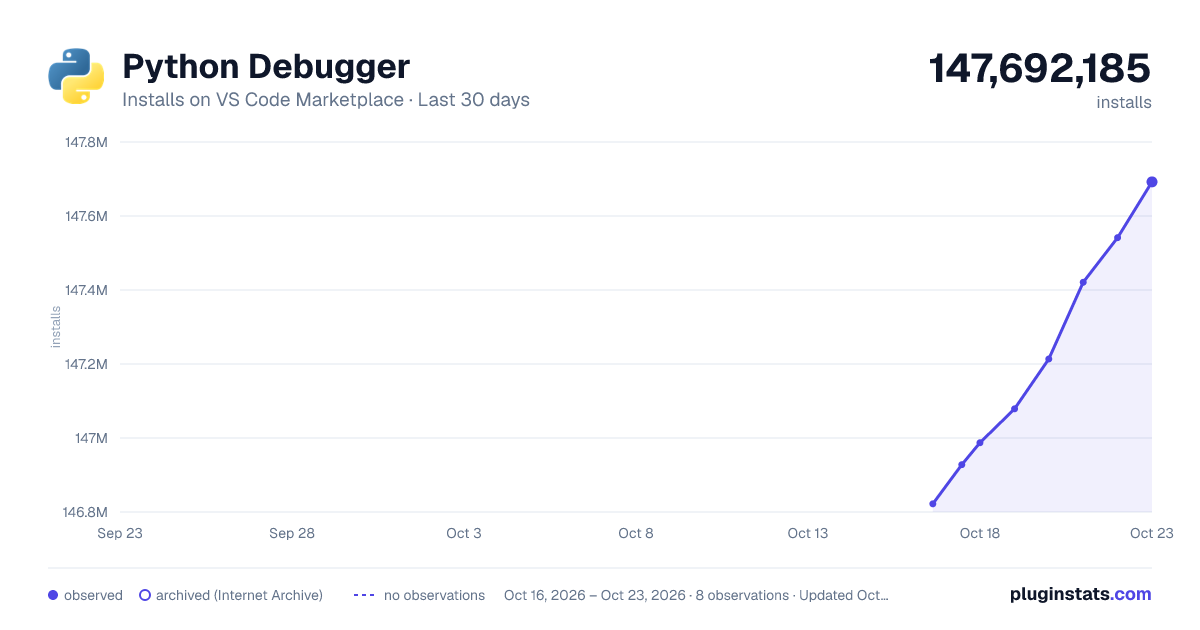
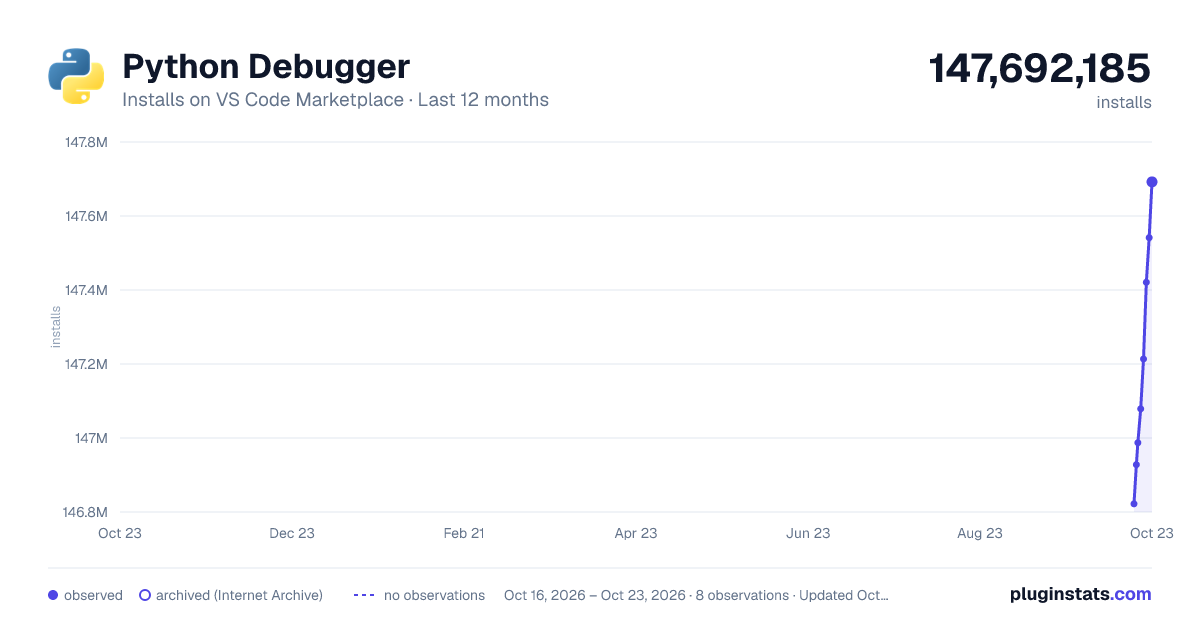
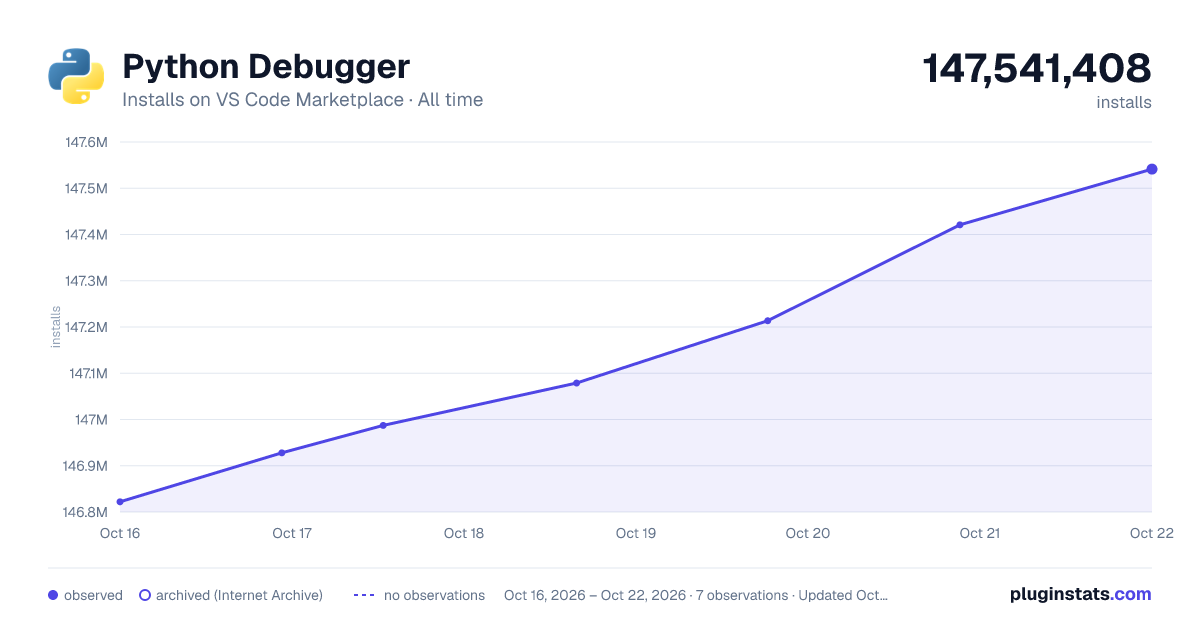
Python Debugger has 146,987,200 recorded installs on VS Code Marketplace.
It ranks #3 of 2,500 tracked VS Code Marketplace listings by installs.
It is rated 4.7 out of 5 from 17 ratings.
PluginStats has 3 daily observations since Oct 16, 2026; the latest is from Oct 18, 2026.
Rating: 4.71 / 5 from 17 ratings
About Python Debugger
Python Debugger extension for Visual Studio Code
A Visual Studio Code extension that supports Python debugging with debugpy. Python Debugger provides a seamless debugging experience by allowing you to set breakpoints, step through code, inspect variables, and perform other essential debugging tasks. The debugpy extension offers debugging support for various types of Python applications including scripts, web applications, remote processes, and multi-threaded processes.
Note: • The Python extension offers the python debugger extension as an optional installation, including it during the setup process. • This extension is supported for all actively supported versions of the Python language. See below for support on deprecated Python versions.
Purpose
The main intent of this extension is to offer:
1. Independence and Compatibility: The Python Debugger extension aims to separate the debugging functionality from the main Python extension to prevent compatibility issues. This ensures that even as the Python extension drops support for older Python versions (e.g., Python 3.7), you can continue debugging projects with those versions without downgrading your Python extension. This allows you to access new features and bug fixes while keeping your debugging capabilities intact.
2. Platform-Specific Builds: Unlike the main Python extension, which bundles all debugpy builds for various platforms into a single extension package, the Python Debugger extension provides a more streamlined approach: it delivers platform-specific builds, ensuring you only receive the components relevant to your specific operating system. This reduces download times and unnecessary overhead.
3. Feature Parity and Ongoing Updates: This extension replicates all the functionality available in the main Python extension, and more. Going forward, any new debugger features will be added to this extension. In the future, the Python extension will no longer offer debugging support on its own, and we will transition all debugging support to this extension for all debugging functionality.
Usage
Once installed in Visual Studio Code, python-debugger will be automatically activated when you open a Python file.
Disabling the Python Debugger extension
If you want to disable the Python Debugger extension, you can disable this extension per workspace in Visual Studio Code.
Commands
| Command | Description |
| Python Debugger: viewOutput | Show the Python Debugger Extension output. | | Python Debugger: clearCacheAndReload | Allows you to clear the global values set in the extension. | | Python Debugger: debugInTerminal | Allows you to debug a simple Python file in the terminal. |
Limited support for deprecated Python versions
Older versions of the Python Debugger extension are available for debugging Python projects that use outdated Python versions like Python 2.7 and Python 3.6. However, it’s important to note that our team is no longer maintaining these extension versions. We strongly advise you to update your project to a supported Python version if possible.
You can reference the table below to find the most recent Python Debugger extension version that offers debugging support for projects using deprecated Python versions, as well as the debugpy version that is shipped in each extension version.
Note: If you do not see older extension versions to install (= 3.5 | 2023.1.XXX | 1.5.1 | | >= 3.7 | 2024.0.XXX | 1.7.0 | | >= 3.8 | 2024.2.XXX | 1.8.1 | | >= 3.9 | 2025.5.XXX | 1.8.13 |
Note: Once you install an older version of the Python Debugger extension in VS Code, you may want to disable auto update by changing the value of the "extensions.autoUpdate" setting in your settings.json file.
Data and telemetry
The Debugpy Extension for Visual Studio Code collects usage data and sends it to Microsoft to help improve our products and services. Read our privacy statement to learn more. This extension respects the telemetry.telemetryLevel setting which you can learn more about at https://code.visualstudio.com/docs/supporting/faq#_how-to-disable-telemetry-reporting.
Description from the VS Code Marketplace listing.
- debugger
- debuggers
- debugpy
- python
Where Python Debugger sits in the listing
Each band is one page of 20. Installs on a log scale. Placement is projected from installs, so it can differ from the marketplace's own sort order. Hover a dot to see the listing.


Charts
Images: 30d · 1y · all time · 1600×900 dark

Adoption over time


7/30/90-day growth


Ranking history


Filled points are observed values; hollow points come from Internet Archive snapshots of the listing page. Dashed segments span periods with no observations — values between points are not interpolated.
Recent observations
Full history (3)Similar VS Code Marketplace Debuggers plugins
Data source
Install counts, average rating, and rating counts come from the public Visual Studio Marketplace gallery API. Installs are cumulative and exclude updates.
Listing: https://marketplace.visualstudio.com/items?itemName=ms-python.debugpy. First seen Oct 16, 2026; last successful collection Oct 18, 2026. See the methodology.