 PluginStats
autopep8 installs statistics
By Microsoft (223 listings) · VS Code Marketplace · Programming Languages
Formatting support for Python files using the autopep8 formatter.
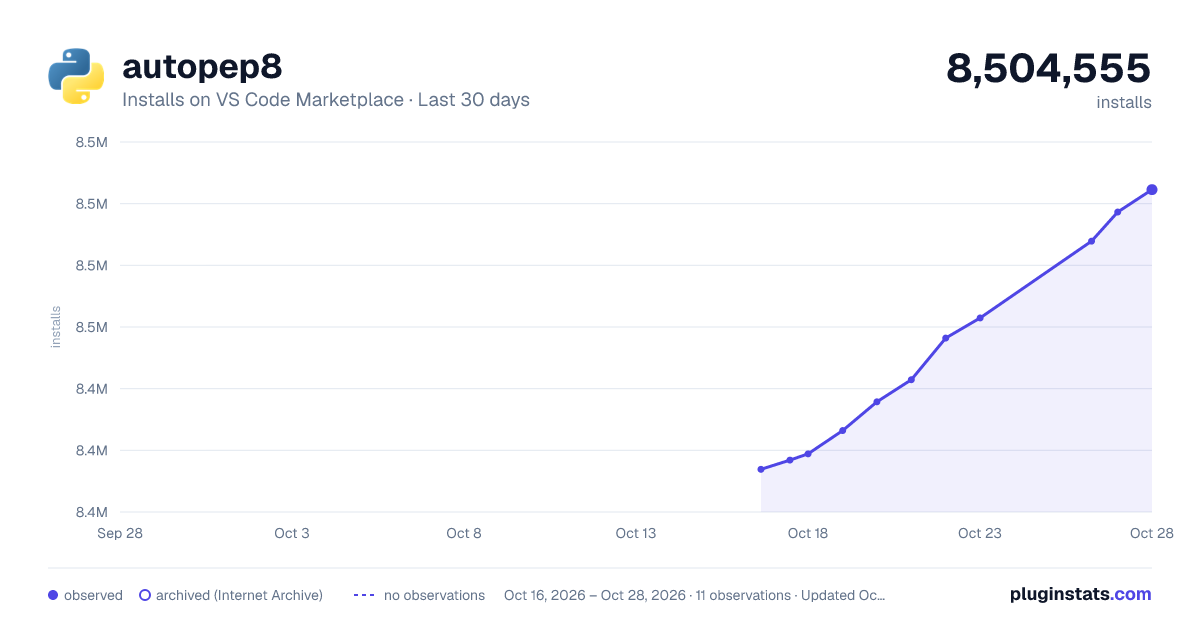
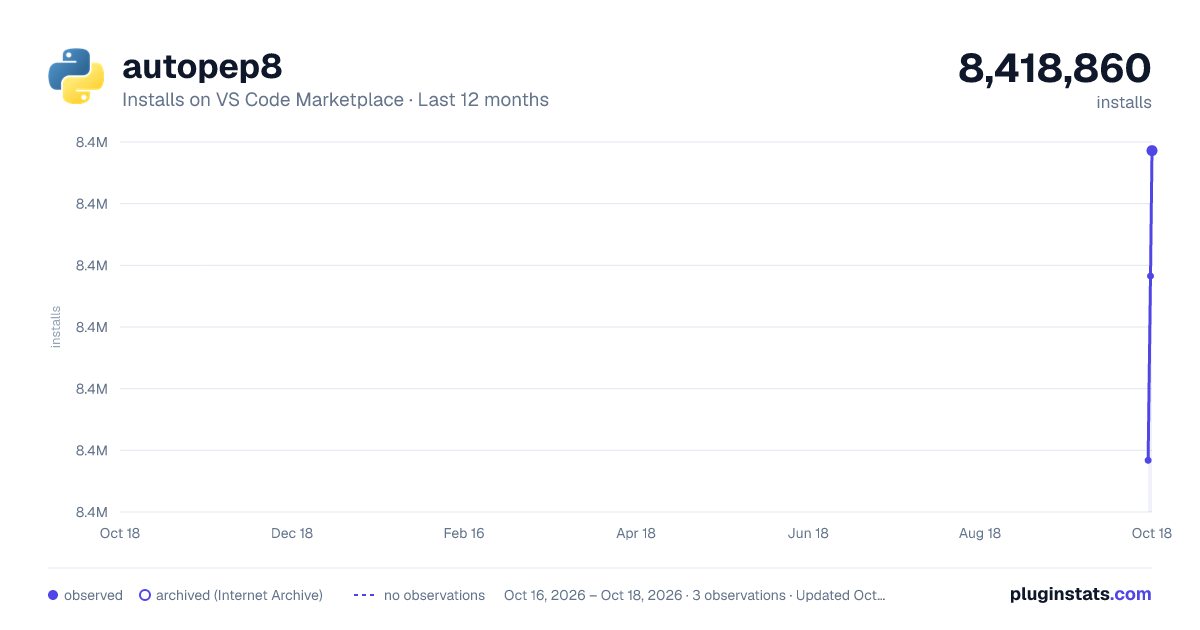
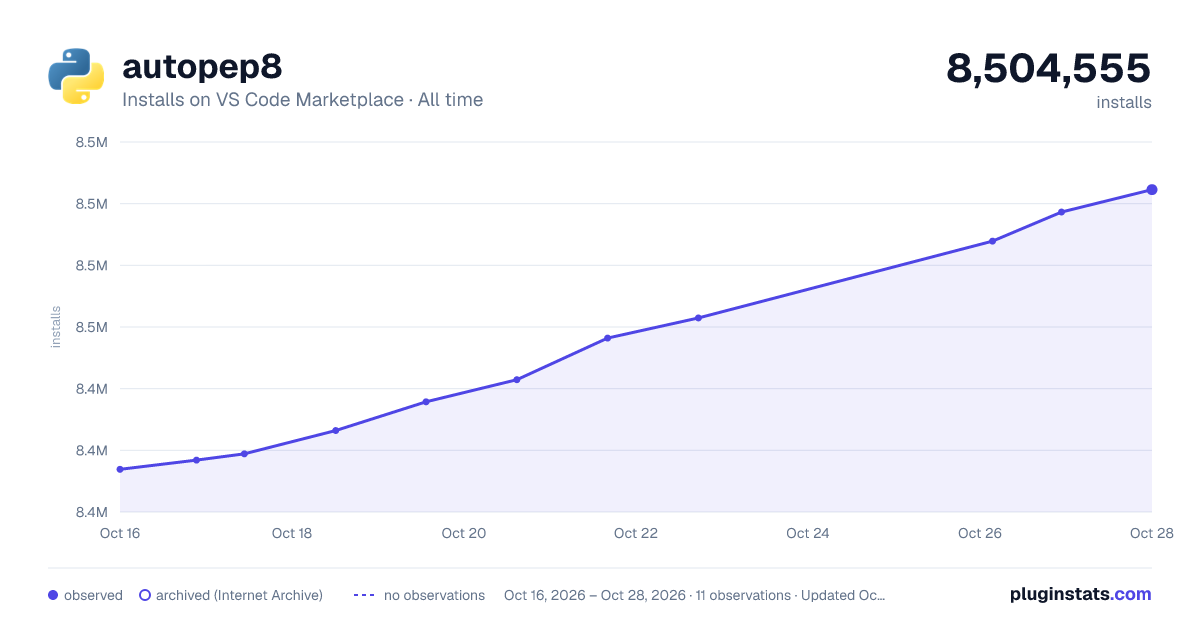
autopep8 has 8,418,860 recorded installs on VS Code Marketplace.
It ranks #115 of 2,500 tracked VS Code Marketplace listings by installs.
It is rated 3.1 out of 5 from 16 ratings.
PluginStats has 3 daily observations since Oct 16, 2026; the latest is from Oct 18, 2026.
Rating: 3.06 / 5 from 16 ratings
About autopep8
Formatter extension for Visual Studio Code using autopep8
A Visual Studio Code extension with support for the autopep8 formatter. The extension ships with autopep8=2.3.2.
Note: The minimum supported version of autopep8 is 2.3.2. If you have any issues with formatting with autopep8, please report it to this issue tracker as this extension is just a wrapper around autopep8.
This extension supports for all actively supported versions of the Python language.
For more information on autopep8, see https://pypi.org/project/autopep8/.
Usage and Features
The autopep8 extension for Visual Studio Code provides formatting support for your Python files. Check out the Settings section for more details on how to customize this extension.
• Integrated formatting: Once this extension is installed in VS Code, autopep8 will be automatically available as a formatter for Python. This is because the extension ships with a autopep8 binary. You can ensure VS Code uses autopep8 by default for all your Python files by setting the following in your User settings (View > Command Palette... and run Preferences: Open User Settings (JSON)): • Format on save: Automatically format your Python files on save by setting the editor.formatOnSave setting to true and the editor.defaultFormatter setting to ms-python.autopep8. You can also enable format on save for Python files only by adding the following to your settings: • Customize autopep8: You can customize the behavior of autopep8 by setting the autopep8.args setting.
Disabling formatting with autopep8
If you want to disable the autopep8 formatter, you can disable this extension per workspace in Visual Studio Code.
Settings
There are several settings you can configure to customize the behavior of this extension.
Settings Default Description
autopep8.args [] Arguments passed to autopep8 to format Python files. Each argument should be provided as a separate string in the array. Example: "autopep8.args" = ["--config", "<file>"]
autopep8.cwd ${workspaceFolder} Sets the current working directory used to format Python files with autopep8. By default, it uses the root directory of the workspace ${workspaceFolder}. You can set it to ${fileDirname} to use the parent folder of the file being formatted as the working directory for autopep8.
autopep8.path [] Path or command to be used by the extension to format Python files with autopep8. Accepts an array of a single or multiple strings. If passing a command, each argument should be provided as a separate string in the array. If set to ["autopep8"], it will use the version of autopep8 available in the PATH environment variable. Note: Using this option may slowdown formatting. Examples: ["~/global_env/autopep8"] ["conda", "run", "-n", "lint_env", "python", "-m", "autopep8"]
autopep8.interpreter [] Path to a Python executable or a command that will be used to launch the autopep8 server and any subprocess. Accepts an array of a single or multiple strings. When set to [], the extension will use the path to the selected Python interpreter. If passing a command, each argument should be provided as a separate string in the array.
autopep8.importStrategy useBundled Defines which autopep8 formatter binary to be used to format Python files. When set to useBundled, the extension will use the autopep8 formatter binary that is shipped with the extension. When set to fromEnvironment, the extension will attempt to use the autopep8 formatter binary and all dependencies that are available in the currently selected environment. Note: If the extension can't find a valid autopep8 formatter binary in the selected environment, it will fallback to using the binary that is shipped with the extension. The autopep8.path setting takes precedence and overrides the behavior of autopep8.importStrategy .
autopep8.showNotification off Controls when notifications are shown by this extension. Accepted values are onError, onWarning, always and off.
Commands
| Command | Description |
| autopep8: Restart | Force re-start the format server. |
Logging
From the Command Palette (View > Command Palette ...), run the Developer: Set Log Level... command. Select autopep8 from the Extension logs group. Then select the log level you want to set.
Alternatively, you can set the autopep8.trace.server setting to verbose to get more detailed logs from the autopep8 server. This can be helpful when filing bug reports.
To open the logs, click on the language status icon ({}) on the bottom right of the Status bar, next to the Python language mode. Locate the autopep8 entry and select Open logs.
Troubleshooting
In this section, you will find some common issues you might encounter and how to resolve them. If you are experiencing any issues that are not covered here, please file an issue.
• If the autopep8.importStrategy setting is set to fromEnvironment but autopep8 is not found in the selected environment, this extension will fallback to using the autopep8 binary that is shipped with the extension. However, if there are dependencies installed in the environment, those dependencies will be used along with the shipped autopep8 binary. This can lead to problems if the dependencies are not compatible with the shipped autopep8 binary.
To resolve this issue, you can:
• Set the autopep8.importStrategy setting to useBundled and the autopep8.path setting to point to the custom binary of autopep8 you want to use; or • Install autopep8 in the selected environment.
Description from the VS Code Marketplace listing.
- autopep8
- formatting
- ini
- python
- toml
Where autopep8 sits in the listing
Each band is one page of 20. Installs on a log scale. Placement is projected from installs, so it can differ from the marketplace's own sort order. Hover a dot to see the listing.


Charts
Images: 30d · 1y · all time · 1600×900 dark

Adoption over time


7/30/90-day growth


Filled points are observed values; hollow points come from Internet Archive snapshots of the listing page. Dashed segments span periods with no observations — values between points are not interpolated.
Recent observations
Full history (3)Similar VS Code Marketplace Programming Languages plugins
Data source
Install counts, average rating, and rating counts come from the public Visual Studio Marketplace gallery API. Installs are cumulative and exclude updates.
Listing: https://marketplace.visualstudio.com/items?itemName=ms-python.autopep8. First seen Oct 16, 2026; last successful collection Oct 18, 2026. See the methodology.