 PluginStats
Ruff installs statistics
By Astral Software · VS Code Marketplace · Programming Languages
A Visual Studio Code extension with support for the Ruff linter and formatter for Python.
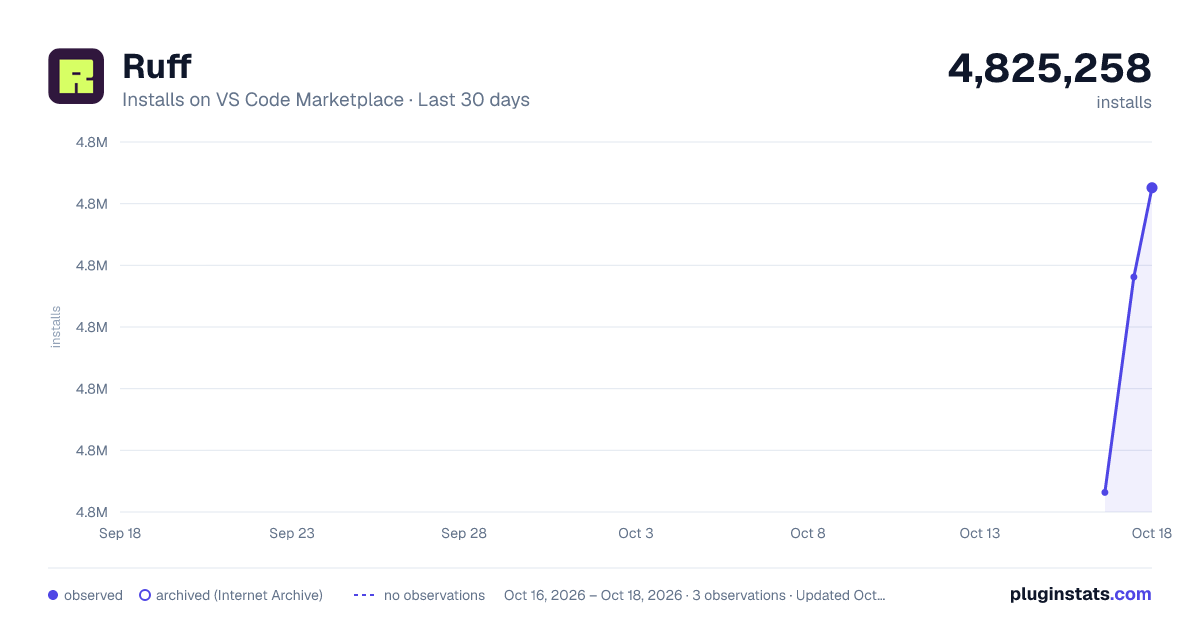
Ruff has 4,825,258 recorded installs on VS Code Marketplace.
It ranks #183 of 2,500 tracked VS Code Marketplace listings by installs.
It is rated 4.9 out of 5 from 55 ratings.
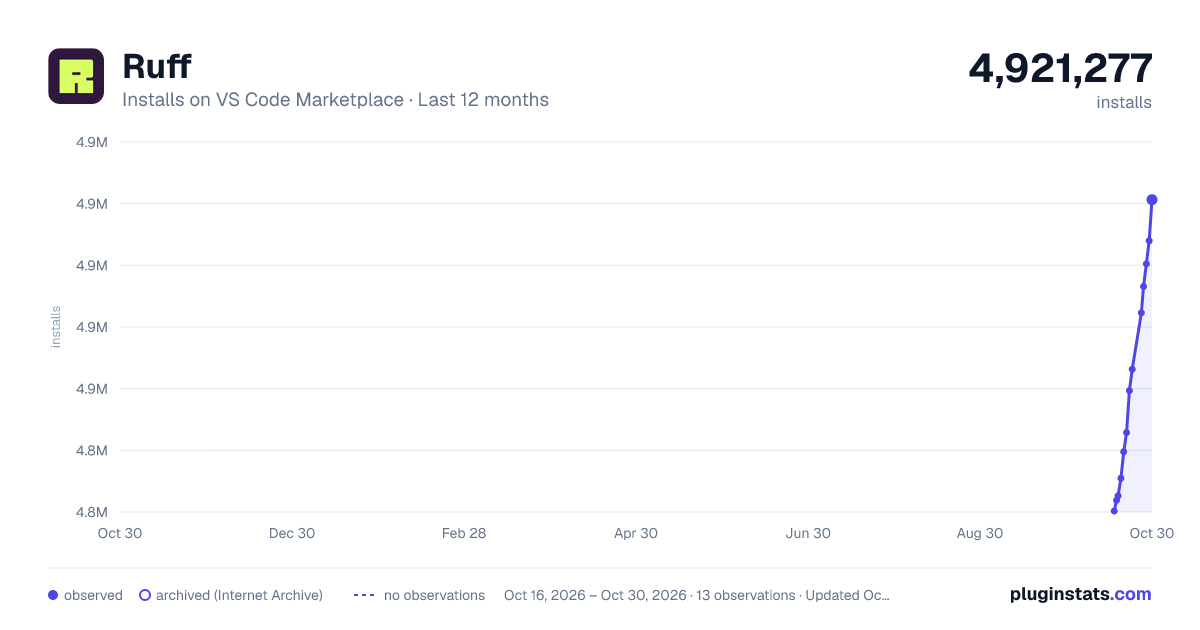
PluginStats has 3 daily observations since Oct 16, 2026; the latest is from Oct 18, 2026.
Rating: 4.87 / 5 from 55 ratings
About Ruff
Ruff extension for Visual Studio Code
A Visual Studio Code extension for Ruff, an extremely fast Python linter and code formatter, written in Rust. Available on the Visual Studio Marketplace.
Ruff can be used to replace Flake8 (plus dozens of plugins), Black, isort, pyupgrade, and more, all while executing tens or hundreds of times faster than any individual tool.
The extension ships with ruff==0.17.1.
Highlights
"Quick Fix" actions for auto-fixable violations (like unused imports)
"Fix all": automatically fix all auto-fixable violations
"Format Document": Black-compatible code formatting
"Organize Imports": isort-compatible import sorting
Requirements
This extension does not _require_ any additional extensions to function, but we recommend installing either of the following:
• The VS Code Python Environments extension. Note that this requires VS Code 1.100 or later. • A version of the VSCode Python extension that supports Python 3.8+.
When either of these is available, the Ruff extension uses it to locate the Ruff binary in the active environment. If no binary is found there, or both extensions are unavailable, Ruff falls back to the Ruff binary found on the PATH or bundled with the extension.
Reload VS Code after installing either extension to enable Python environment detection.
Usage
Once installed in Visual Studio Code, ruff will automatically execute when you open or edit a Python or Jupyter Notebook file, or a Ruff configuration file (pyproject.toml, ruff.toml, or .ruff.toml).
If you want to disable Ruff, you can disable this extension per workspace in Visual Studio Code.
Fix safety
Ruff's automatic fixes are labeled as "safe" and "unsafe". By default, the "Fix all" action will not apply unsafe fixes. However, unsafe fixes can be applied manually with the "Quick fix" action. Application of unsafe fixes when using "Fix all" can be enabled by setting unsafe-fixes = true in your Ruff configuration file.
See the Ruff fix docs for more details on how fix safety works.
Jupyter Notebook Support
The extension supports Jupyter Notebooks via the [Notebook Document Synchronization] capabilities introduced in version 3.17 of the Language Server Protocol, including diagnostics, code actions, and formatting.
Jupyter Notebook support was stabilized in Ruff 0.6.0, and notebooks are now linted and formatted by default. Earlier versions require explicitly including notebooks with the extend-include setting in the Ruff configuration file:
For more information, refer to the Jupyter Notebook discovery section of the Ruff documentation.
Untrusted Workspace
_New in v2024.32.0_
The extension supports loading in an untrusted workspace. In an untrusted workspace, it always uses the bundled Ruff executable, regardless of any executable or Python environment settings. With Ruff 0.17.0 or later, formatting always uses Ruff's built-in formatter rather than the uv backend.
The following settings are not supported in an untrusted workspace:
• ruff.configuration • ruff.format.backend • ruff.importStrategy • ruff.interpreter • ruff.path
Settings
Refer to the Ruff Language Server documentation for a full list of settings available in the extension.
Configuring VS Code
You can configure Ruff to format Python code on-save by enabling the editor.formatOnSave action in settings.json, and setting Ruff as your default formatter:
And, for Jupyter Notebooks:
And for Markdown code blocks:
You can configure Ruff to fix lint violations on-save by enabling the source.fixAll action in settings.json:
And, for Jupyter Notebooks:
Similarly, you can configure Ruff to organize imports on-save by enabling the source.organizeImports action in settings.json:
And, for Jupyter Notebooks:
Taken together, you can configure Ruff to format, fix, and organize imports on-save via the following settings.json:
And, for Jupyter Notebooks:
_Note: if you're using Ruff to organize imports in VS Code and also expect to run Ruff from the command line, you'll want to enable Ruff's isort rules by adding "I" to your extend-select._
_Note: The above-mentioned Notebook configurations run the action for each cell individually. This is how VS Code handles these Notebook actions and is unrelated to the Ruff extension. To run them on the entire notebook at once, use the Ruff prefixed commands such as Ruff: Organize Imports and Ruff: Fix all auto-fixable problems._
If you're using the VS Code Python extension, you can configure VS Code to fix violations on-save using Ruff, then re-format with the Black extension, via the following settings.json:
If you'd like to use Ruff as a linter, but continue to sort imports with the isort extension, you can disable Ruff's import-sorting capabilities via the following settings.json:
If you'd like to run Ruff on-save, but avoid allowing other extensions to run on-save, you can use Ruff's scoped source.fixAll and source.organizeImports actions via the following settings.json:
If you'd like to run Ruff, but disable code formatting (by Ruff, or by another formatter), be sure to unset the editor.defaultFormatter in settings.json:
Configuring Ruff
The Ruff VS Code extension will respect any Ruff configuration as defined in your project's pyproject.toml, ruff.toml, or .ruff.toml file (see: _Configuring Ruff_ in the Ruff documentation). In general, we recommend configuring Ruff via pyproject.toml or ruff.toml so that your configuration is shared between the VS Code extension and the command-line tool, and between all contributors to the project.
You can configure some common settings in VS Code directly, like ruff.lineLength (the line length for the linter and formatter) or ruff.lint.select (the enabled lint rules):
To use a custom configuration file, set the ruff.configuration setting to the path of your ruff.toml or pyproject.toml file:…
Description from the VS Code Marketplace listing.
- formatting
- linting
- markdown
- python
- ruff
Where Ruff sits in the listing
Each band is one page of 20. Installs on a log scale. Placement is projected from installs, so it can differ from the marketplace's own sort order. Hover a dot to see the listing.


Charts
Images: 30d · 1y · all time · 1600×900 dark


Adoption over time


7/30/90-day growth


Filled points are observed values; hollow points come from Internet Archive snapshots of the listing page. Dashed segments span periods with no observations — values between points are not interpolated.
Recent observations
Full history (3)Similar VS Code Marketplace Programming Languages plugins
Data source
Install counts, average rating, and rating counts come from the public Visual Studio Marketplace gallery API. Installs are cumulative and exclude updates.
Listing: https://marketplace.visualstudio.com/items?itemName=charliermarsh.ruff. First seen Oct 16, 2026; last successful collection Oct 18, 2026. See the methodology.