 PluginStats
Azure Machine Learning - Remote installs statistics
By Microsoft (223 listings) · VS Code Marketplace · Azure
This extension is used by the Azure Machine Learning Extension
Azure Machine Learning - Remote has 2,621,127 recorded installs on VS Code Marketplace.
It ranks #281 of 2,500 tracked VS Code Marketplace listings by installs.
It is rated 3.2 out of 5 from 5 ratings.
PluginStats has 3 daily observations since Oct 16, 2026; the latest is from Oct 18, 2026.
Rating: 3.20 / 5 from 5 ratings
About Azure Machine Learning - Remote
Azure Machine Learning - Remote Extension
This extension is complementary to the Azure Machine Learning extension and is used to seamlessly connect VS Code to a remote Compute Instance.
Once connected to the compute instance, you can:
• Run and debug Python scripts and Notebooks, executing directly on the CI • Traverse the remote filesystem and mounted fileshare • Invoke commands in a remote terminal • Clone and manage git repos
Quick Start
1. Navigate to the Azure Machine Learning Studio (ml.azure.com).
2. Invoke the VS Code "click-out" link from either the Notebook or Compute tabs. a. [Compute] The VS Code button is in line with your listed compute instances.
b. [Notebook] Click on the "Editors" dropdown and choose the "Edit in VS Code" option.
3. Once you land in VS Code, you'll be prompted to install the Azure ML extension if you do not already have it. If you have an older version of the extension (0.6.17 or less), please upgrade to the latest version and Try Again.
4. The Azure Machine Learning - Remote extension will be used to set up your connection. After invoking the connection from the Studio UI the first time, subsequent connections can be invoked within VS Code using the "Azure ML: Connect to Compute Instance" command.
Useful Commands
Open the Command Palette (Command+Shift+P on macOS and Ctrl+Shift+P on Windows/Linux) and type in one of the following commands:
| Command | Description |
| Azure ML: Connect to Compute Instance | Connect to a compute instance in your Azure Machine Learning workspace | | Azure ML: Kill VS Code server on Compute Instance | Stop the running remote VS Code server. Useful when troubleshooting connection issues | | Azure ML: Kill Azure ML websocket server on Compute Instance | Stop the running websocket server |
Port forwarding (desktop)
Use the Ports panel to forward a compute instance application port to your local machine. To forward specific ports automatically when connecting, set the following in your user settings:
Configured ports bind only to 127.0.0.1 on your computer, using the same local and remote port number. For example, a web application on compute instance port 8000 is accessible at http://127.0.0.1:8000. The application must be running on the compute instance. Each local connection uses an authenticated Azure ML WebSocket connection; no SSH connection or public sharing URL is required.
Configured forwards appear as detected, read-only entries in the Ports panel and are closed when the window closes. Reload the window after changing the setting. If a local port is already occupied, that port is skipped with a warning; other configured ports and the remote connection are unaffected. Use manual forwarding in the Ports panel when you need a different local port.
This setting is supported only for compute instances in VS Code desktop, not VS Code for the Web. It does not publish services over the internet through Microsoft dev tunnels.
Questions, issues, feature requests
• Any and all feedback is appreciated and welcome! If you come across a problem with the extension please file an issue. • If you'd like to provide feedback for the extension, please fill out this survey.
Data and Telemetry
The Azure Machine Learning - Remote Extension for Visual Studio Code collects usage data and sends it to Microsoft to help improve our products and services. Read our privacy statement to learn more. This extension respects the telemetry.enableTelemetry setting which you can learn more about here.
Description from the VS Code Marketplace listing.
- AML
- Azure Machine Learning
- Azure ML
- Deep Learning
Where Azure Machine Learning - Remote sits in the listing
Each band is one page of 20. Installs on a log scale. Placement is projected from installs, so it can differ from the marketplace's own sort order. Hover a dot to see the listing.


Charts
Images: 30d · 1y · all time · 1600×900 dark
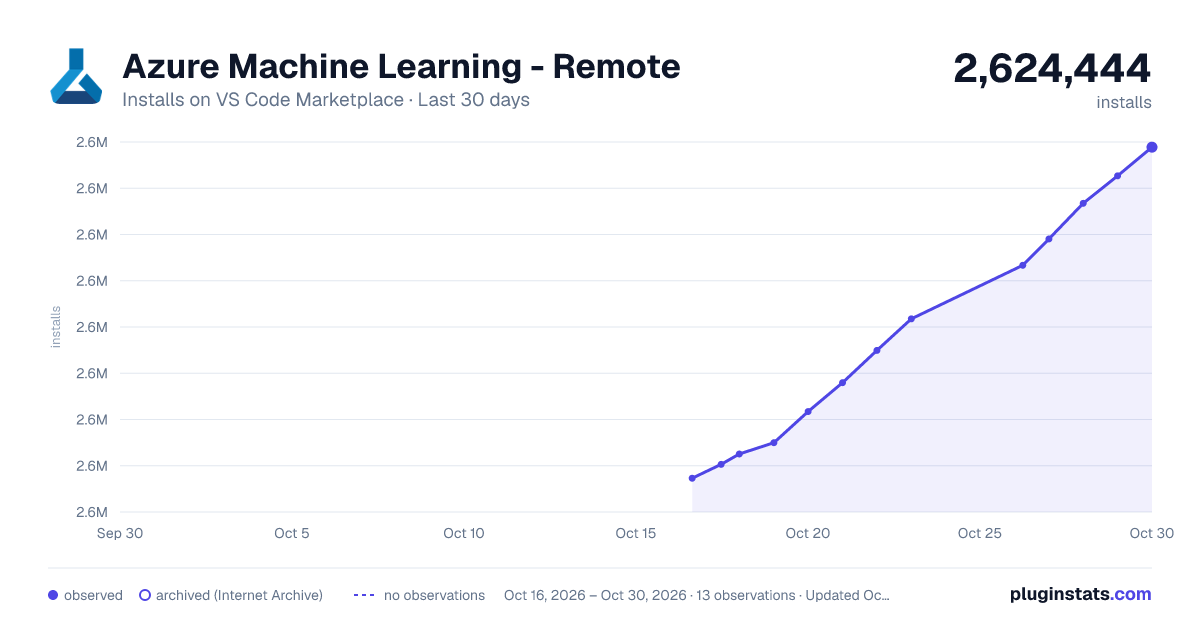
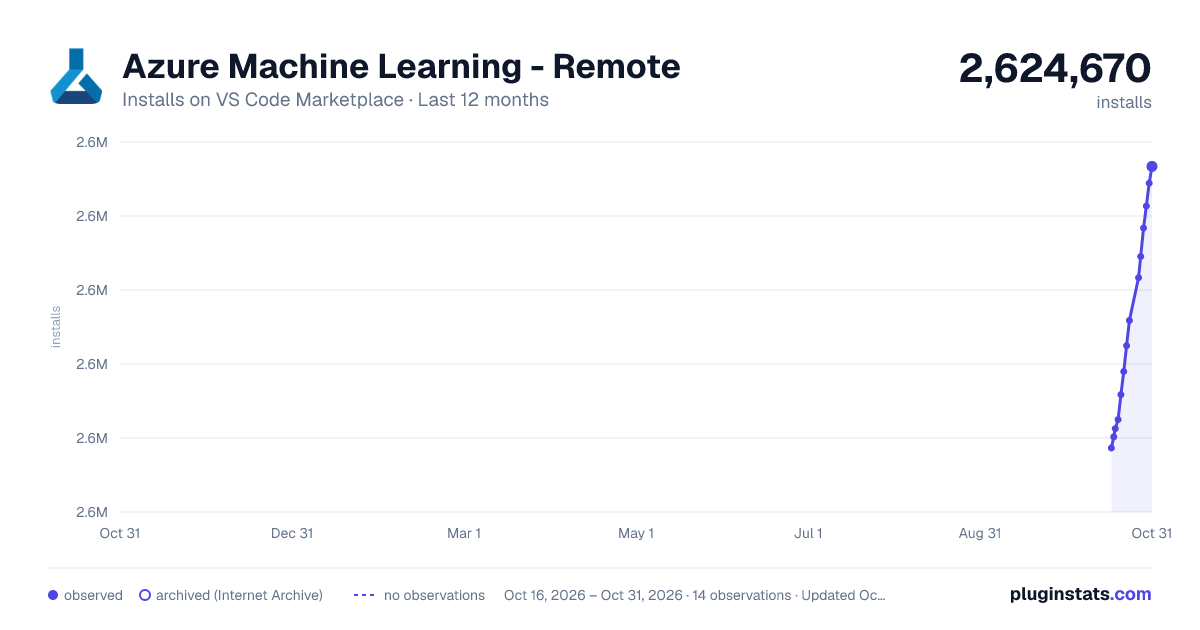
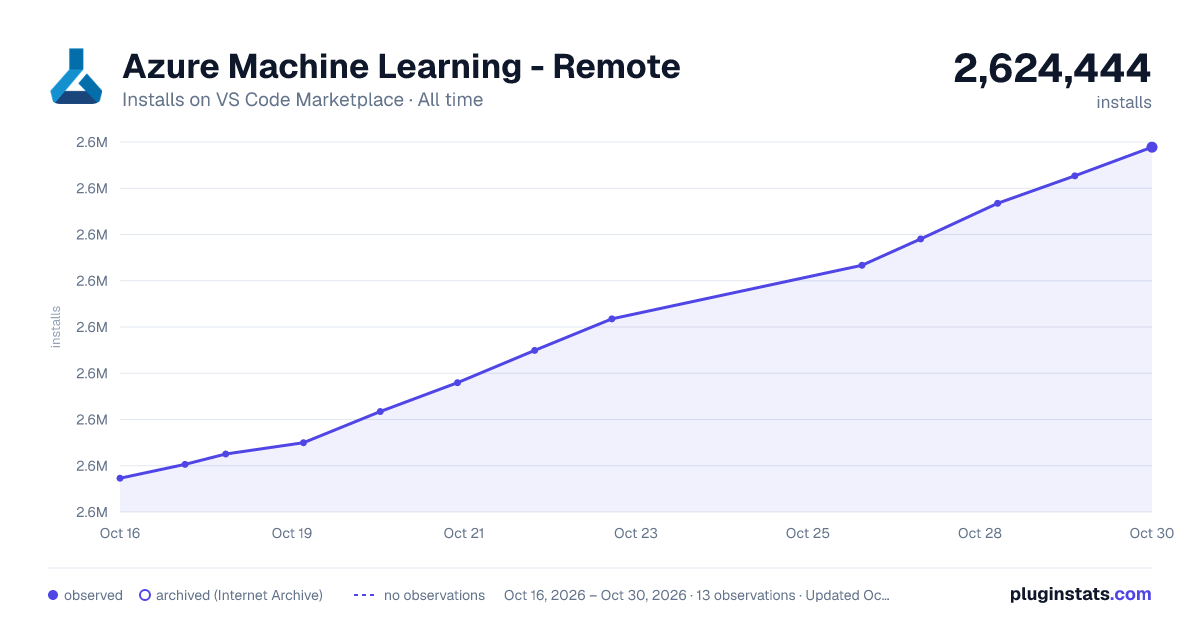

Adoption over time


7/30/90-day growth


Ranking history


Filled points are observed values; hollow points come from Internet Archive snapshots of the listing page. Dashed segments span periods with no observations — values between points are not interpolated.
Recent observations
Full history (3)Similar VS Code Marketplace Azure plugins
Data source
Install counts, average rating, and rating counts come from the public Visual Studio Marketplace gallery API. Installs are cumulative and exclude updates.
Listing: https://marketplace.visualstudio.com/items?itemName=ms-toolsai.vscode-ai-remote. First seen Oct 16, 2026; last successful collection Oct 18, 2026. See the methodology.