 PluginStats
Azure Automation installs statistics
By Microsoft (223 listings) · VS Code Marketplace · Azure
An Azure Automation extension for Visual Studio Code
Azure Automation has 109,148 recorded installs on VS Code Marketplace.
It ranks #2249 of 2,500 tracked VS Code Marketplace listings by installs.
It is rated 3.6 out of 5 from 11 ratings.
PluginStats has 3 daily observations since Oct 16, 2026; the latest is from Oct 18, 2026.
Rating: 3.64 / 5 from 11 ratings
About Azure Automation
Azure Automation extension for Visual Studio Code
Use the Azure Automation extension to quickly create and manage runbooks directly from VS Code. You can perform all runbook management operations like creating runbooks, Editing Runbook , Triggering a Job , tracking Recent Jobs outputs , Linking a schedule , Asset management and Local debugging - and more using this extension.
What's New
v1.2.4
• Added support for PowerShell 7.2 runtime runbooks
Key Features of the extension
• Allows Simple & Secure Azure Account Login, directly with browser integration. Allows Simple & Secure Azure Account Login, directly with browser integration . This extension uses the Azure Account extension that provides a single Azure sign in and subscription filtering experience. There are multiple commands accessible via the command palette that may be used to sign into & sign out of Azure. Read here for more details. • Supports all the automation runtime stack – PowerShell 5, PowerShell 7, PowerShell 7.2, Python 2 and Python3 Runbooks • Supports test execution of job , publishing Automation Job and triggering job in Azure as well as Hybrid workers. You can execute runbooks locally also. • Supports Python Positional Parameters and PowerShell Parameters for job Triggering • Support to link a Schedule to a Runbook and Create a Webhook. Starting a job through a Webhook is simplified. • Manage the Automation Assets – certificates, variables, credentials, and connections. You can perform create, update, and delete operation against assets. • You can view the properties and select Hybrid worker group for executing the hybrid jobs. • You can see the recent last 10 jobs executed. • You can debug PowerShell scripts locally. • You can compare local Runbook to the published or the draft runbook copy.
Pre-requisites
• An Azure subscription. If you don't have an Azure subscription, create a free account before you begin. • Visual Studio Code • Requires an Azure account to sign in. • Required PowerShell modules and Python packages used by the runbook must be locally installed on the machine for running the runbook locally. • The authentication library to use in 'Azure Account' extension setting should be set to 'ADAL'
Supported Operating Systems
The extension *should* work anywhere VS Code itself and PowerShell Core 7.2 or higher is supported. For Windows PowerShell, only version 5.1 is supported. Please note that PowerShell Core 6 is end-of-life and so not supported. Our test matrix includes the following: 1. Windows Server 2022 with Windows PowerShell 5.1 and PowerShell Core 7.2.7 2. Windows Server 2019 with Windows PowerShell 5.1 and PowerShell Core 7.2.7 3. macOS 11 with PowerShell Core 7.2.7 4. Ubuntu 20.04 with PowerShell Core 7.2.7
Features
Local Directory operation
1. Change Directory(Base Path) - Define the working directory you want to save runbooks locally -> From Command Palette (Ctrl+ shift + P -> select *Change Directory* ). The changed directory path would be used even when you re-open Visual Studio code IDE. You can also change the Base path from Extension configuration settings. Click on Manage Icon in VSCode on the bottom left corner -> Settings ->WorkSpace -> Extensions -> Azure Automation - > Directory: Base Path.
2. Change Directory:Folder Structure - Allows you to change the local directory folder structure from *vscodeAutomation/accHash* to *subscription/resourceGroup/automationAccount* . Click on Manage Icon in VSCode on the bottom left corner -> Settings -> WorkSpace -> Extensions -> Azure Automation -> Directory: Folder Structure. Default Configuration setting is *"vscodeAutomation/accHash"* which can be changed to *"subscription/resourceGroup/automationAccount"* format. If your automation account is integrated with source control, then you can provide the runbook folder path of your GitHub repo as the directory path. For example: changing directory to *"C:\abc"* would store runbooks in *"C:\abc\vscodeAutomation.."* or *"C:\abc\subscription\resourceGroup\automationAccount\runbookname.ps1"*
Runbook management operations
1. Create Runbook – Create a New Runbook in the Automation Account by right clicking on ‘Runbooks’ title node and selecting *Create Runbook*.
2. Fetch Draft Runbook – Replace the content of the Local Runbook with draft version from the Automation Account by right clicking on the selected Runbook and Select *Fetch Draft Runbook*.
3. Fetch Published Runbook – Replace the content of Local Runbook with the published version from the Automation Account by right clicking on the selected Runbook and Select *Fetch Published Runbook*. 4. Open Local – Open the Local Runbook in the Editor by right Clicking on the selected Runbook properties and Select *Open Local*.
5. Compare Local Runbook(Diff Checking) - This allows you to compare Local Runbook with the Published or Draft Runbook copy. You can visualize the change in the code side by side between the local runbook copy and the published or draft copy. Compare by right clicking on Runbook properties and selecting *Compare Local Runbook*.
6. Upload As Draft – Save a local copy of your Runbook as draft in Automation Account by right clicking on the Runbook properties and Select *Upload As Draft*.
7. Publish Runbook – Publish the local copy of your Runbook in Automation Account by right clicking on the Runbook properties and selecting *Publish Runbook*.
8. Delete Runbook – Delete a Runbook from Automation Account by right clicking on the selected Runbook and selecting *Delete Runbook*.
Test Runbook and Jobs
1. Run Local – Run local version of the automation job by right clicking the Runbook -> *Run Local*.…
Description from the VS Code Marketplace listing.
- automation
- azure
- azure automation
Where Azure Automation sits in the listing
Each band is one page of 20. Installs on a log scale. Placement is projected from installs, so it can differ from the marketplace's own sort order. Hover a dot to see the listing.


Charts
Images: 30d · 1y · all time · 1600×900 dark
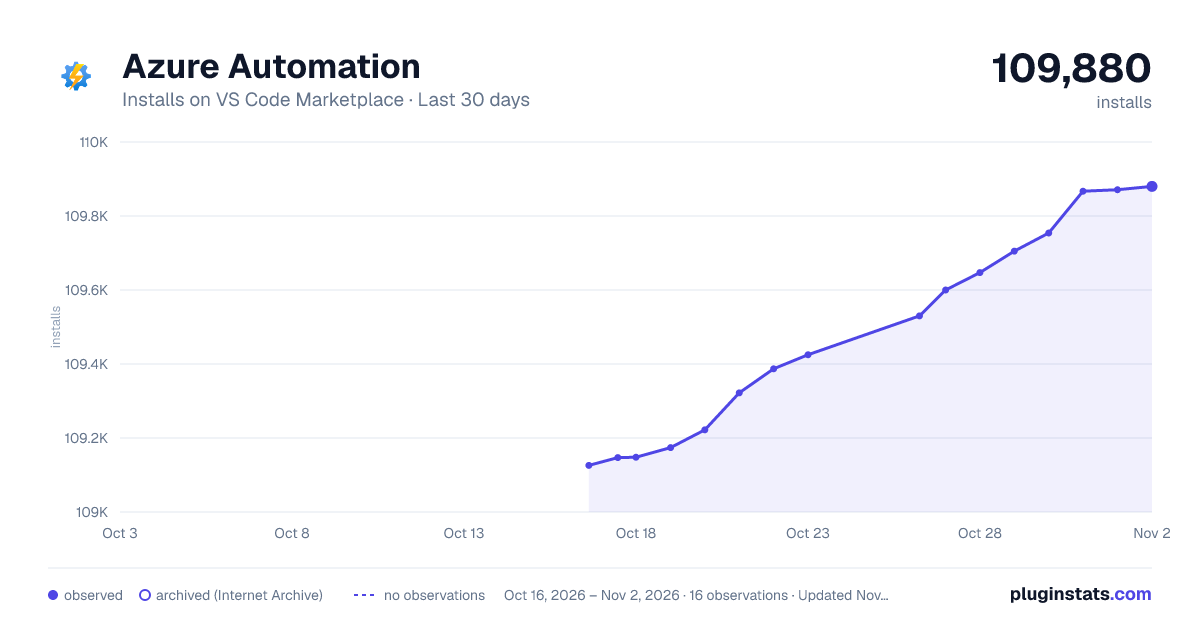
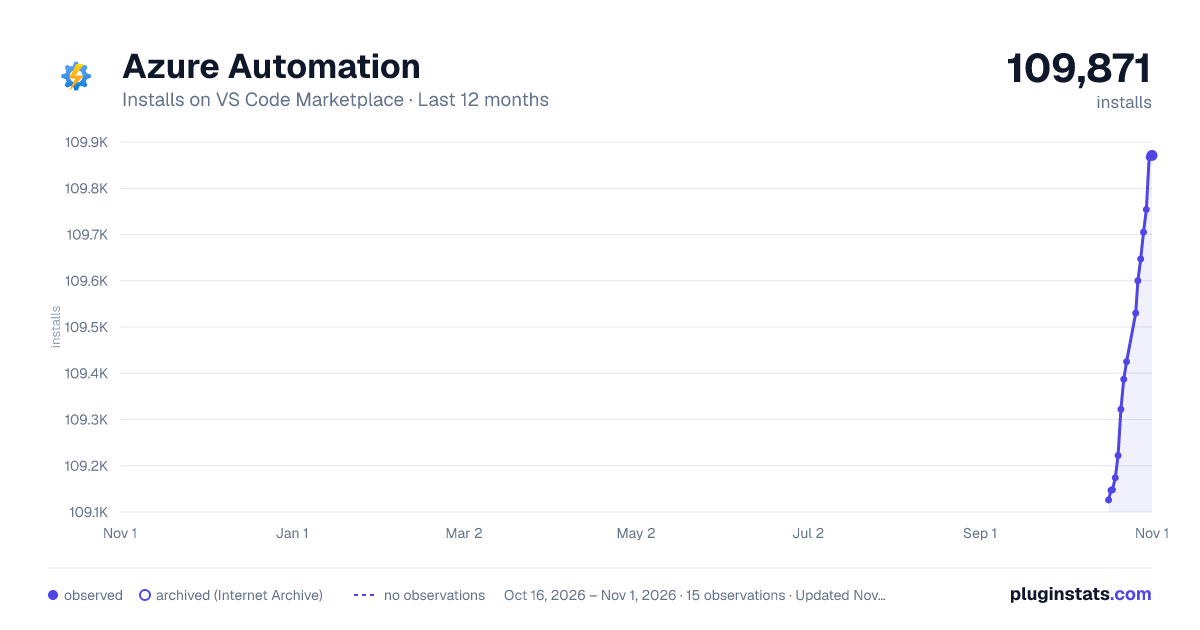
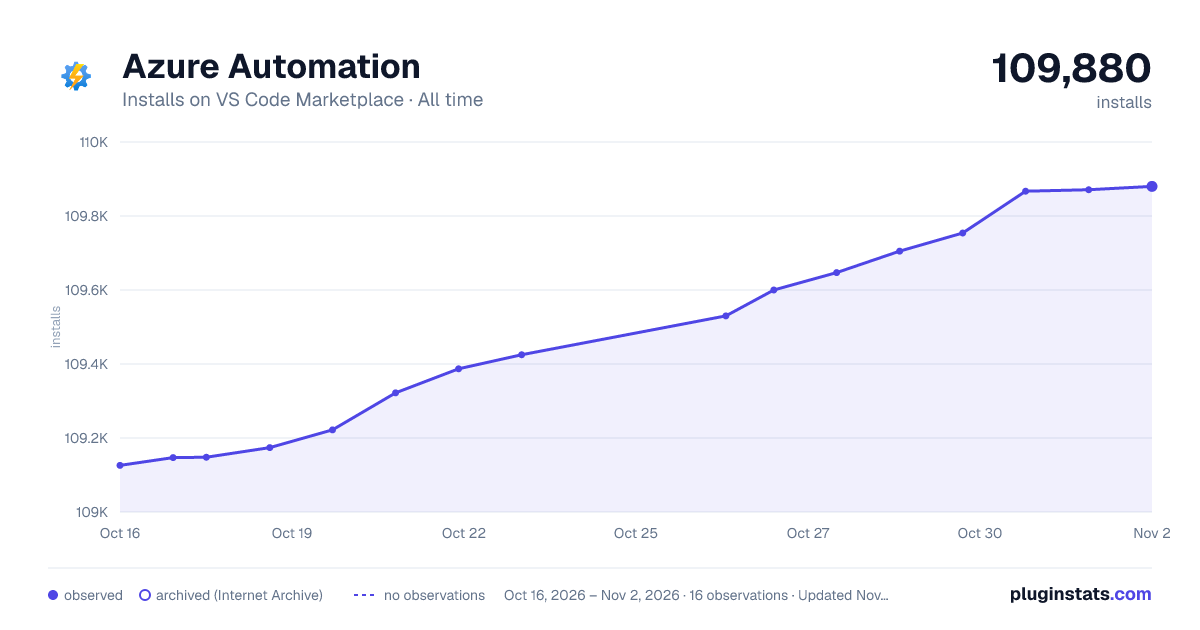

Adoption over time


7/30/90-day growth


Ranking history


Filled points are observed values; hollow points come from Internet Archive snapshots of the listing page. Dashed segments span periods with no observations — values between points are not interpolated.
Recent observations
Full history (3)Similar VS Code Marketplace Azure plugins
Data source
Install counts, average rating, and rating counts come from the public Visual Studio Marketplace gallery API. Installs are cumulative and exclude updates.
Listing: https://marketplace.visualstudio.com/items?itemName=azure-automation.vscode-azureautomation. First seen Oct 16, 2026; last successful collection Oct 18, 2026. See the methodology.